> ## Documentation Index
> Fetch the complete documentation index at: https://docs.alertdog.io/llms.txt
> Use this file to discover all available pages before exploring further.

# Hot Inscription Minting Monitoring

> Get alerted at the first moment about trending inscriptions being minted heavily, helping you mint at low Gas before the hype explodes, secure potential inscriptions early.

<Note>
  Prerequisites:

  1. This feature requires you to [sign in](/en/settings/sign-in) first
  2. You need to add at least one [notification channel](/en/notification-channels/introduction) to receive alerts
</Note>

Operation steps:

<Steps>
  <Step title="Add Monitor">
    Hover over the left sidebar, select **BTC Monitoring** -> **Inscription Monitoring**
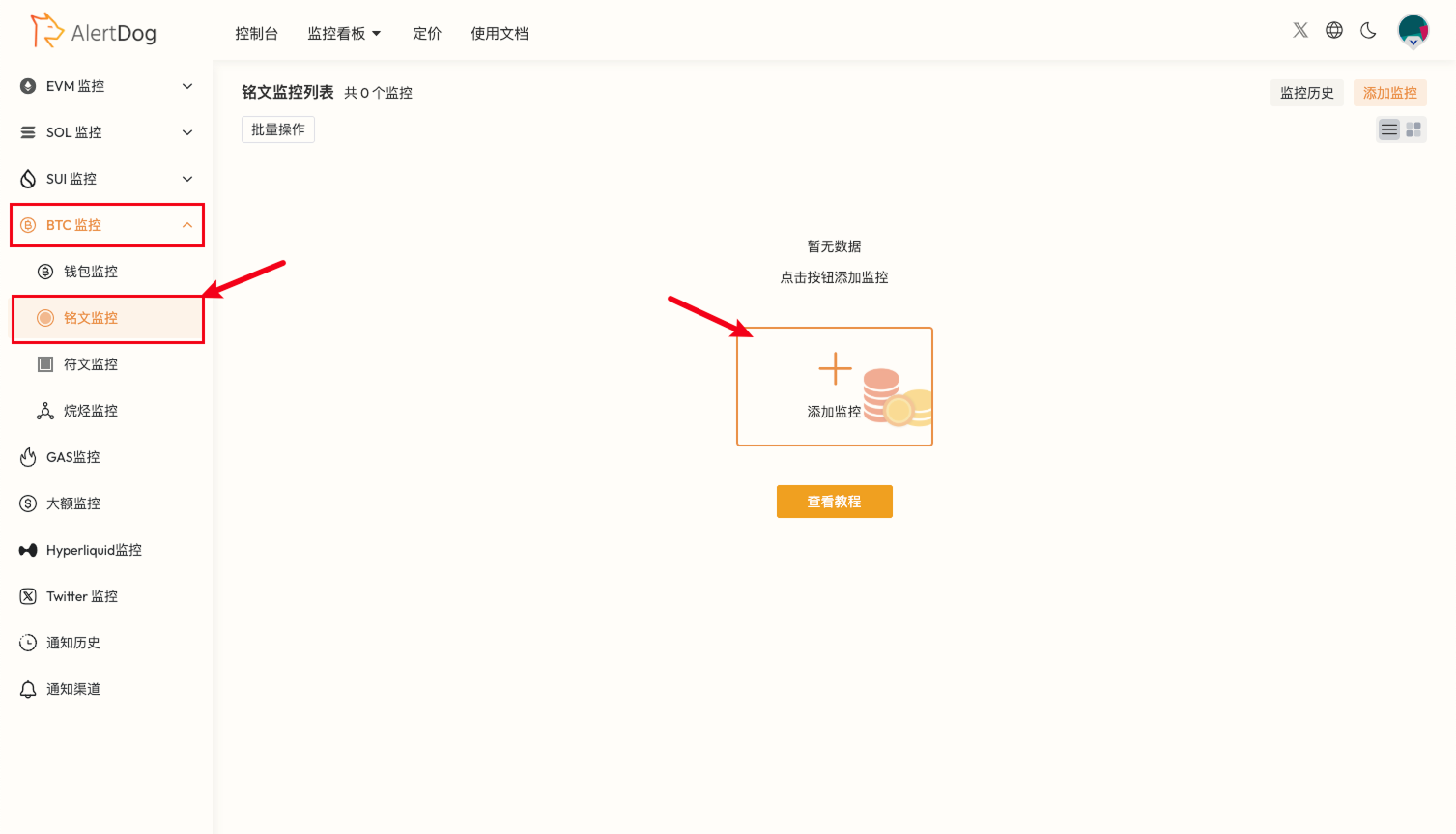
    <Frame caption="Add Monitoring Entry">
      <img src="https://mintcdn.com/alertdog/Wwrq2LjwP9j-13zp/images/cases/hot-inscriptions/btc-inscription-monitor-entry.png?fit=max&auto=format&n=Wwrq2LjwP9j-13zp&q=85&s=765acdb44bef0bf6f2bf70eb613bd1e0" alt="EVM monitoring menu showing address monitoring option" width="1507" height="863" data-path="images/cases/hot-inscriptions/btc-inscription-monitor-entry.png" />
    </Frame>

    Set up monitoring as shown in the example
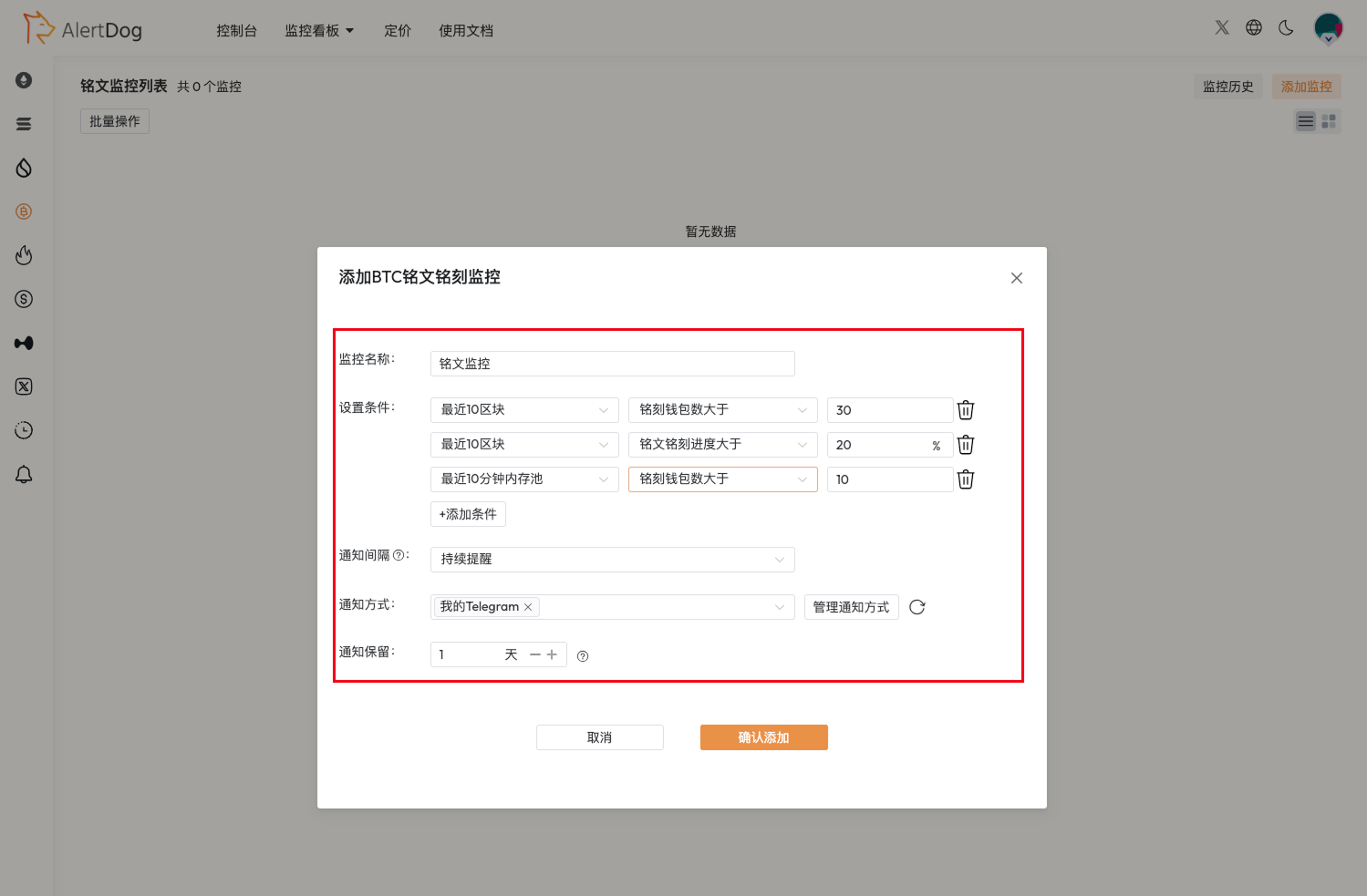
    <Frame caption="Monitoring Configuration">
      <img src="https://mintcdn.com/alertdog/Wwrq2LjwP9j-13zp/images/cases/hot-inscriptions/inscription-monitor-config.png?fit=max&auto=format&n=Wwrq2LjwP9j-13zp&q=85&s=09fde74666658e6c66c6881d76f36765" alt="BTC inscription monitoring configuration form with minting count, Gas threshold and other condition settings" width="1499" height="983" data-path="images/cases/hot-inscriptions/inscription-monitor-config.png" />
    </Frame>

    <Tip>
      You can adjust settings based on recent rune minting activity, choose appropriate conditions for combined settings. Multiple conditions can be added, notifications will only be sent when inscriptions meet all conditions simultaneously.
    </Tip>
  </Step>

  <Step title="Receive Notifications">
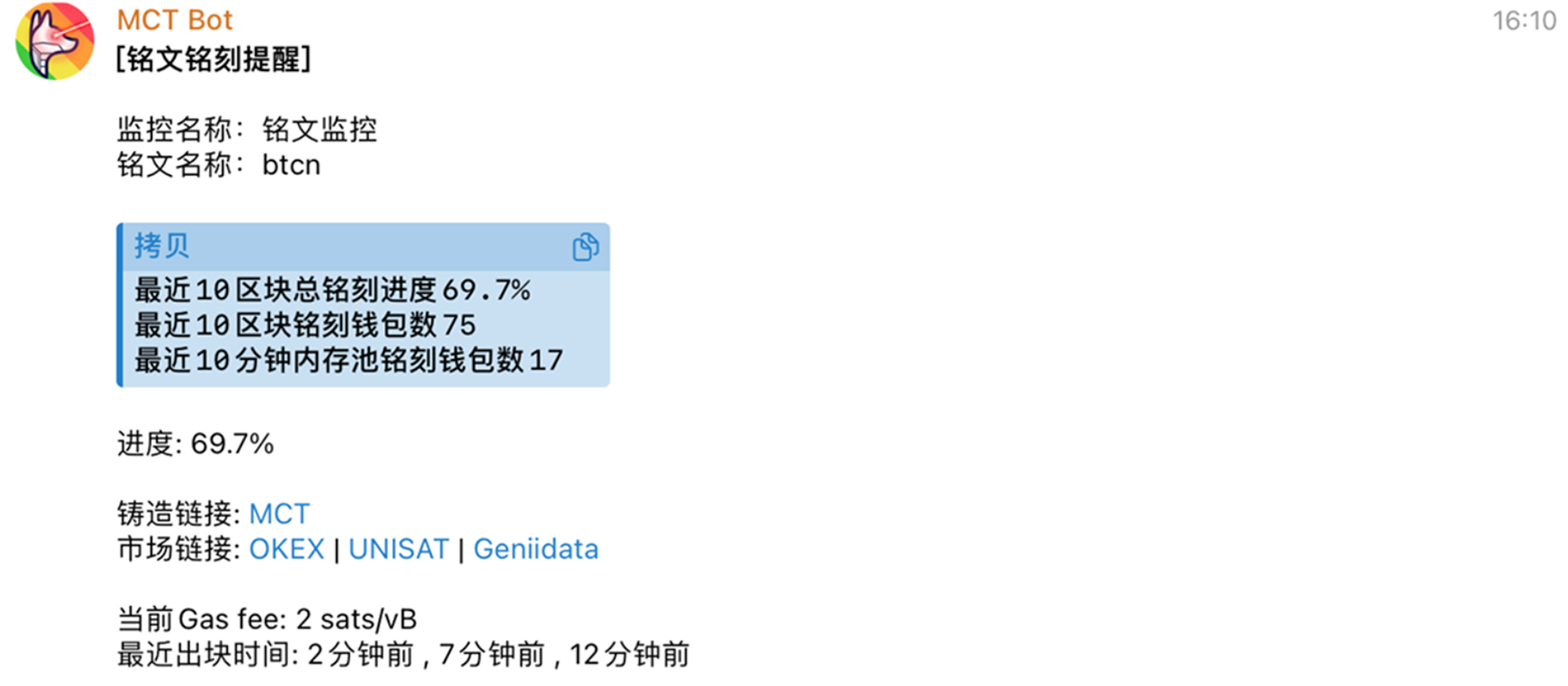
    <Frame caption="Hot Inscription Monitoring Notification Example">
      <img src="https://mintcdn.com/alertdog/Wwrq2LjwP9j-13zp/images/cases/hot-inscriptions/inscription-notification-example.png?fit=max&auto=format&n=Wwrq2LjwP9j-13zp&q=85&s=4b0db5f1d1992a4da6f710291e45ef34" alt="Example of hot inscription monitoring notification received in Telegram" width="1747" height="764" data-path="images/cases/hot-inscriptions/inscription-notification-example.png" />
    </Frame>
  </Step>
</Steps>
