> ## Documentation Index
> Fetch the complete documentation index at: https://docs.alertdog.io/llms.txt
> Use this file to discover all available pages before exploring further.

# Monitor CZ Twitter Updates

> Monitor CZ (@cz_binance) Twitter activity, be the first to know key messages and market trends.

<Note>
  Prerequisites:

  1. This feature requires you to [sign in](/en/settings/sign-in) first
  2. You need to add at least one [notification channel](/en/notification-channels/introduction) to receive alerts
</Note>

Operation steps:

<Steps>
  <Step title="Add Monitor">
    Hover over the left sidebar, select **Twitter Monitoring** -> **Add Monitor**
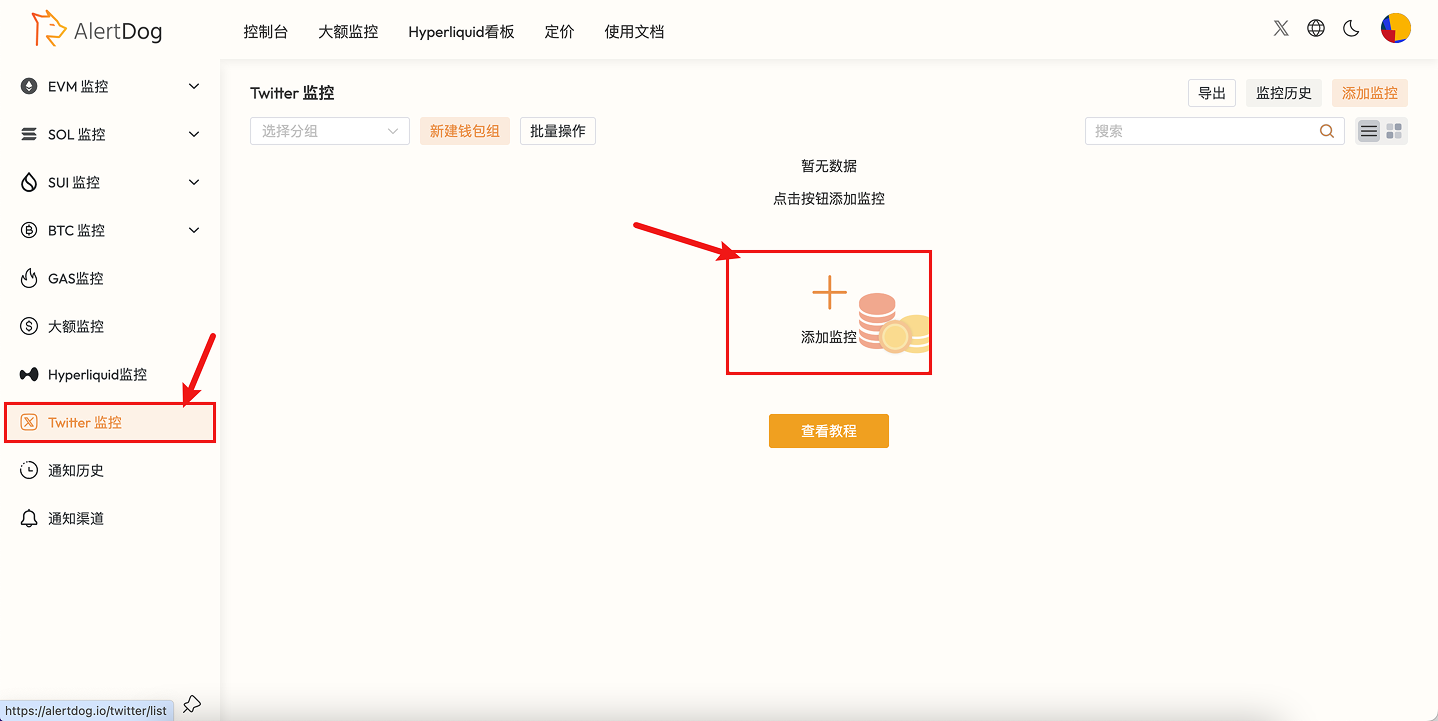
    <Frame caption="Add Monitoring Entry">
      <img src="https://mintcdn.com/alertdog/Wwrq2LjwP9j-13zp/images/cases/cz-twitter/twitter-monitor-menu.png?fit=max&auto=format&n=Wwrq2LjwP9j-13zp&q=85&s=9e6b523c9e805effcdfa95e3f50d5b99" alt="Monitoring menu, select Twitter monitoring" width="1438" height="721" data-path="images/cases/cz-twitter/twitter-monitor-menu.png" />
    </Frame>

    CZ Twitter ID: `cz_binance`, fill in the monitoring form according to your needs as shown in the example.
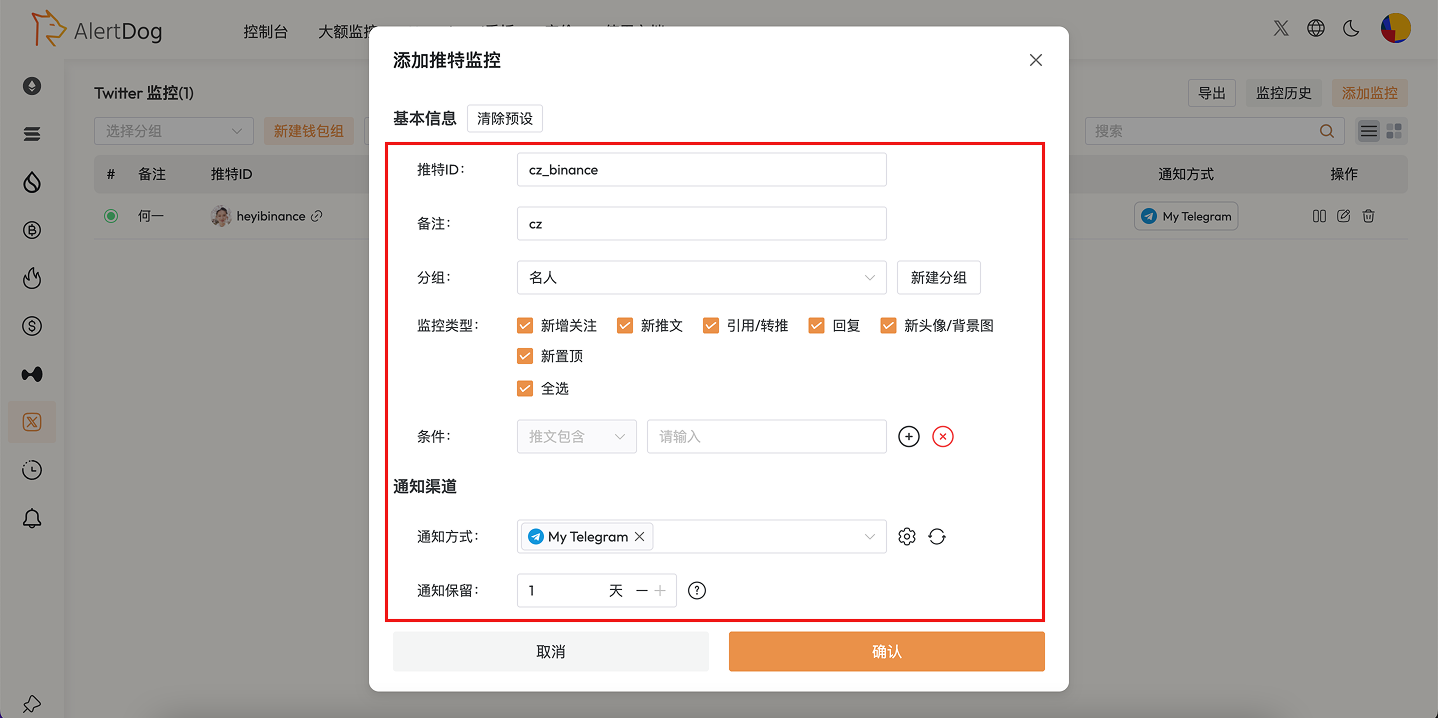

    <Frame caption="Monitoring Configuration">
      <img src="https://mintcdn.com/alertdog/Wwrq2LjwP9j-13zp/images/cases/cz-twitter/cz-twitter-monitor-config.png?fit=max&auto=format&n=Wwrq2LjwP9j-13zp&q=85&s=e89ec4e87411d0fbd4ed6a0c77727348" alt="CZ Twitter monitoring form configuration, including Twitter ID, notification channel settings" width="1438" height="718" data-path="images/cases/cz-twitter/cz-twitter-monitor-config.png" />
    </Frame>
  </Step>

  <Step title="Receive Notifications">
    <Frame caption="Twitter Monitoring Notification Example">
      <img src="https://mintcdn.com/alertdog/Wwrq2LjwP9j-13zp/images/cases/cz-twitter/cz-twitter-notification-example.png?fit=max&auto=format&n=Wwrq2LjwP9j-13zp&q=85&s=1aef83af13aef2bc8cf31b4d263fec6d" alt="Example of monitoring notification message in Telegram" width="1429" height="378" data-path="images/cases/cz-twitter/cz-twitter-notification-example.png" />
    </Frame>
  </Step>
</Steps>
