> ## Documentation Index
> Fetch the complete documentation index at: https://docs.alertdog.io/llms.txt
> Use this file to discover all available pages before exploring further.
# How to Monitor CZ's Wallet
> Step-by-step guide to monitoring CZ's (Changpeng Zhao) wallet address, track Binance founder's on-chain transaction activities in real-time. Set up EVM address monitoring through AlertDog to be the first to know about wallet transfers, trades, and other operations.
Prerequisites:
1. This feature requires you to [sign in](/en/settings/sign-in) first
2. You need to add at least one [notification channel](/en/notification-channels/introduction) to receive alerts
Operation steps:
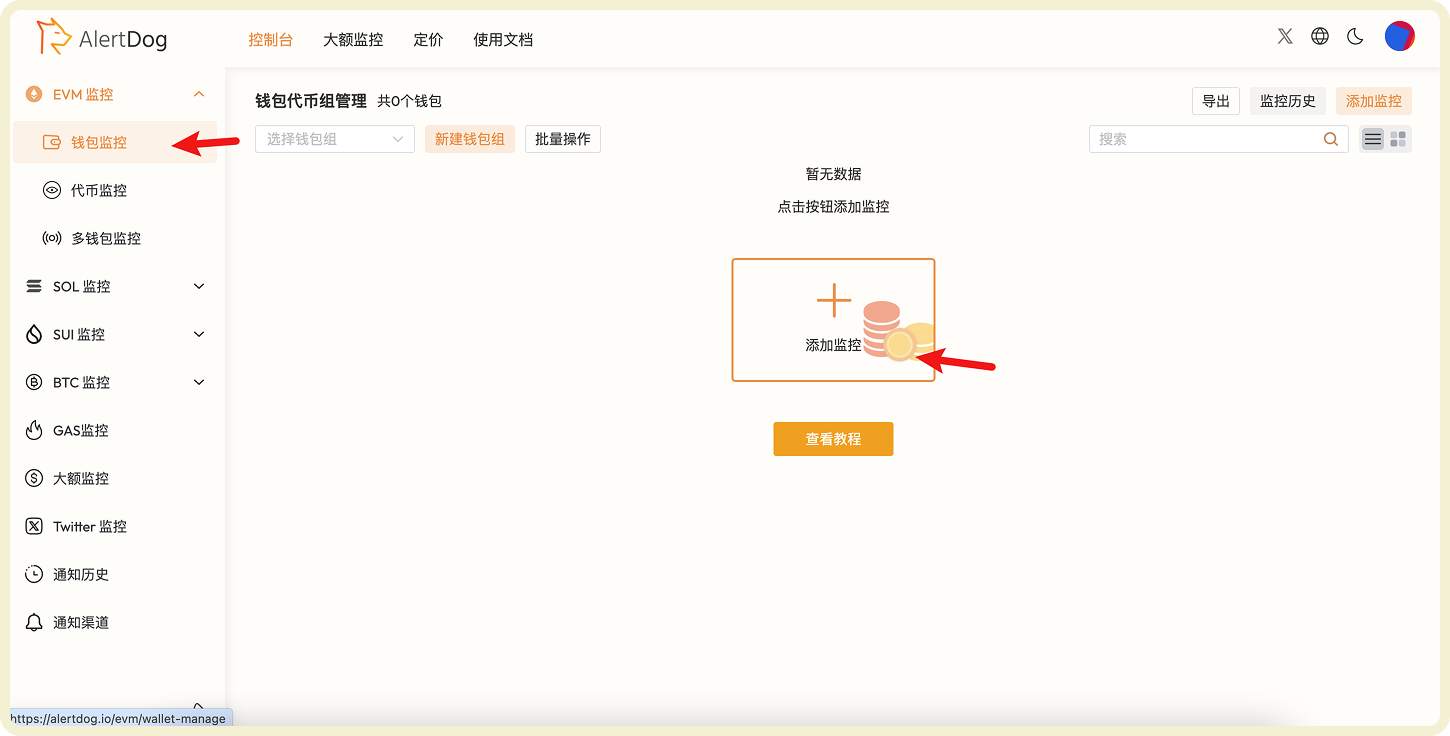
Hover over the left sidebar, select **EVM Monitoring** → **Address Monitoring**, and click "Add Monitor".
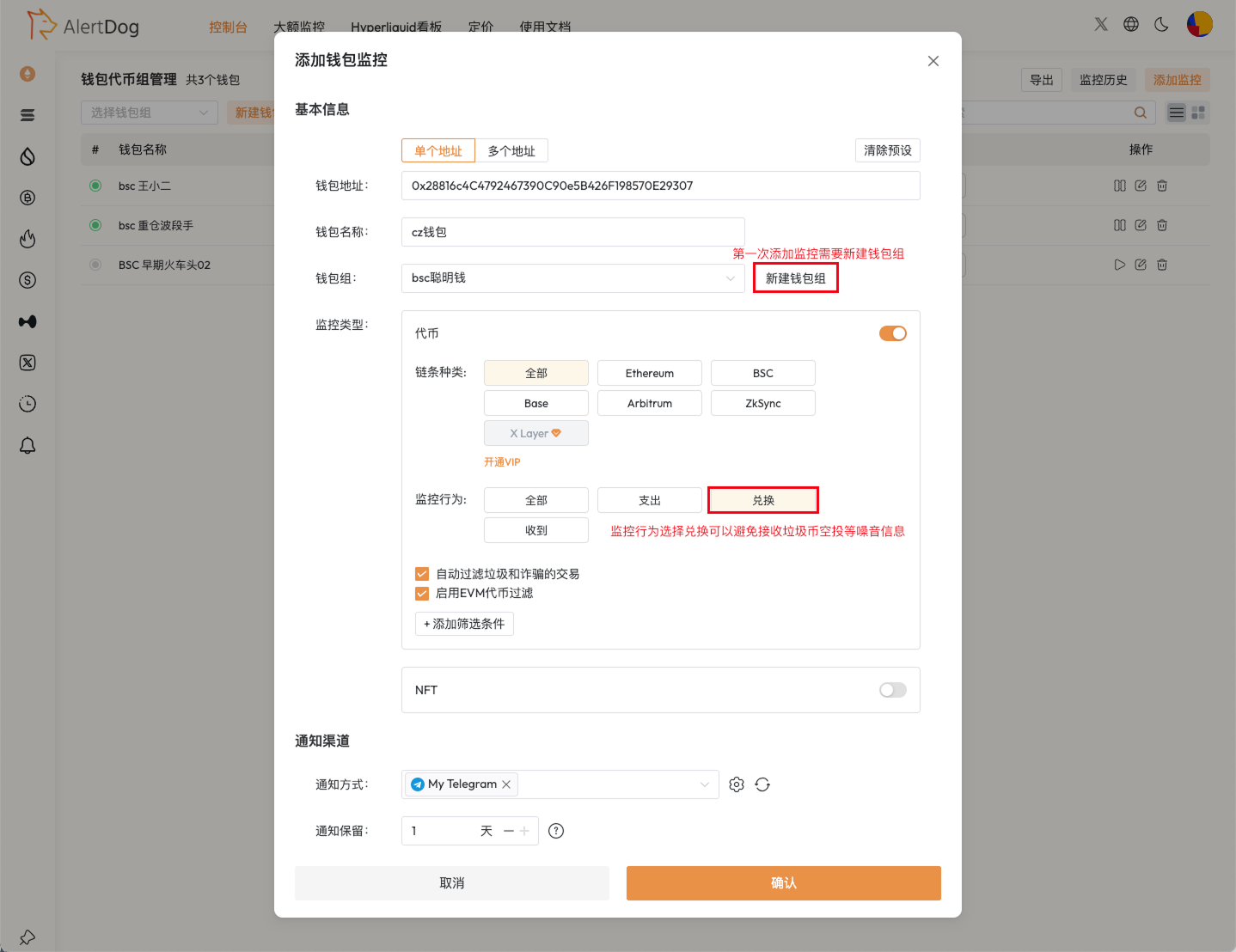
 CZ wallet address: `0x28816c4C4792467390C90e5B426F198570E29307`, fill in the monitoring form according to your needs as shown in the example.
 Once the wallet performs an action that meets the monitoring conditions, you will receive an alert immediately.