> ## Documentation Index
> Fetch the complete documentation index at: https://docs.alertdog.io/llms.txt
> Use this file to discover all available pages before exploring further.
# Pro Permissions Not Activated After Purchase
> Purchased Pro and payment was successful, but permissions are not activated?
It may be one of the following two situations, please troubleshoot one by one
### Situation 1: Payment wallet differs from login wallet, need to switch wallets to confirm
**Example:**
You logged in with Wallet A and purchased Pro service
But actually paid with Wallet B
→ Result: Pro permissions are bound to Wallet A, Wallet B has no permissions.
**Solution:**
Confirm the wallet address you were logged in with when purchasing;
Switch back to that wallet to log in;
Re-enter the system to restore Pro permissions.
### Situation 2: Transaction pending for extended period, need manual order completion
**Example:**
Some on-chain transactions may be stuck in "pending confirmation" status for an extended period due to network congestion or low Gas, and Pro permissions are not received.
**Solution:**
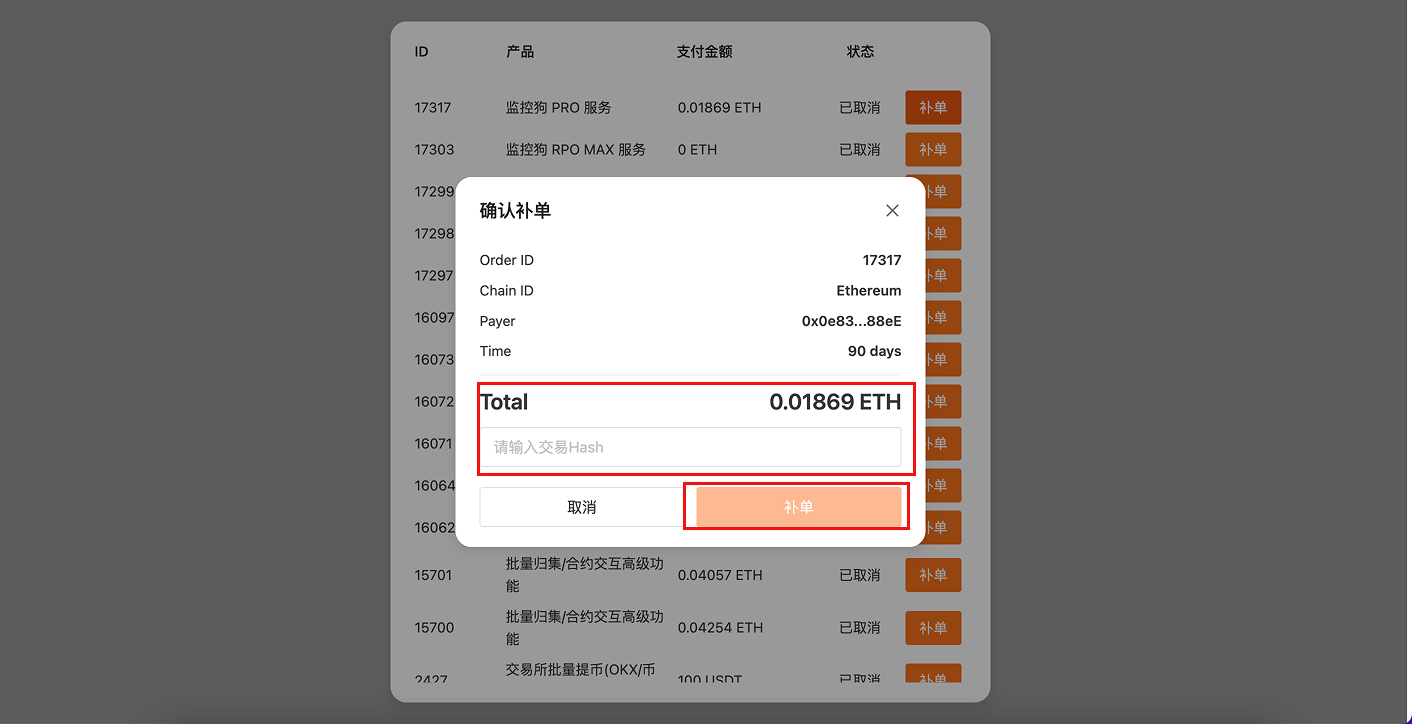
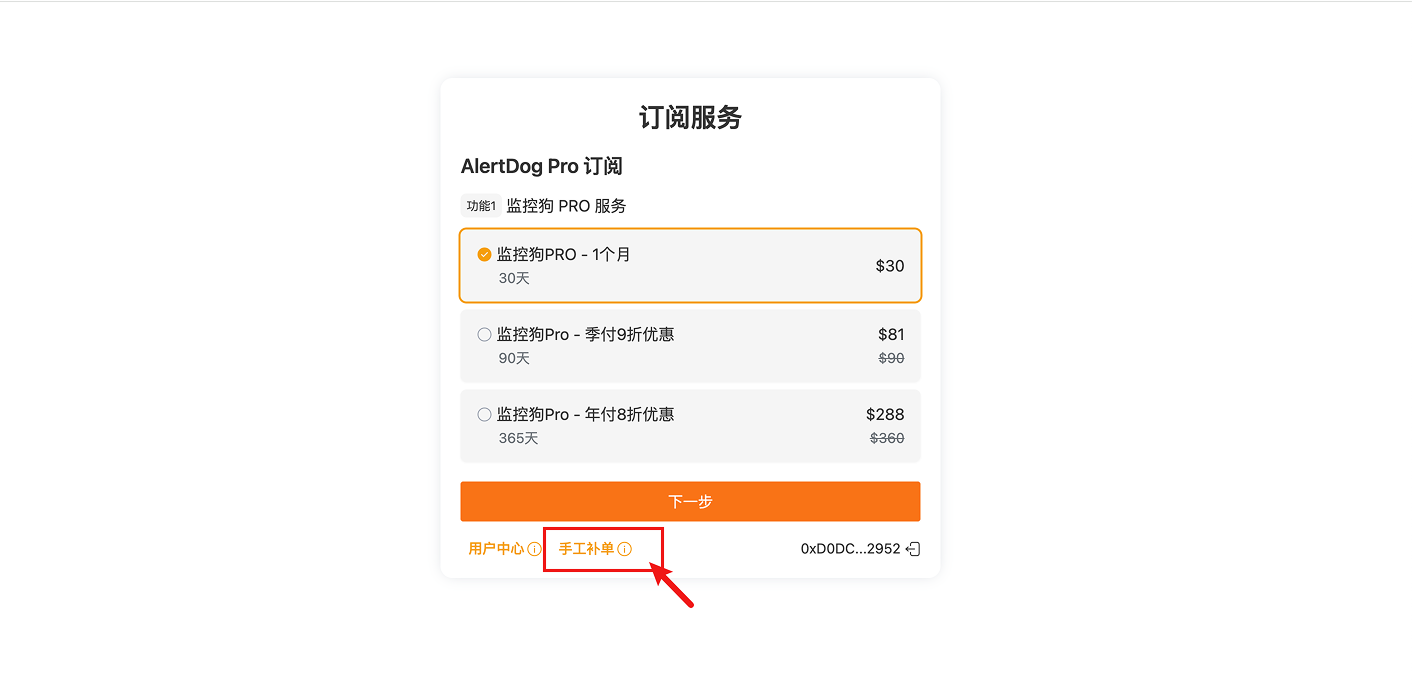
Click the "Manual Order Completion" button on the purchase page, select
 Enter the transaction Hash and confirm order completion, wait for the system to re-check the order status and grant permissions.