> ## Documentation Index
> Fetch the complete documentation index at: https://docs.alertdog.io/llms.txt
> Use this file to discover all available pages before exploring further.
# Runes Monitoring
> Comprehensively track BTC rune activities, monitor trending minting in real-time, deployment alerts, price fluctuations and whale holding changes, seize opportunities and gain market trend insights
Runes is a fungible token protocol on the Bitcoin network, allowing token creation and management on the Bitcoin blockchain.
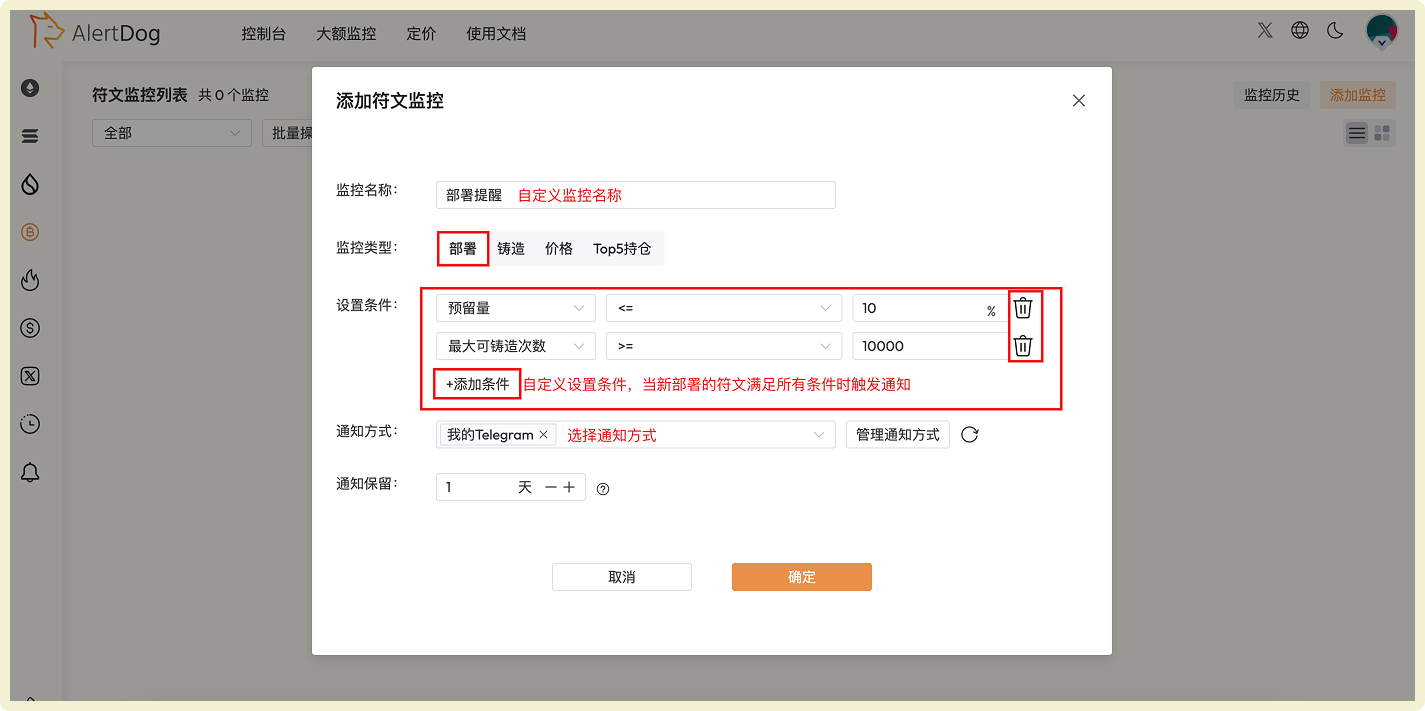
## Add Rune Deployment Monitoring
Monitor newly deployed rune projects in real-time, discover investment opportunities at the first moment.
 ## Add Rune Minting Monitoring
Precisely capture trending rune minting opportunities by setting conditions based on time and quantity dimensions.
## Add Rune Minting Monitoring
Precisely capture trending rune minting opportunities by setting conditions based on time and quantity dimensions.
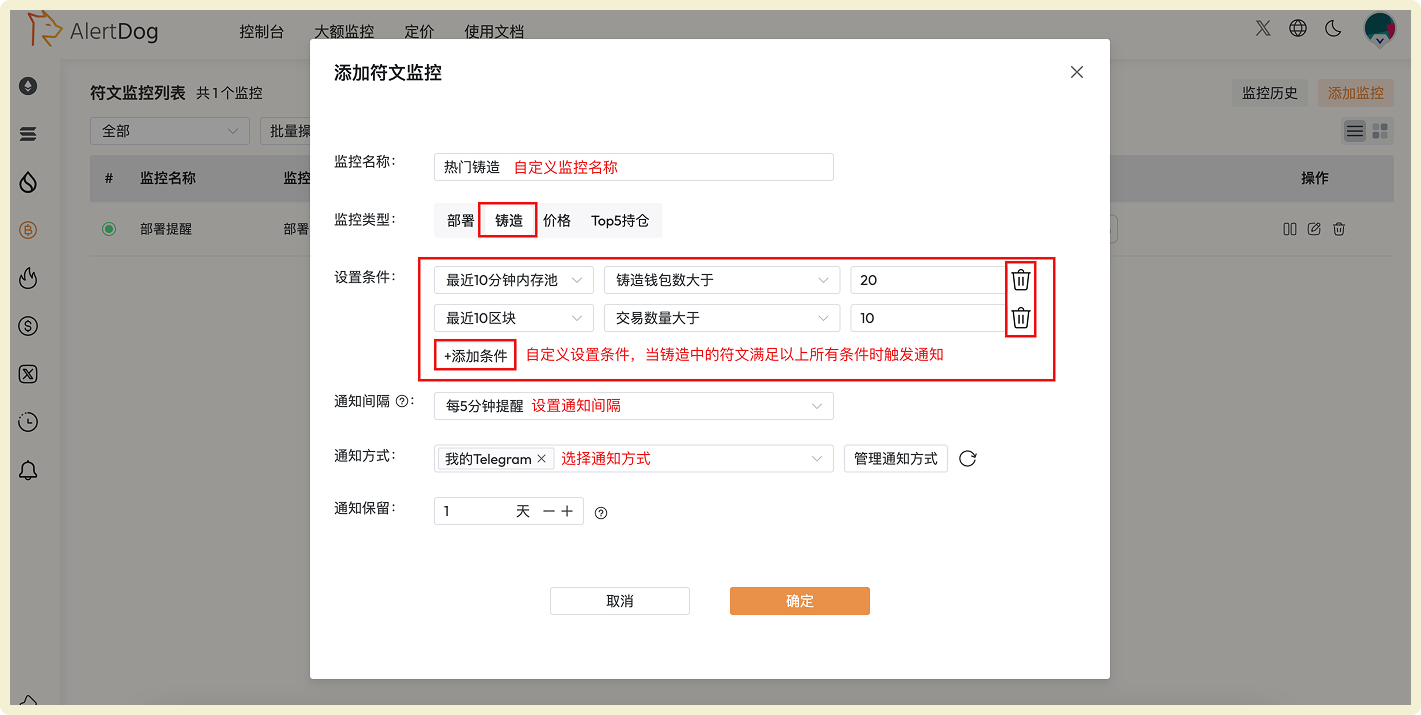 **Condition Setting Description**
**Condition Setting: Configure through time and quantity dimensions**
**Time Dimension Options:**
* Within last 5 minutes mempool
* Within last 10 minutes mempool
* Last 3 blocks
* Last 10 blocks
* Last 20 blocks
**Quantity Dimension Options:**
* Minting wallet count greater than
* Transaction count greater than
* Rune minting progress greater than
* Rune minting progress less than
You can customize combinations of time conditions + quantity conditions. Multiple conditions can be added, notifications will only be sent when runes meet all conditions simultaneously.
**Configuration Example**
**Condition Setting Description**
**Condition Setting: Configure through time and quantity dimensions**
**Time Dimension Options:**
* Within last 5 minutes mempool
* Within last 10 minutes mempool
* Last 3 blocks
* Last 10 blocks
* Last 20 blocks
**Quantity Dimension Options:**
* Minting wallet count greater than
* Transaction count greater than
* Rune minting progress greater than
* Rune minting progress less than
You can customize combinations of time conditions + quantity conditions. Multiple conditions can be added, notifications will only be sent when runes meet all conditions simultaneously.
**Configuration Example**
 ## Add Rune Price Monitoring
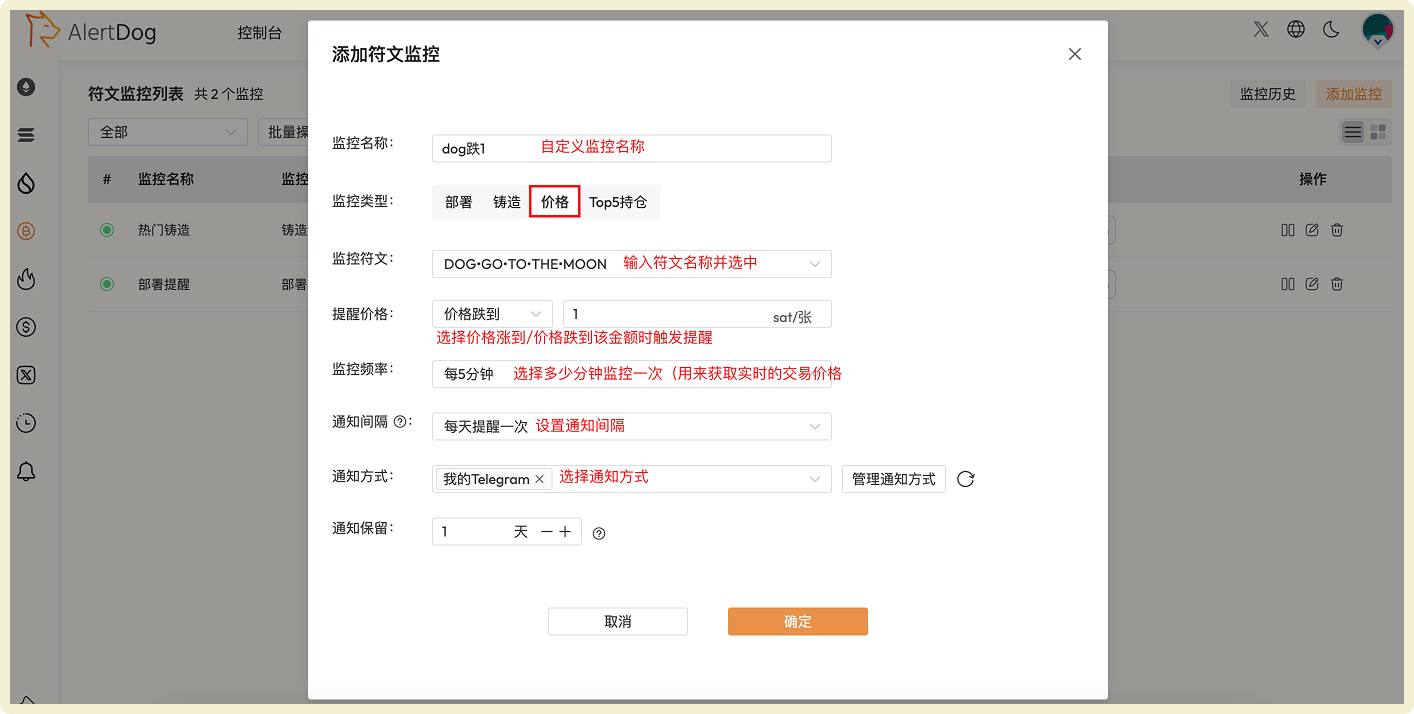
Monitor rune price changes, capture buy/sell opportunities promptly.
## Add Rune Price Monitoring
Monitor rune price changes, capture buy/sell opportunities promptly.
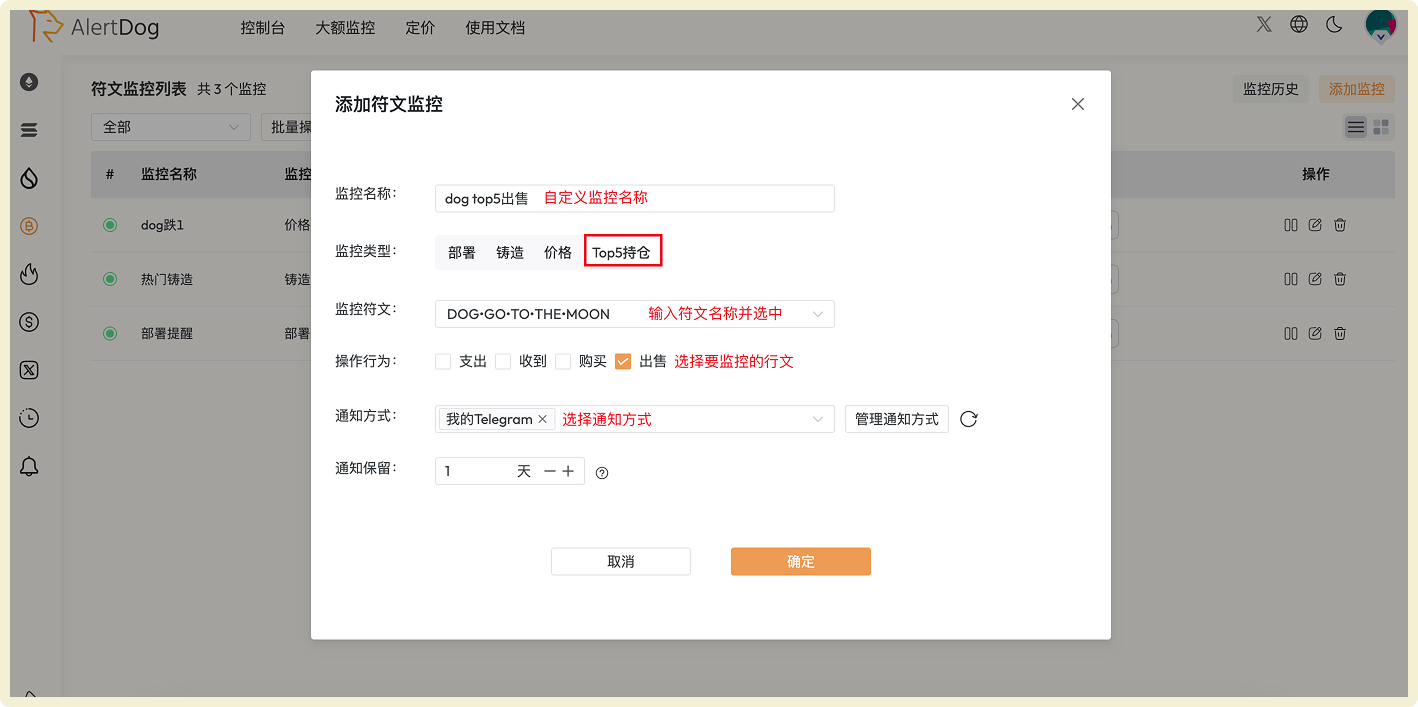
 ## Add Rune TOP5 Holding Change Monitoring
Track whale holding changes in real-time, gain market trend insights.
## Add Rune TOP5 Holding Change Monitoring
Track whale holding changes in real-time, gain market trend insights.
 ## Manage Rune Monitoring
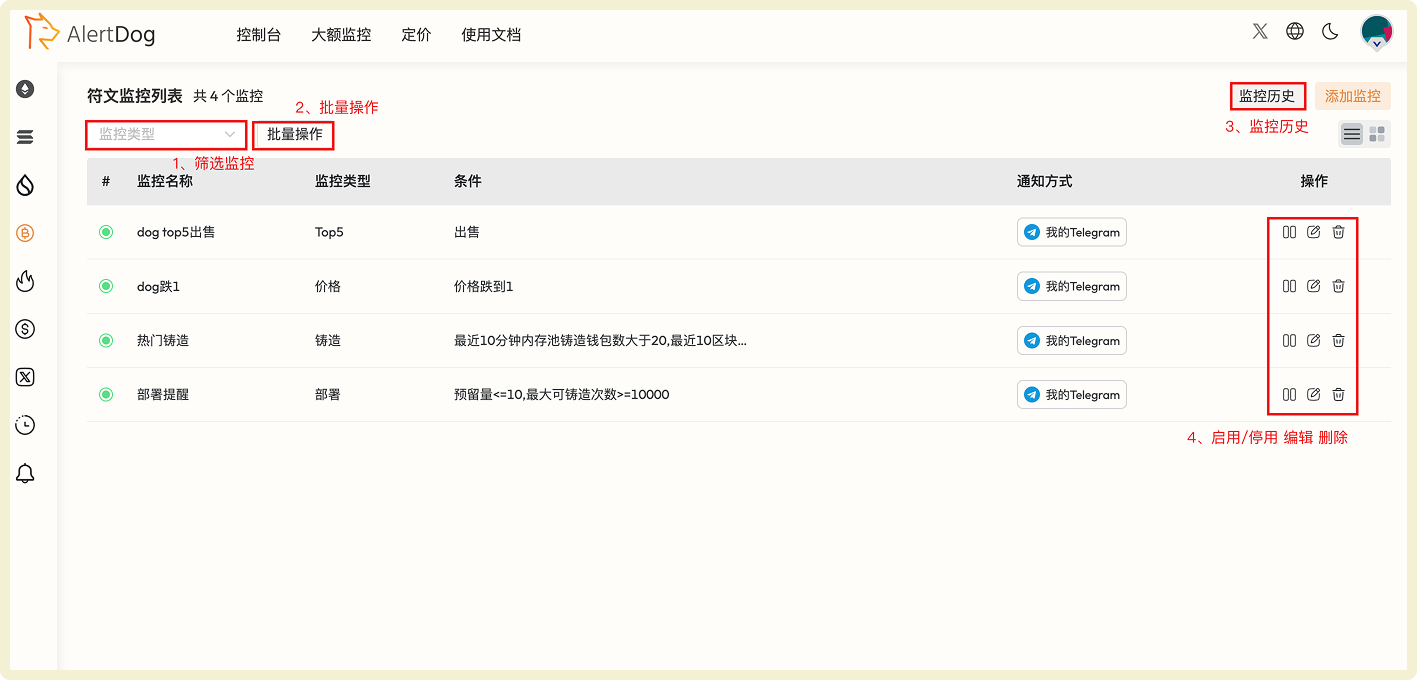
You can manage added rune monitoring through the following methods:
* **Filter Monitoring**: Filter specific monitoring by monitoring type
* **Batch Operations**: Click batch operations to perform batch move to group, batch edit, batch modify notification methods, batch delete on selected monitoring
* **Monitoring History**: View received monitoring notification history on the unified monitoring history page
* **Enable/Disable, Edit, Delete**: Perform enable/disable, edit, delete operations on monitoring
## Manage Rune Monitoring
You can manage added rune monitoring through the following methods:
* **Filter Monitoring**: Filter specific monitoring by monitoring type
* **Batch Operations**: Click batch operations to perform batch move to group, batch edit, batch modify notification methods, batch delete on selected monitoring
* **Monitoring History**: View received monitoring notification history on the unified monitoring history page
* **Enable/Disable, Edit, Delete**: Perform enable/disable, edit, delete operations on monitoring