> ## Documentation Index
> Fetch the complete documentation index at: https://docs.alertdog.io/llms.txt
> Use this file to discover all available pages before exploring further.
# EVM Token Monitoring
> Token TOP holder change monitoring and large transfer monitoring, grasp whale holding changes in real-time, capture large transfer activities, quickly discover potential market signals
## Add Token Monitoring
Token monitoring supports two main monitoring types: TOP holder change monitoring and large transaction monitoring.
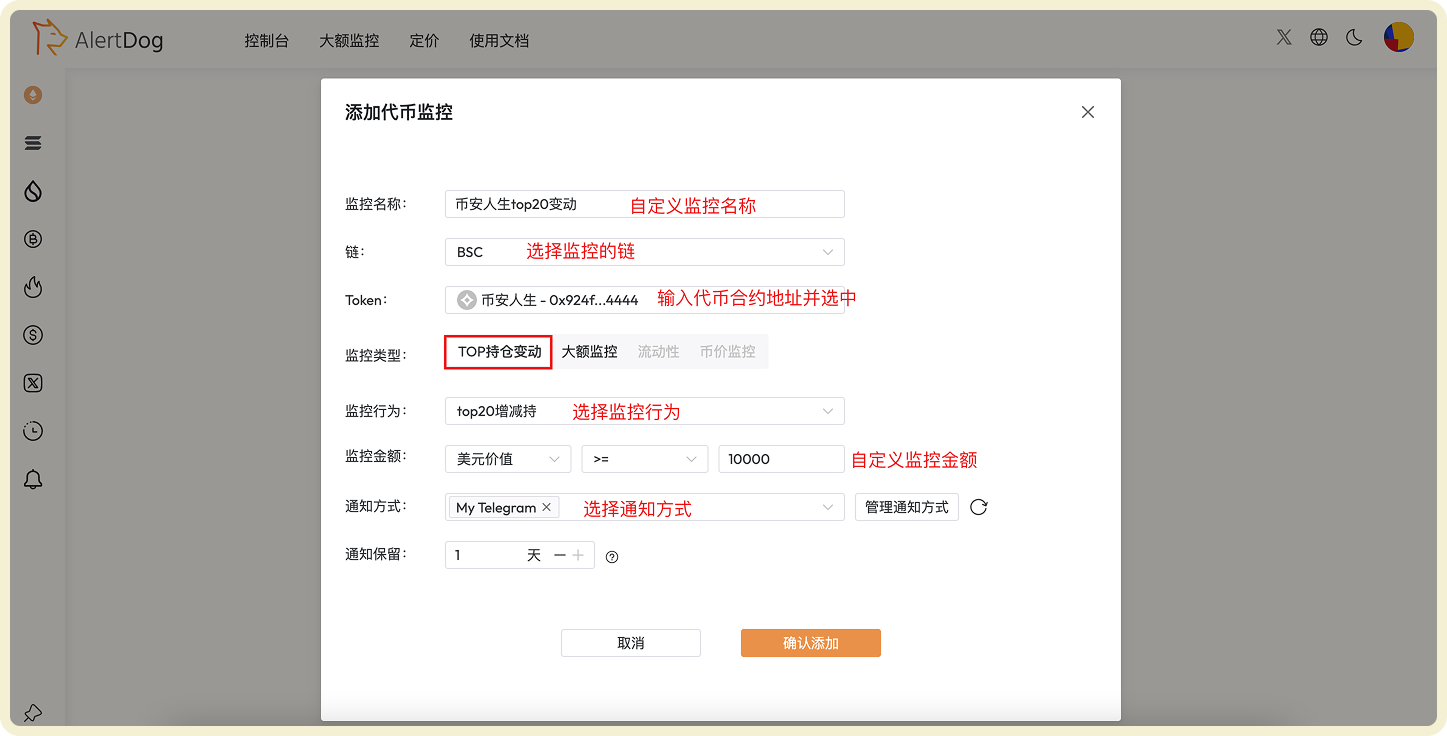
### TOP Holder Change Monitoring
TOP holder change monitoring helps you grasp whale holding changes in real-time, gaining early insights into market trends and fund flows.
**Example**: Monitor operations greater than \$10,000 by the TOP 20 holders of token "Binance Life"
 ### Large Transaction Monitoring
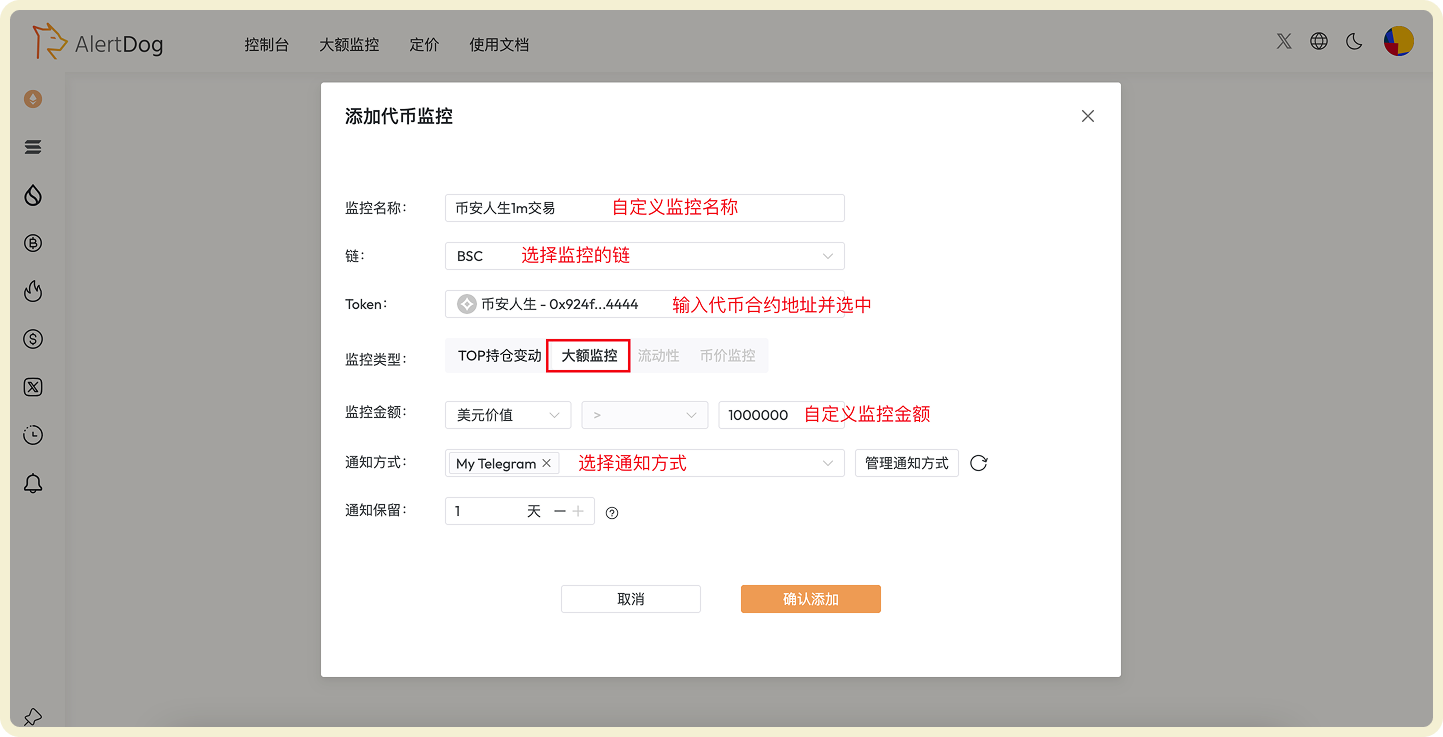
Large transaction monitoring can capture large transfer activities, quickly discovering potential pump or dump signals.
**Example**: Monitor transactions greater than \$1 million for token "Binance Life"
### Large Transaction Monitoring
Large transaction monitoring can capture large transfer activities, quickly discovering potential pump or dump signals.
**Example**: Monitor transactions greater than \$1 million for token "Binance Life"
 ## Manage Token Monitoring
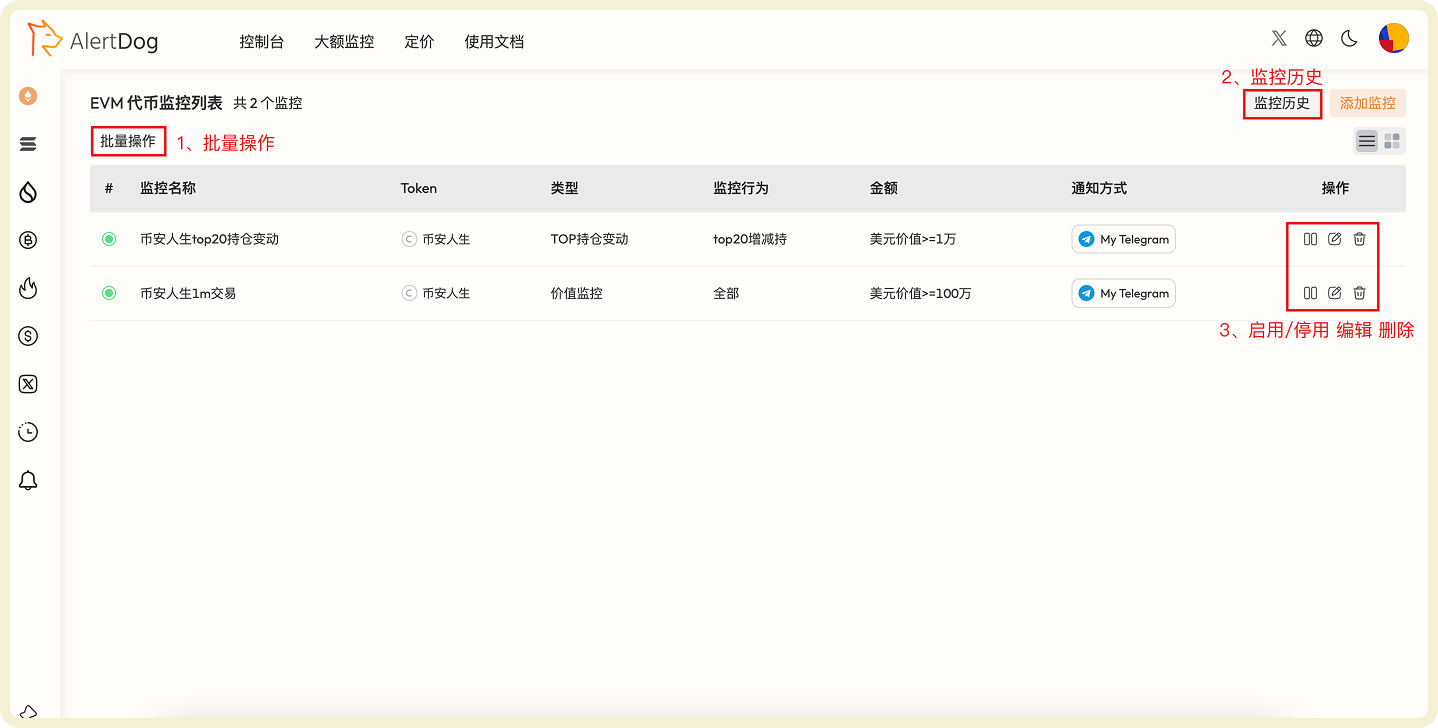
You can manage added token monitoring through the following methods:
* **Batch Operations**: Click batch operations to perform batch move to group, batch edit, batch modify notification methods, batch delete on selected monitoring tasks
* **Monitoring History**: View received monitoring notification history on the unified monitoring history page
* **Enable/Disable, Edit, Delete**: Perform enable/disable, edit, delete operations on monitoring tasks
## Manage Token Monitoring
You can manage added token monitoring through the following methods:
* **Batch Operations**: Click batch operations to perform batch move to group, batch edit, batch modify notification methods, batch delete on selected monitoring tasks
* **Monitoring History**: View received monitoring notification history on the unified monitoring history page
* **Enable/Disable, Edit, Delete**: Perform enable/disable, edit, delete operations on monitoring tasks
 Properly setting monitoring thresholds can help you filter out unimportant transactions and focus on truly valuable whale behavior and large transactions.