> ## Documentation Index
> Fetch the complete documentation index at: https://docs.alertdog.io/llms.txt
> Use this file to discover all available pages before exploring further.
# GAS Monitoring
> Track Gas fees and consumption across chains in real-time, identify high-consumption addresses and top burner wallets, helping you gain insights into on-chain activity and potential hotspots.
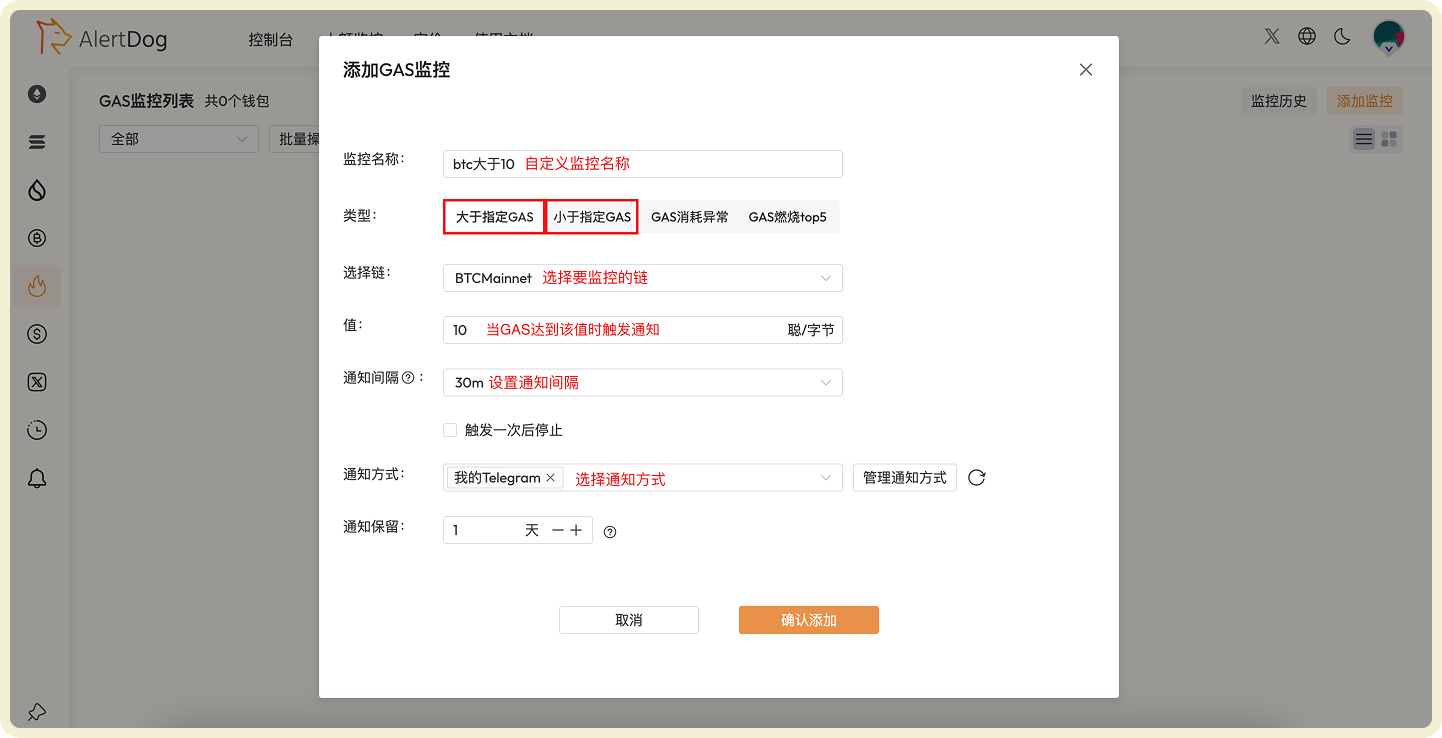
## Real-Time GAS Value Monitoring
Monitor and notify real-time GAS on each chain, trigger alert when it's greater than or less than the specified value.
 ## GAS Abnormal Consumption Monitoring
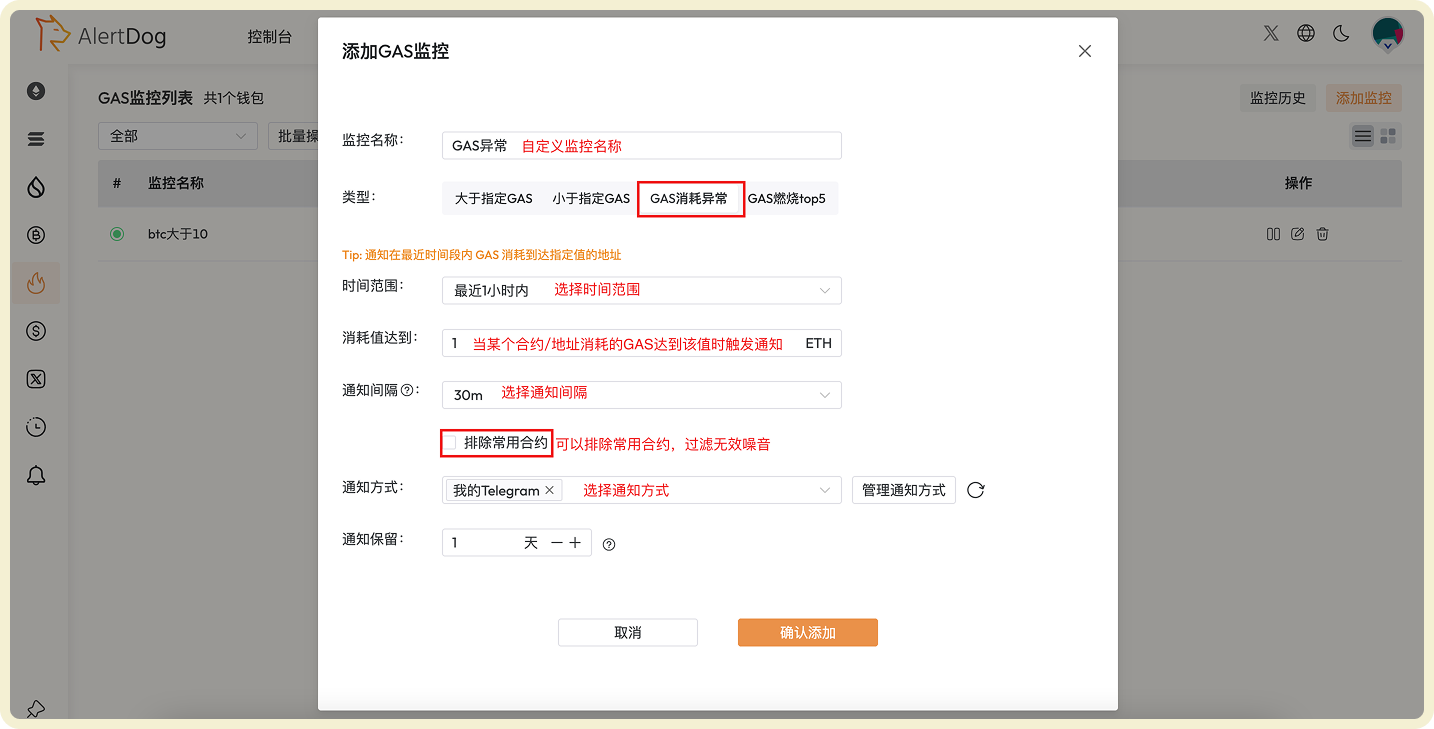
Used to alert contract addresses that have consumed GAS reaching a specified value within a time period, promptly discover hot projects on-chain
## GAS Abnormal Consumption Monitoring
Used to alert contract addresses that have consumed GAS reaching a specified value within a time period, promptly discover hot projects on-chain
 ## GAS Burning TOP Leaderboard Monitoring
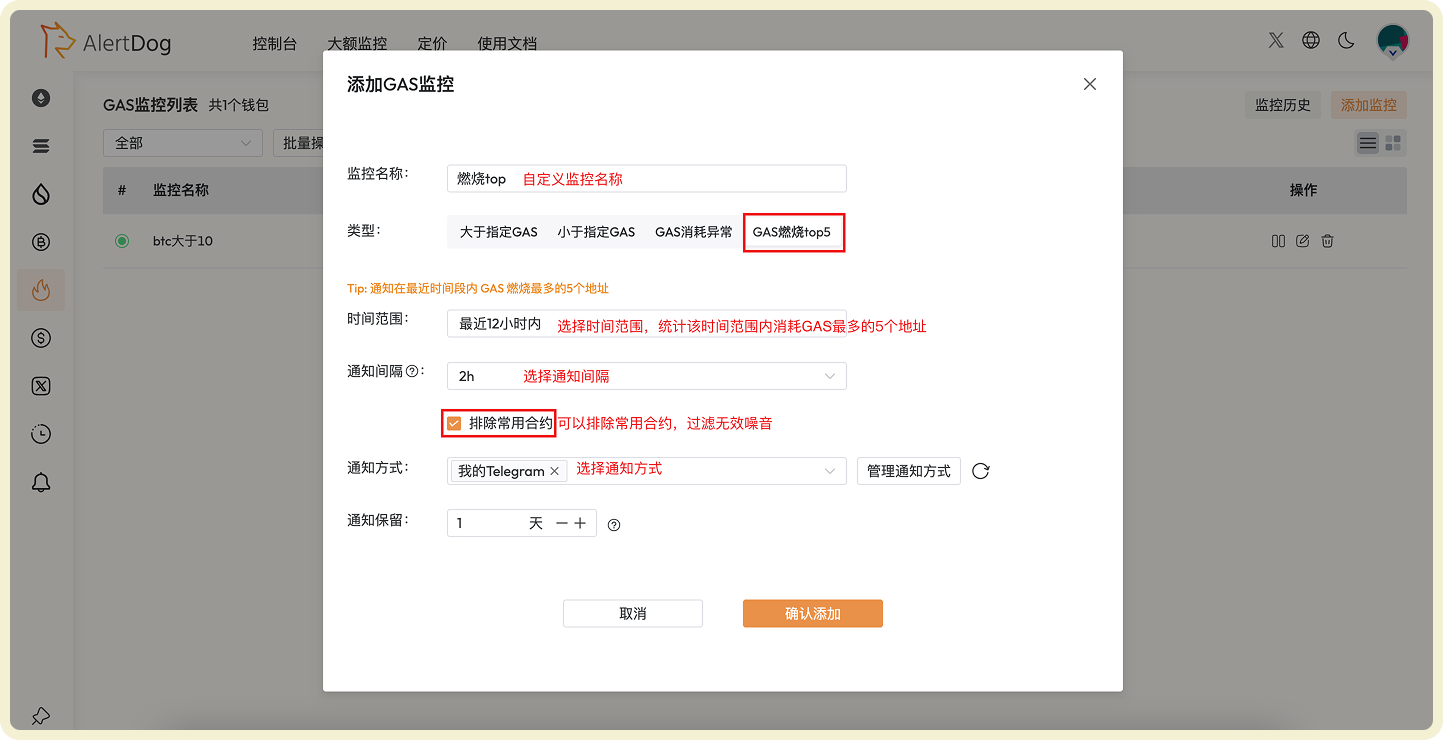
Monitor the top 5 addresses with the most GAS burning in recent time period, you can set notification interval time
## GAS Burning TOP Leaderboard Monitoring
Monitor the top 5 addresses with the most GAS burning in recent time period, you can set notification interval time
 ## Manage GAS Monitoring
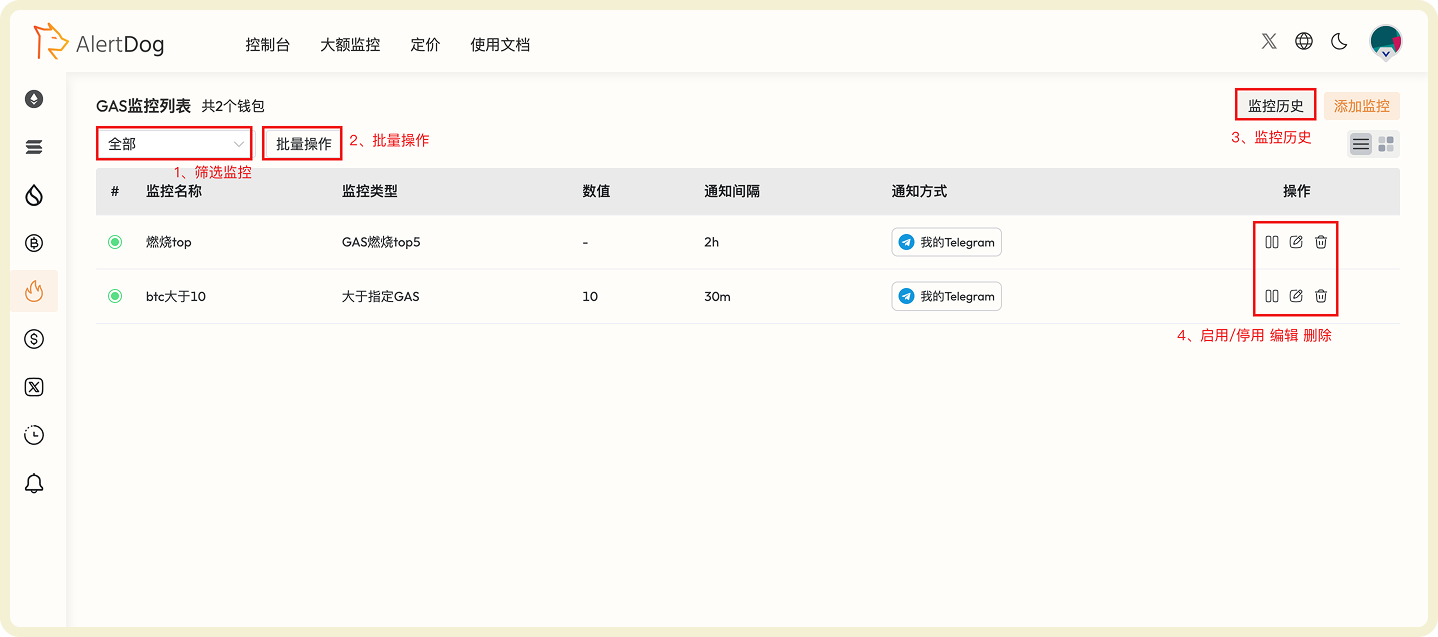
You can manage added GAS monitoring through the following methods:
* **Filter Monitoring**: Filter specific monitoring by monitoring type
* **Batch Operations**: Click batch operations to perform batch move to group, batch edit, batch modify notification methods, batch delete on selected monitoring
* **Monitoring History**: View received monitoring notification history on the unified monitoring history page
* **Enable/Disable, Edit, Delete**: Perform enable/disable, edit, delete operations on monitoring
## Manage GAS Monitoring
You can manage added GAS monitoring through the following methods:
* **Filter Monitoring**: Filter specific monitoring by monitoring type
* **Batch Operations**: Click batch operations to perform batch move to group, batch edit, batch modify notification methods, batch delete on selected monitoring
* **Monitoring History**: View received monitoring notification history on the unified monitoring history page
* **Enable/Disable, Edit, Delete**: Perform enable/disable, edit, delete operations on monitoring