> ## Documentation Index
> Fetch the complete documentation index at: https://docs.alertdog.io/llms.txt
> Use this file to discover all available pages before exploring further.
# Solana Address Monitoring
> Monitor wallet deposits, withdrawals, swaps and other operations on Solana chain, track wallet fund movements in real-time, be the first to know about buy/sell, transfers and potential abnormal movement opportunities
## Add Address Monitoring
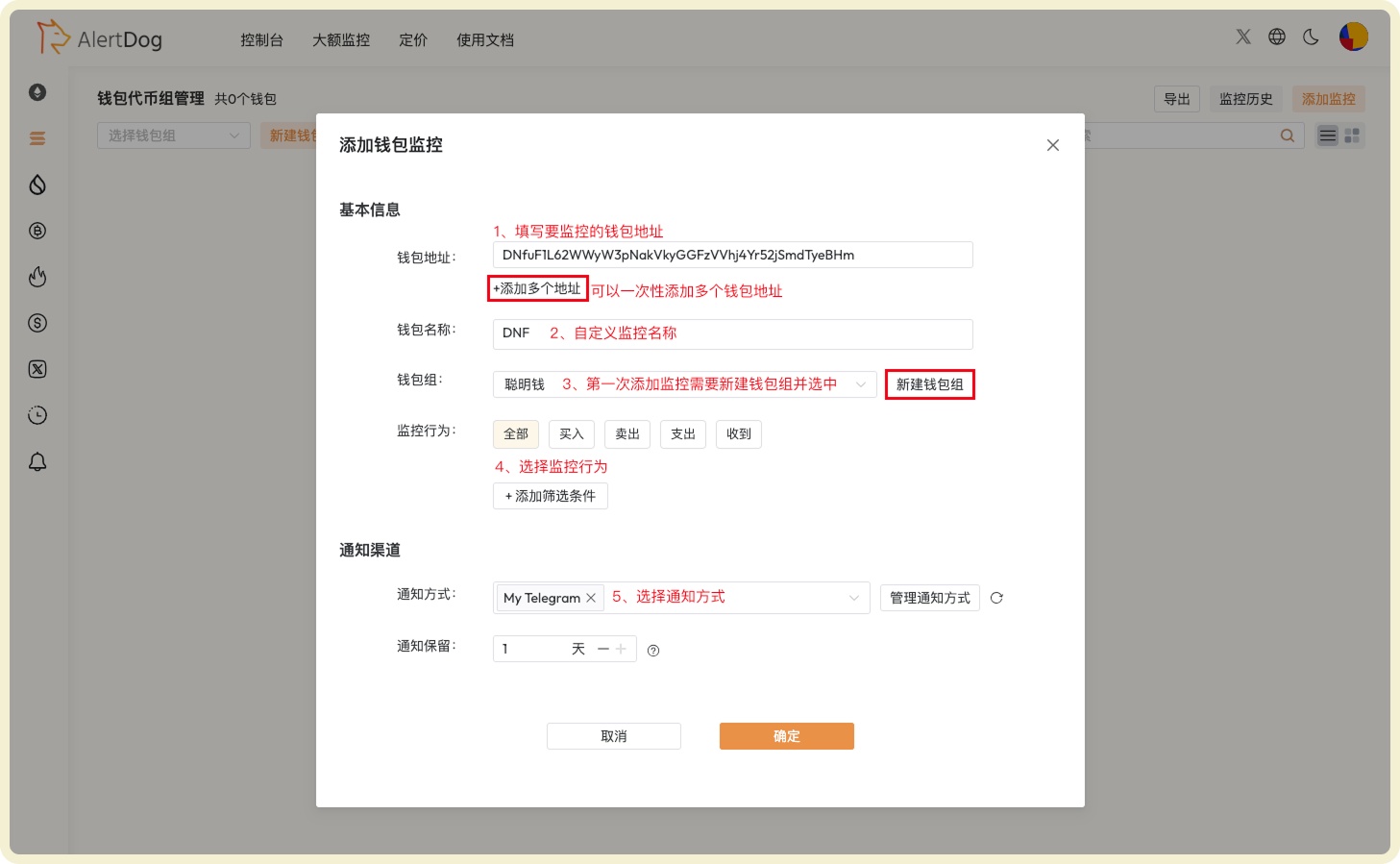
### Field Description
| Field | Description | Notes |
| -------------------------- | ---------------------------------------------------------------------------- | -------------------------------------------------------------------------------------------------------------------------------------------------- |
| **Wallet Address** | The wallet address you want to monitor | Must be a valid Solana wallet address |
| **Wallet Name** | Nickname for the wallet address for easy memory and management | Cannot have duplicate wallet names within the same wallet group |
| **Wallet Group** | Assign monitoring to a group for easier viewing and management | First-time users need to create a wallet group, group names cannot be duplicated |
| **Monitoring Behavior** | Monitor various transaction behaviors of this wallet | - |
| **Notification Method** | Monitoring notification messages will be sent through this method | Multiple notification methods can be selected simultaneously;
If all selected methods are disabled, this monitoring is automatically disabled |
| **Notification Retention** | How long monitoring notification history is retained on the AlertDog webpage | Default is 1 day, automatically cleared after expiration |
### Operation Steps
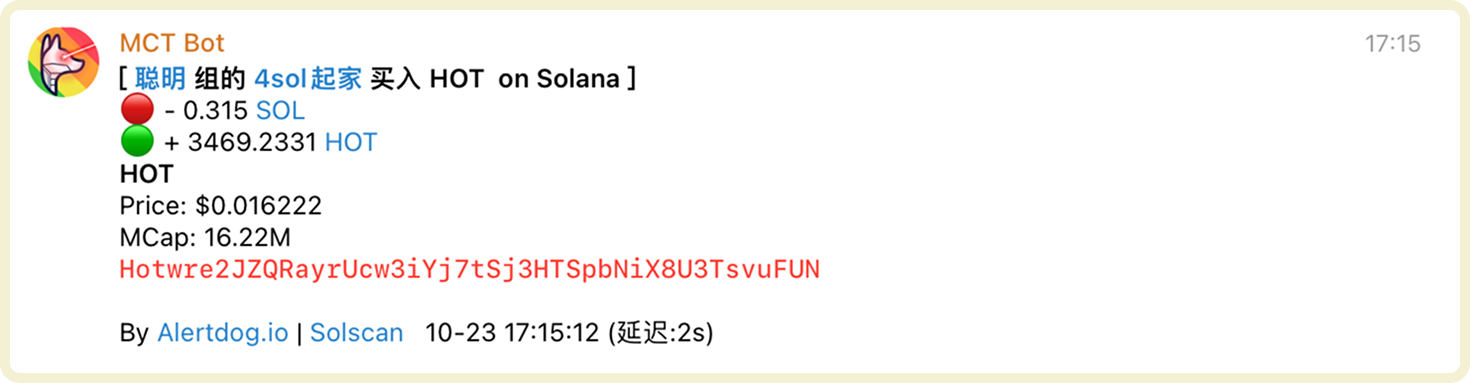
 ### Notification Example
 ## Manage Address Monitoring
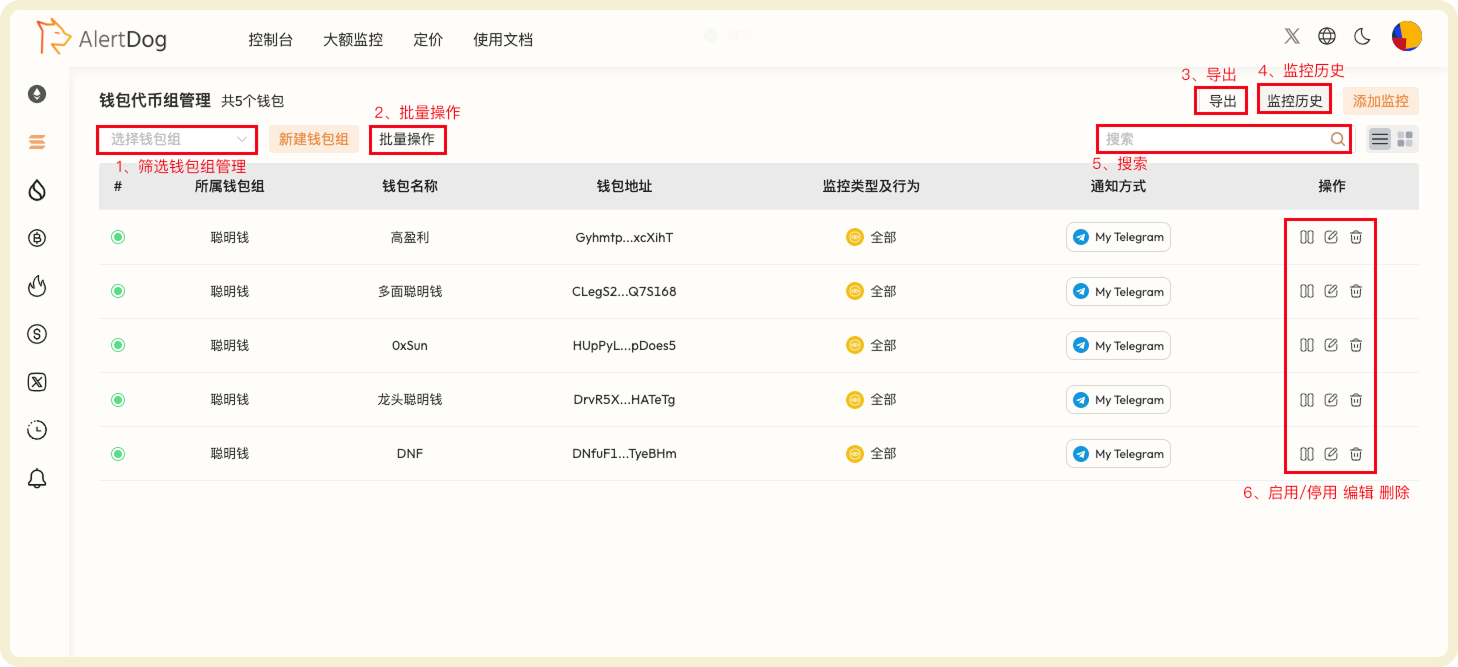
You can manage added address monitoring through the following methods:
* **Filter Wallet Group Management**: After selecting a specific wallet group, you can modify the group name or delete the wallet group
* **Batch Operations**: Click batch operations to perform batch move to group, batch edit, batch modify notification methods, batch delete on selected wallets
* **Export**: Wallet list data supports export to Excel format
* **Monitoring History**: View received monitoring notification history on the unified monitoring history page
* **Search**: Search for specific wallets
* **Enable/Disable, Edit, Delete**: Perform enable/disable, edit, delete operations on wallets
## Manage Address Monitoring
You can manage added address monitoring through the following methods:
* **Filter Wallet Group Management**: After selecting a specific wallet group, you can modify the group name or delete the wallet group
* **Batch Operations**: Click batch operations to perform batch move to group, batch edit, batch modify notification methods, batch delete on selected wallets
* **Export**: Wallet list data supports export to Excel format
* **Monitoring History**: View received monitoring notification history on the unified monitoring history page
* **Search**: Search for specific wallets
* **Enable/Disable, Edit, Delete**: Perform enable/disable, edit, delete operations on wallets
 ## Advanced Settings
You can set filter conditions when adding monitoring to filter out noise and only focus on important transaction activities.
## Advanced Settings
You can set filter conditions when adding monitoring to filter out noise and only focus on important transaction activities.
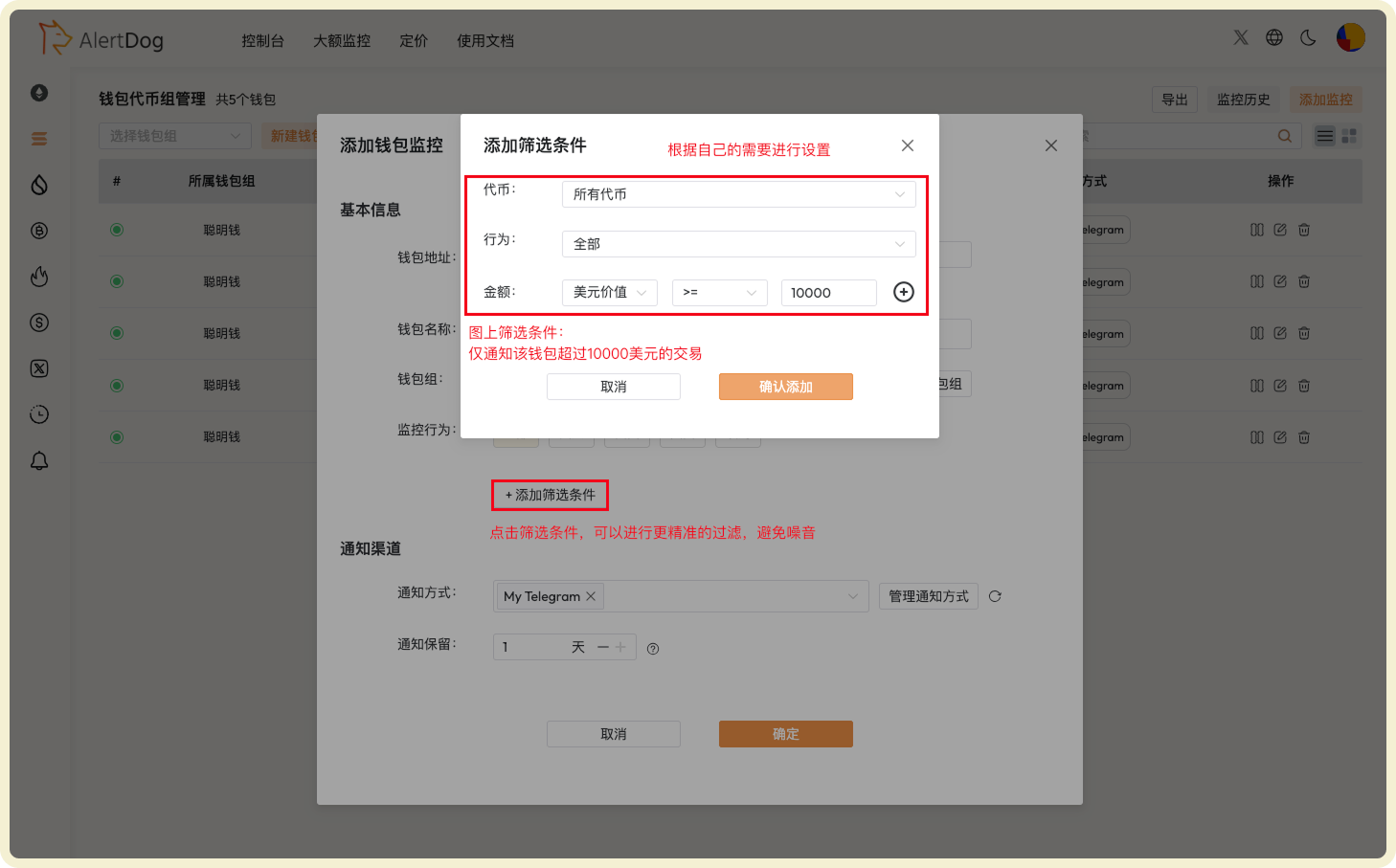
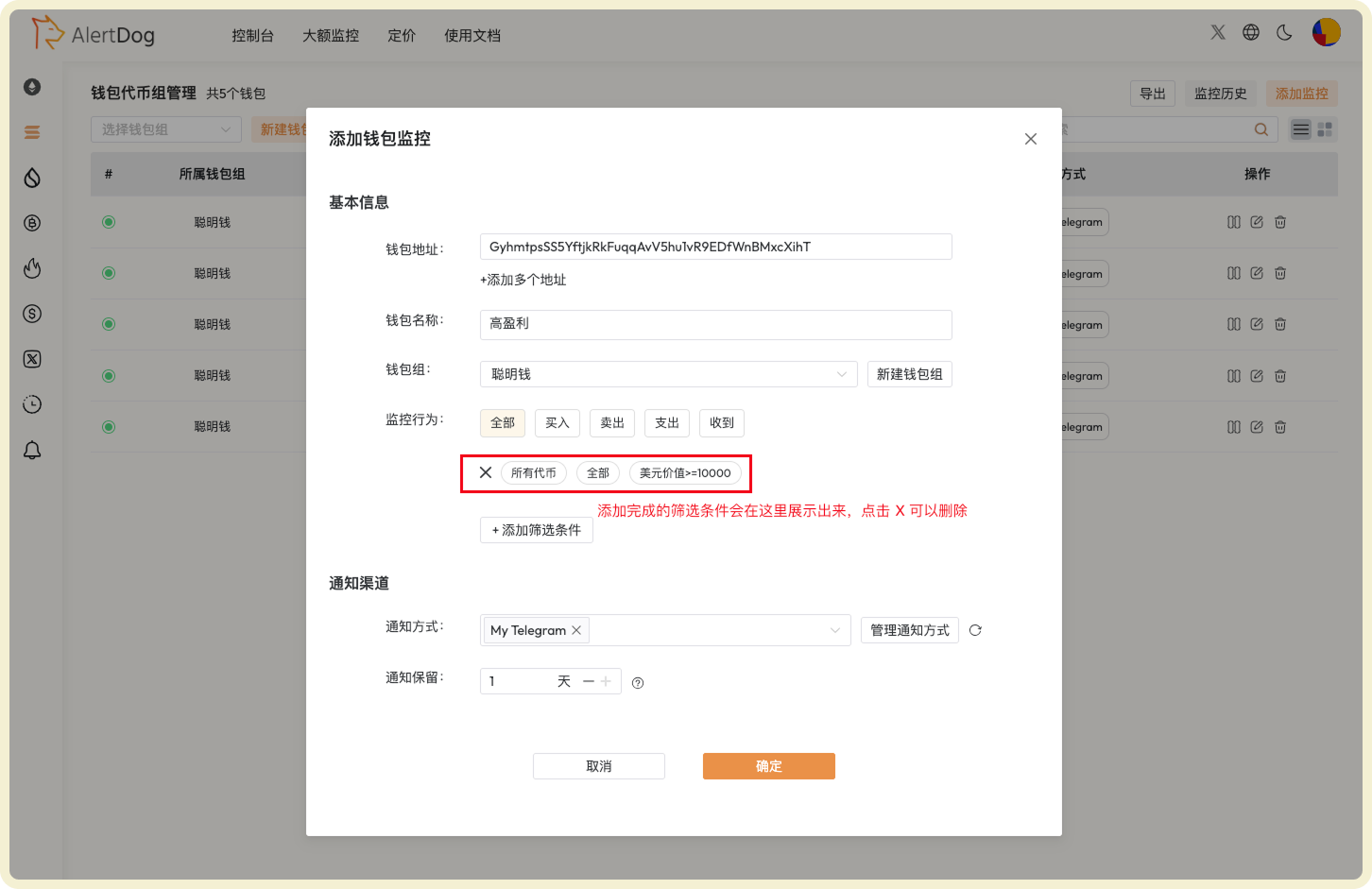 Transactions on Solana chain are very fast. Properly setting filter conditions can help you reduce notification noise and focus on important transaction activities.