> ## Documentation Index
> Fetch the complete documentation index at: https://docs.alertdog.io/llms.txt
> Use this file to discover all available pages before exploring further.
# Custom Bot
> Receive AlertDog monitoring alerts through Telegram bot, instant push, easy to use
Custom Bot requires Pro upgrade to use
## Step 1: Create Group and Get Chat ID
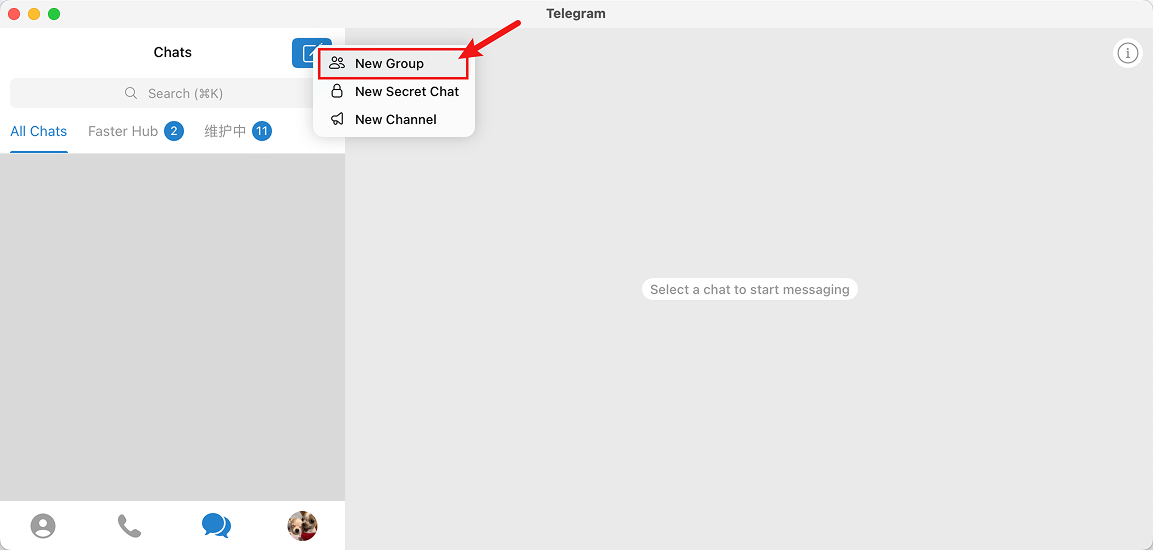
Open Telegram, create a new group (or Channel)
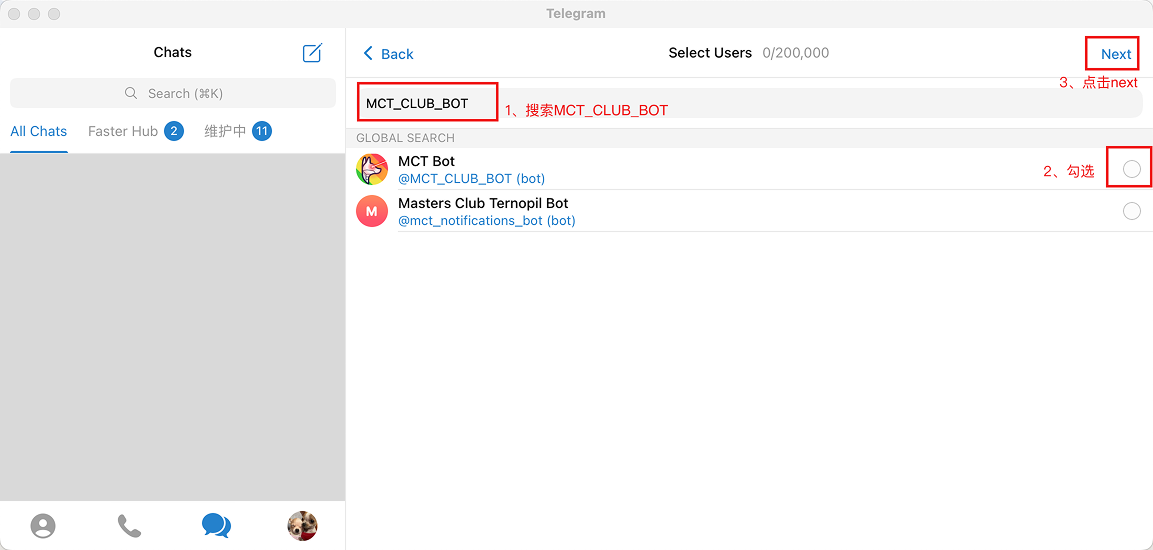
 Search for MCT\_CLUB\_BOT and add it to the group
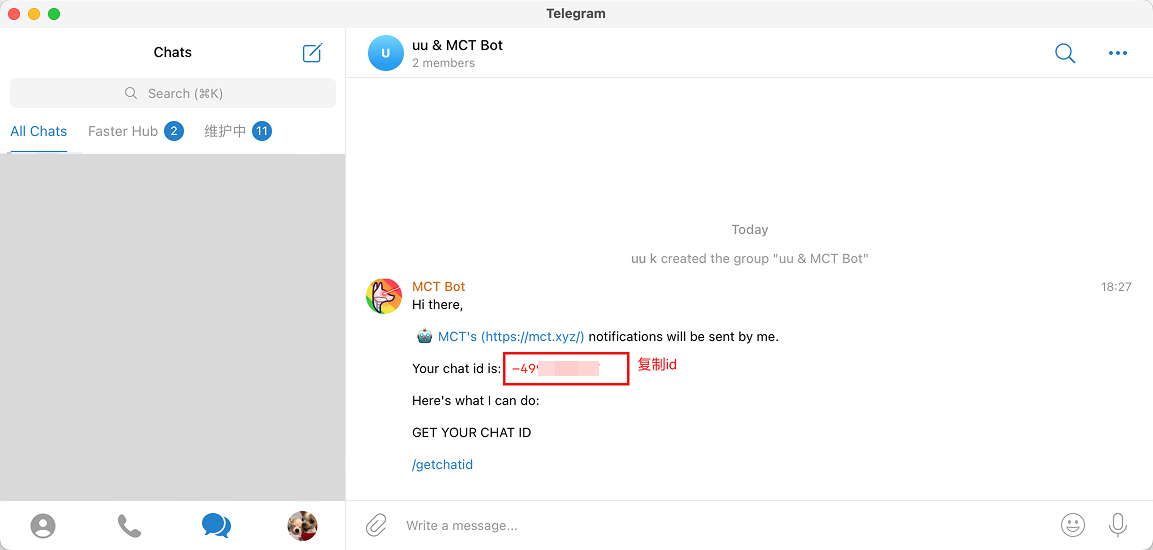
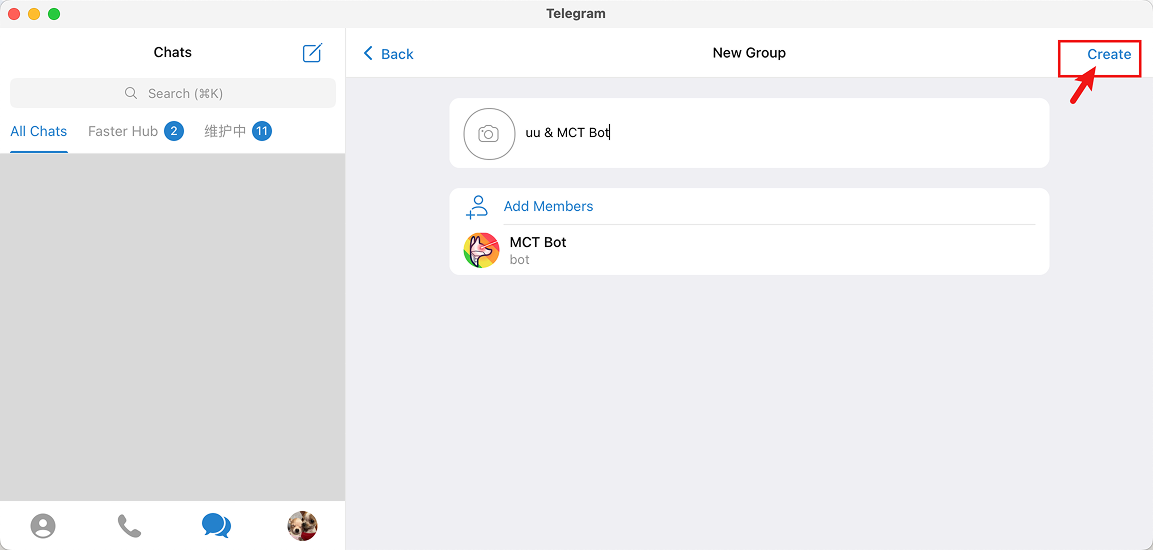 After successfully added, MCT Bot will automatically send the Chat ID in the group, copy the Chat ID for later use
 ## Step 2: Create Your Bot and Get API Token
Click [@BotFather](https://t.me/BotFather) link to automatically open Telegram and chat with BotFather, click **menu** and select **/newbot**
## Step 2: Create Your Bot and Get API Token
Click [@BotFather](https://t.me/BotFather) link to automatically open Telegram and chat with BotFather, click **menu** and select **/newbot**
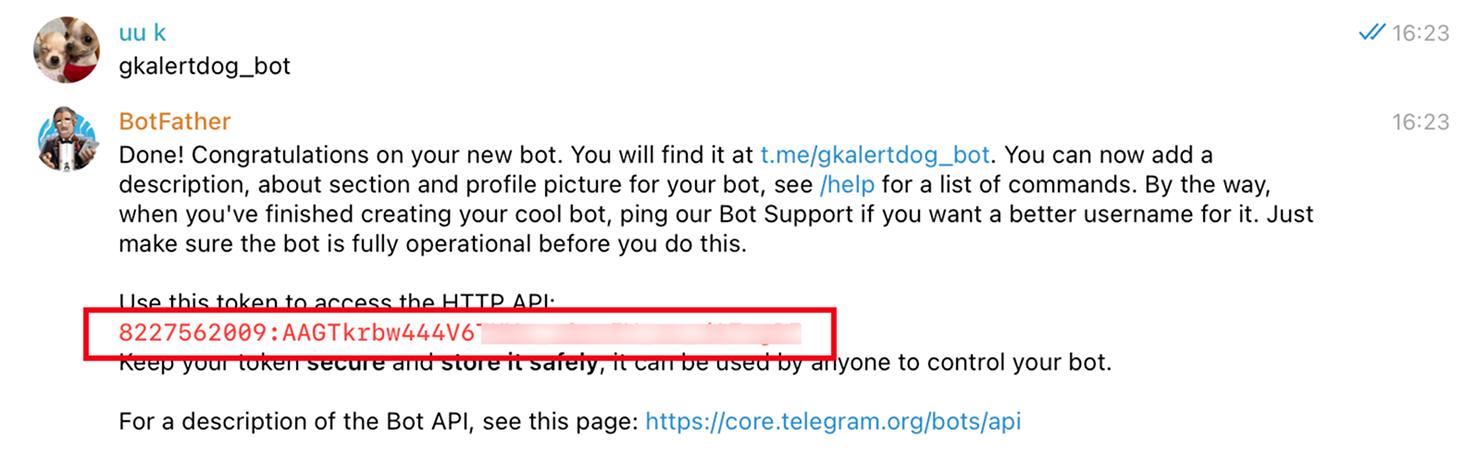
 Set an English username for the Bot (username cannot duplicate with others' bots), and must end with `bot`
 After correctly setting the username, you will get the API Token, copy it for the next step
 ## Step 3: Invite Custom Bot to Join Group
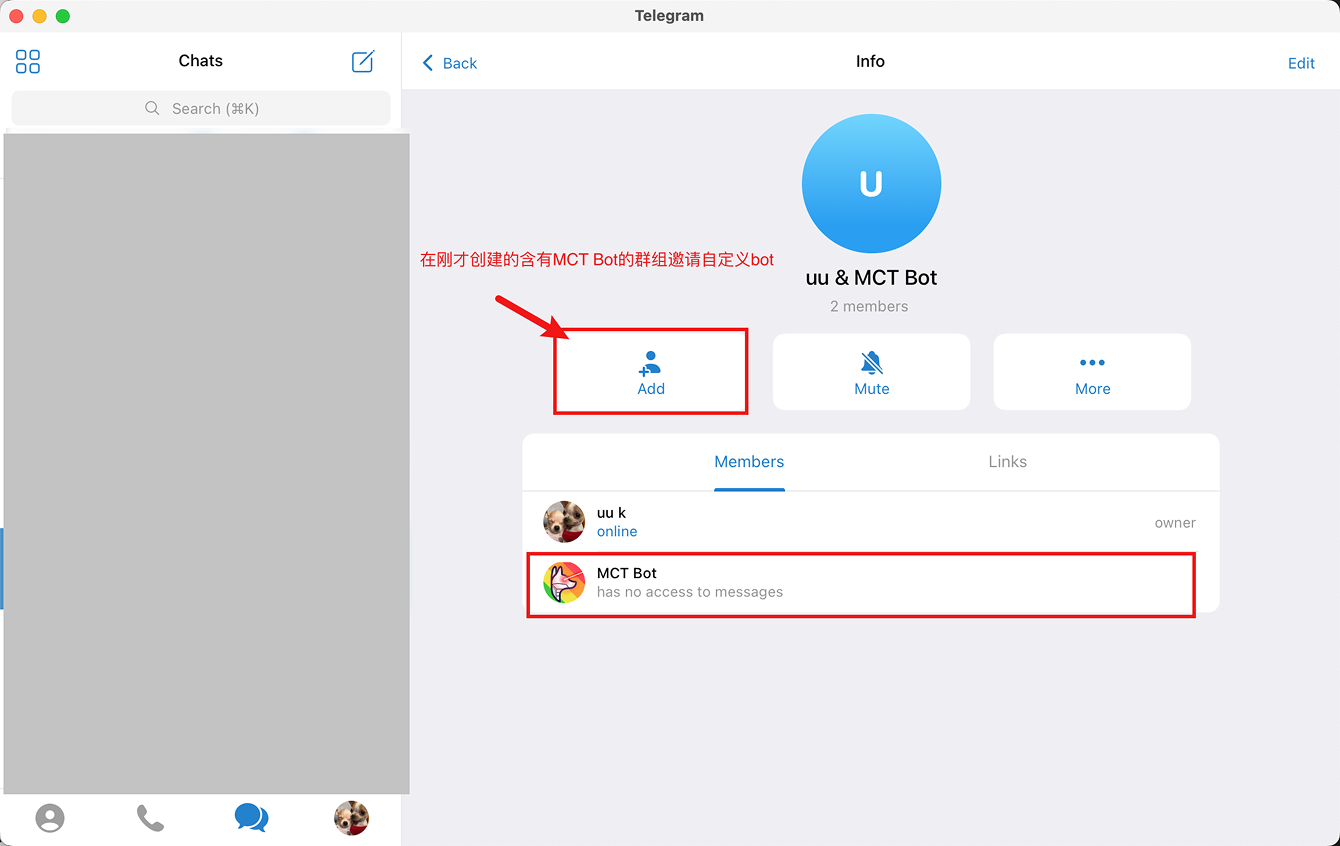
Add the custom Telegram Bot created in the previous step to the group with @MCT\_CLUB\_BOT created in the first step
## Step 3: Invite Custom Bot to Join Group
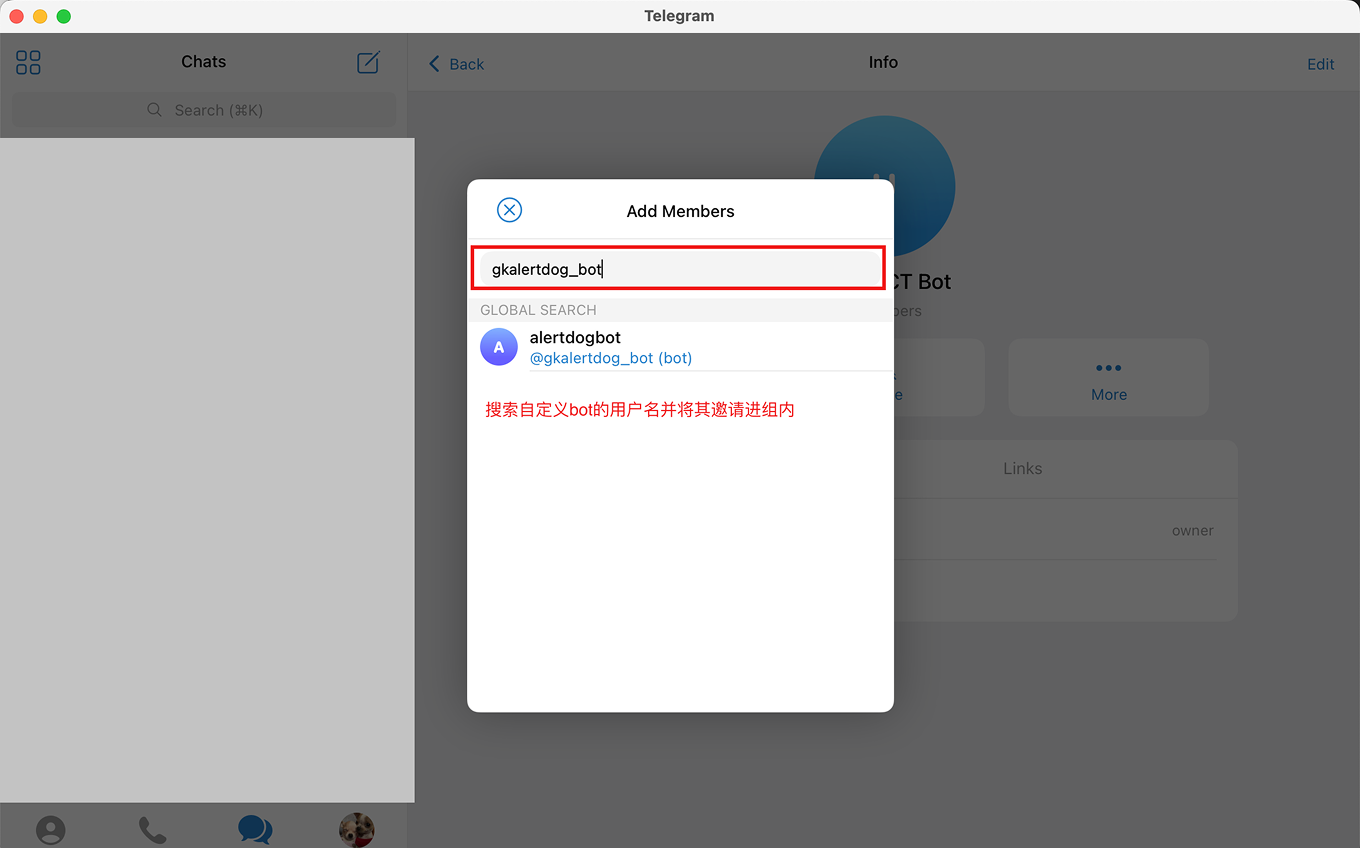
Add the custom Telegram Bot created in the previous step to the group with @MCT\_CLUB\_BOT created in the first step
 Enter your custom Bot name
 ## Step 4: Create Custom Bot Notification Channel
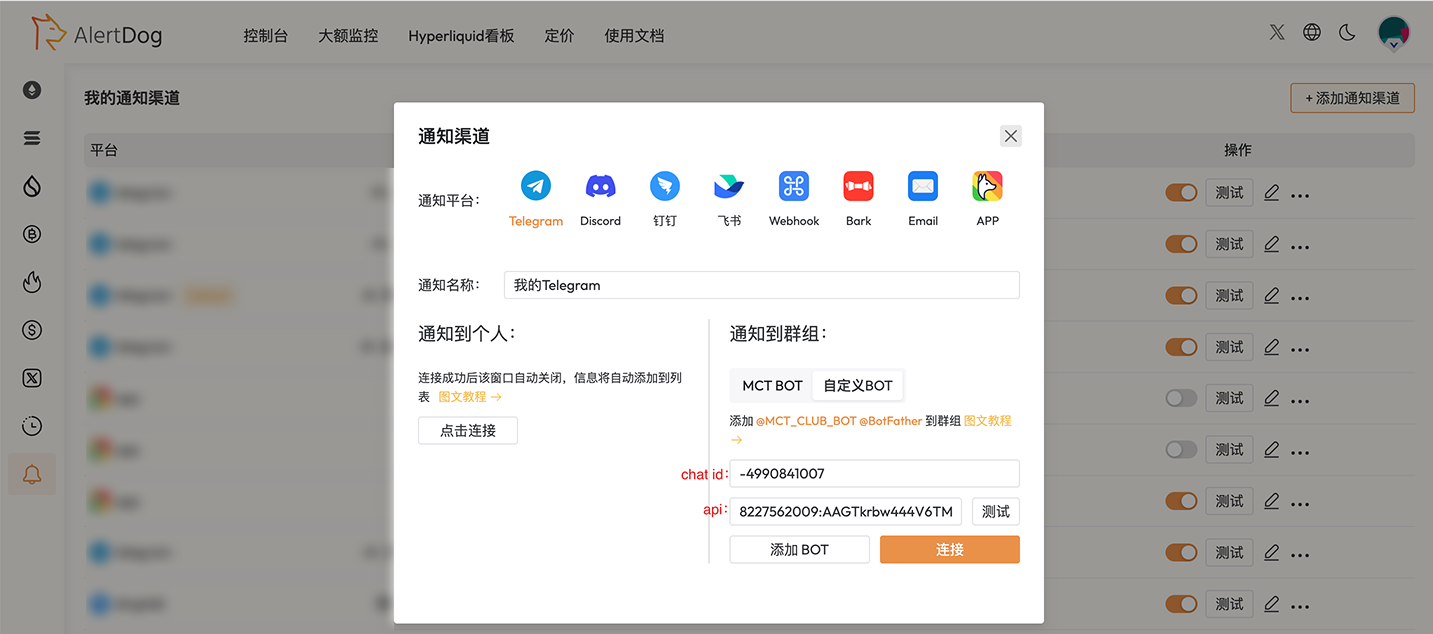
Open AlertDog **Add New Channel** -> **Telegram** -> **Notify to Group** -> **Custom BOT**, enter the Chat ID and API Token from the previous two steps -> **Connect** to confirm
## Step 4: Create Custom Bot Notification Channel
Open AlertDog **Add New Channel** -> **Telegram** -> **Notify to Group** -> **Custom BOT**, enter the Chat ID and API Token from the previous two steps -> **Connect** to confirm
 Wow! You've mastered such a challenging operation, impressive! You have successfully completed the Telegram custom bot binding
## FAQ
Custom Bot requires VIP upgrade to use: [https://alertdog.io/price](https://alertdog.io/price)
Username setup must satisfy both of the following: 1. Username cannot be the same as others; 2. Must end with 'bot' and avoid using numbers
Yes.
Wow! You've mastered such a challenging operation, impressive! You have successfully completed the Telegram custom bot binding
## FAQ
Custom Bot requires VIP upgrade to use: [https://alertdog.io/price](https://alertdog.io/price)
Username setup must satisfy both of the following: 1. Username cannot be the same as others; 2. Must end with 'bot' and avoid using numbers
Yes.