> ## Documentation Index
> Fetch the complete documentation index at: https://docs.alertdog.io/llms.txt
> Use this file to discover all available pages before exploring further.

# FeiShu (Lark)

> Receive AlertDog monitoring alerts through FeiShu bot, preferred notification method for enterprise collaboration platform

Introduction: FeiShu is an enterprise-level collaboration platform that supports pushing monitoring messages through group bots, suitable for teams, allowing real-time viewing of monitoring alerts in FeiShu groups.

## Step 1: Create Bot

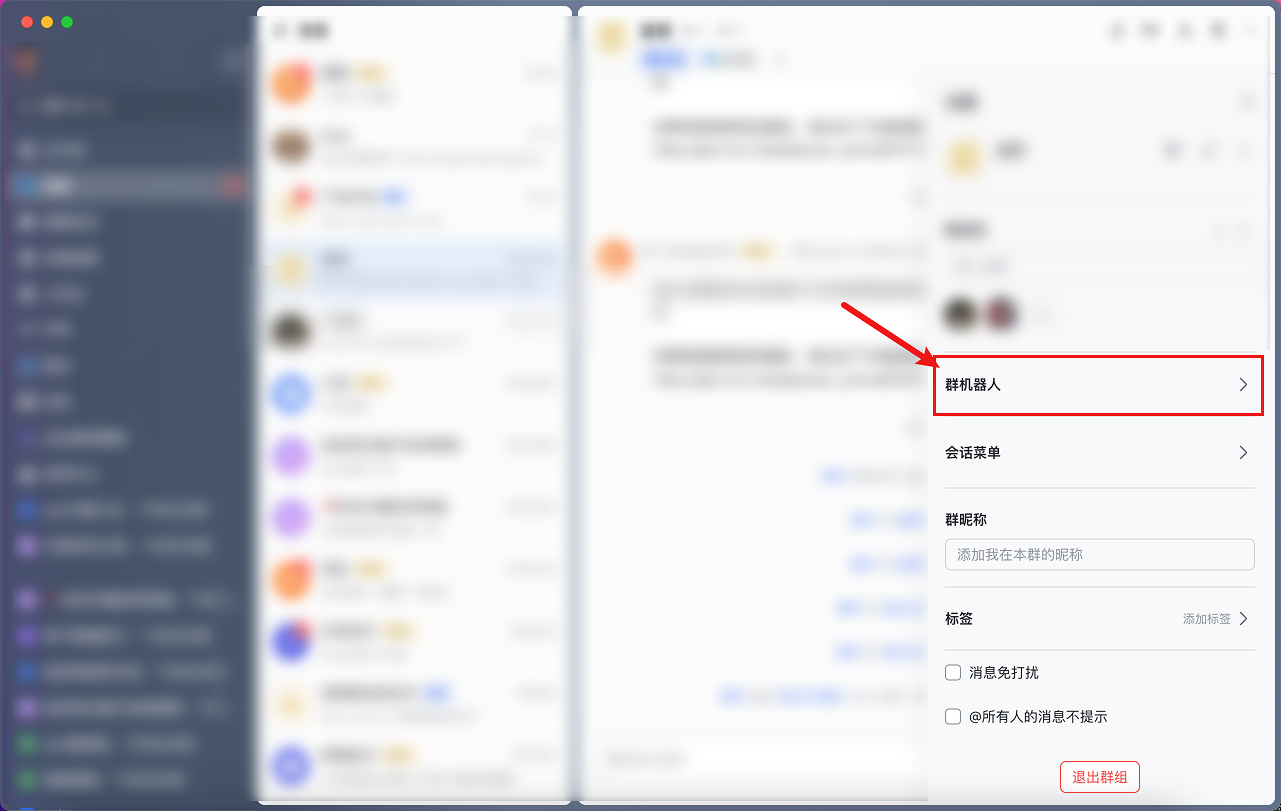
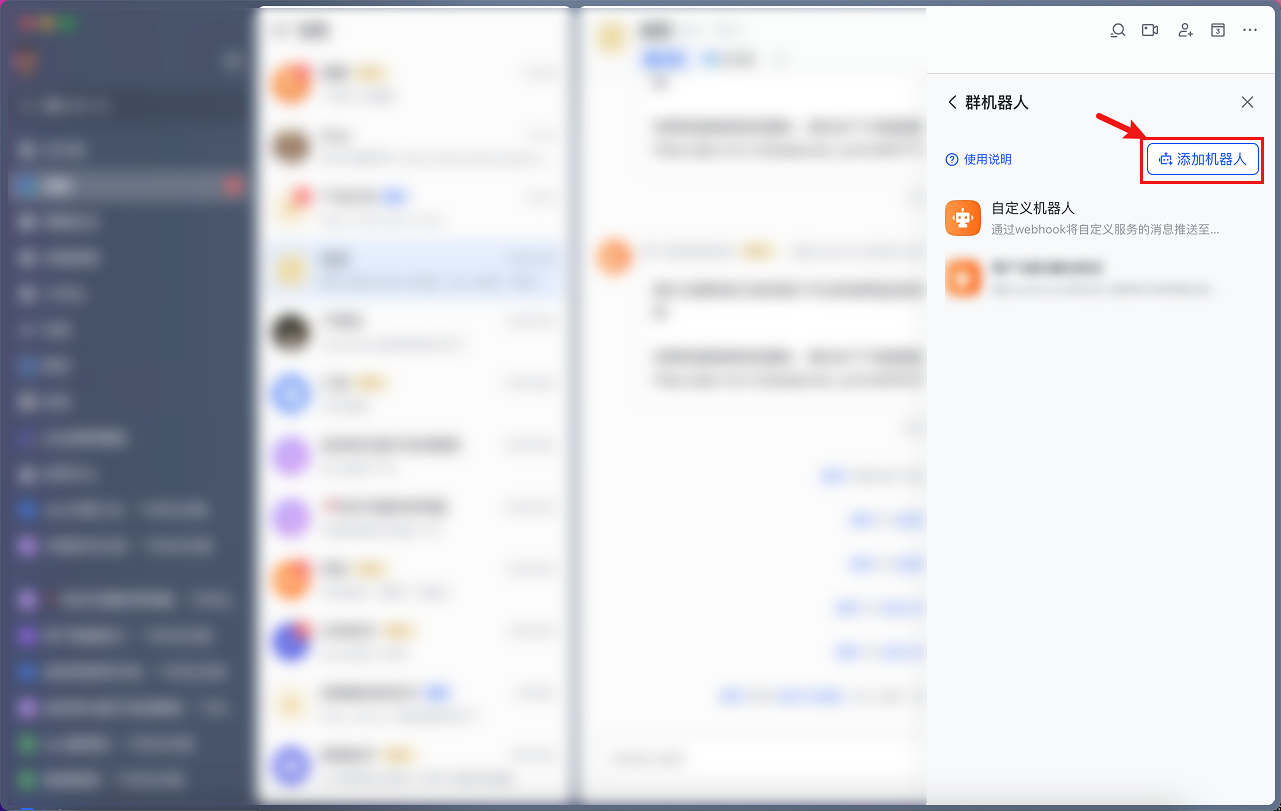
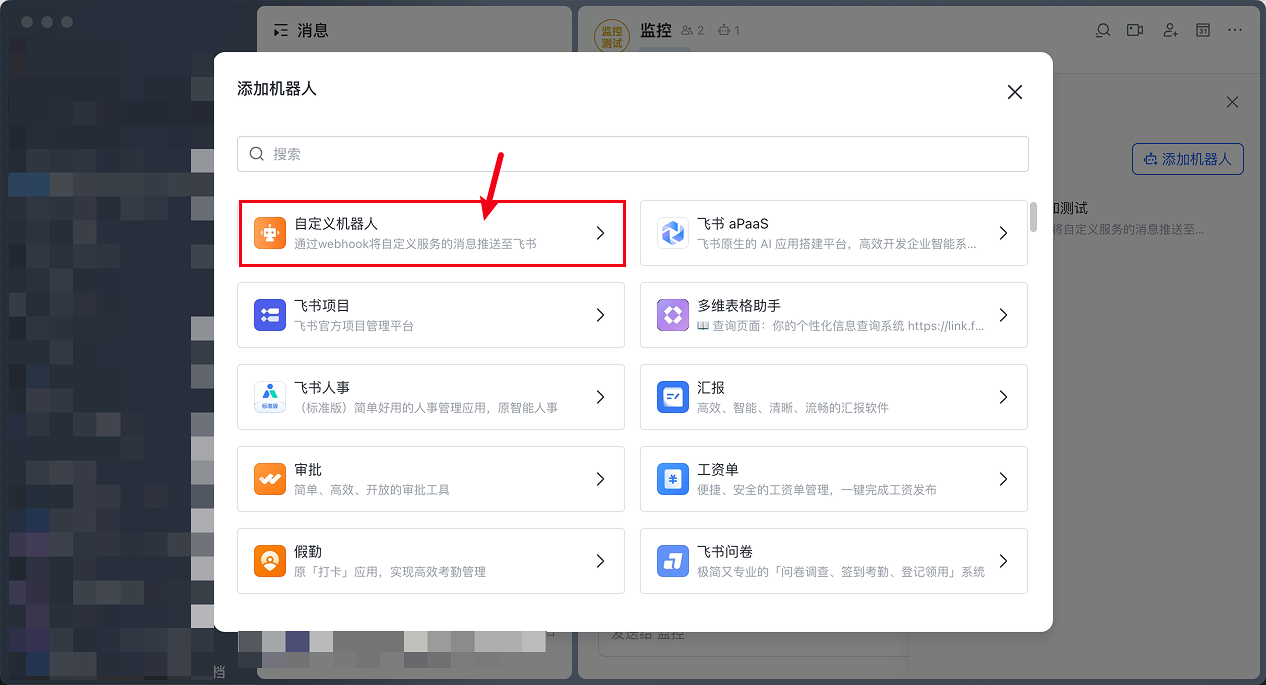
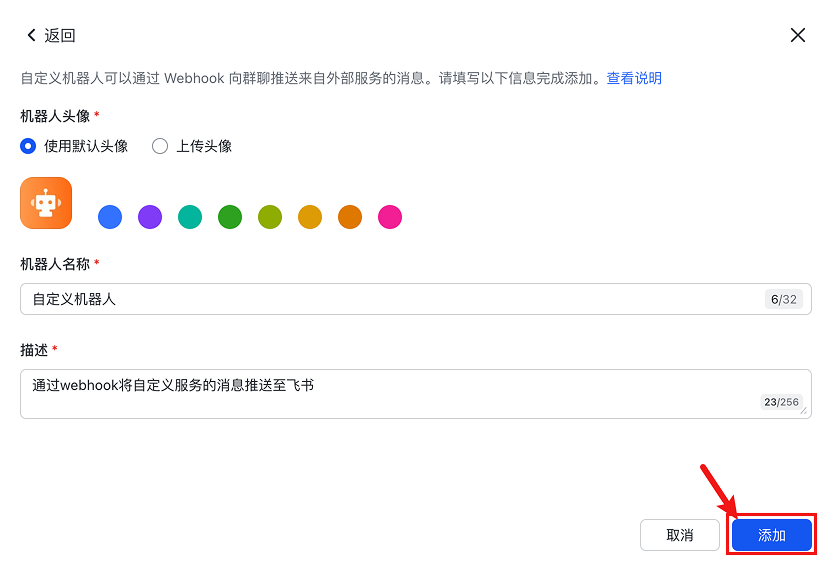
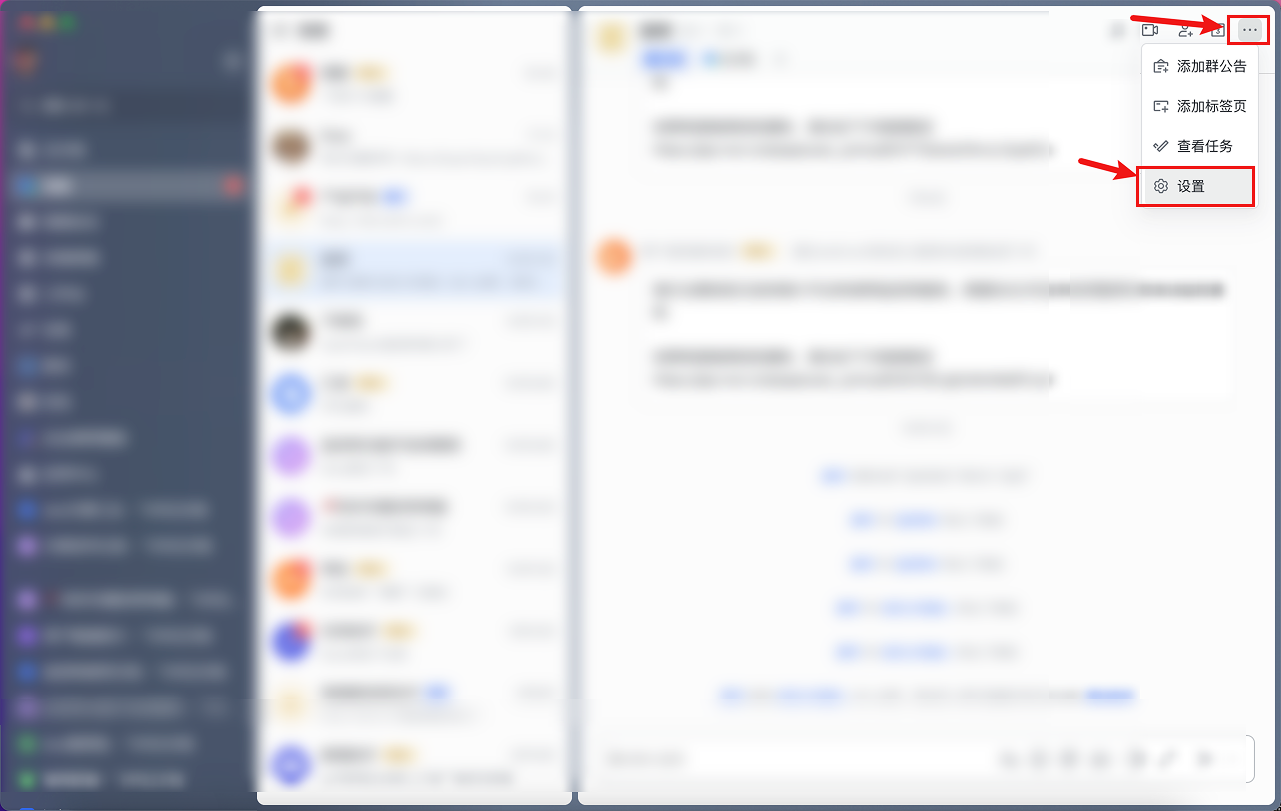
Open FeiShu, find settings in the group, create a bot
<Frame>
  <img src="https://mintcdn.com/alertdog/RCBluHwjsDCzwhrG/images/notification-channels/feishu/feishu-robot-settings.png?fit=max&auto=format&n=RCBluHwjsDCzwhrG&q=85&s=33913d4555c7add6c29120964a7b0945" alt="FeiShu group settings interface showing bot management option" width="1281" height="811" data-path="images/notification-channels/feishu/feishu-robot-settings.png" />
</Frame>

<Frame>
  <img src="https://mintcdn.com/alertdog/RCBluHwjsDCzwhrG/images/notification-channels/feishu/feishu-add-robot.png?fit=max&auto=format&n=RCBluHwjsDCzwhrG&q=85&s=8c5926bbc7c98a96840b02cb12535576" alt="FeiShu add bot interface, select custom bot" width="1281" height="811" data-path="images/notification-channels/feishu/feishu-add-robot.png" />
</Frame>

<Frame>
  <img src="https://mintcdn.com/alertdog/RCBluHwjsDCzwhrG/images/notification-channels/feishu/feishu-robot-name.png?fit=max&auto=format&n=RCBluHwjsDCzwhrG&q=85&s=256639e13946ec741b9a2467a6e41b42" alt="FeiShu bot naming interface, enter bot name" width="1281" height="811" data-path="images/notification-channels/feishu/feishu-robot-name.png" />
</Frame>

<Frame>
  <img src="https://mintcdn.com/alertdog/RCBluHwjsDCzwhrG/images/notification-channels/feishu/feishu-create-group.png?fit=max&auto=format&n=RCBluHwjsDCzwhrG&q=85&s=8f994a01a0504e952b1815e79f7d97b5" alt="FeiShu create group interface" width="1266" height="685" data-path="images/notification-channels/feishu/feishu-create-group.png" />
</Frame>

<Frame>
  <img src="https://mintcdn.com/alertdog/RCBluHwjsDCzwhrG/images/notification-channels/feishu/feishu-group-settings.png?fit=max&auto=format&n=RCBluHwjsDCzwhrG&q=85&s=604b34e8705d86364f132bdd24f97a11" alt="FeiShu group settings interface showing bot configuration" width="830" height="567" data-path="images/notification-channels/feishu/feishu-group-settings.png" />
</Frame>

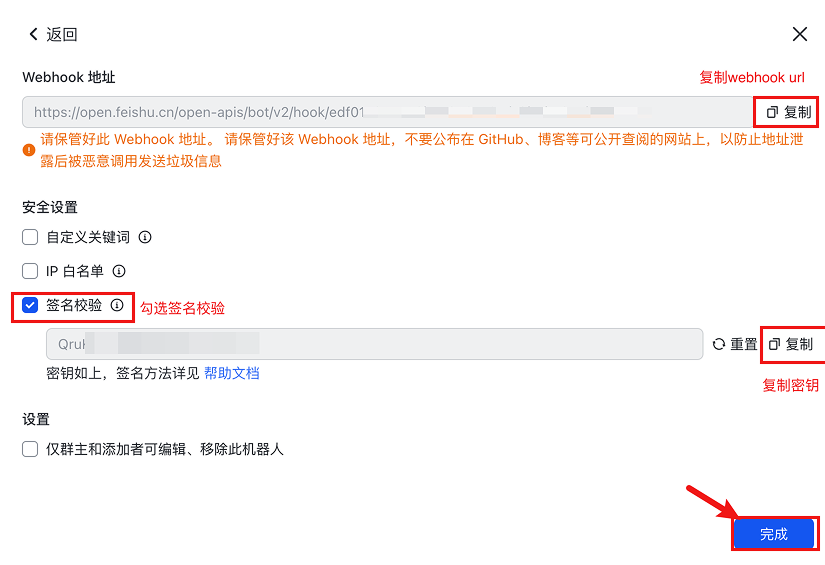
## Step 2: Copy Secret and Webhook URL

After creation, copy the secret and Webhook URL
<Frame>
  <img src="https://mintcdn.com/alertdog/RCBluHwjsDCzwhrG/images/notification-channels/feishu/feishu-copy-webhook.png?fit=max&auto=format&n=RCBluHwjsDCzwhrG&q=85&s=8ff3396a3a5b46335acc2b30dfc4a25e" alt="FeiShu bot Webhook URL and secret copy interface" width="825" height="565" data-path="images/notification-channels/feishu/feishu-copy-webhook.png" />
</Frame>

<Frame>
  <img src="https://mintcdn.com/alertdog/RCBluHwjsDCzwhrG/images/notification-channels/feishu/feishu-alertdog-config.png?fit=max&auto=format&n=RCBluHwjsDCzwhrG&q=85&s=1e04d714906204d94e102d5ea116cb84" alt="Configure FeiShu notification channel in AlertDog, enter Webhook and secret" width="1418" height="703" data-path="images/notification-channels/feishu/feishu-alertdog-config.png" />
</Frame>

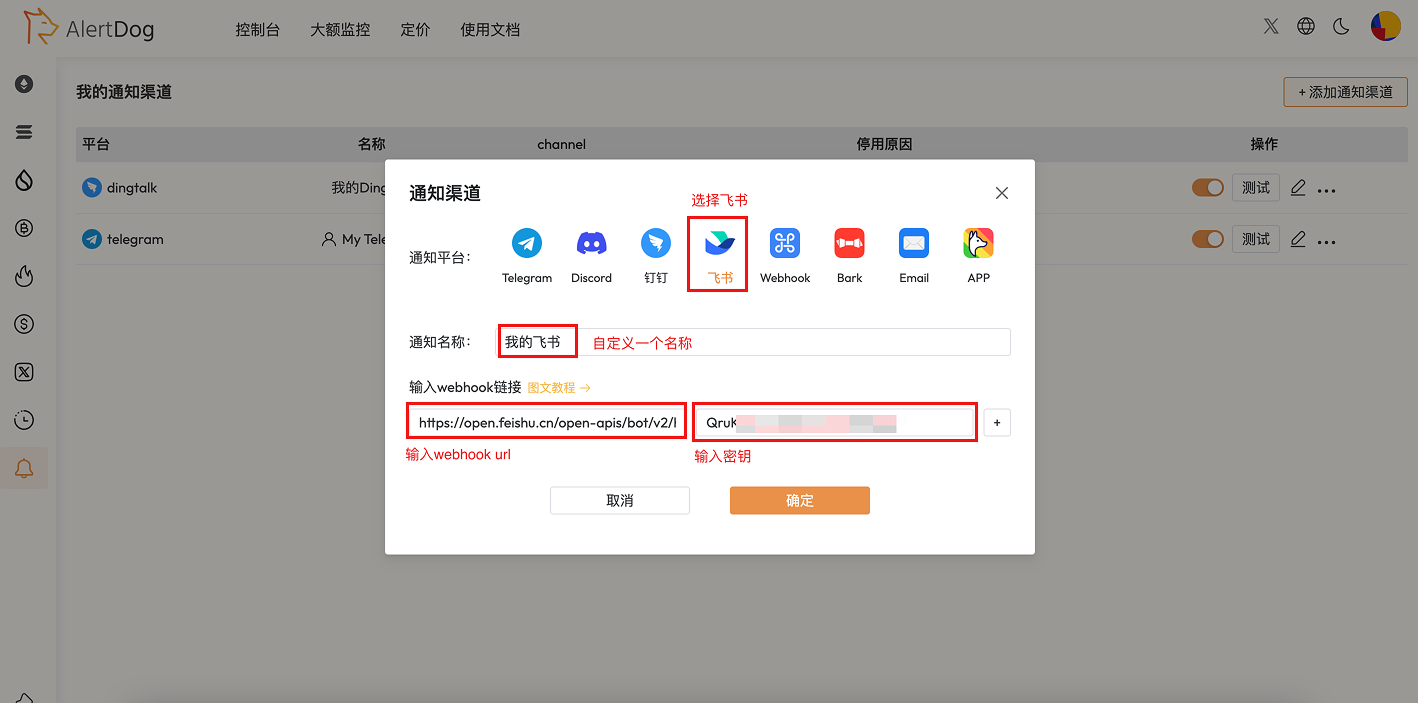
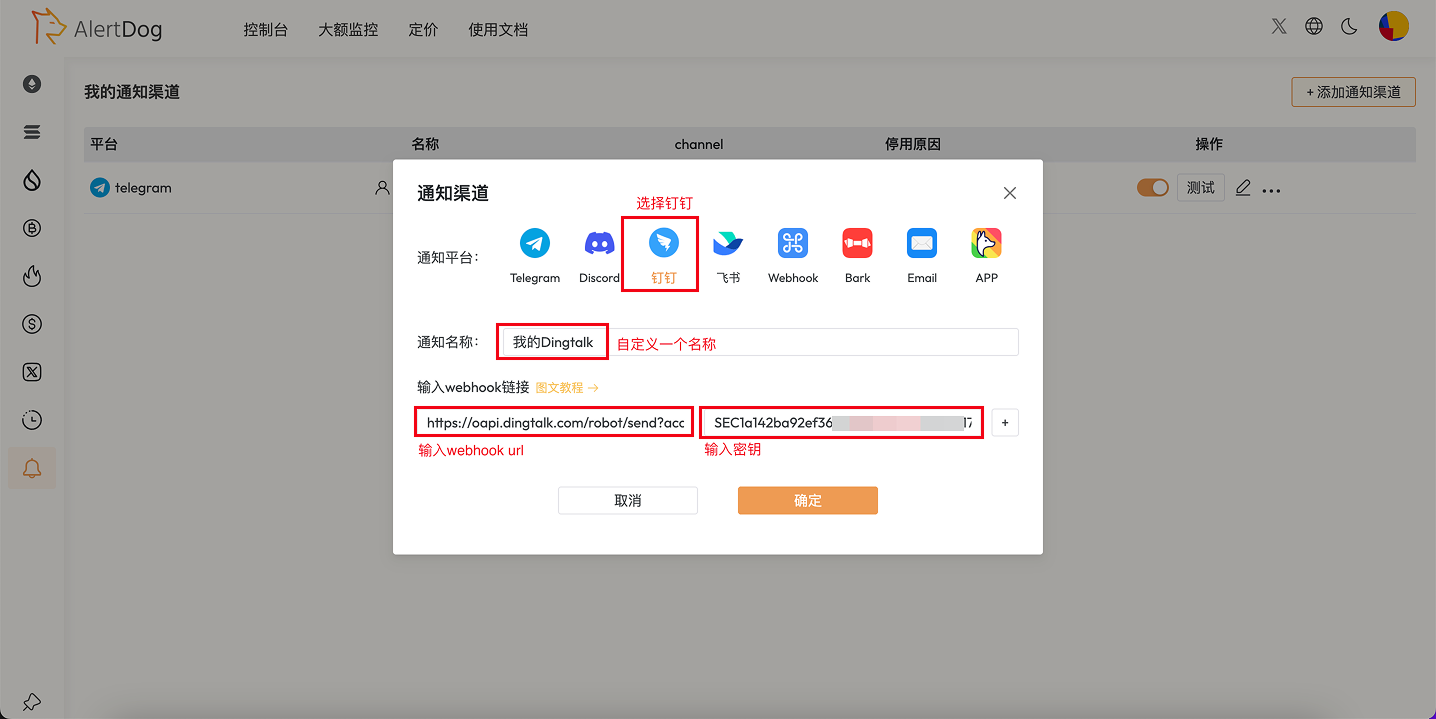
## Step 3: Create Notification Channel

Open AlertDog, select FeiShu, enter the secret and Webhook URL, then confirm
<Frame caption="Create Notification Channel">
  <img src="https://mintcdn.com/alertdog/NmTmCeFNBk4WSdFg/images/notification-channels/dingtalk/dingtalk-alertdog-config.png?fit=max&auto=format&n=NmTmCeFNBk4WSdFg&q=85&s=43c3ad4bde8afcf406e4066e17f7f998" alt="Create notification channel" width="1436" height="719" data-path="images/notification-channels/dingtalk/dingtalk-alertdog-config.png" />
</Frame>

<Note>
  You need to add a custom bot in the FeiShu group, then copy the bot's Webhook URL to AlertDog.
</Note>

Usage Instructions: After configuration, you can select FeiShu as the notification method when creating monitoring tasks. When monitoring is triggered, messages will be pushed to the specified FeiShu group.

## FAQ

<AccordionGroup>
  <Accordion title="How to add a bot in FeiShu?">
    In FeiShu group settings → Group Bots → Add Bot → Create a custom bot and get the Webhook URL.
  </Accordion>

  <Accordion title="Can I add multiple FeiShu groups?">
    Yes. You can configure multiple Webhooks for different FeiShu groups to implement categorized notifications.
  </Accordion>

  <Accordion title="Do FeiShu bots have message frequency limits?">
    FeiShu bots have certain frequency limits, please refer to FeiShu's official documentation for specific limits.
  </Accordion>
</AccordionGroup>