> ## Documentation Index
> Fetch the complete documentation index at: https://docs.alertdog.io/llms.txt
> Use this file to discover all available pages before exploring further.

# 热门铭文铸造监控

> 第一时间提醒你被大量铸造的热门铭文，帮助你抢在热度爆发前以极低矿工费铸造，提前占位潜力铭文。

<Note>
  先决条件:

  1. 此功能需要你 [注册登录](/zh/settings/sign-in) 后使用
  2. 你至少添加过一个 [通知渠道](/zh/notification-channels/introduction) 以接收报警通知
</Note>

操作步骤：

<Steps>
  <Step title="添加监控">
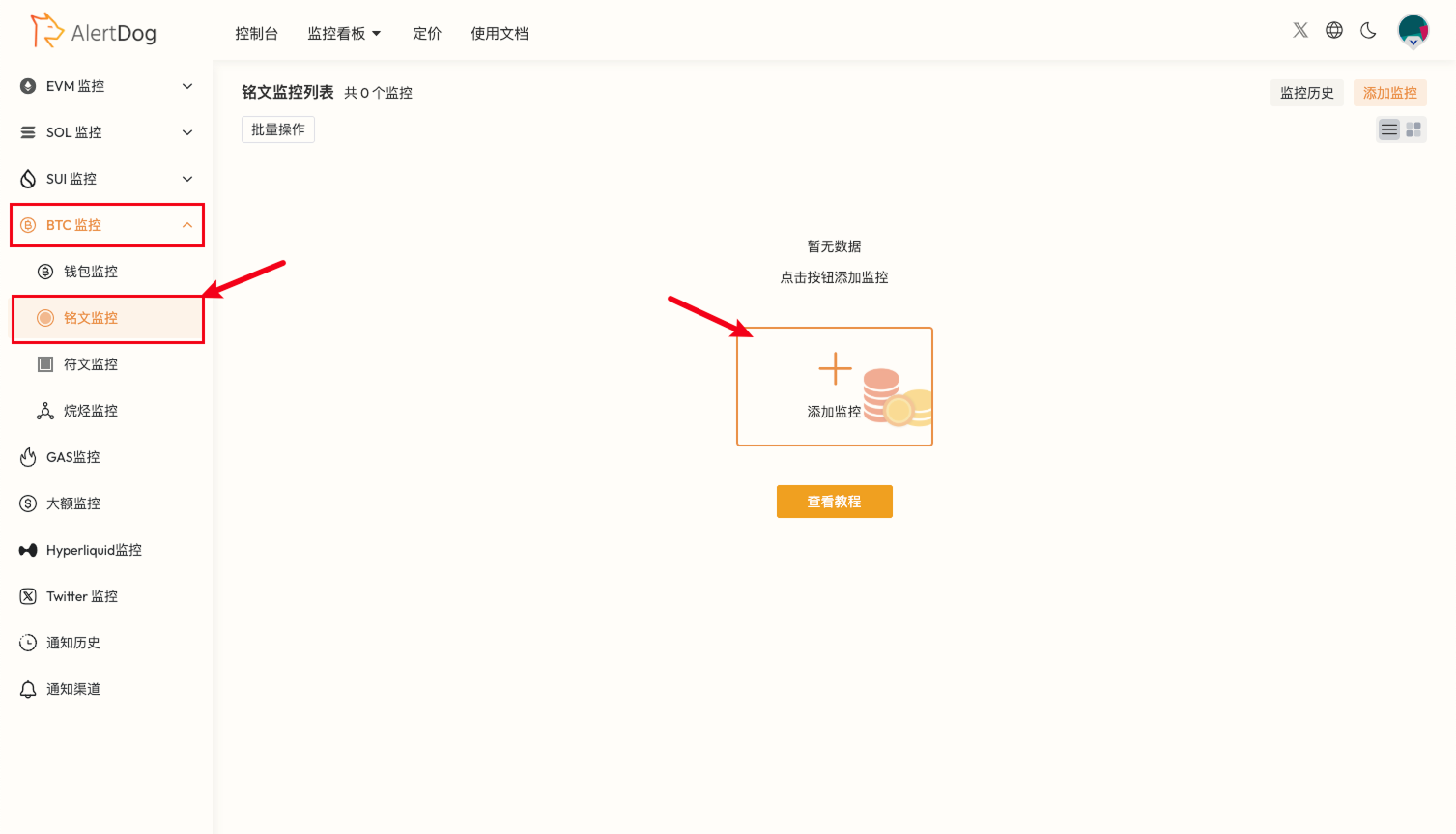
    鼠标移入左侧列表，选择 **BTC监控** -> **铭文监控**

    <Frame caption="添加监控入口">
      <img src="https://mintcdn.com/alertdog/Wwrq2LjwP9j-13zp/images/cases/hot-inscriptions/btc-inscription-monitor-entry.png?fit=max&auto=format&n=Wwrq2LjwP9j-13zp&q=85&s=765acdb44bef0bf6f2bf70eb613bd1e0" alt="EVM 监控菜单，显示地址监控选项" width="1507" height="863" data-path="images/cases/hot-inscriptions/btc-inscription-monitor-entry.png" />
    </Frame>

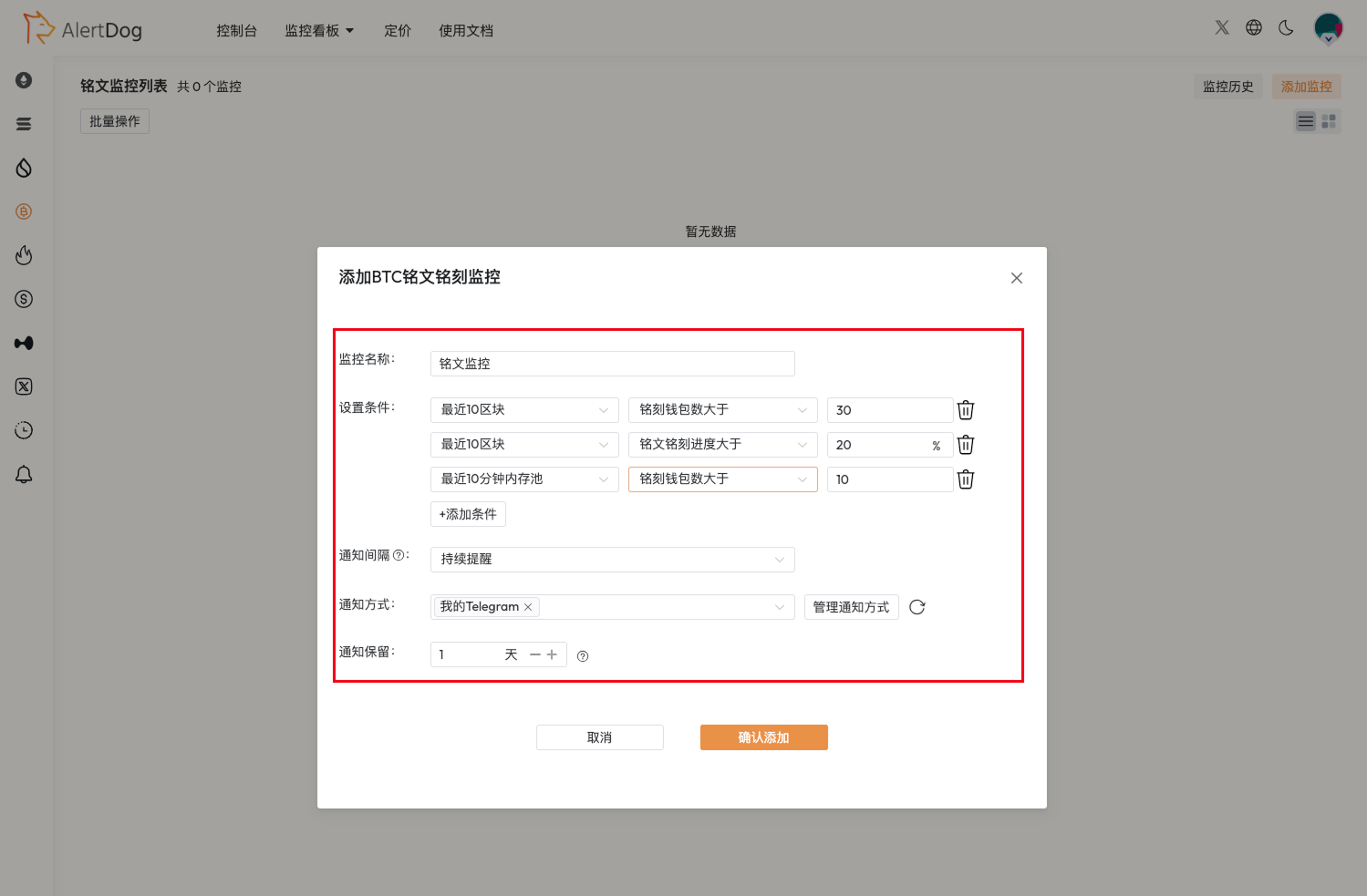
    参考图例设置监控

    <Frame caption="监控配置">
      <img src="https://mintcdn.com/alertdog/Wwrq2LjwP9j-13zp/images/cases/hot-inscriptions/inscription-monitor-config.png?fit=max&auto=format&n=Wwrq2LjwP9j-13zp&q=85&s=09fde74666658e6c66c6881d76f36765" alt="BTC 铭文监控配置表单，包含铸造次数、Gas 阈值等条件设置" width="1499" height="983" data-path="images/cases/hot-inscriptions/inscription-monitor-config.png" />
    </Frame>

    <Tip>
      你可以根据最近一段时间的符文铸造热度对设置条件进行调整，选择合适的条件进行组合设置。可以添加多个条件，当铭文同时满足所有条件时才发送通知。
    </Tip>
  </Step>

  <Step title="接收通知">
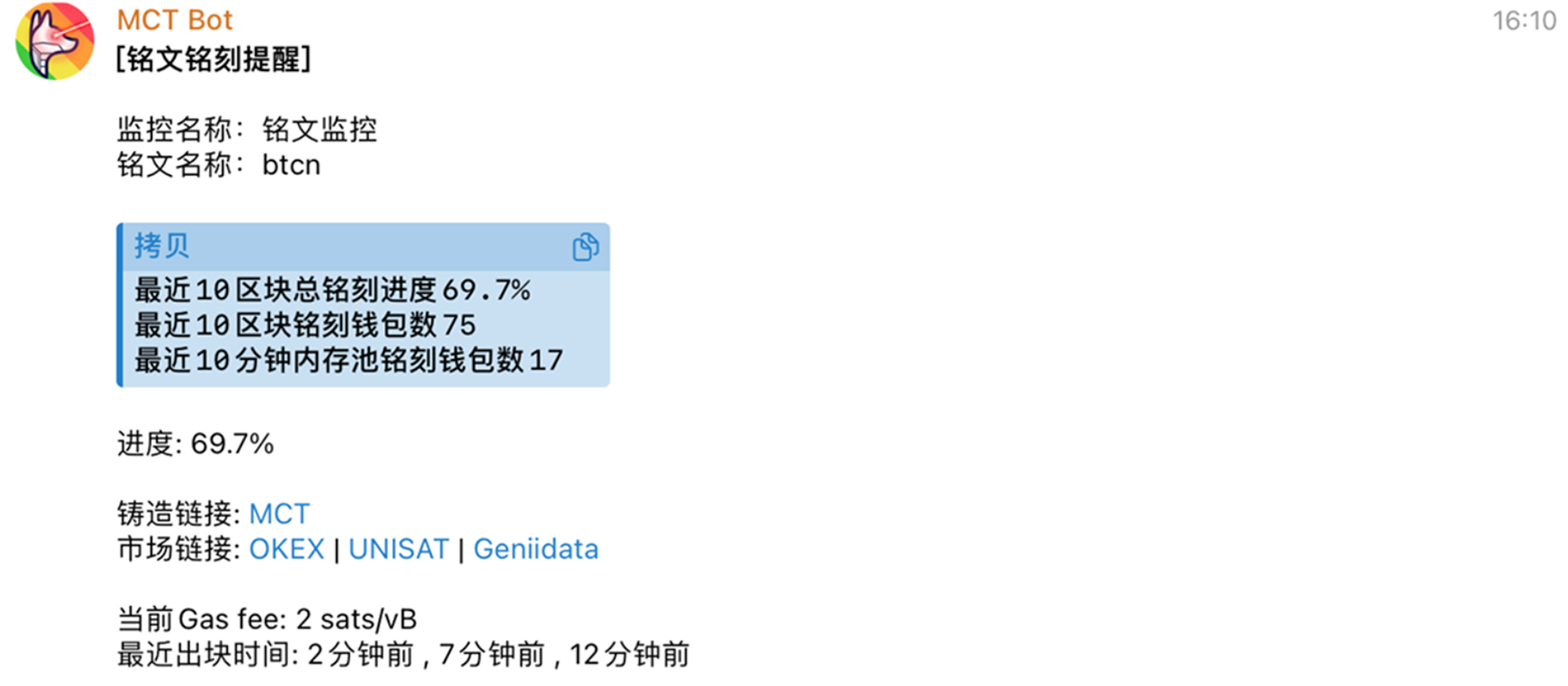
    <Frame caption="热门铭文监控通知示例">
      <img src="https://mintcdn.com/alertdog/Wwrq2LjwP9j-13zp/images/cases/hot-inscriptions/inscription-notification-example.png?fit=max&auto=format&n=Wwrq2LjwP9j-13zp&q=85&s=4b0db5f1d1992a4da6f710291e45ef34" alt="Telegram 接收到热门铭文监控通知的消息示例" width="1747" height="764" data-path="images/cases/hot-inscriptions/inscription-notification-example.png" />
    </Frame>
  </Step>
</Steps>