> ## Documentation Index
> Fetch the complete documentation index at: https://docs.alertdog.io/llms.txt
> Use this file to discover all available pages before exploring further.

# 监控 CZ 的推特更新

> 监控CZ（@cz_binance）推特动态，第一时间掌握关键消息与市场风向。

<Note>
  先决条件:

  1. 此功能需要你 [注册登录](/zh/settings/sign-in) 后使用
  2. 你至少添加过一个 [通知渠道](/zh/notification-channels/introduction) 以接收报警通知
</Note>

操作步骤：

<Steps>
  <Step title="添加监控">
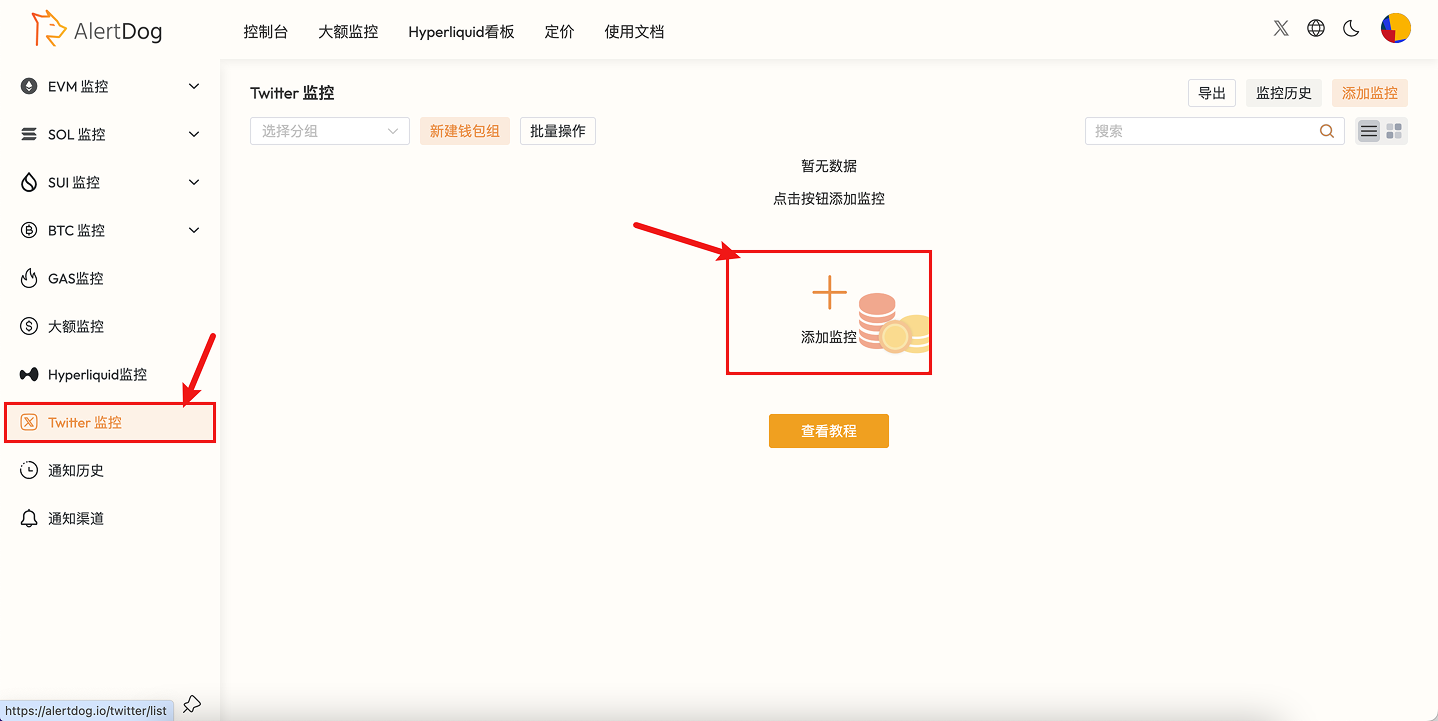
    鼠标移入左侧列表，选择 **推特监控** -> **添加监控**

    <Frame caption="添加监控入口">
      <img src="https://mintcdn.com/alertdog/Wwrq2LjwP9j-13zp/images/cases/cz-twitter/twitter-monitor-menu.png?fit=max&auto=format&n=Wwrq2LjwP9j-13zp&q=85&s=9e6b523c9e805effcdfa95e3f50d5b99" alt="监控菜单，选择推特监控" width="1438" height="721" data-path="images/cases/cz-twitter/twitter-monitor-menu.png" />
    </Frame>

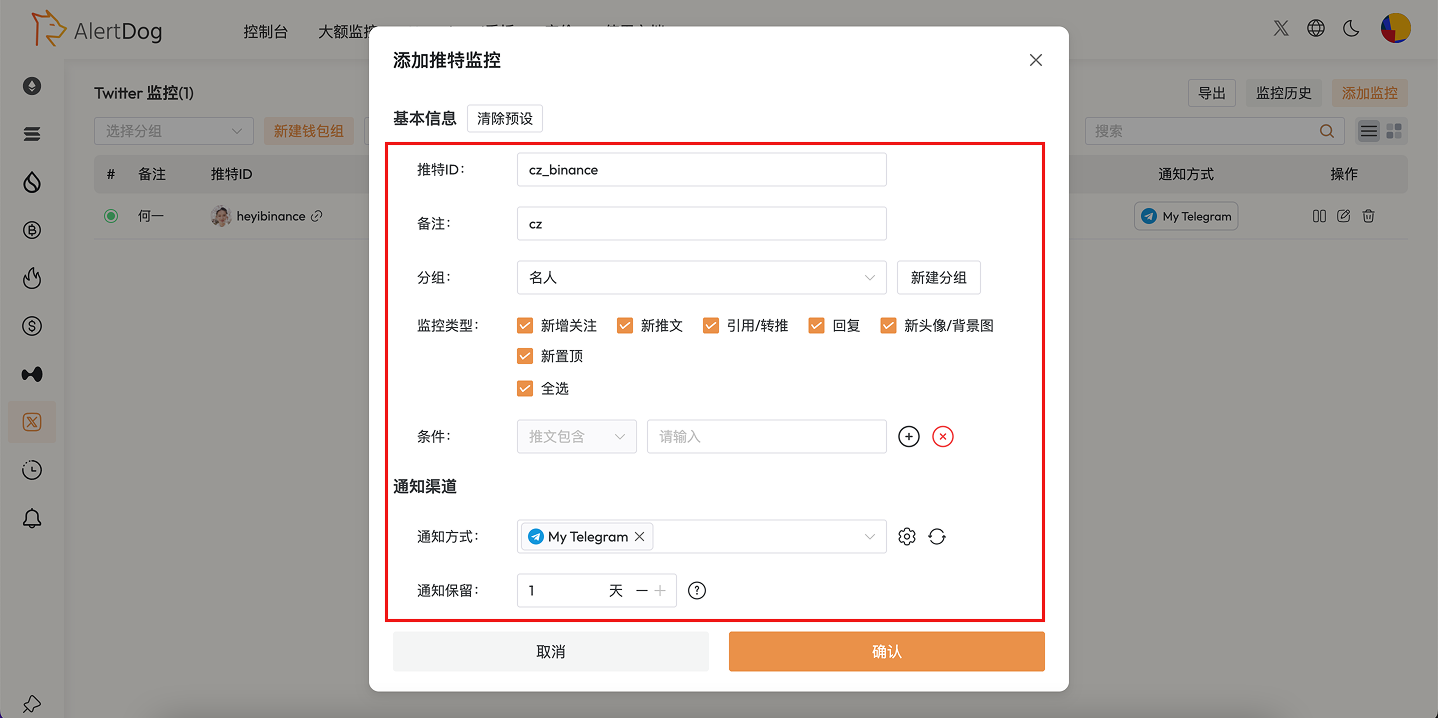
    cz推特id：`cz_binance`，参考图例按你的需求填写监控表单。

    <Frame caption="监控配置">
      <img src="https://mintcdn.com/alertdog/Wwrq2LjwP9j-13zp/images/cases/cz-twitter/cz-twitter-monitor-config.png?fit=max&auto=format&n=Wwrq2LjwP9j-13zp&q=85&s=e89ec4e87411d0fbd4ed6a0c77727348" alt="CZ 推特监控表单配置，包含 Twitter ID、通知渠道等设置" width="1438" height="718" data-path="images/cases/cz-twitter/cz-twitter-monitor-config.png" />
    </Frame>
  </Step>

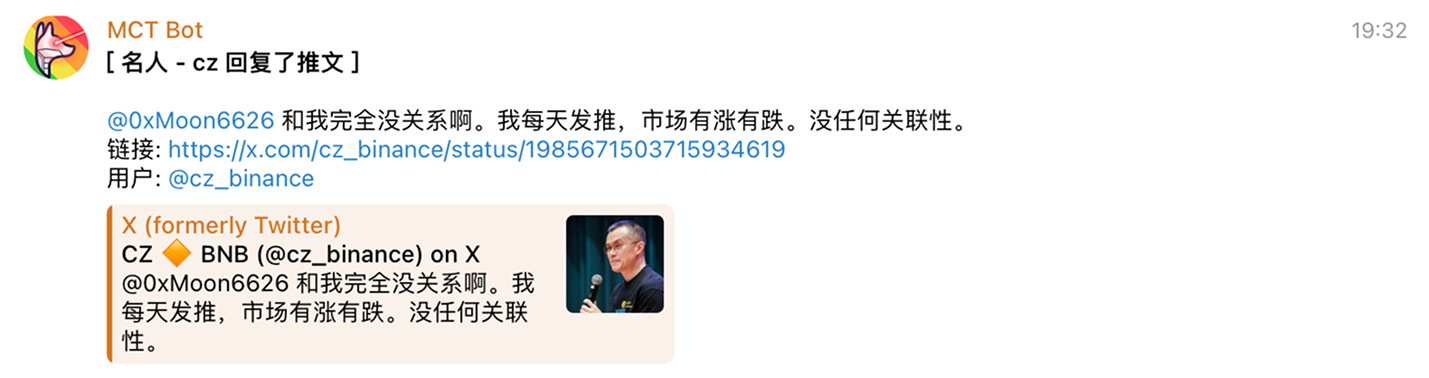
  <Step title="接收通知">
    <Frame caption="推特监控通知示例">
      <img src="https://mintcdn.com/alertdog/Wwrq2LjwP9j-13zp/images/cases/cz-twitter/cz-twitter-notification-example.png?fit=max&auto=format&n=Wwrq2LjwP9j-13zp&q=85&s=1aef83af13aef2bc8cf31b4d263fec6d" alt="Telegram 中的监控通知消息示例" width="1429" height="378" data-path="images/cases/cz-twitter/cz-twitter-notification-example.png" />
    </Frame>
  </Step>
</Steps>