> ## Documentation Index
> Fetch the complete documentation index at: https://docs.alertdog.io/llms.txt
> Use this file to discover all available pages before exploring further.
# EVM 多钱包监控
> 监控在某个时间段内多个钱包同时买入或卖出的代币,实时捕捉多钱包同步买卖行为,Meme 玩家必备工具
## 添加多地址监控
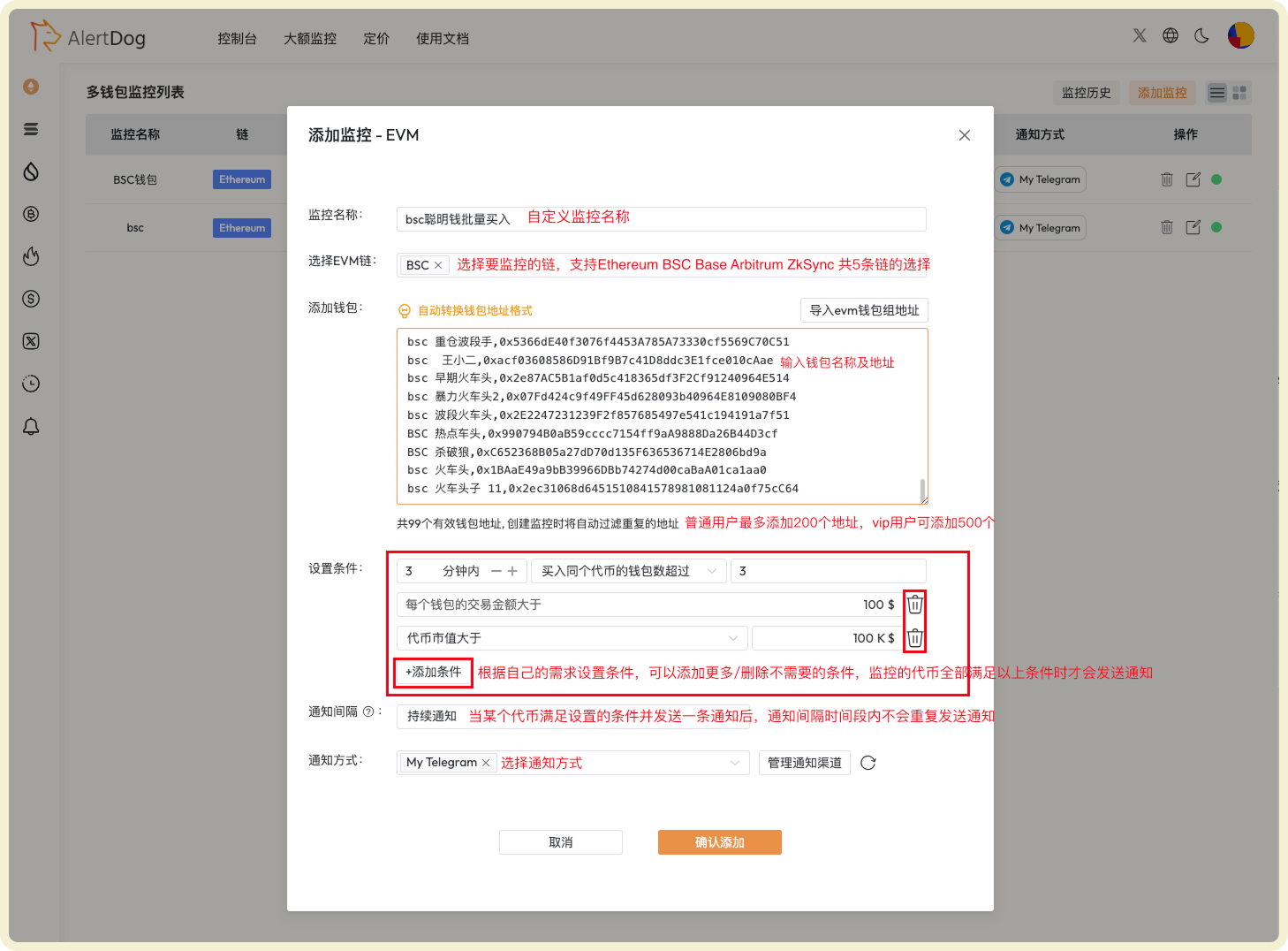
多地址监控可以帮助你发现多个钱包在短时间内协同操作的代币,这通常是重要的市场信号。
### 配置示例
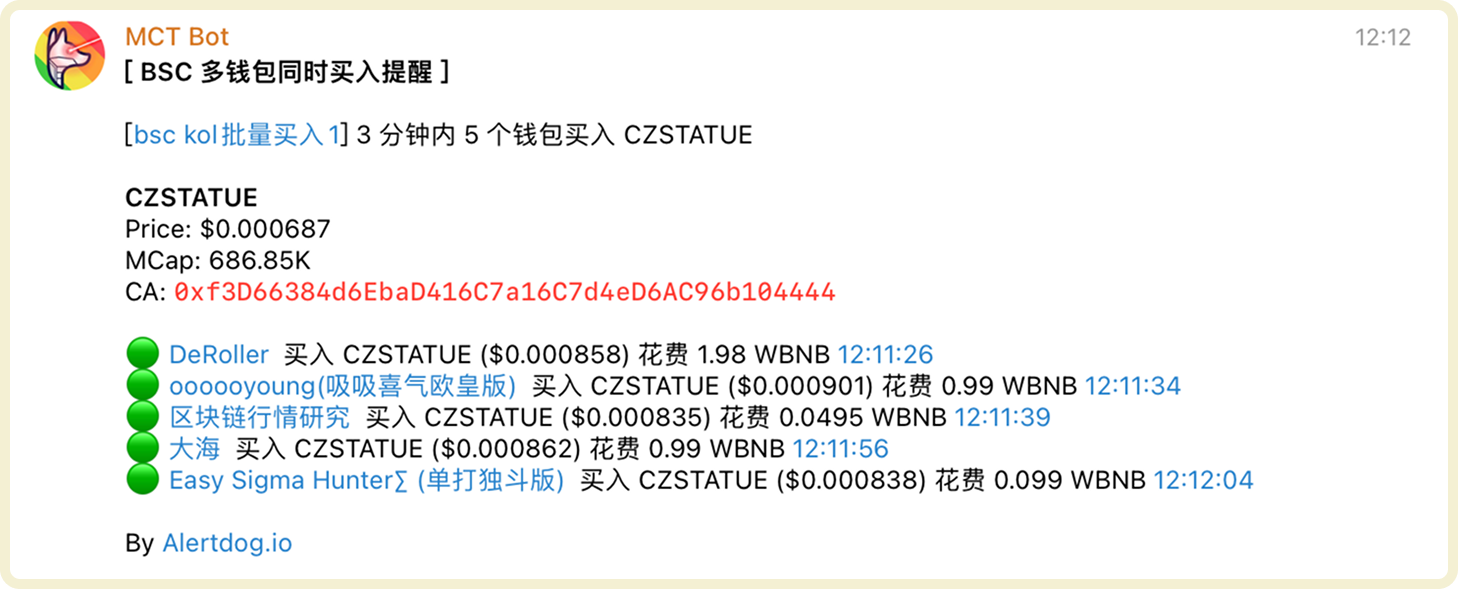
监控 99 个钱包在 3 分钟内有 3 个钱包买入同一代币,并且买入金额都超过 100 美元,并且该代币的市值大于 100k。
 ### 通知示例
 ## 管理多地址监控
你可以通过以下方式管理已添加的多地址监控:
* **批量操作**:点击批量操作,可以对选中的监控进行批量移动组、批量编辑、批量修改通知方式、批量删除的操作
* **监控历史**:可以在统一的监控历史页查看已收到的监控通知历史
* **启用/停用、编辑、删除**:可以对监控进行启用/停用、编辑、删除的操作
多地址监控特别适合追踪聪明钱包组的协同操作,帮助你发现早期的 Meme
币和热门项目。
## 管理多地址监控
你可以通过以下方式管理已添加的多地址监控:
* **批量操作**:点击批量操作,可以对选中的监控进行批量移动组、批量编辑、批量修改通知方式、批量删除的操作
* **监控历史**:可以在统一的监控历史页查看已收到的监控通知历史
* **启用/停用、编辑、删除**:可以对监控进行启用/停用、编辑、删除的操作
多地址监控特别适合追踪聪明钱包组的协同操作,帮助你发现早期的 Meme
币和热门项目。