> ## Documentation Index
> Fetch the complete documentation index at: https://docs.alertdog.io/llms.txt
> Use this file to discover all available pages before exploring further.
# Hyperliquid 涨跌持仓监控
> 实时监控 Hyperliquid 上币种的涨跌幅、持仓量和多空结构变化,快速识别资金进出方向,辅助合约开单决策
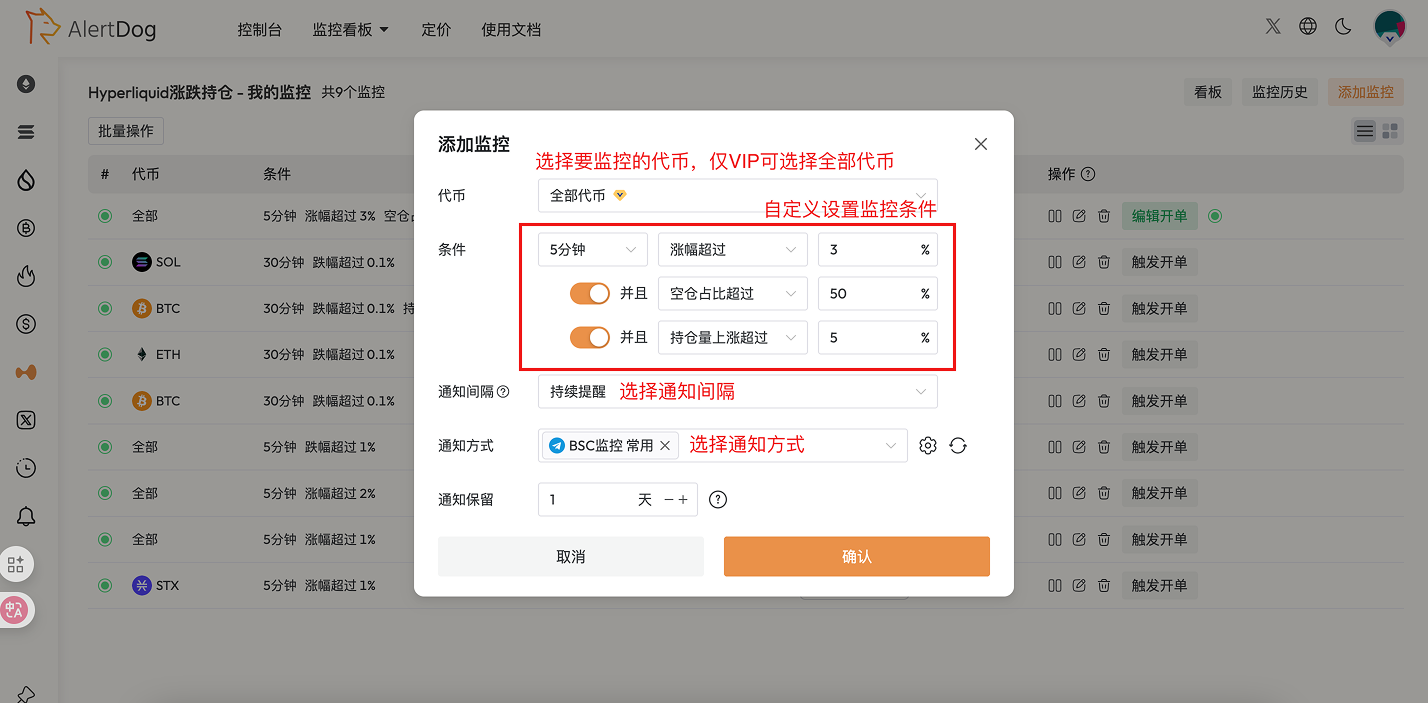
## 添加涨跌持仓监控
 ### 通知示例
## 管理大额监控
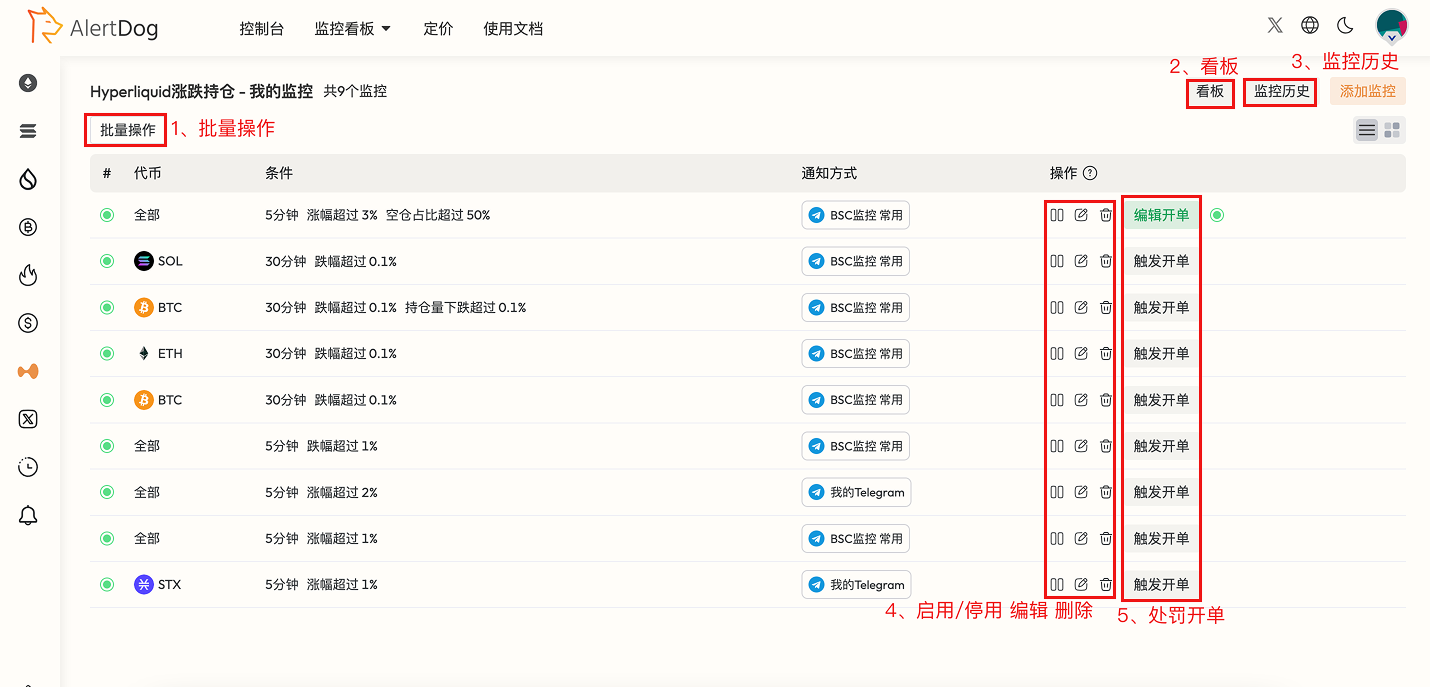
你可以通过以下方式管理已添加的Hyperliquid监控:
* **批量操作**:点击批量操作,可以对选中的监控进行批量移动组、批量编辑、批量修改通知方式、批量删除的操作
* **看板**:通过Hyperliquid监控看板,无需手动配置实时查看Hyperliquid巨鲸交易数据
* **监控历史**:可以在统一的监控历史页查看已收到的监控通知历史
* **启用/停用、编辑、删除**:可以对监控进行启用/停用、编辑、删除的操作
* **触发开单**:创建完成并启用的监控可以创建一个触发开单,监控第一次通知时将自动创建一笔约合开单
### 通知示例
## 管理大额监控
你可以通过以下方式管理已添加的Hyperliquid监控:
* **批量操作**:点击批量操作,可以对选中的监控进行批量移动组、批量编辑、批量修改通知方式、批量删除的操作
* **看板**:通过Hyperliquid监控看板,无需手动配置实时查看Hyperliquid巨鲸交易数据
* **监控历史**:可以在统一的监控历史页查看已收到的监控通知历史
* **启用/停用、编辑、删除**:可以对监控进行启用/停用、编辑、删除的操作
* **触发开单**:创建完成并启用的监控可以创建一个触发开单,监控第一次通知时将自动创建一笔约合开单