> ## Documentation Index
> Fetch the complete documentation index at: https://docs.alertdog.io/llms.txt
> Use this file to discover all available pages before exploring further.
# Bark 手机推送
> 通过 Bark 推送消息到 iOS 设备,支持离线通知,Apple 用户专属推送方式
简介:Bark 是一款专为 iOS 用户设计的推送工具,可以将 AlertDog 的监控消息推送到你的 iPhone 或 iPad,支持离线通知和自定义铃声。
使用 Bark 通知前,你需要 在 iOS 设备上安装 Bark App
# 操作步骤
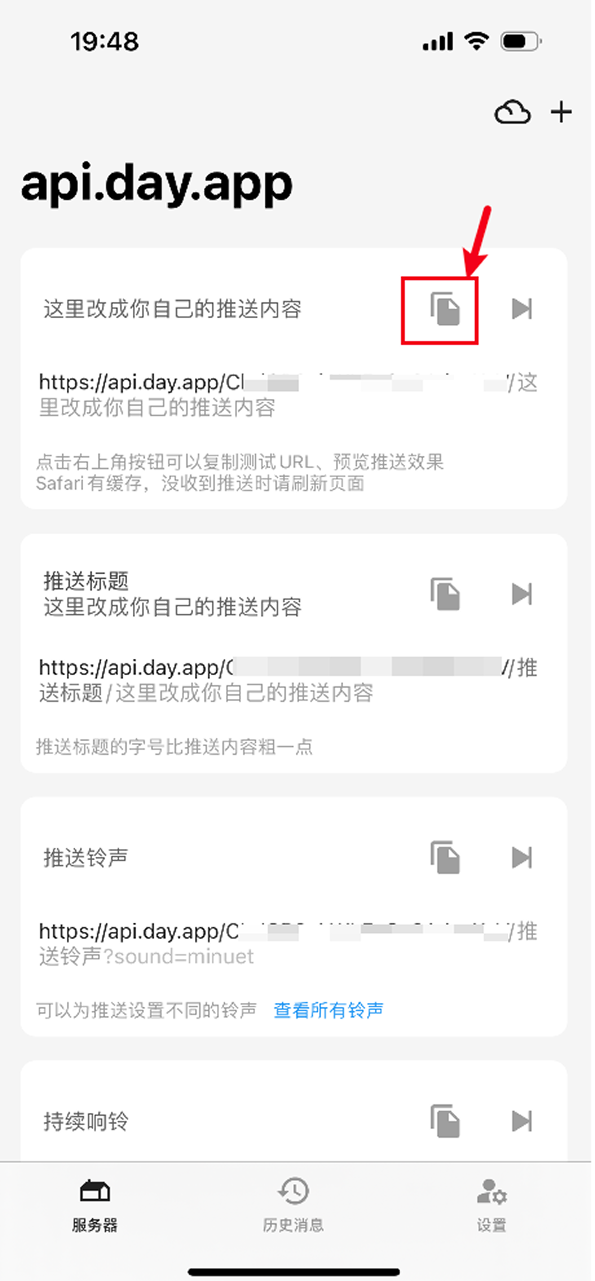
## 第一步:打开 Bark 获取推送 URL
在 iOS 设备打开 Bark 获取你专属的推送 URL
 ## 第二步:创建 Bark 通知渠道并填入推送 URL
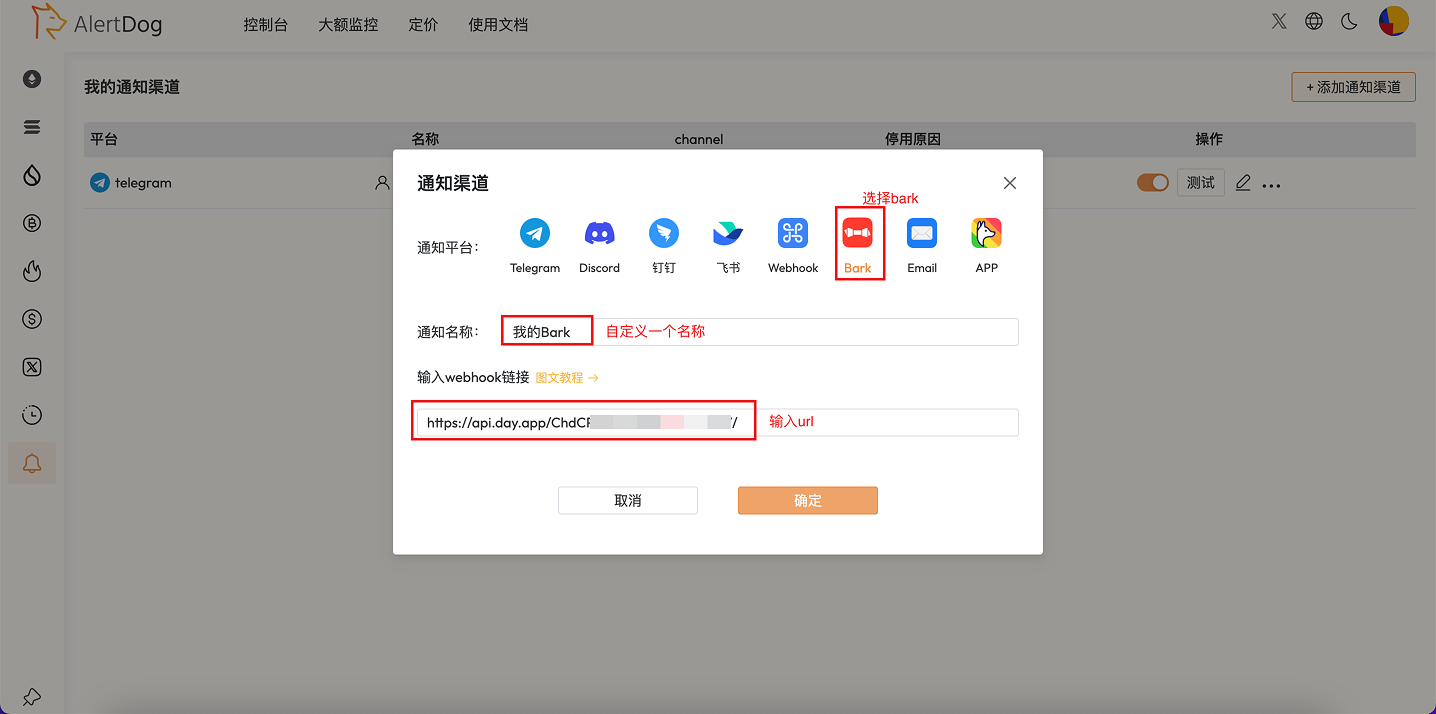
打开监控狗 **添加新渠道** -> **Bark** -> **输入你的 Bark 专属推送 URL** -> **确定**
## 第二步:创建 Bark 通知渠道并填入推送 URL
打开监控狗 **添加新渠道** -> **Bark** -> **输入你的 Bark 专属推送 URL** -> **确定**
 ## 第三步:创建完成
配置完成后,监控触发时消息将通过 APNs 推送到你的 iOS 设备,即使在息屏或离线状态下也能收到通知。
# 常见问题
不支持。Bark 是专为 iOS 设计的推送工具,Android 用户可以选择其他通知方式。
可以。在 Bark App 中可以设置自定义铃声和通知样式。
Bark App 免费使用,但如果使用自建服务器则需要自行部署。
## 第三步:创建完成
配置完成后,监控触发时消息将通过 APNs 推送到你的 iOS 设备,即使在息屏或离线状态下也能收到通知。
# 常见问题
不支持。Bark 是专为 iOS 设计的推送工具,Android 用户可以选择其他通知方式。
可以。在 Bark App 中可以设置自定义铃声和通知样式。
Bark App 免费使用,但如果使用自建服务器则需要自行部署。