> ## Documentation Index
> Fetch the complete documentation index at: https://docs.alertdog.io/llms.txt
> Use this file to discover all available pages before exploring further.

# 通知到群组

> 通过 Telegram 机器人接收 AlertDog 监控报警消息，即时推送，使用便捷

<Note>
  通知到群组每分钟最多可接收 20 条消息，如需更高限制可选择 [通知到 Telegram 自定义 Bot](/zh/notification-channels/custom-telegram-bot)
</Note>

## 第一步：创建群组并获取 Chat ID

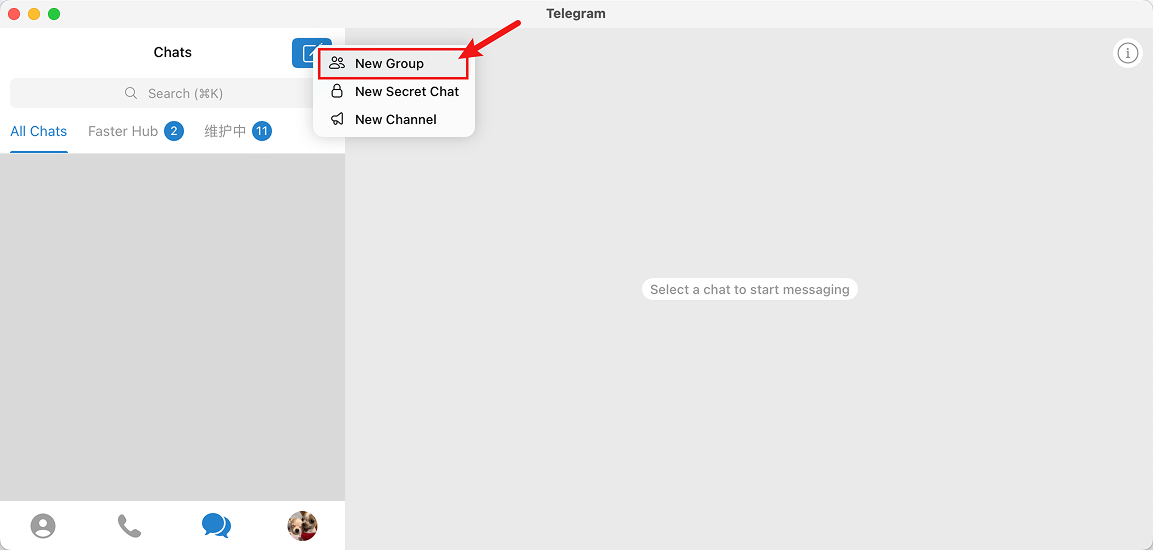
打开 Telegram，创建一个新的群组（或Channel）

<Frame caption="创建一个电报群组">
  <img src="https://mintcdn.com/alertdog/Vee5be0vffUP6yuX/images/notification-channels/telegram/telegram-create-group.png?fit=max&auto=format&n=Vee5be0vffUP6yuX&q=85&s=46794ed3e0f5f6303727617a91835365" alt="创建群组" width="1153" height="550" data-path="images/notification-channels/telegram/telegram-create-group.png" />
</Frame>

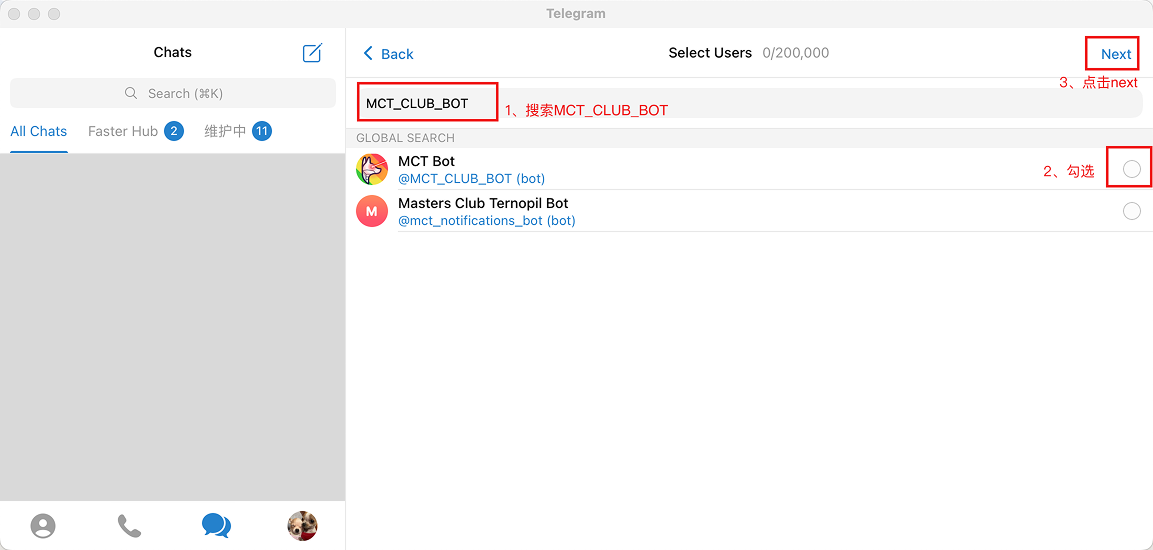
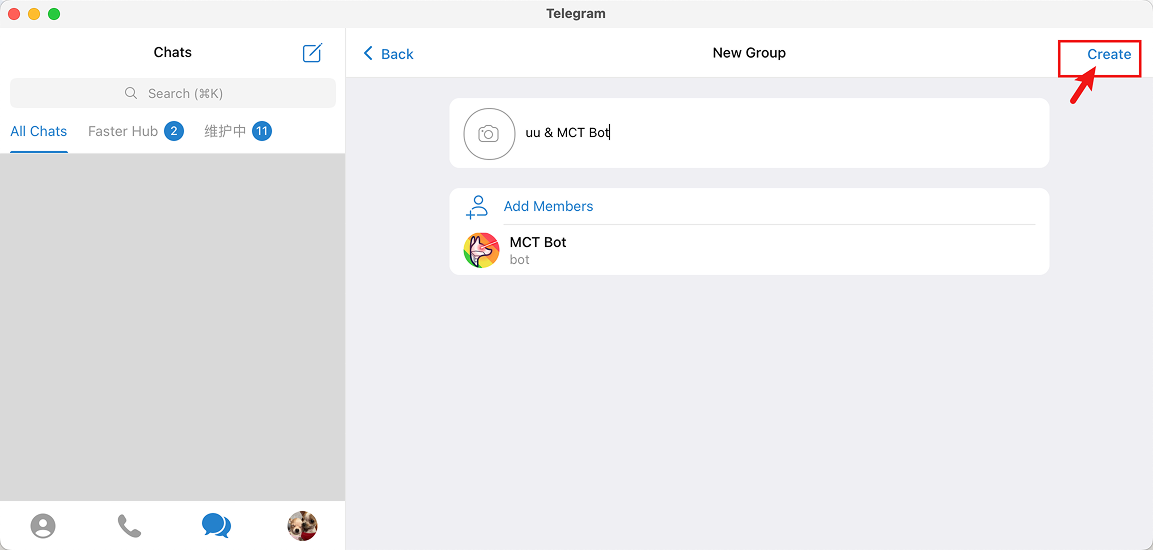
搜索 MCT\_CLUB\_BOT 并将其添加到群组

<Frame caption="搜索 MCT_CLUB_BOT">
  <img src="https://mintcdn.com/alertdog/Vee5be0vffUP6yuX/images/notification-channels/telegram/telegram-search-mct-bot.png?fit=max&auto=format&n=Vee5be0vffUP6yuX&q=85&s=117989aad4276f69e41f182c973d4001" alt="Telegram 搜索 MCT_CLUB_BOT" width="1153" height="550" data-path="images/notification-channels/telegram/telegram-search-mct-bot.png" />
</Frame>

<Frame caption="将 MCT_CLUB_BOT 拉入群组">
  <img src="https://mintcdn.com/alertdog/Vee5be0vffUP6yuX/images/notification-channels/telegram/telegram-add-mct-bot.png?fit=max&auto=format&n=Vee5be0vffUP6yuX&q=85&s=c35d4578df348140dd376578a91e322f" alt="Telegram 添加 MCT Bot 到群组" width="1153" height="550" data-path="images/notification-channels/telegram/telegram-add-mct-bot.png" />
</Frame>

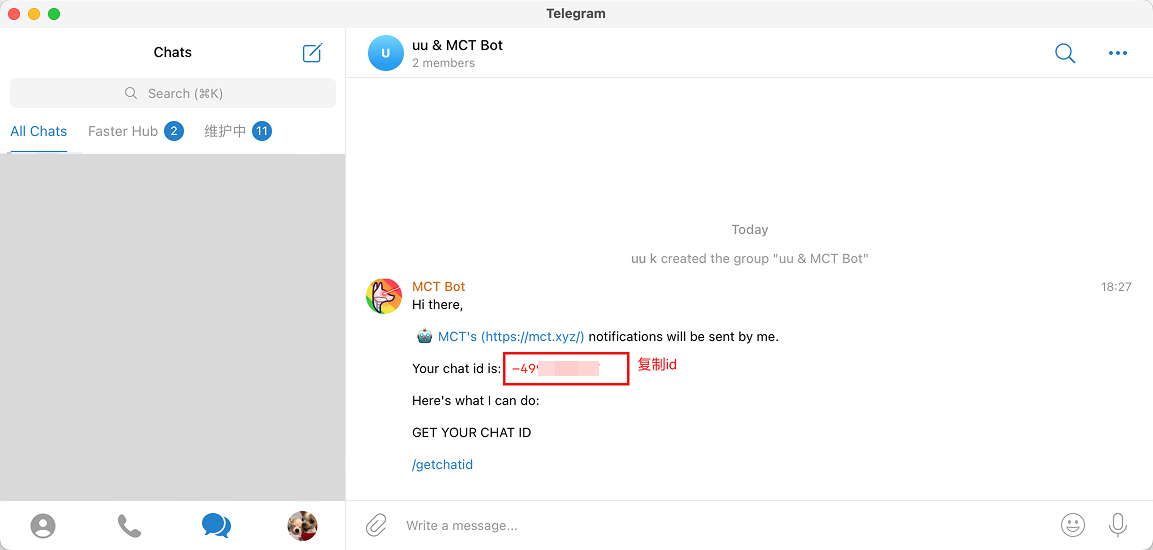
添加成功后，MCT Bot 将会自动在群组里发送 Chat ID，复制 Chat ID 备用

<Frame caption="Telegram 群组的 Chat ID">
  <img src="https://mintcdn.com/alertdog/Vee5be0vffUP6yuX/images/notification-channels/telegram/telegram-copy-chat-id.png?fit=max&auto=format&n=Vee5be0vffUP6yuX&q=85&s=a9a7d4c644a2d69abfc735749da726c7" alt="Telegram 群组的 Chat ID" width="1153" height="550" data-path="images/notification-channels/telegram/telegram-copy-chat-id.png" />
</Frame>

## 第二步：创建通知渠道

打开监控狗 **添加新渠道** -> **Telegram** -> **通知到群组** -> **输入上一步的 Chat ID** -> **连接** 确认即可
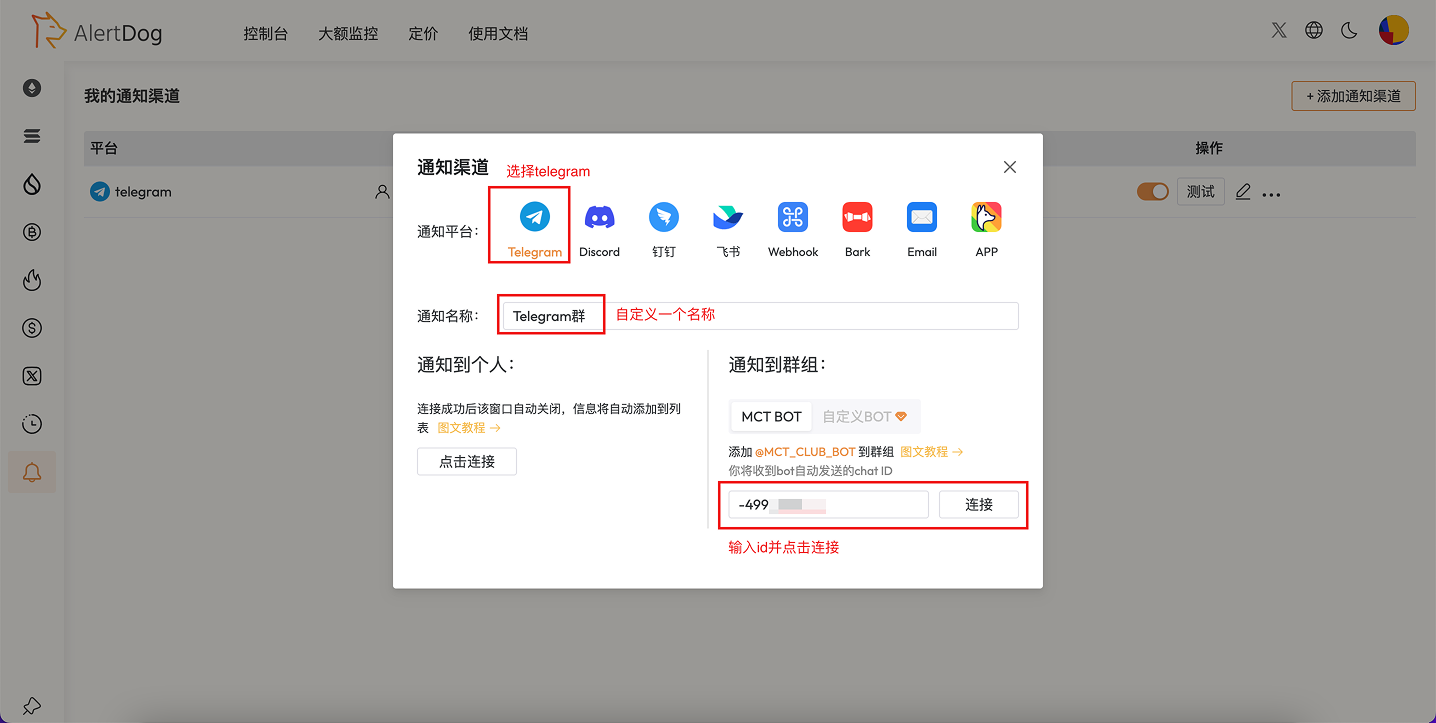
<Frame caption="创建通知渠道">
  <img src="https://mintcdn.com/alertdog/RCBluHwjsDCzwhrG/images/notification-channels/telegram/telegram-group-notification.png?fit=max&auto=format&n=RCBluHwjsDCzwhrG&q=85&s=dcf33c6c58fb309617003de343e1b782" alt="创建通知渠道" width="1436" height="723" data-path="images/notification-channels/telegram/telegram-group-notification.png" />
</Frame>

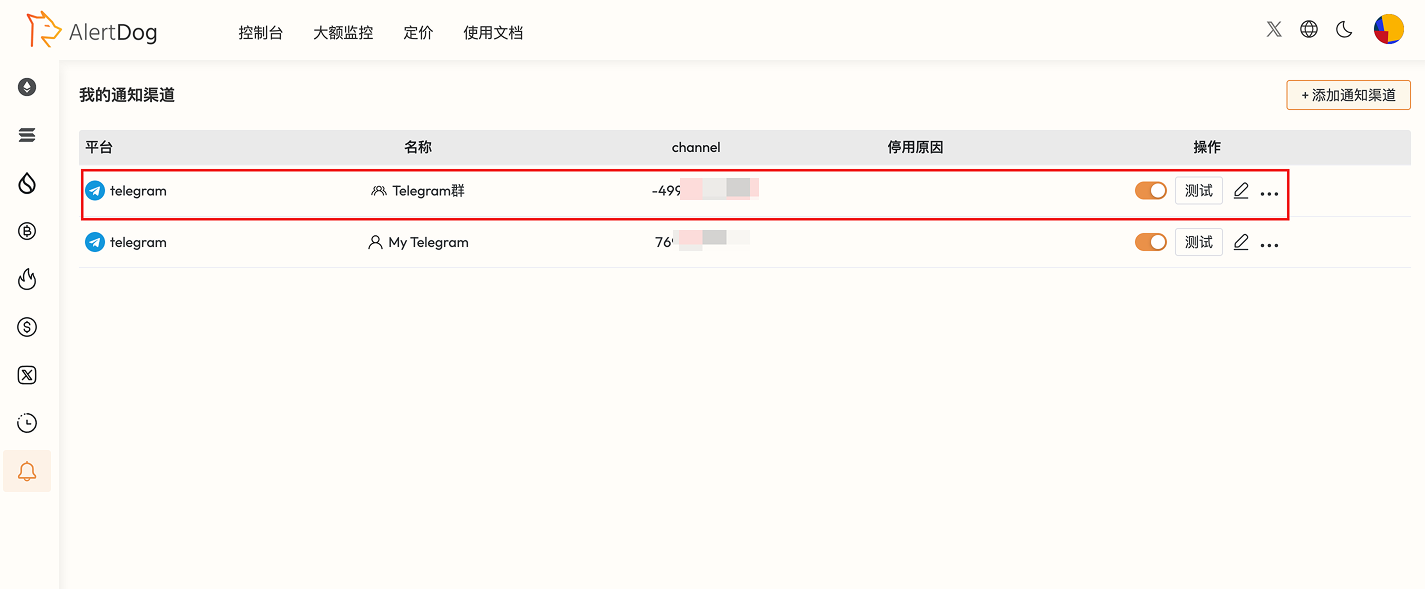
## 第三步：Telegram 群组渠道创建完成

连接成功后表示渠道添加成功，通知渠道列表中会显示该条通知渠道

<Frame caption="通知渠道创建完成">
  <img src="https://mintcdn.com/alertdog/RCBluHwjsDCzwhrG/images/notification-channels/telegram/telegram-group-created.png?fit=max&auto=format&n=RCBluHwjsDCzwhrG&q=85&s=56ab3a658d54c89fea56f8e730b37c36" alt="Telegram 群组渠道创建完成" width="1425" height="589" data-path="images/notification-channels/telegram/telegram-group-created.png" />
</Frame>

<Check>你已成功完成 Telegram 电报通知到群组的设置</Check>

## 常见问题

<AccordionGroup>
  <Accordion title="如何解除 Telegram 绑定？">
    在通知渠道列表中找到 Telegram 项，点击"删除"即可解除绑定。
  </Accordion>

  <Accordion title="可以将电报机器人邀请到多个群组进行绑定吗？">
    可以。
  </Accordion>
</AccordionGroup>