> ## Documentation Index
> Fetch the complete documentation index at: https://docs.alertdog.io/llms.txt
> Use this file to discover all available pages before exploring further.

# 快速上手

> 从零开始，使用 AlertDog 创建第一个可用的链上监控

废话不多说, 下面以监控 BNB 链的一个聪明钱包为示例，演示如何监控钱包在区块链上的一举一动。有任何操作立即发送告警到你的 Telegram。

## 步骤一：登录 AlertDog

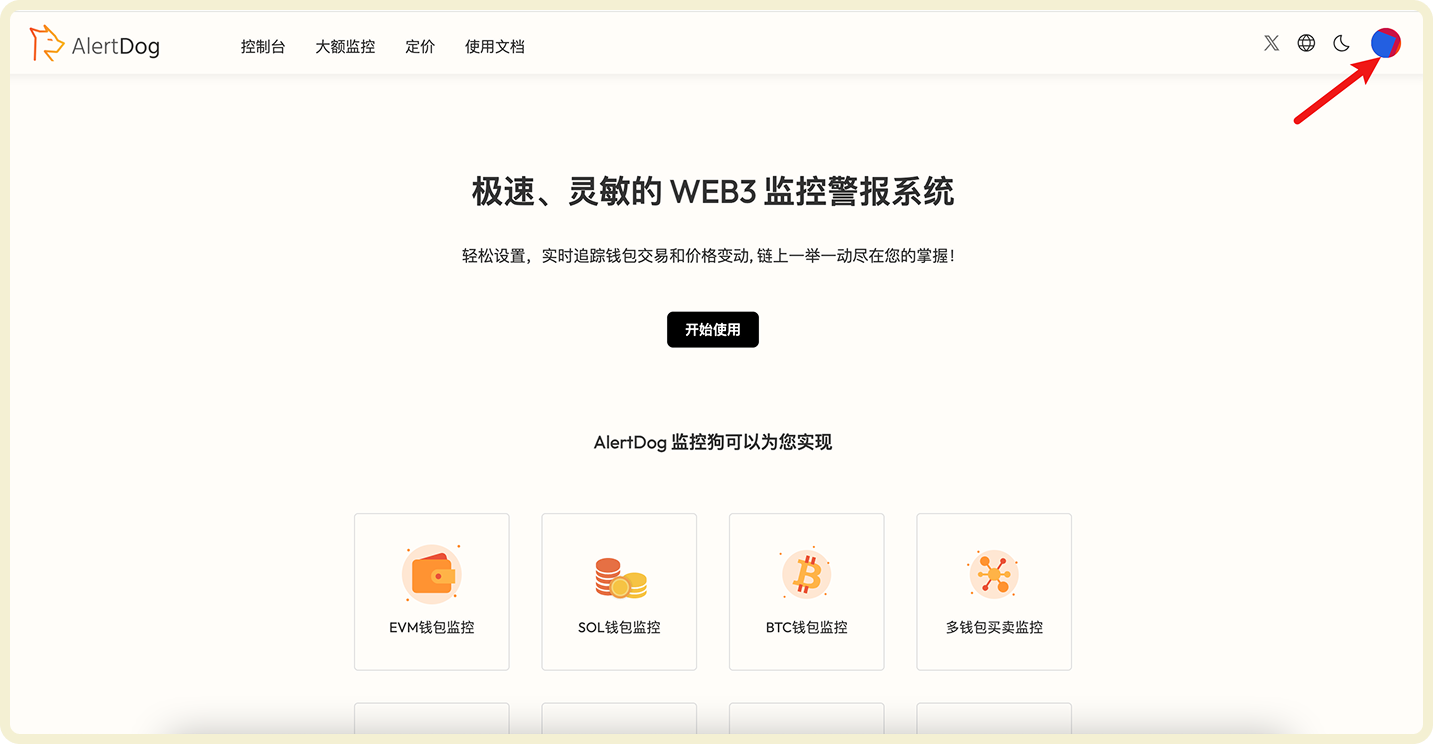
访问 [监控狗首页](https://alertdog.io) -> 点击 "**开始使用**" 按钮 -> 根据个人喜好任选择一种方式**登录**。
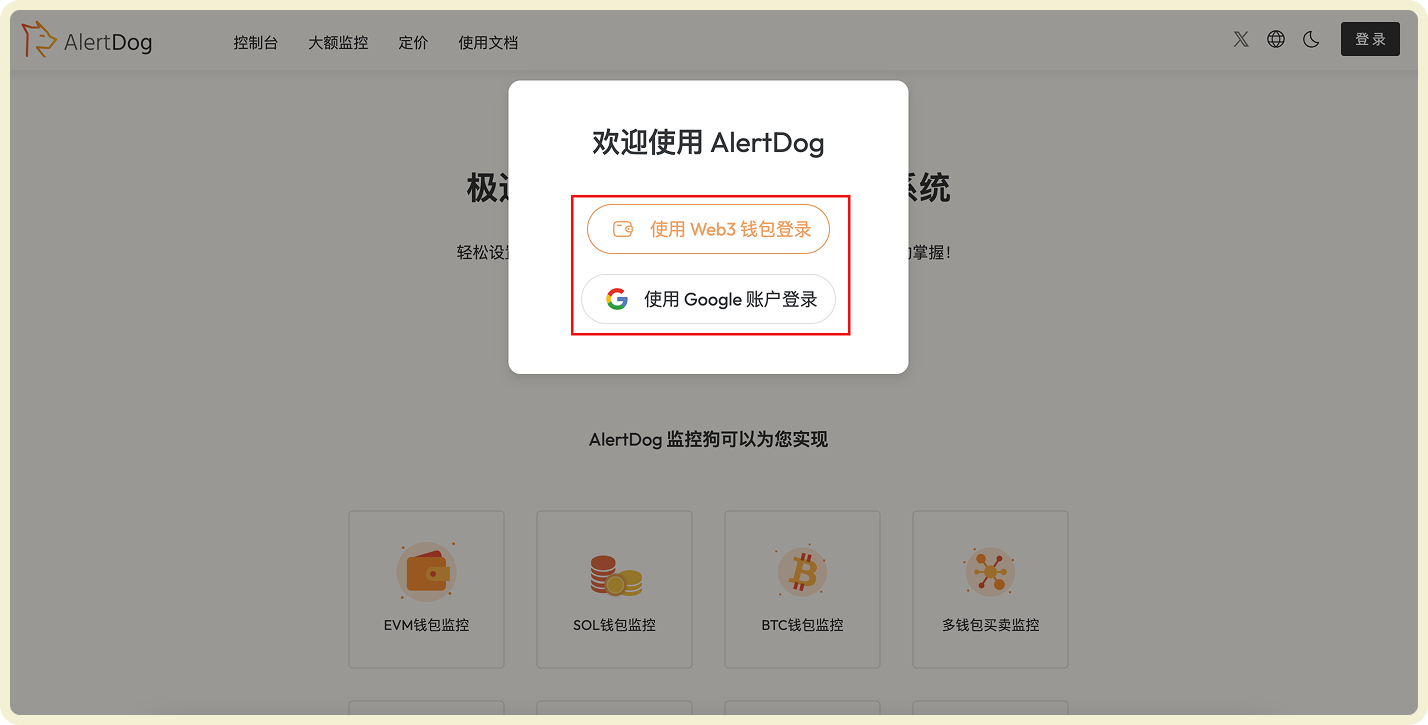
<Frame caption="AlertDog 登录页面">
  <img src="https://mintcdn.com/alertdog/RCBluHwjsDCzwhrG/images/quickstart/login-page.png?fit=max&auto=format&n=RCBluHwjsDCzwhrG&q=85&s=40fa1d4fd87356f94132f266c17d4506" alt="AlertDog 登录页面，显示登录选项" width="1428" height="725" data-path="images/quickstart/login-page.png" />
</Frame>

登录成功后，你可以在右上角看到用户头像。

<Frame caption="登录成功后的界面">
  <img src="https://mintcdn.com/alertdog/RCBluHwjsDCzwhrG/images/quickstart/login-success.png?fit=max&auto=format&n=RCBluHwjsDCzwhrG&q=85&s=8f4bf144c6ae966eb369aba53e59459b" alt="登录成功后的界面，显示用户头像" width="1433" height="744" data-path="images/quickstart/login-success.png" />
</Frame>

## 步骤二：添加通知渠道

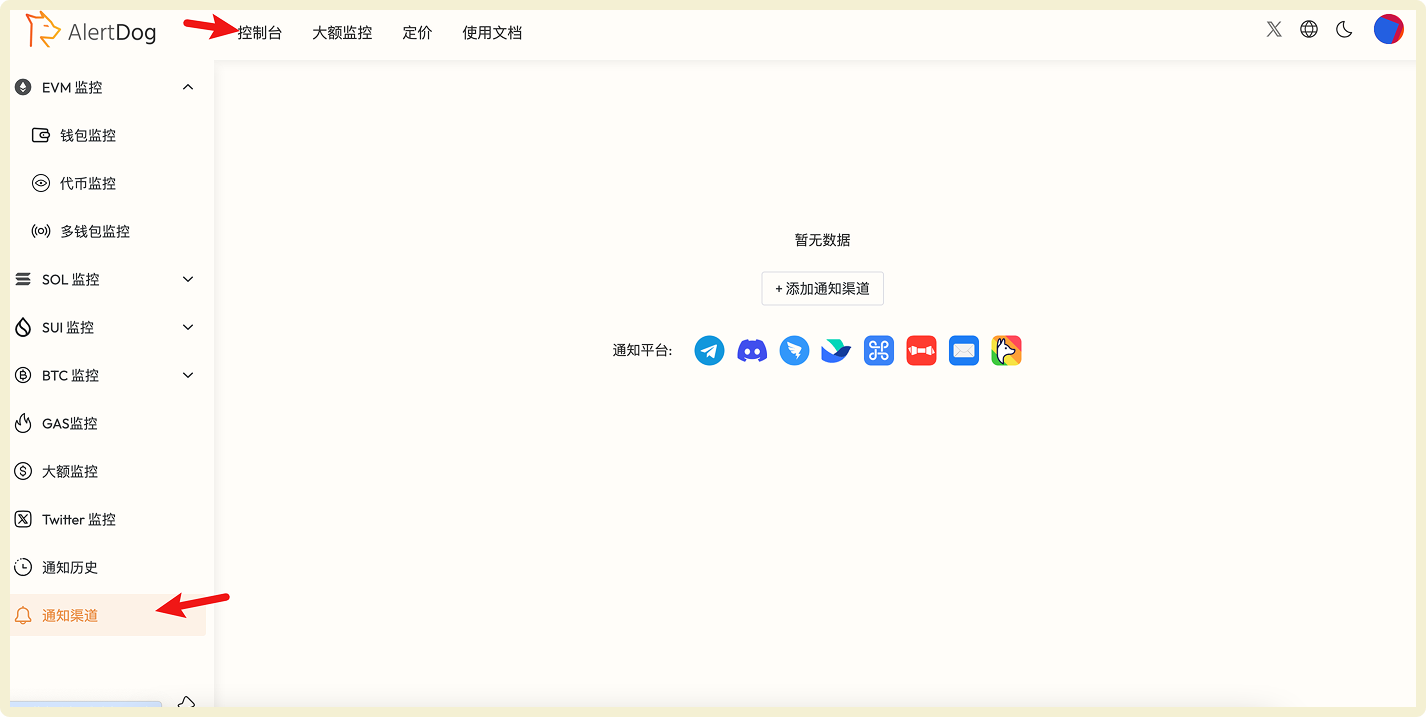
点击左上角菜单的 "**控制台**"，在左侧列表中找到 "**通知渠道**" 选项。

<Frame caption="通知渠道入口">
  <img src="https://mintcdn.com/alertdog/RCBluHwjsDCzwhrG/images/quickstart/console-menu.png?fit=max&auto=format&n=RCBluHwjsDCzwhrG&q=85&s=06cdcc010bfc6d177e9b19d97b031c2e" alt="控制台界面，显示通知渠道选项" width="1426" height="717" data-path="images/quickstart/console-menu.png" />
</Frame>

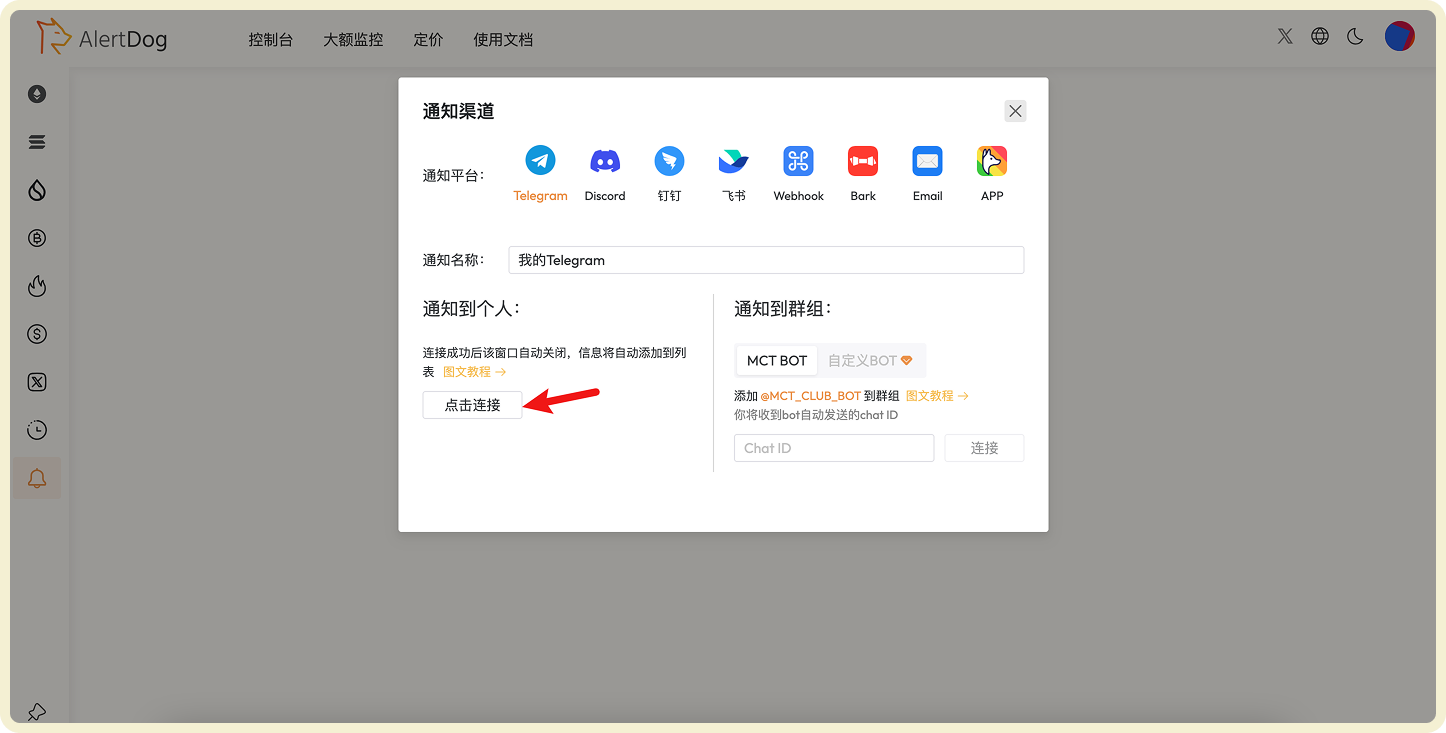
点击 "**添加通知渠道**" 按钮 -> 选择 "**Telegram**" -> 点击 "**点击连接**"，按照提示操作绑定 Telegram。

<Frame caption="绑定 Telegram 通知渠道">
  <img src="https://mintcdn.com/alertdog/RCBluHwjsDCzwhrG/images/quickstart/telegram-bind.png?fit=max&auto=format&n=RCBluHwjsDCzwhrG&q=85&s=f6d1b454c439031b7df26e43778937fa" alt="Telegram 通知渠道绑定界面" width="1446" height="733" data-path="images/quickstart/telegram-bind.png" />
</Frame>

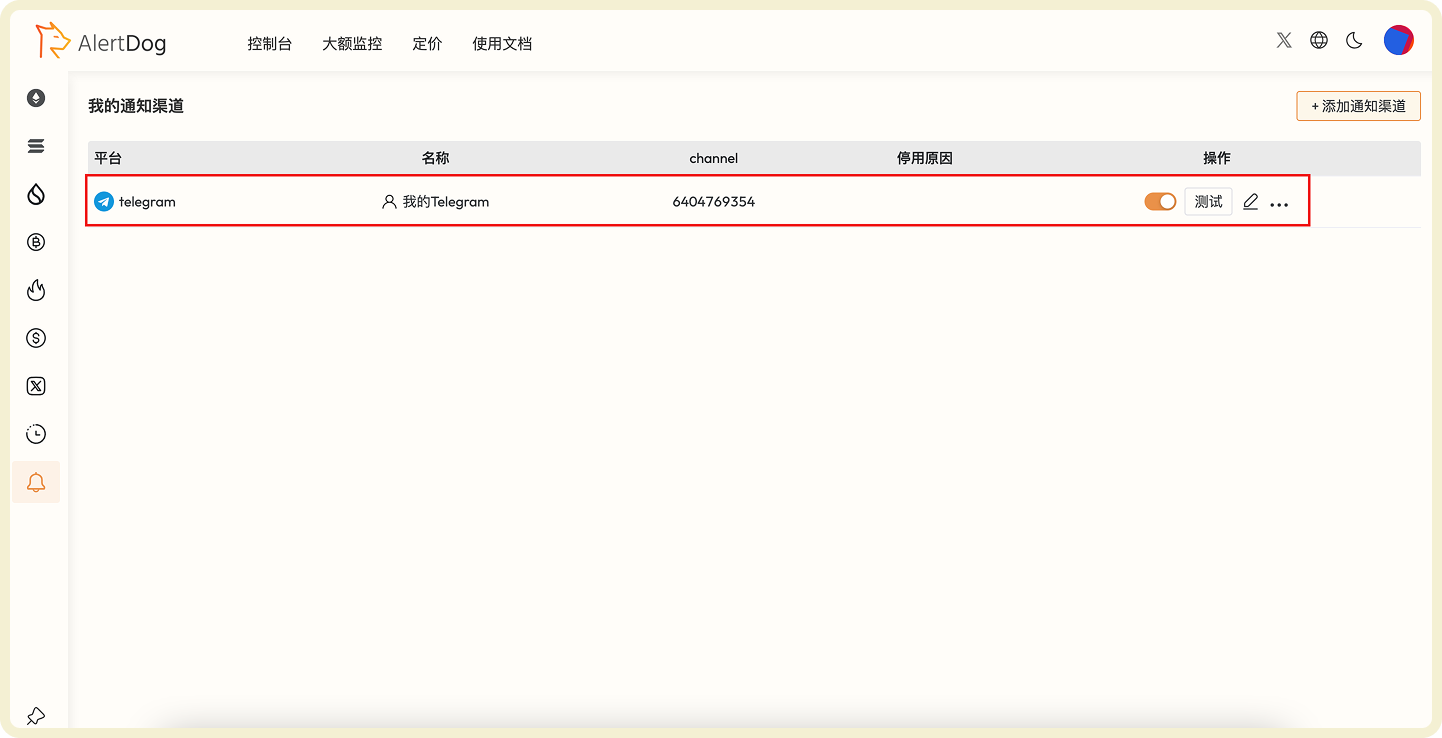
绑定完成后, 通知渠道列表将显示你刚刚绑定的 Telegram 信息（如下图）。

<Frame caption="通知渠道列表">
  <img src="https://mintcdn.com/alertdog/RCBluHwjsDCzwhrG/images/quickstart/notification-channels.png?fit=max&auto=format&n=RCBluHwjsDCzwhrG&q=85&s=34bb7fef6802ea2c9ff990f74bd14e71" alt="成功添加通知渠道后的列表显示" width="1442" height="738" data-path="images/quickstart/notification-channels.png" />
</Frame>

## 步骤三：添加监控

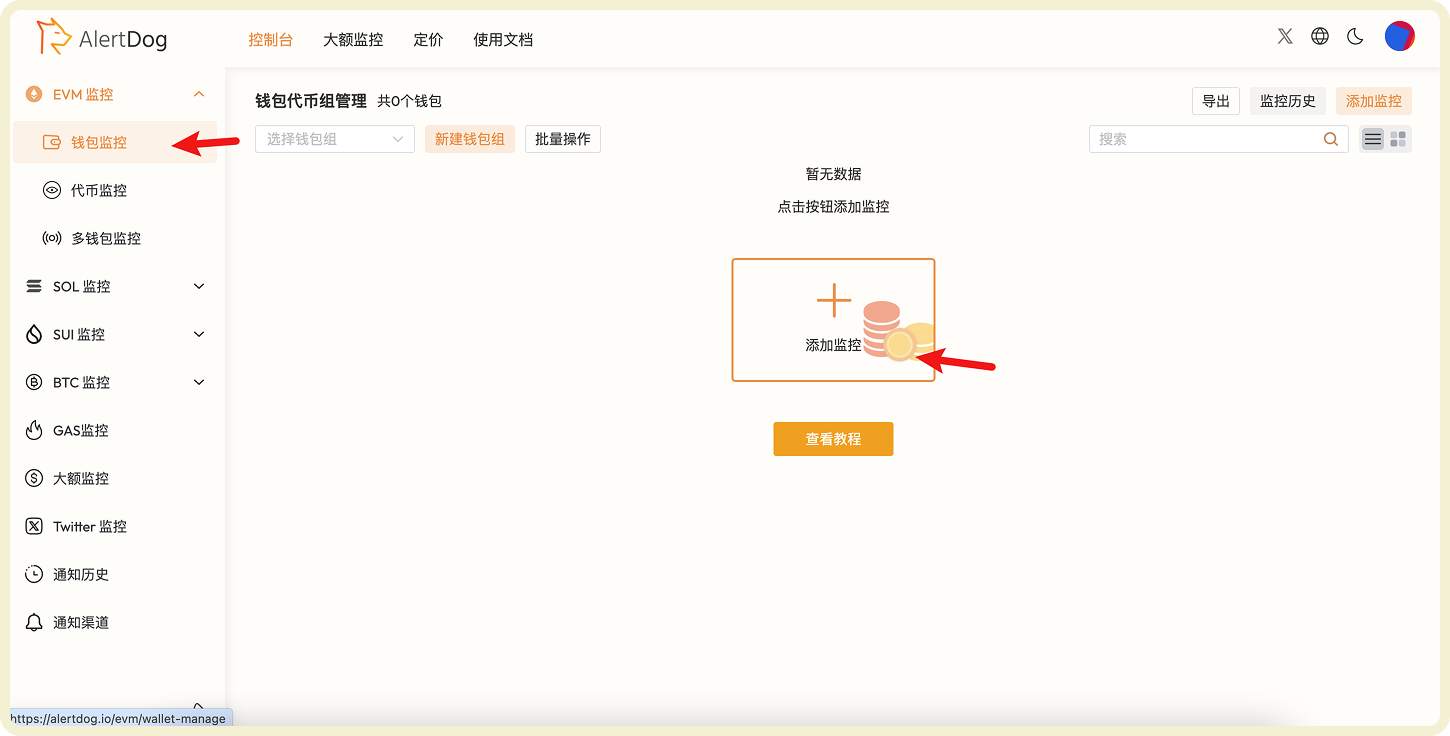
鼠标移入左侧列表，选择 **EVM 监控** → **地址监控**，点击"添加监控"。

<Frame caption="添加地址监控入口">
  <img src="https://mintcdn.com/alertdog/RCBluHwjsDCzwhrG/images/quickstart/monitor-menu.png?fit=max&auto=format&n=RCBluHwjsDCzwhrG&q=85&s=34070415d2a72e624da206eb55b408d9" alt="EVM 监控菜单，显示地址监控选项" width="1450" height="736" data-path="images/quickstart/monitor-menu.png" />
</Frame>

参考下图填写监控表单（示例图参数监控钱包在 BSC 链的所有行为）填写完成点击确认即可。

<Frame caption="地址监控表单配置">
  <img src="https://mintlify.s3.us-west-1.amazonaws.com/alertdog/images/quickstart/address-form.png" alt="地址监控表单，包含地址、链选择、监控类型等字段" />
</Frame>

## 步骤四：接收通知

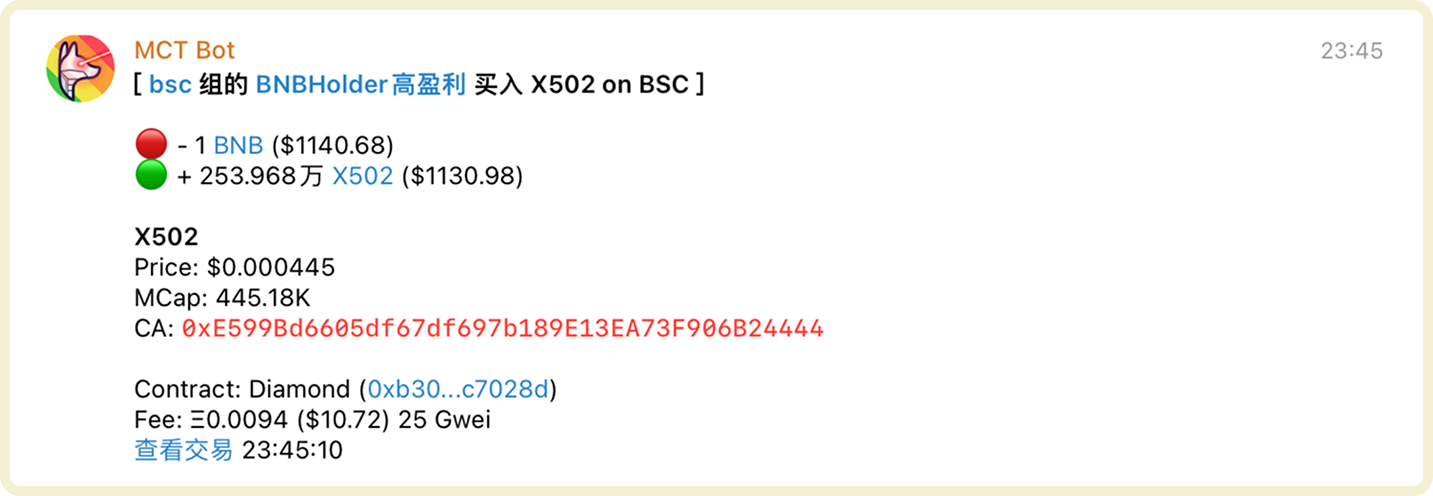
一旦钱包有满足监控条件的行为触发监控，你的 Telegram 将立即收到报警消息（如下图）。

<Frame caption="监控通知示例">
  <img src="https://mintcdn.com/alertdog/RCBluHwjsDCzwhrG/images/quickstart/notification-telegram.png?fit=max&auto=format&n=RCBluHwjsDCzwhrG&q=85&s=52d45c08392d97c91658aae0e0d2be9d" alt="Telegram 中的监控通知消息示例" width="1433" height="496" data-path="images/quickstart/notification-telegram.png" />
</Frame>

<Check>恭喜！你已成功完成第一个监控任务，接下来开始大展拳脚吧</Check>

## 你还可以尝试这些监控

<CardGroup cols={2}>
  <Card title="代币监控" icon="coins" href="/zh/monitors/evm-chain/token-monitoring">
    实时掌握大户持仓变化，捕捉巨额转账行为，快速发现市场信号。
  </Card>

  <Card title="BTC 监控" icon="bitcoin" href="/zh/monitors/btc-chain/wallet-monitoring">
    一站式监控 BTC 钱包中的 BTC、符文与铭文动态，全面掌握资产变动。
  </Card>
</CardGroup>