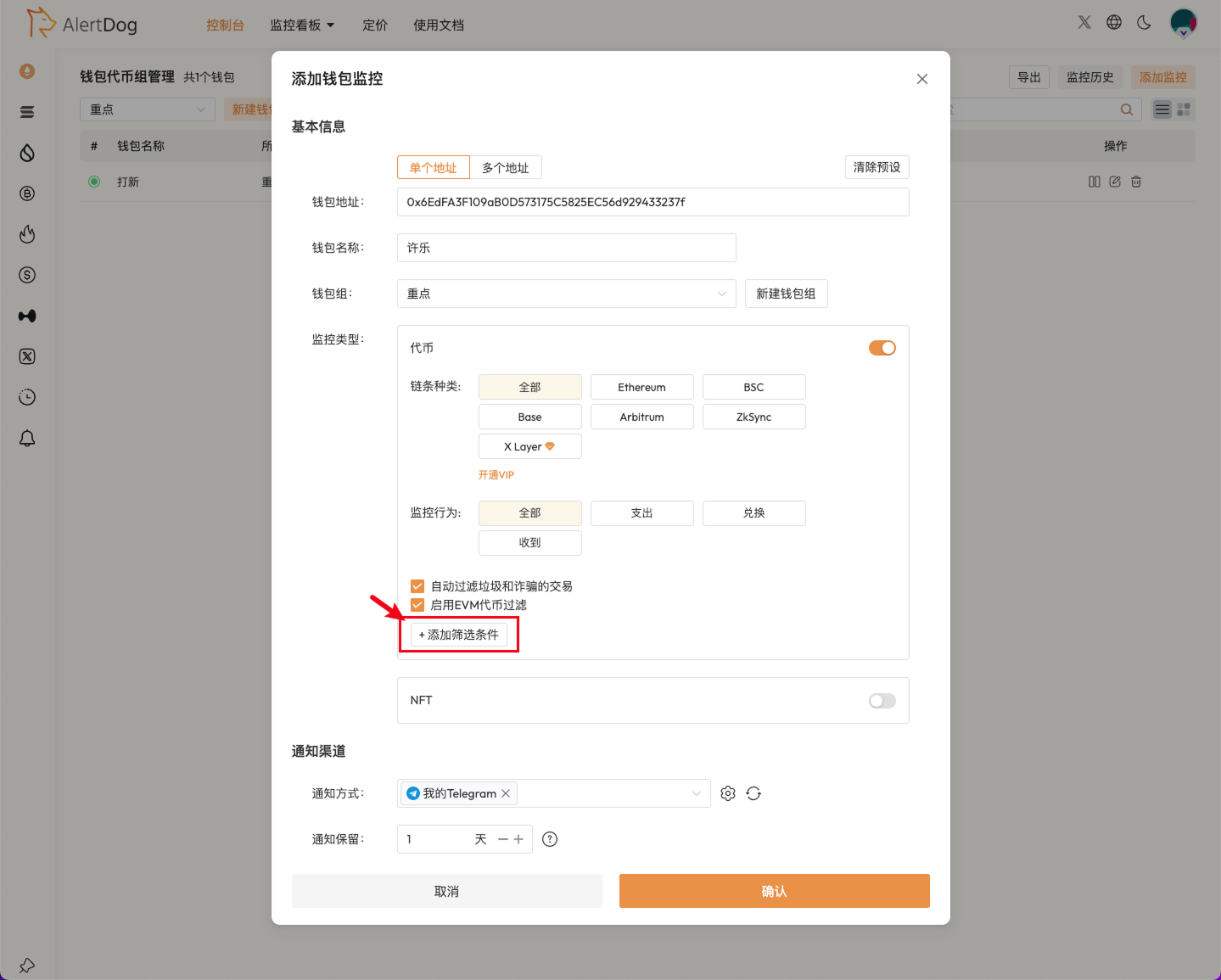
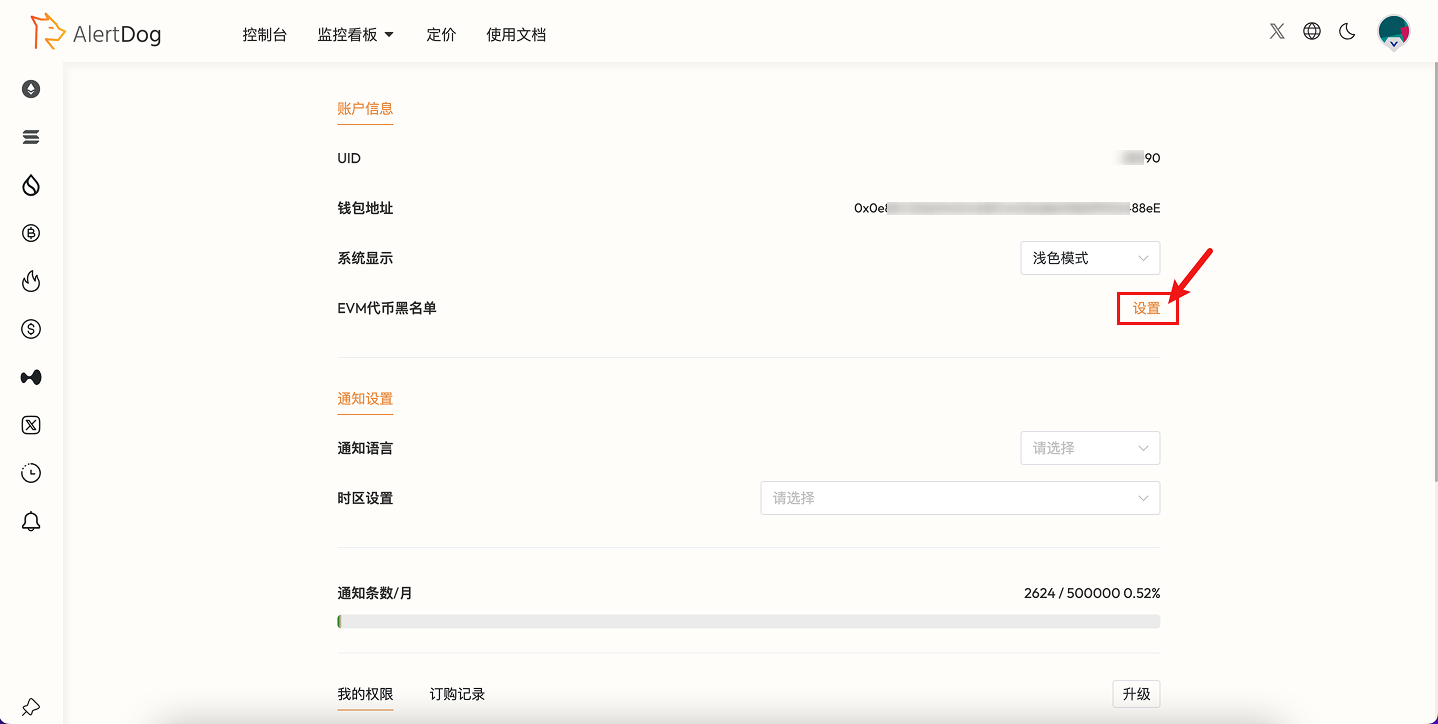
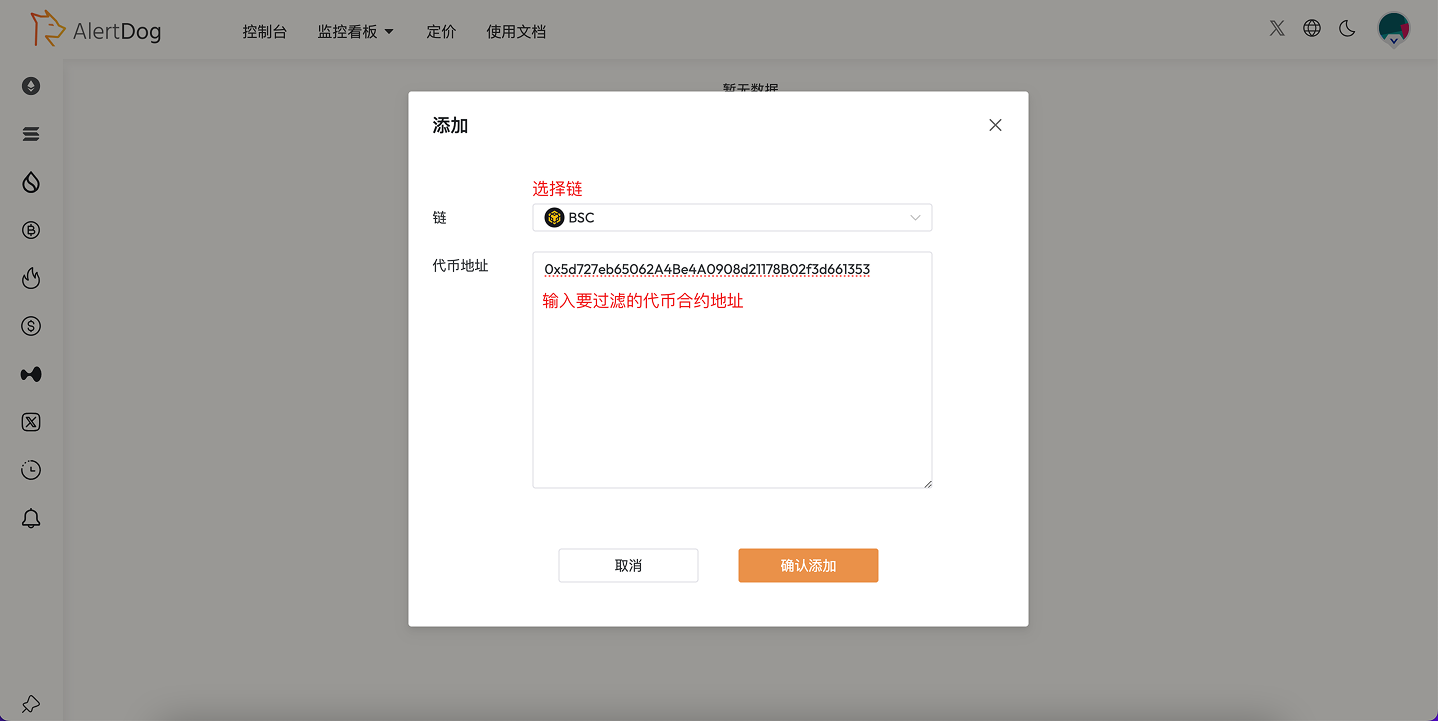
When adding address monitoring, click “Add Filter Condition”.
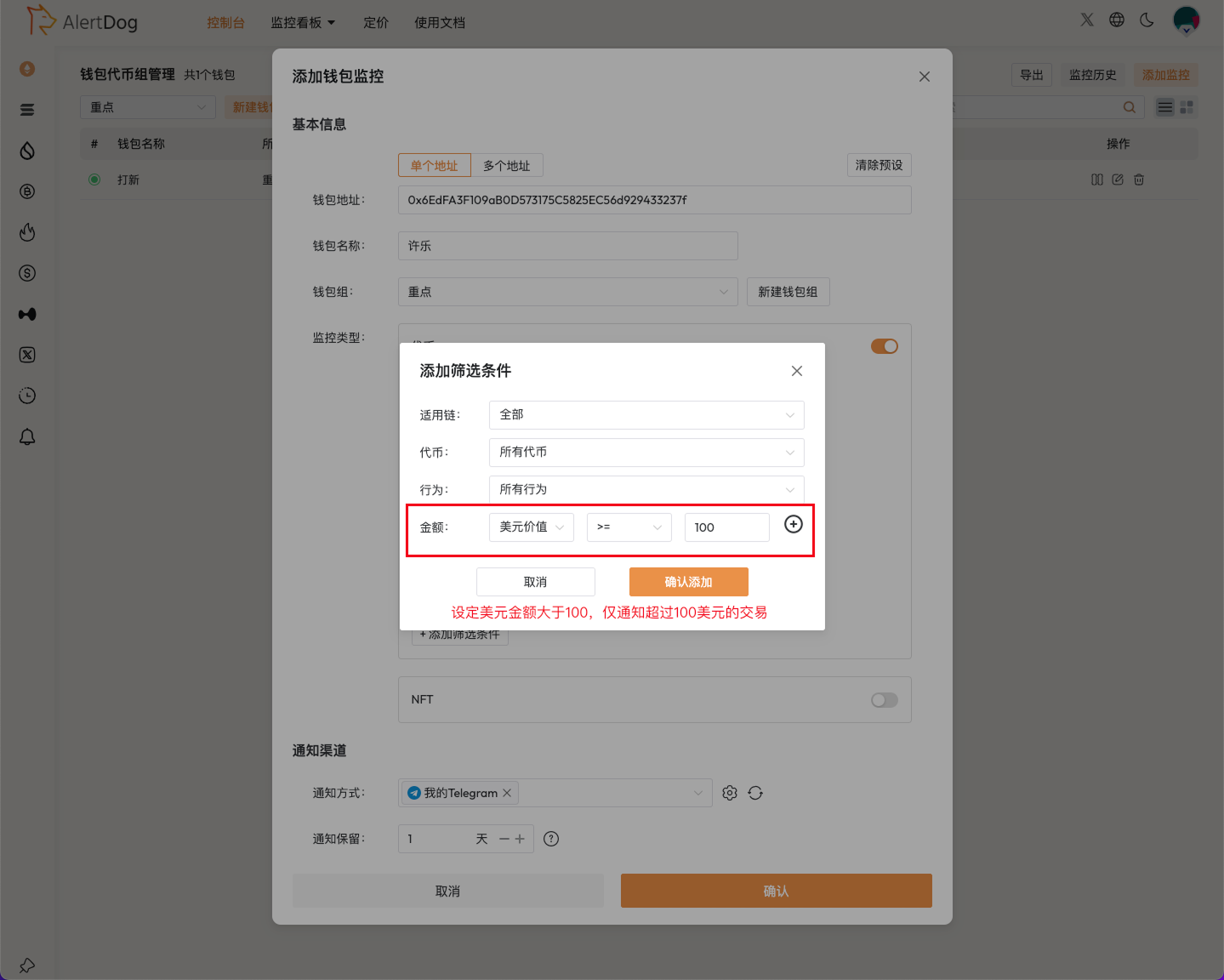
Add Filter Condition
Set USD amount >= $100.
Set Amount Filter
This method only notifies transactions exceeding 100,whichcaneffectivelyfilterspamtokenairdropnotifications;maynotfilterhoneypottokennotifications,transactionsbelow100 cannot be received
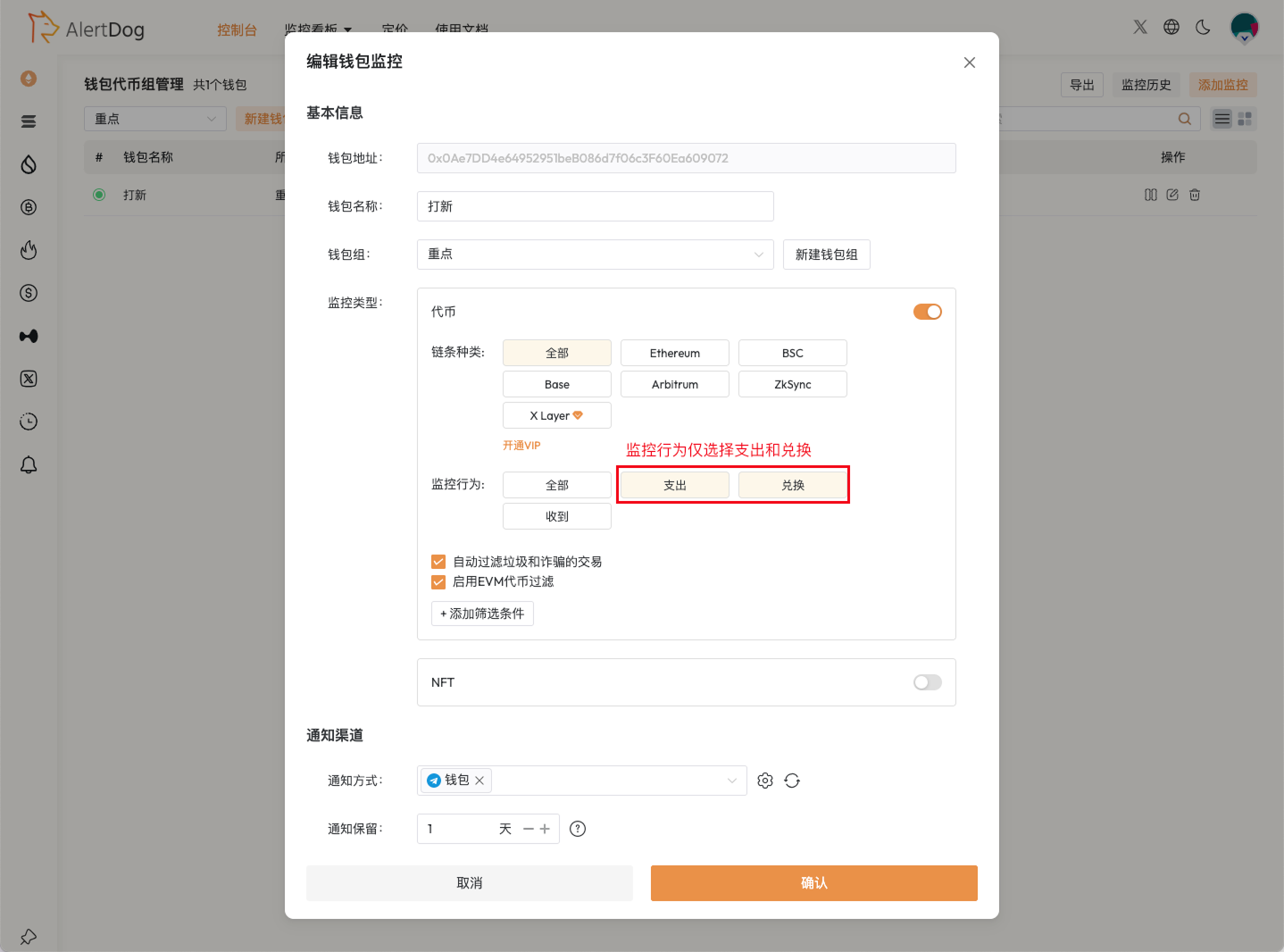
Method 2: Select Only Spend and Swap for Monitoring Behavior
When adding address monitoring, select only Spend and Swap for monitoring behavior.
Select Monitoring Behavior
This method only notifies spend/buy/sell transactions, which can effectively filter all spam token airdrop notifications; other “receive” behavior transactions also cannot be received
If you still receive a large number of spam token notifications after setting up the first three methods, join the official Telegram group to contact customer service:
https://t.me/alertdog