Prerequisites:
  1. This feature requires you to sign in first
  2. You need to add at least one notification channel to receive alerts
Operation steps:
1

Add Monitor

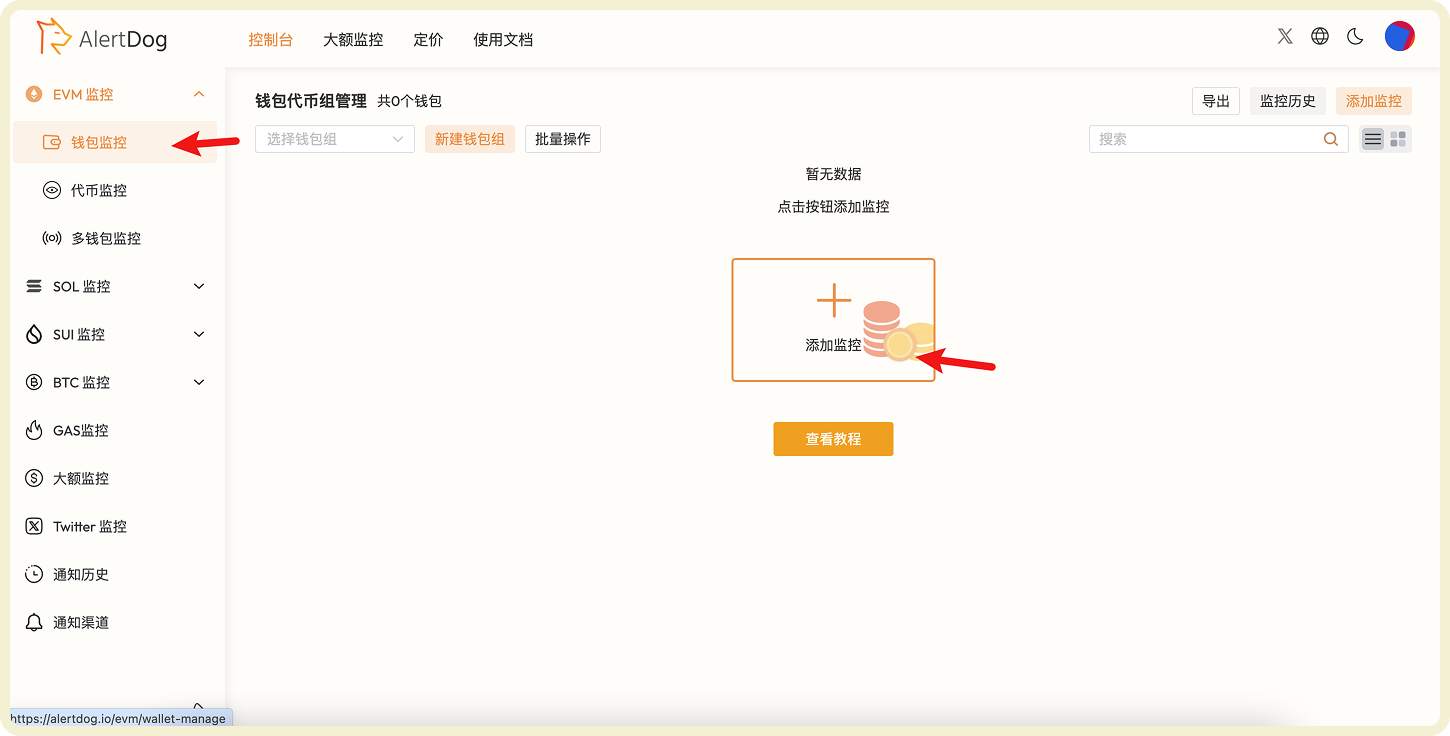
Hover over the left sidebar, select EVM MonitoringAddress Monitoring, and click “Add Monitor”.
EVM monitoring menu showing address monitoring option

Add Address Monitoring Entry

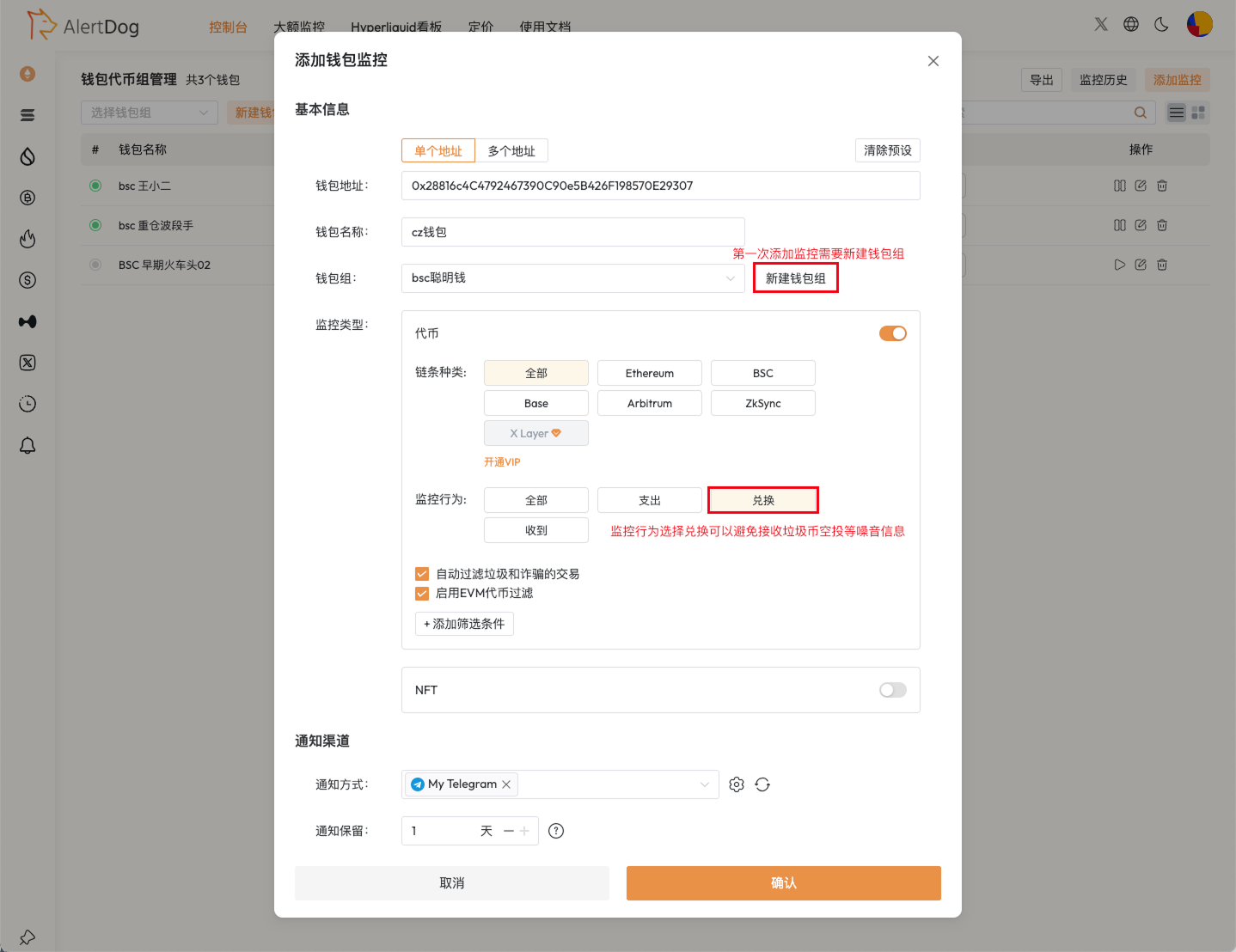
CZ wallet address: 0x28816c4C4792467390C90e5B426F198570E29307, fill in the monitoring form according to your needs as shown in the example.
Address monitoring form containing address, chain selection, monitoring type and other fields

Address Monitoring Form Configuration

2

Receive Notifications

Once the wallet performs an action that meets the monitoring conditions, you will receive an alert immediately.