

Prerequisites:
- This feature requires you to sign in first
- You need to add at least one notification channel to receive alerts
1
Add Monitor
Hover over the left sidebar, select Twitter Monitoring -> Add Monitor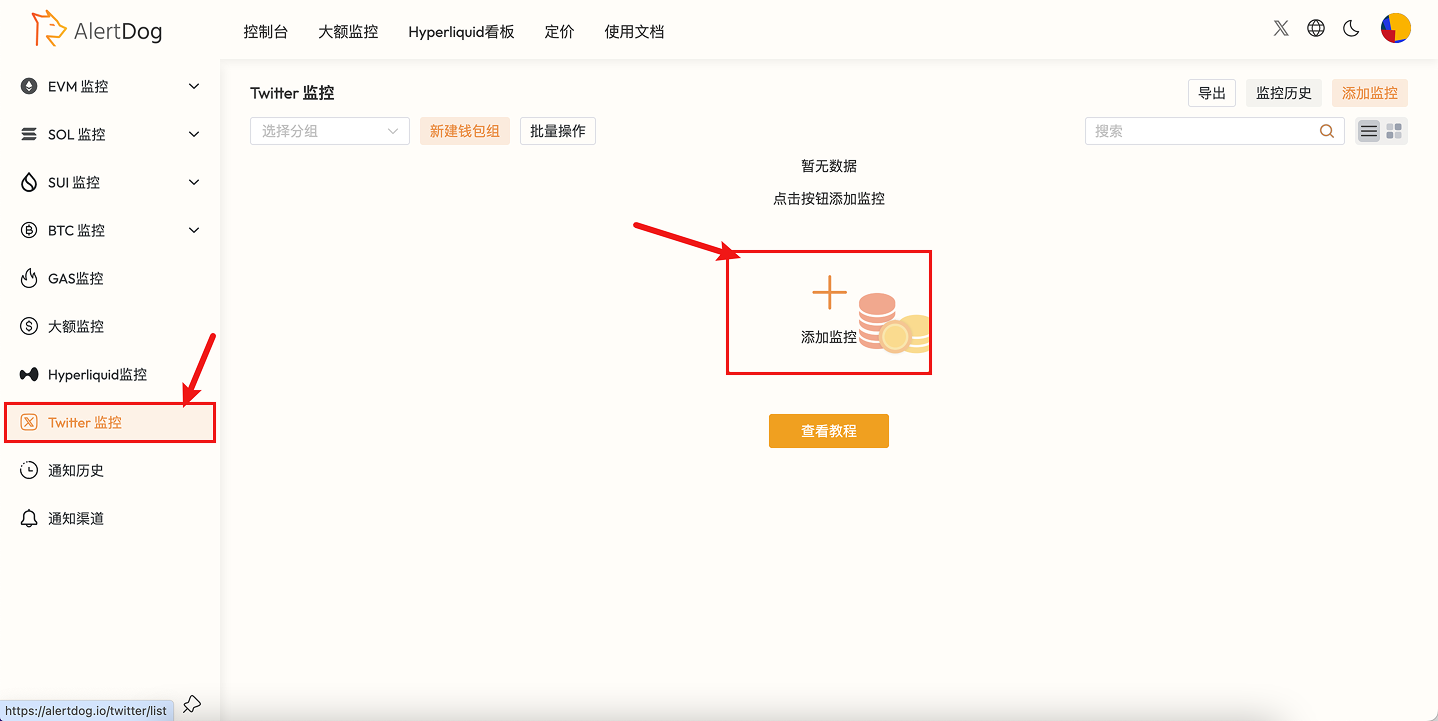
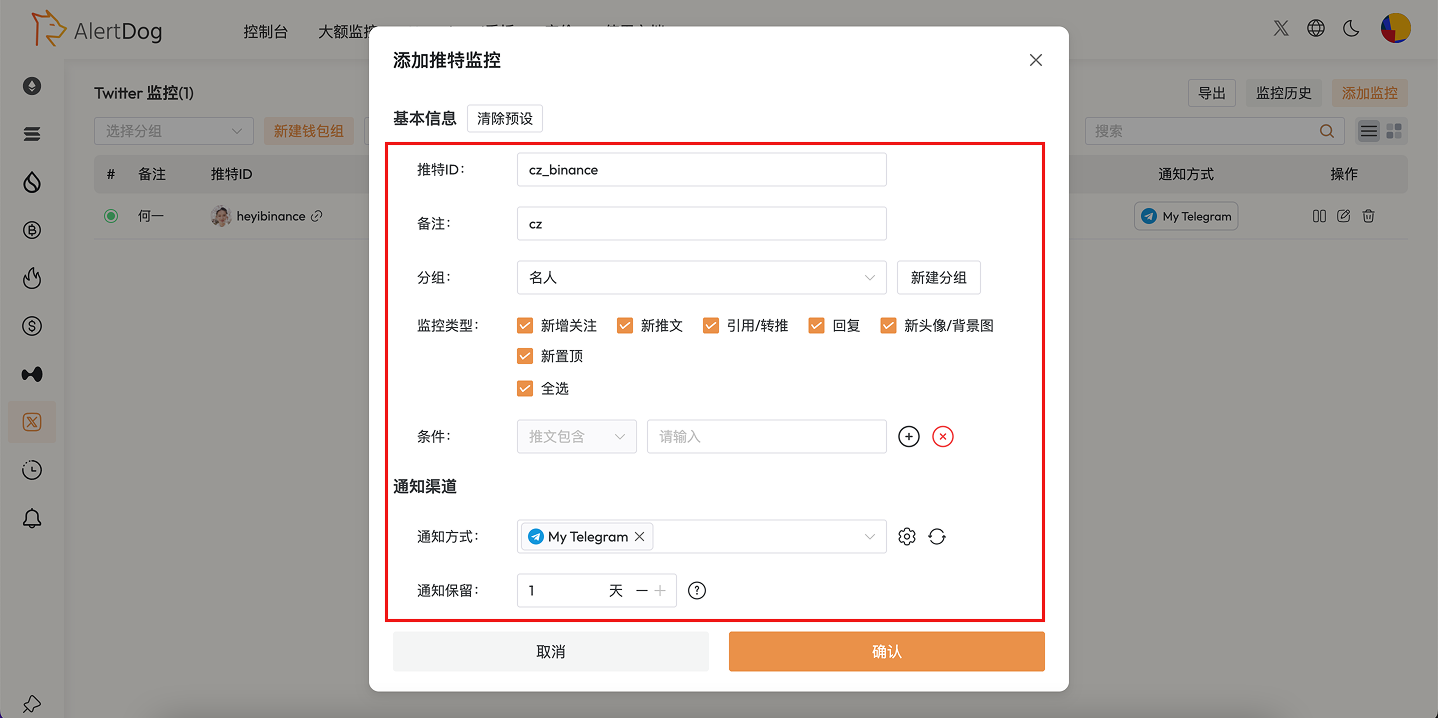
Add Monitoring Entry
cz_binance, fill in the monitoring form according to your needs as shown in the example.Monitoring Configuration
2
Receive Notifications
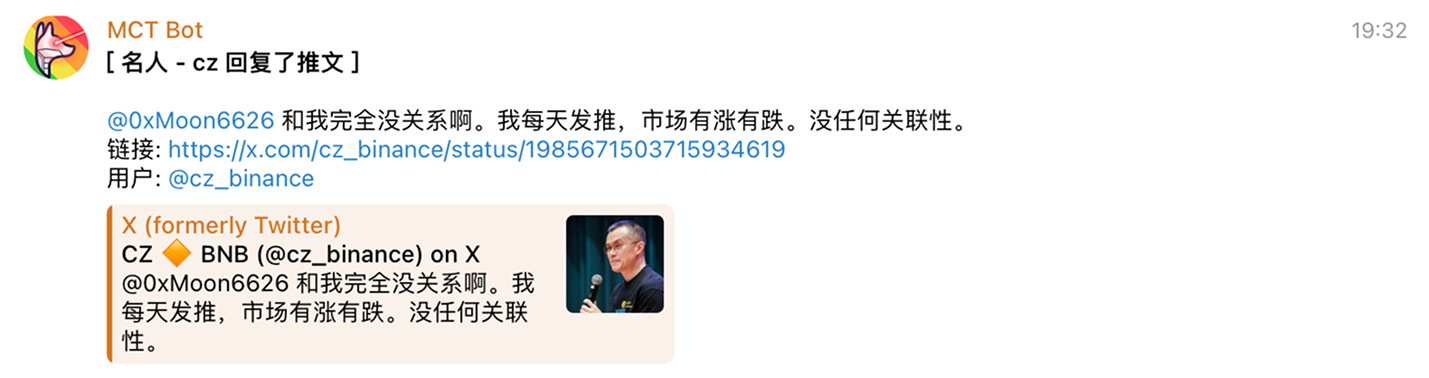
Twitter Monitoring Notification Example