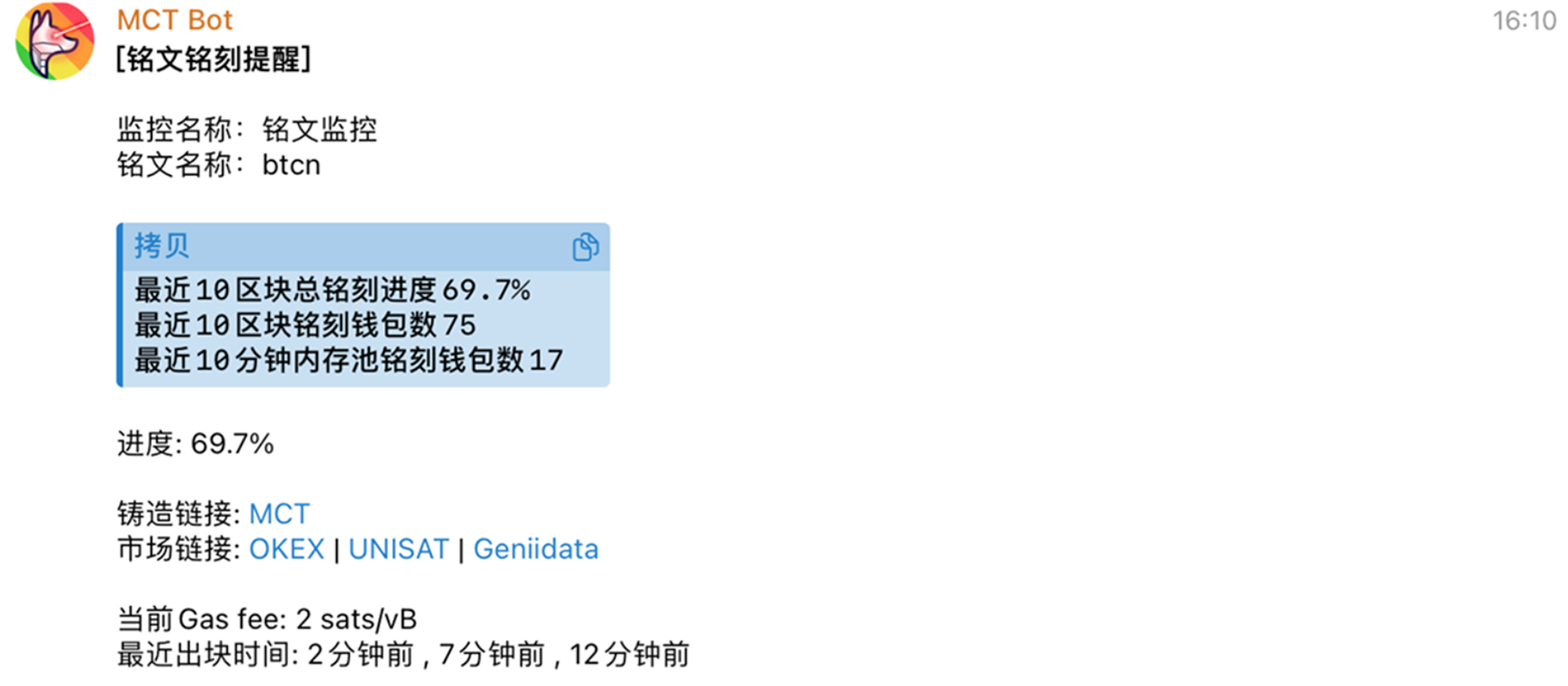
Get alerted at the first moment about trending inscriptions being minted heavily, helping you mint at low Gas before the hype explodes, secure potential inscriptions early.
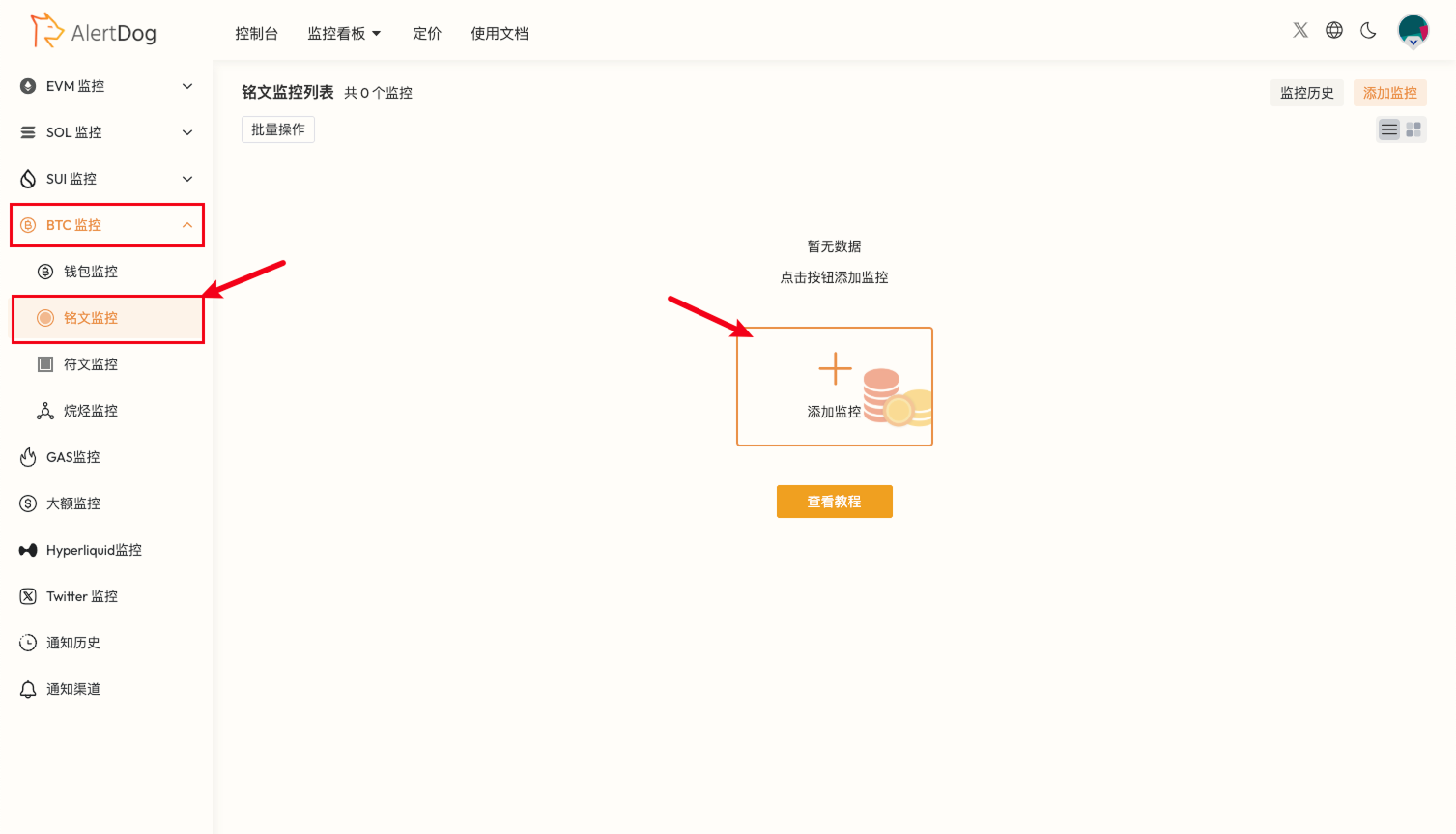
Hover over the left sidebar, select BTC Monitoring -> Inscription Monitoring
Add Monitoring Entry
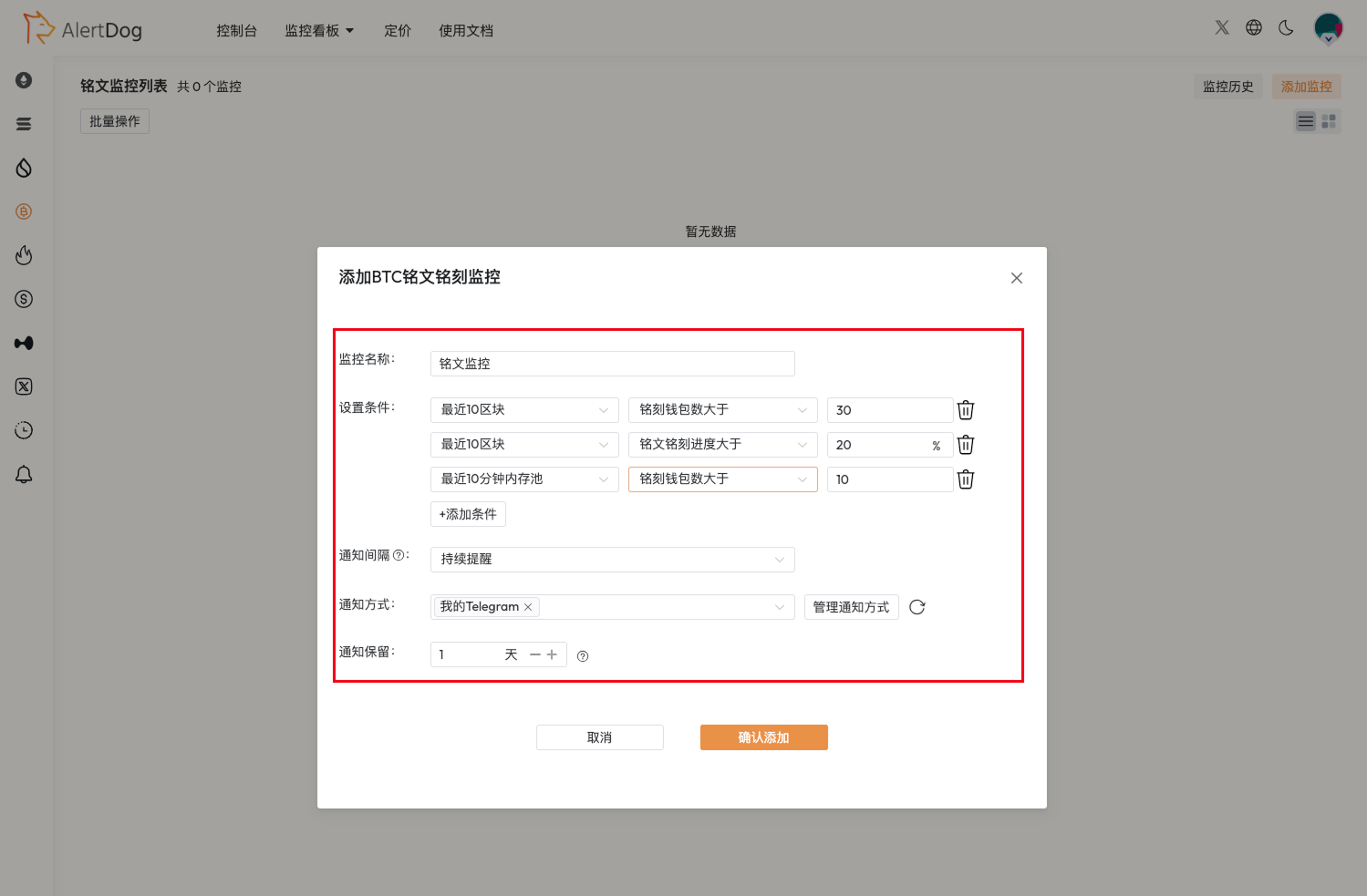
Set up monitoring as shown in the example
Monitoring Configuration
You can adjust settings based on recent rune minting activity, choose appropriate conditions for combined settings. Multiple conditions can be added, notifications will only be sent when inscriptions meet all conditions simultaneously.