Set up monitoring but not receiving any notifications?
Unable to receive notifications is usually due to one of the following three reasons. Please check in order:
1
Check if notification channel was created successfully
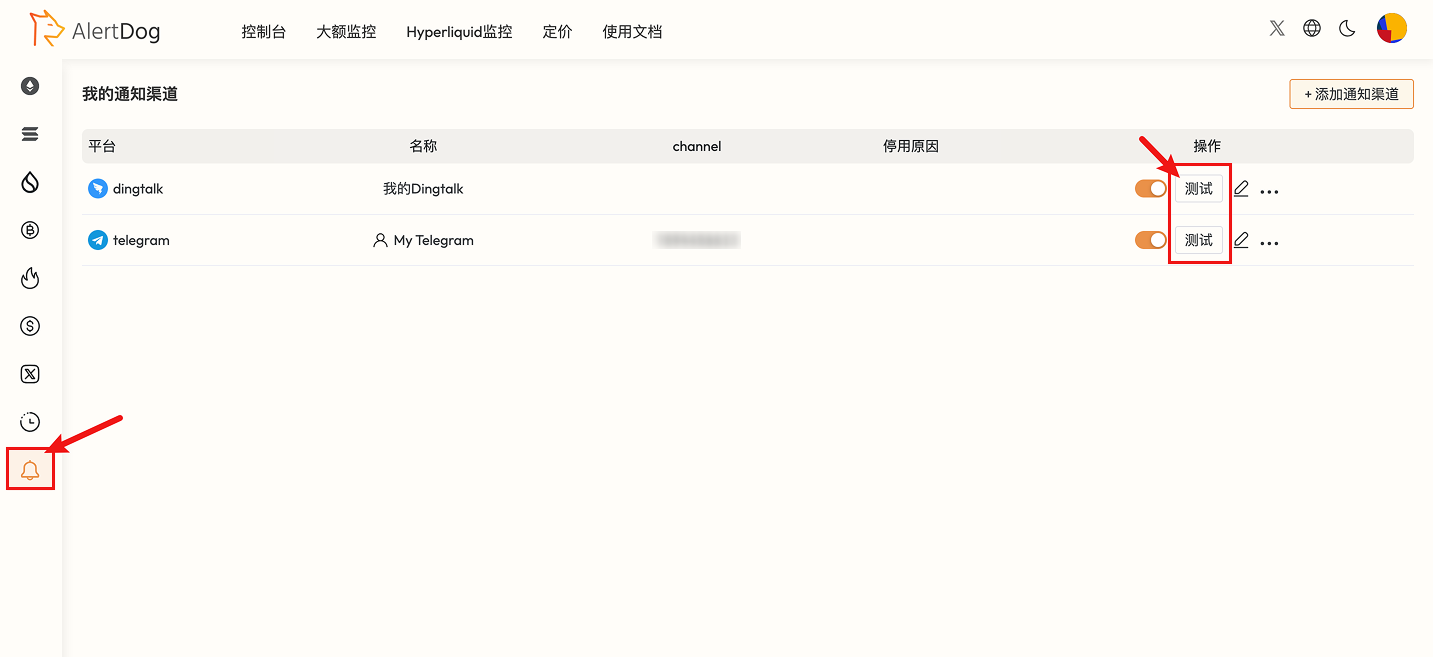
Open the notification channel management page, click test to see if you can receive a test message. If you receive the test message, it means the addition was successful, proceed to step two.If you did not receive the test message, follow the tutorial to re-add the notification channel until you successfully receive the test message.
Notification Channel Test Button
Test message example:
Test Message Example
2
Check if monitoring configuration is correct
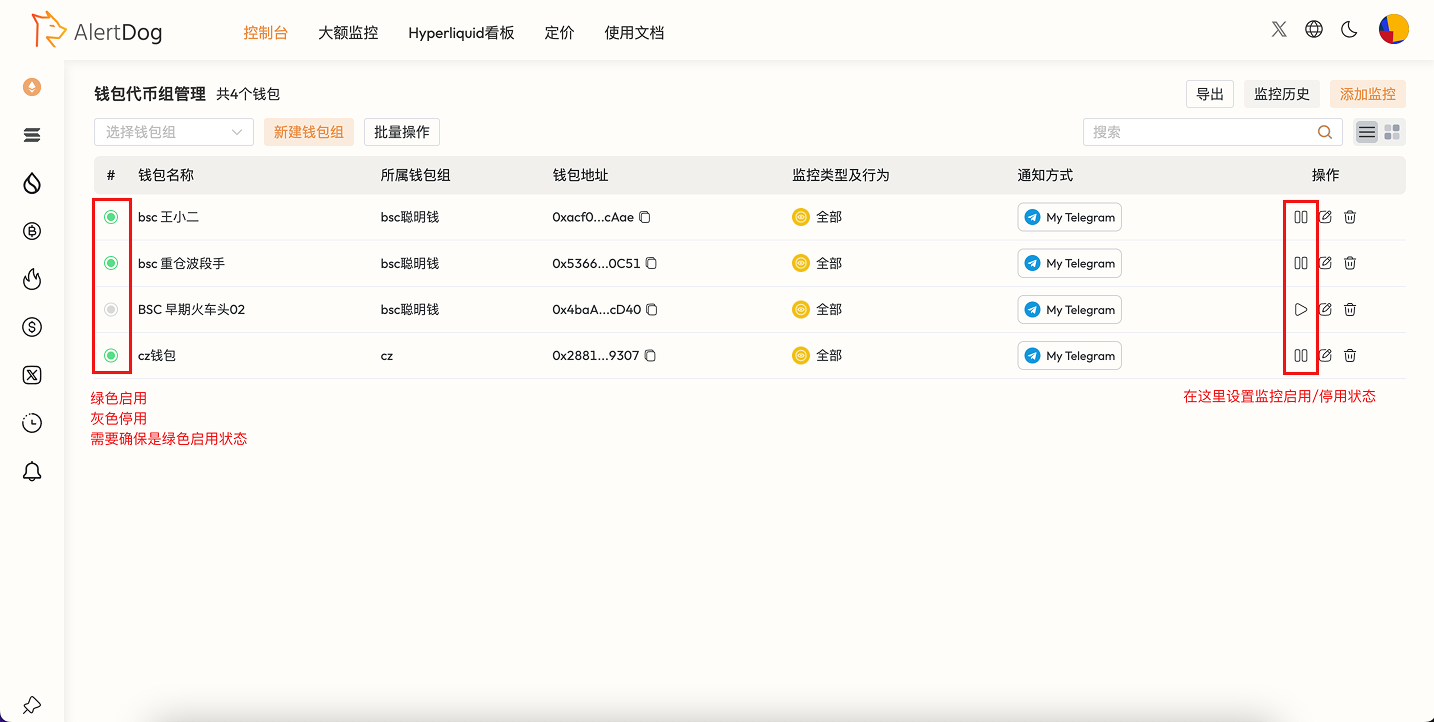
Open the monitoring list where you’re not receiving notifications, confirm that the monitoring status is enabled.
Confirm Monitoring Status
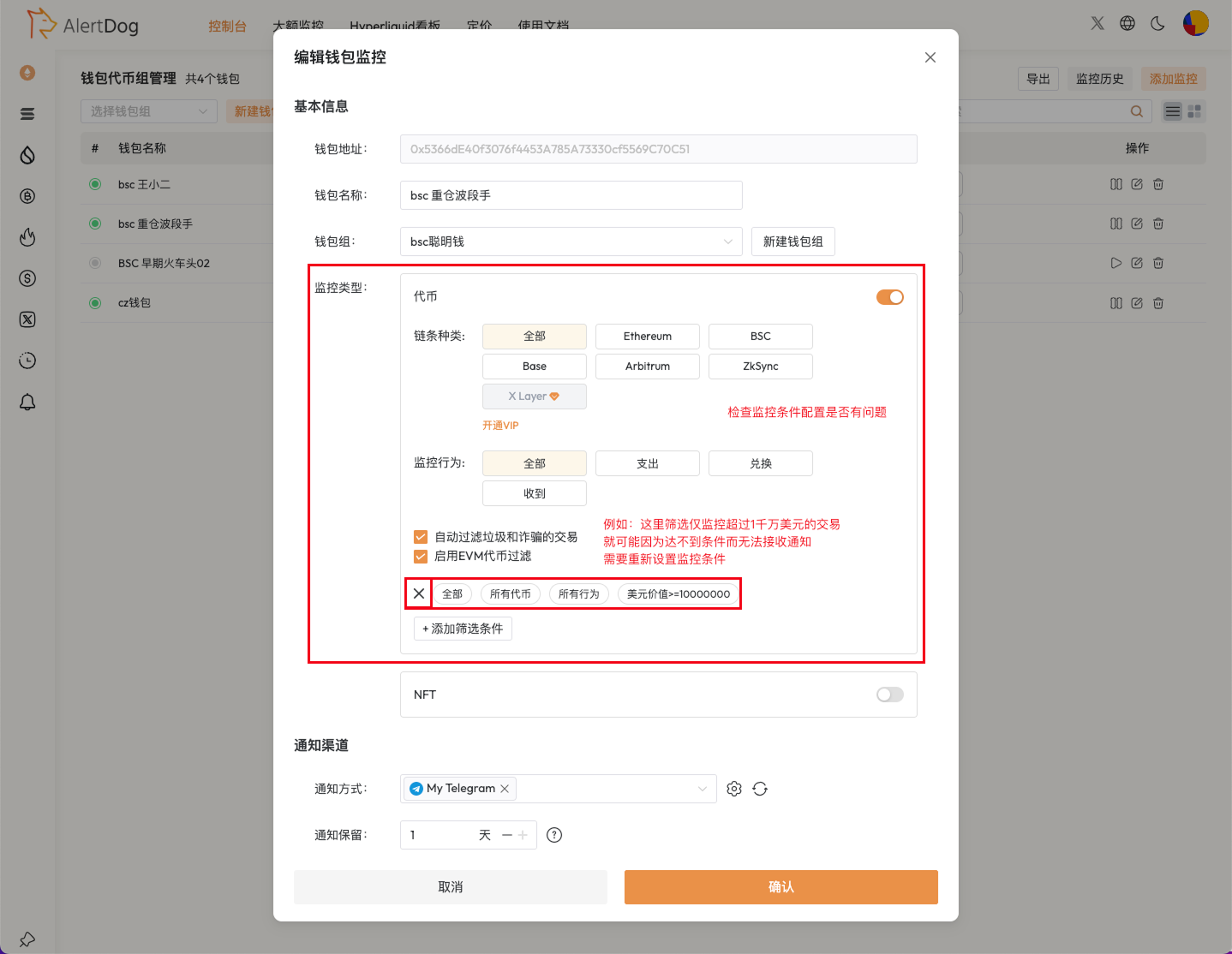
Click the edit button, open the monitoring configuration page to check if the monitoring configuration is correct.
Check Monitoring Configuration
3
Contact Support
If you have confirmed that the notification channel was created successfully and the monitoring configuration is correct, but still cannot receive notifications, please join the official Telegram group to contact customer service: https://t.me/alertdog