Situation 1: Payment wallet differs from login wallet, need to switch wallets to confirm
Example: You logged in with Wallet A and purchased Pro service But actually paid with Wallet B → Result: Pro permissions are bound to Wallet A, Wallet B has no permissions. Solution: Confirm the wallet address you were logged in with when purchasing; Switch back to that wallet to log in; Re-enter the system to restore Pro permissions.Situation 2: Transaction pending for extended period, need manual order completion
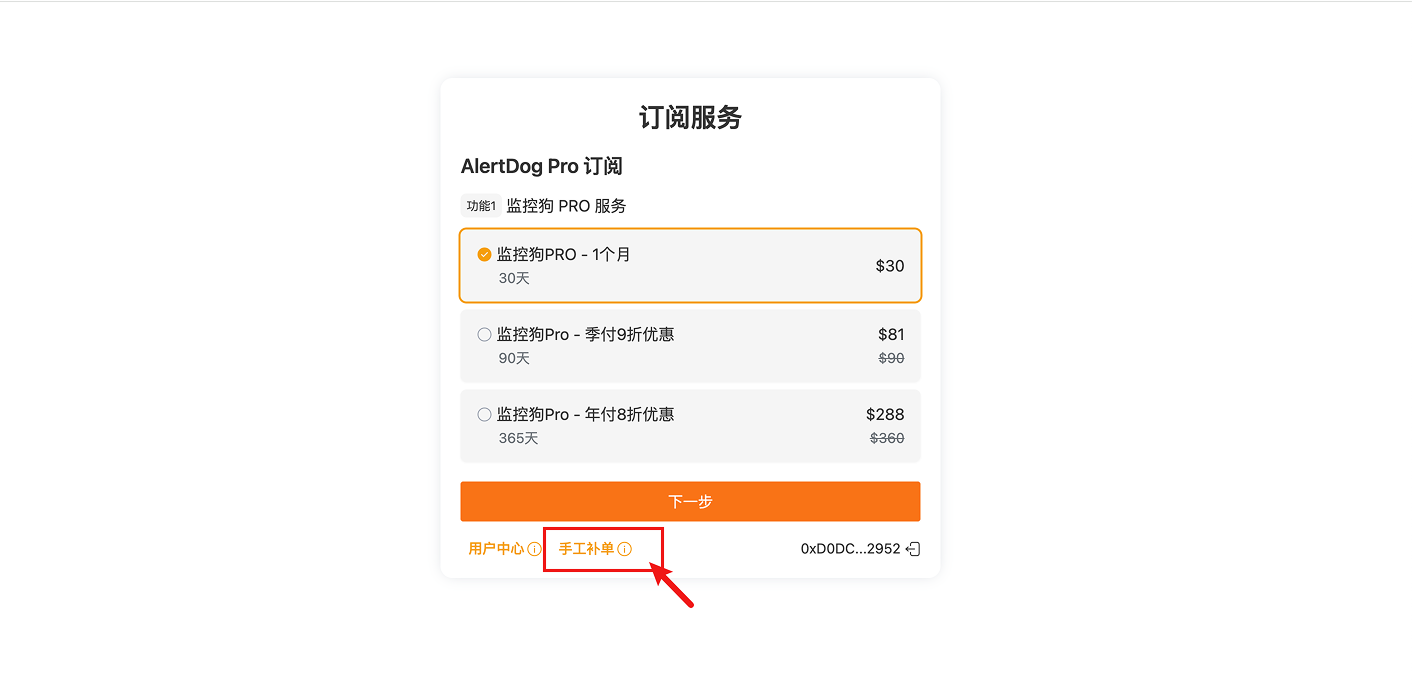
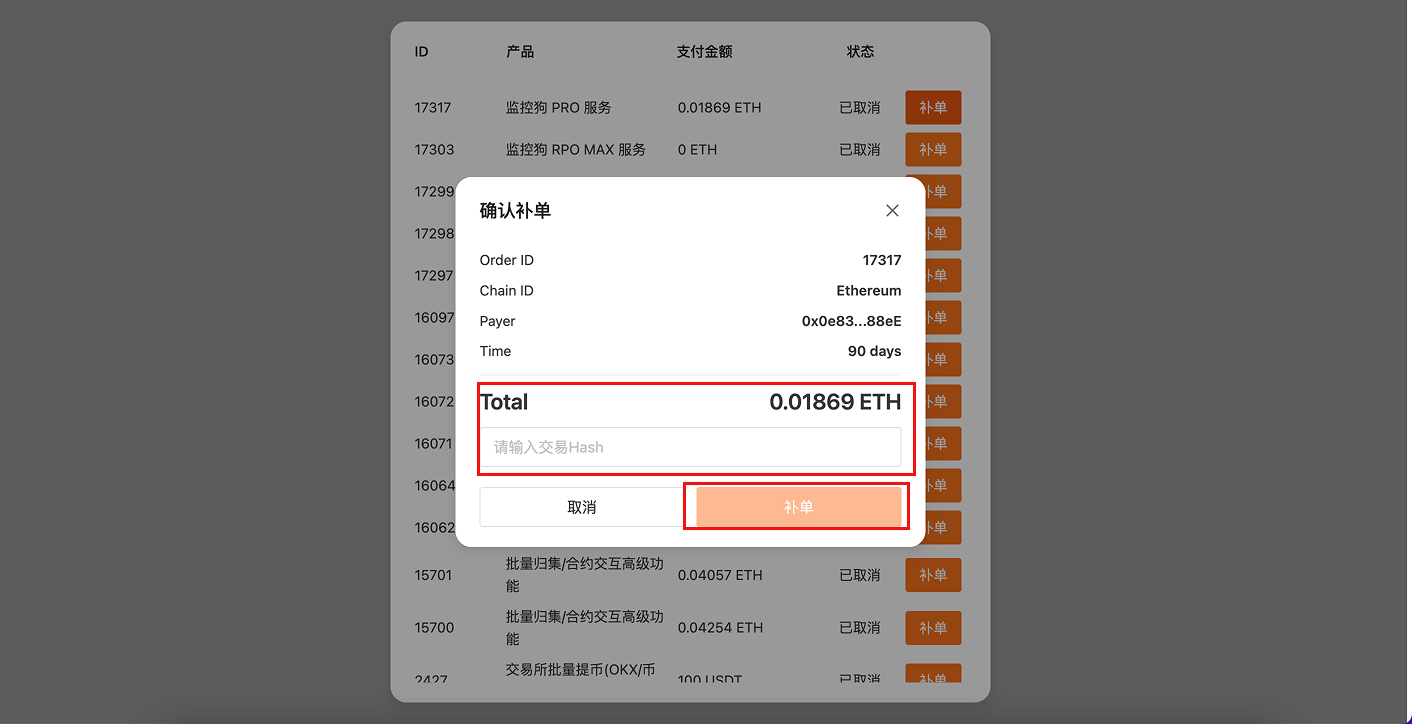
Example: Some on-chain transactions may be stuck in “pending confirmation” status for an extended period due to network congestion or low Gas, and Pro permissions are not received. Solution: Click the “Manual Order Completion” button on the purchase page, select