

Prerequisites:
- This feature requires you to sign in first
- You need to add at least one notification channel to receive alerts
1
Add Monitor
Hover over the left sidebar, select EVM Monitoring -> Wallet Monitoring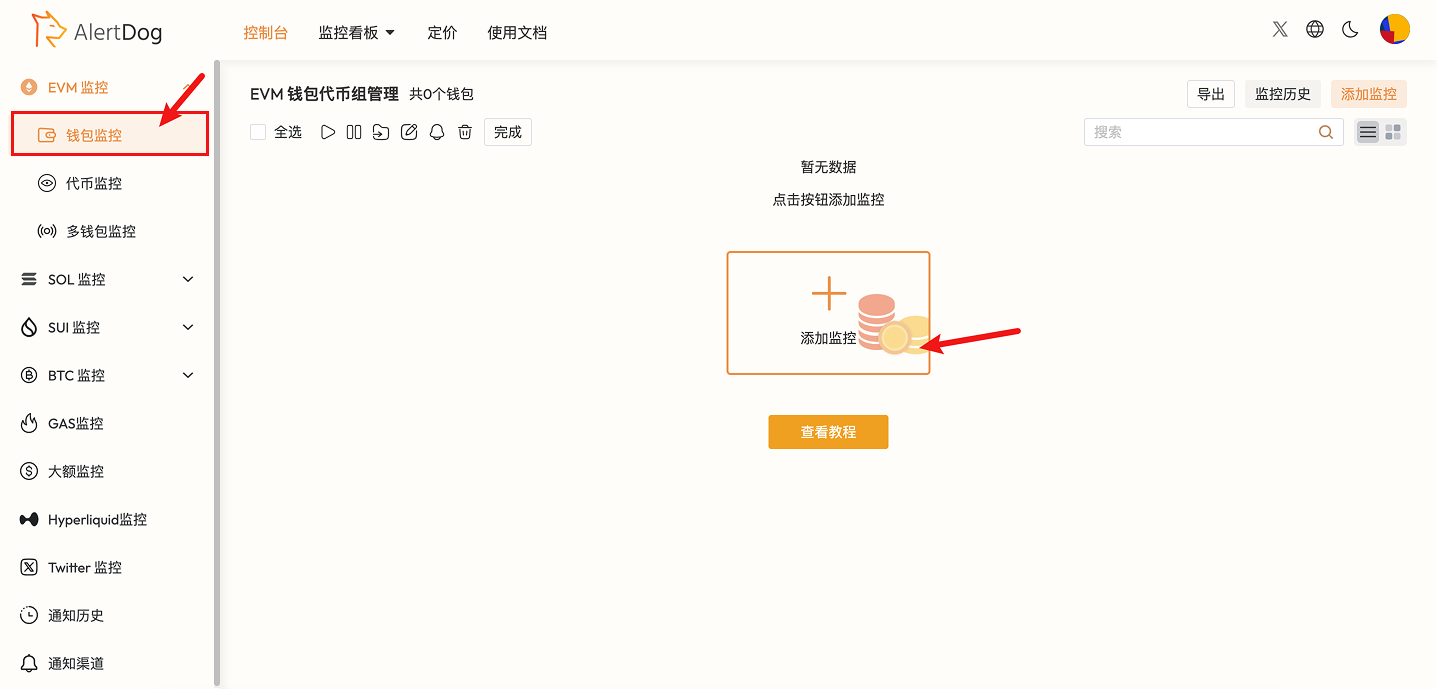
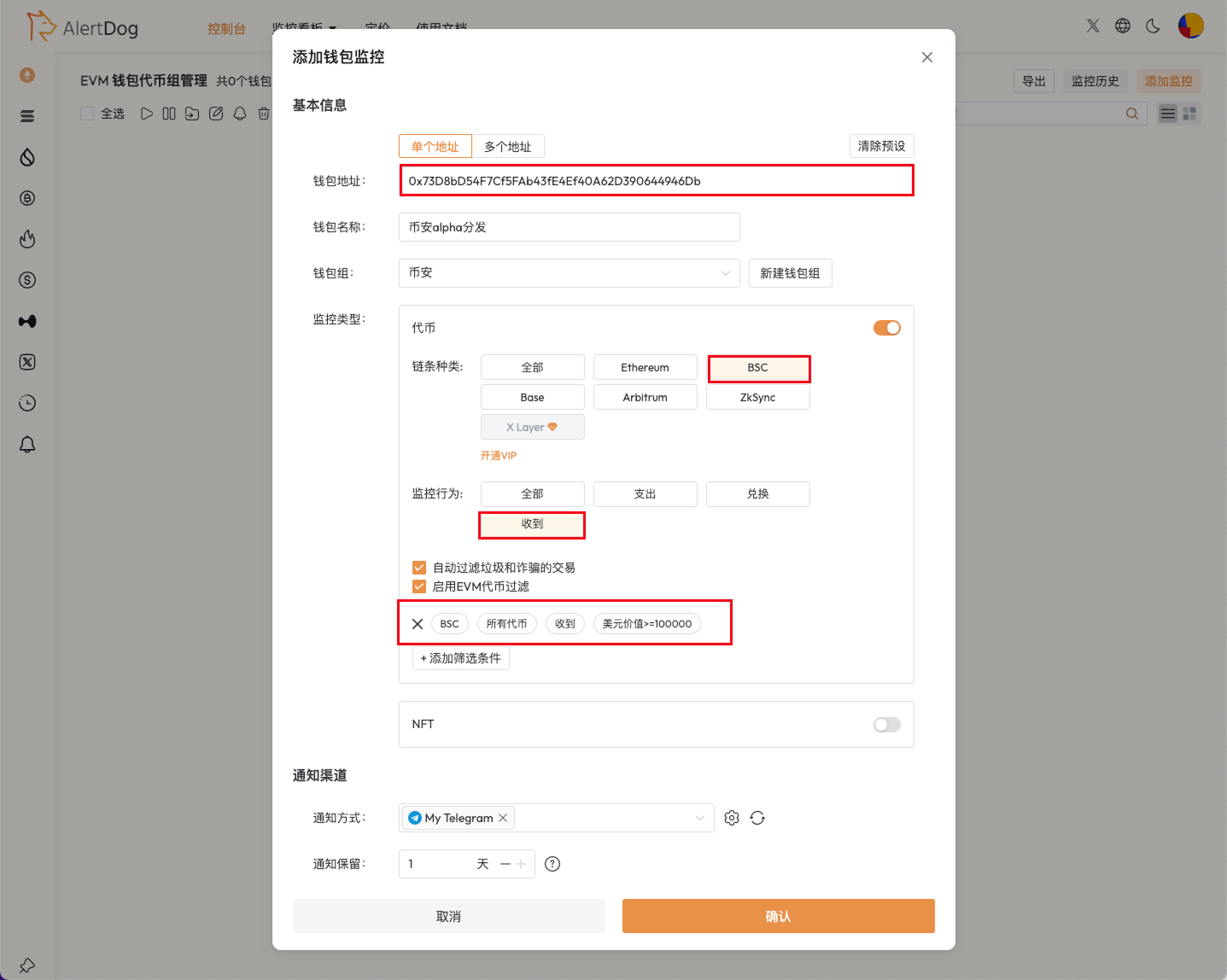
Add Monitoring Entry
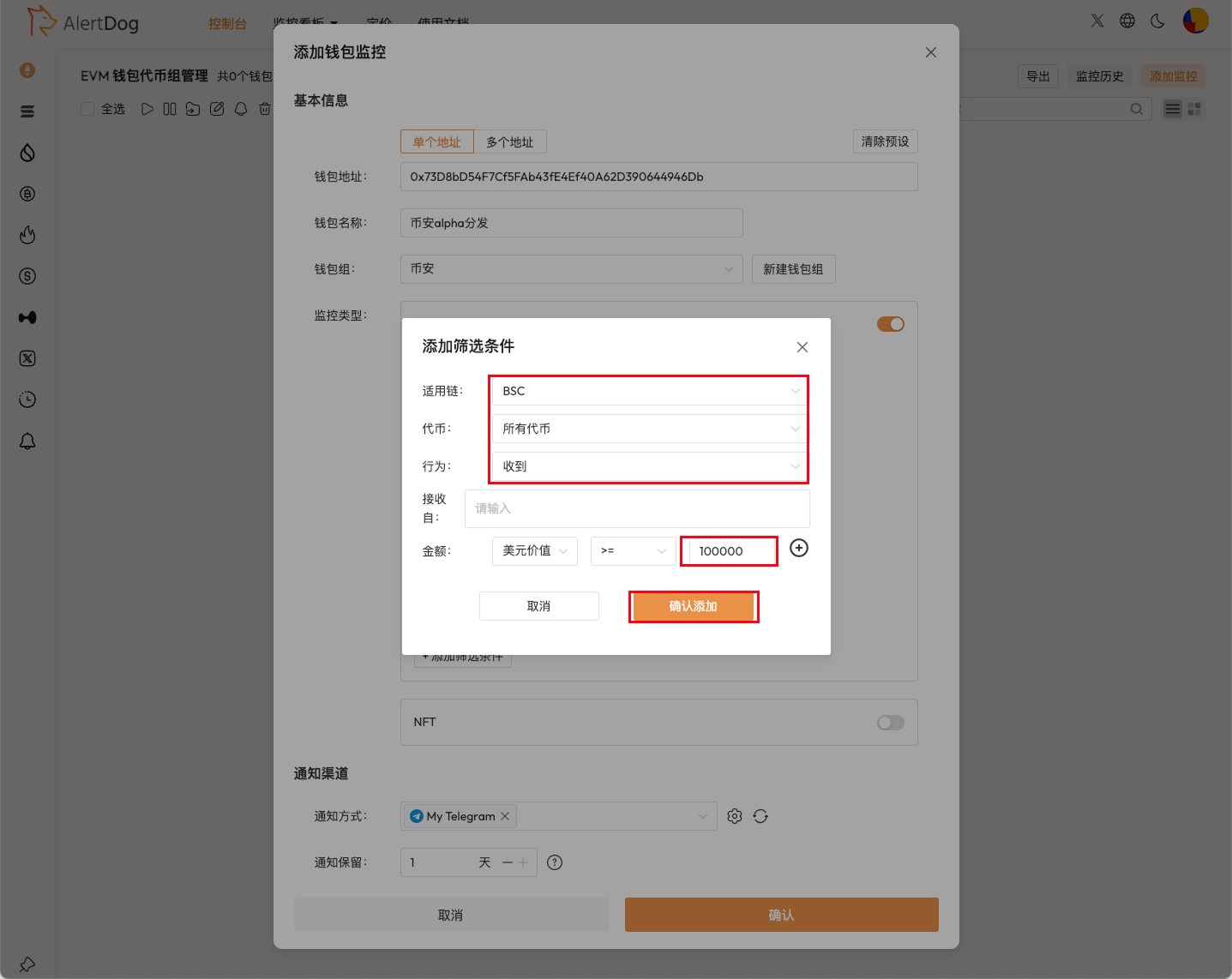
Monitoring Configuration
Set filter condition for USD value greater than 100,000
2
Receive Notifications
Once the wallet performs an action that meets the monitoring conditions, you will receive an alert immediately.