

Add Large Amount Monitoring

Hyperliquid Monitoring Configuration Example
Notification Example
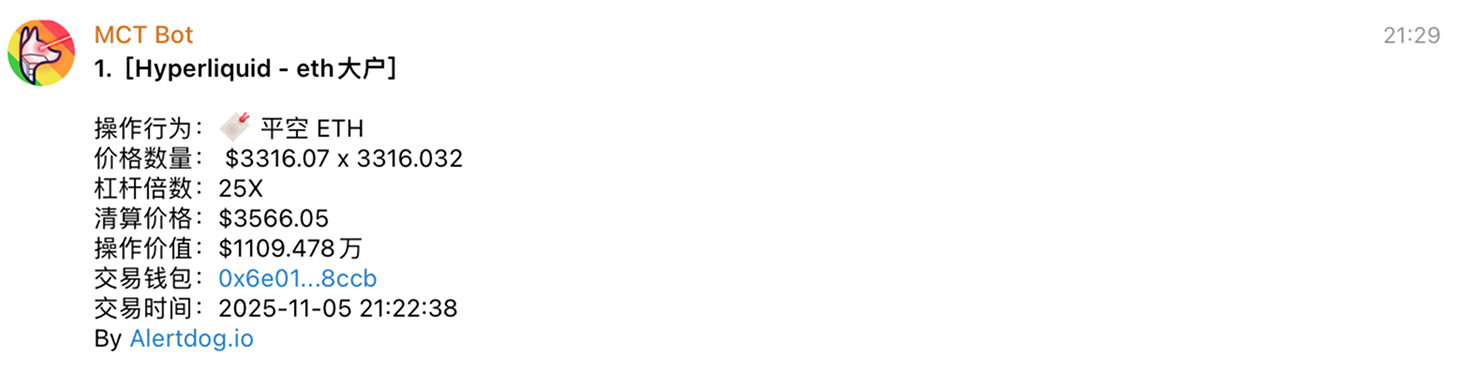
Hyperliquid Monitoring Notification Example
Manage Large Amount Monitoring
You can manage added Hyperliquid monitoring through the following methods:- Batch Operations: Click batch operations to perform batch move to group, batch edit, batch modify notification methods, batch delete on selected monitoring
- Dashboard: View Hyperliquid whale trading data in real-time through the Hyperliquid monitoring dashboard without manual configuration
- Monitoring History: View received monitoring notification history on the unified monitoring history page
- Enable/Disable, Edit, Delete: Perform enable/disable, edit, delete operations on monitoring
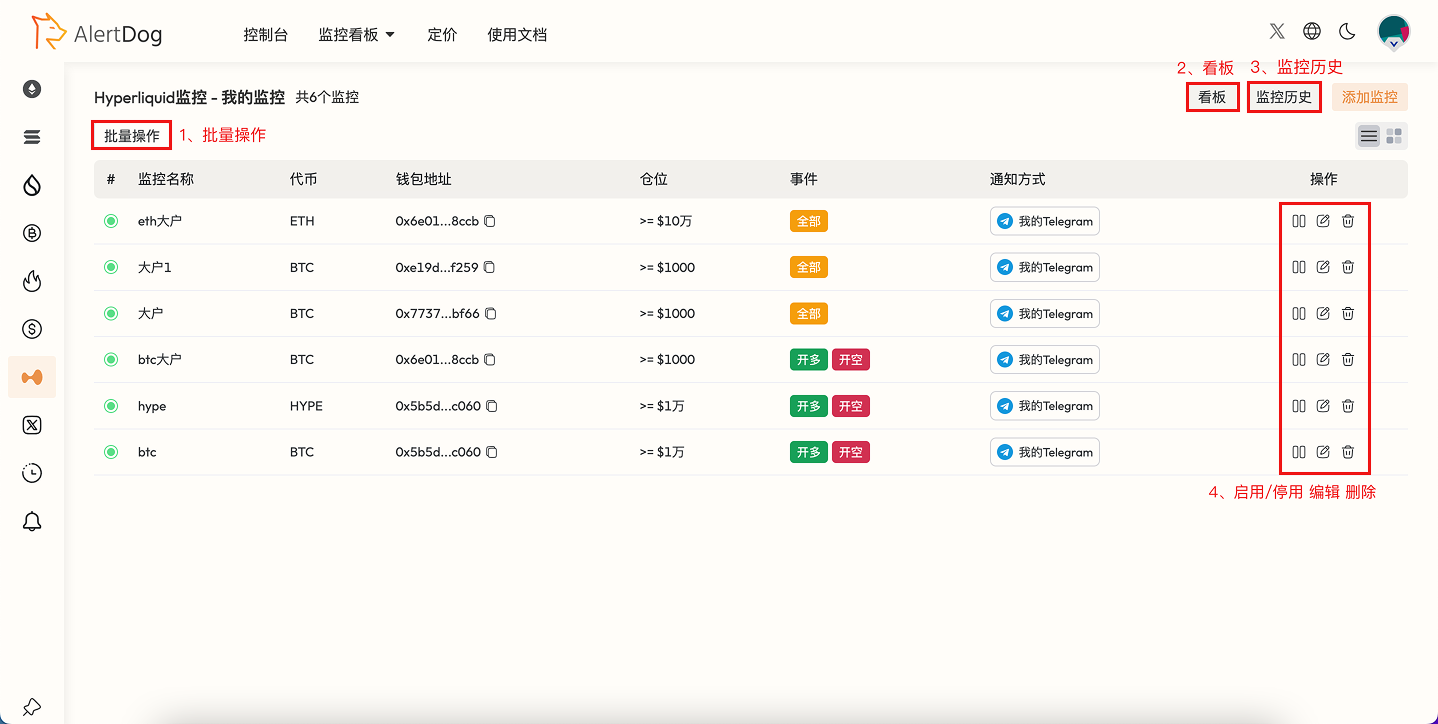
Hyperliquid Monitoring Management Interface