

Before using Bark notifications, you need to install the Bark App on your iOS device
Setup Steps
Step 1: Open Bark to Get Push URL
Open Bark on your iOS device to get your exclusive push URL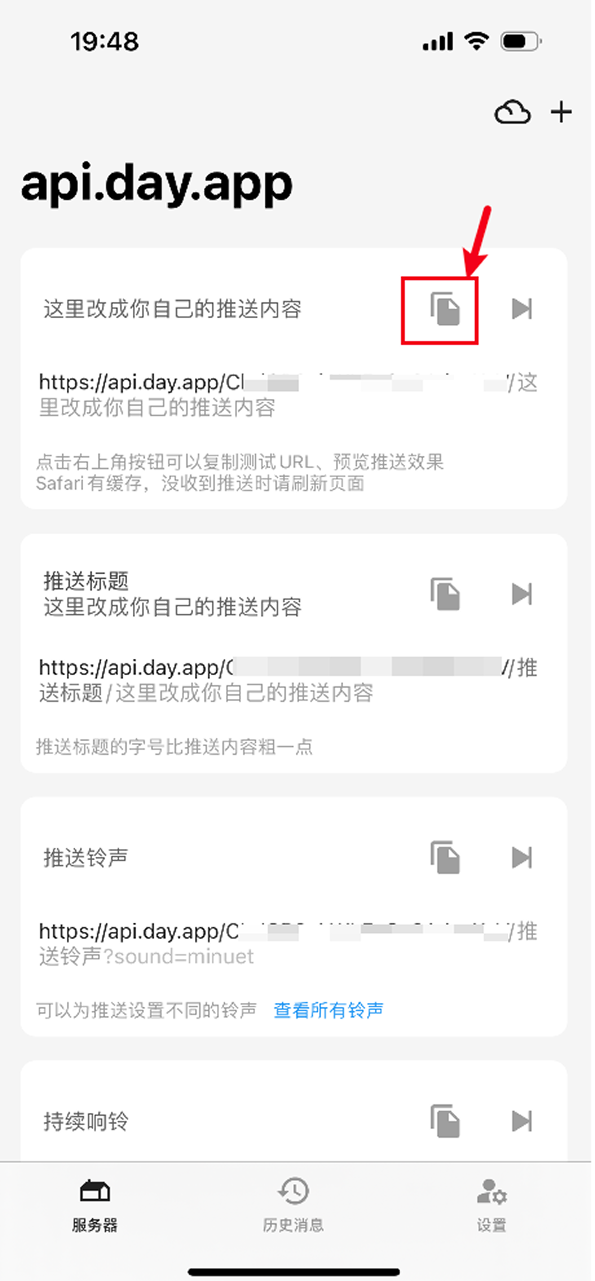
Copy Your Exclusive Bark Push URL
Step 2: Create Bark Notification Channel and Enter Push URL
Open AlertDog Add New Channel -> Bark -> Enter your Bark exclusive push URL -> Confirm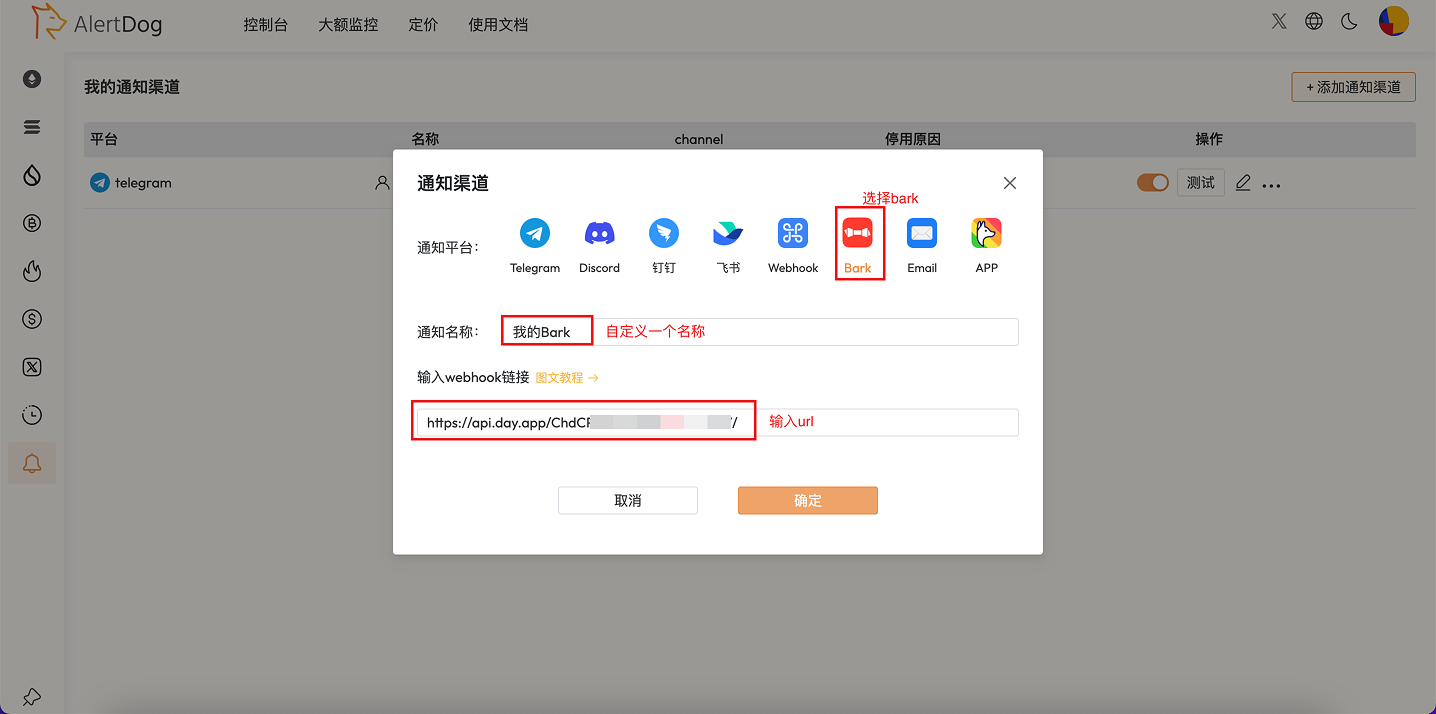
Create Notification Channel
Step 3: Setup Complete
After configuration, when monitoring is triggered, messages will be pushed to your iOS device via APNs, even when the screen is off or offline.FAQ
Does Bark support Android devices?
Does Bark support Android devices?
No. Bark is a push tool designed specifically for iOS. Android users can choose other notification methods.
Can I customize push ringtones?
Can I customize push ringtones?
Yes. You can set custom ringtones and notification styles in the Bark App.
Does using Bark require payment?
Does using Bark require payment?
The Bark App is free to use, but if you use a self-hosted server, you need to deploy it yourself.