

Setup Steps
Step 1: Get Webhook
Generate a Webhook URL address on your preferred platformStep 2: Create Webhook Notification Channel and Configure
Open AlertDog Add New Channel -> Webhook -> Enter Webhook URL -> Confirm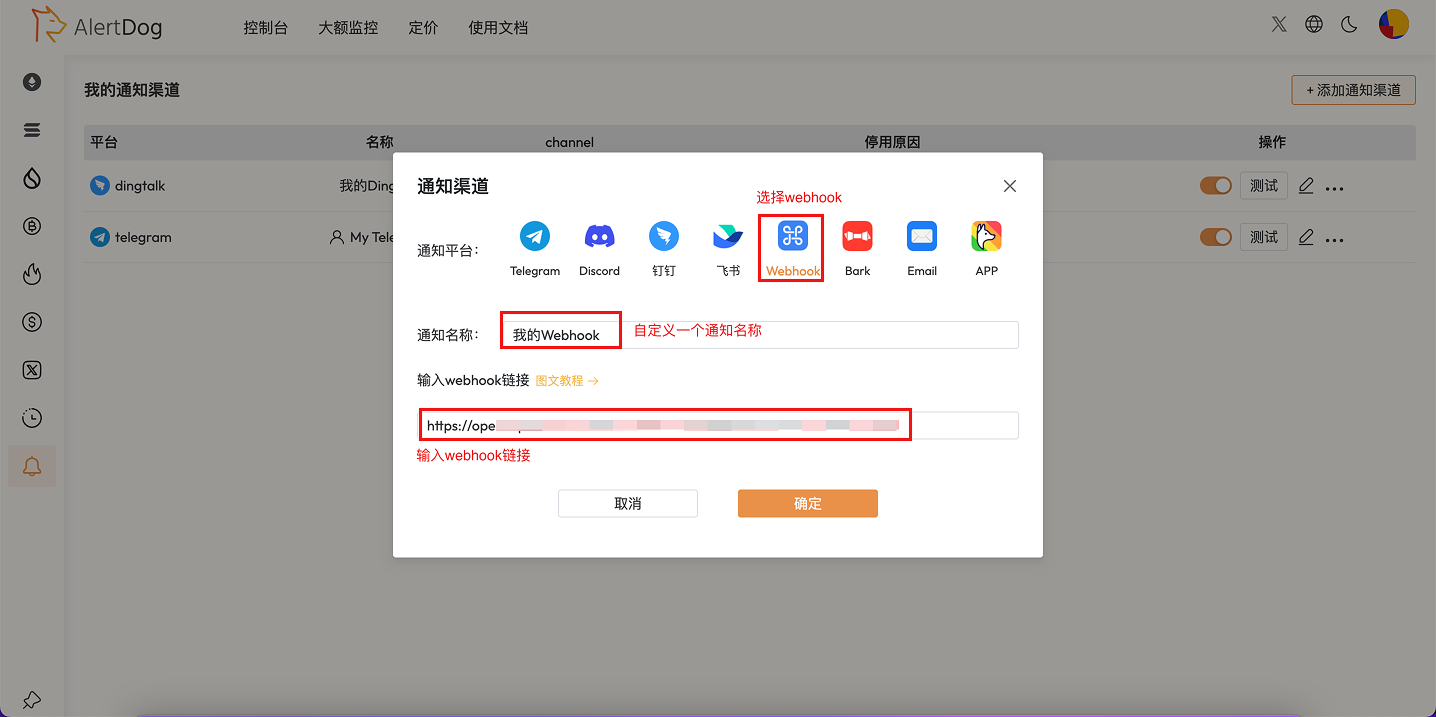
Step 3: Complete Addition
Click “Confirm” to complete the Webhook notification channel configurationWebhook Message Format
AlertDog will send JSON formatted data to your Webhook URL via POST method:Security Configuration
Usage Instructions: After configuration, when monitoring is triggered, AlertDog will send a request to your Webhook URL. You can process these requests in your own application to implement custom notification logic.FAQ
Must the Webhook URL be HTTPS?
Must the Webhook URL be HTTPS?
For security reasons, we enforce the use of HTTPS.
What is the timeout for Webhook requests?
What is the timeout for Webhook requests?
The Webhook request timeout is 5 seconds. If your server response time is too long, it may cause the request to fail.