

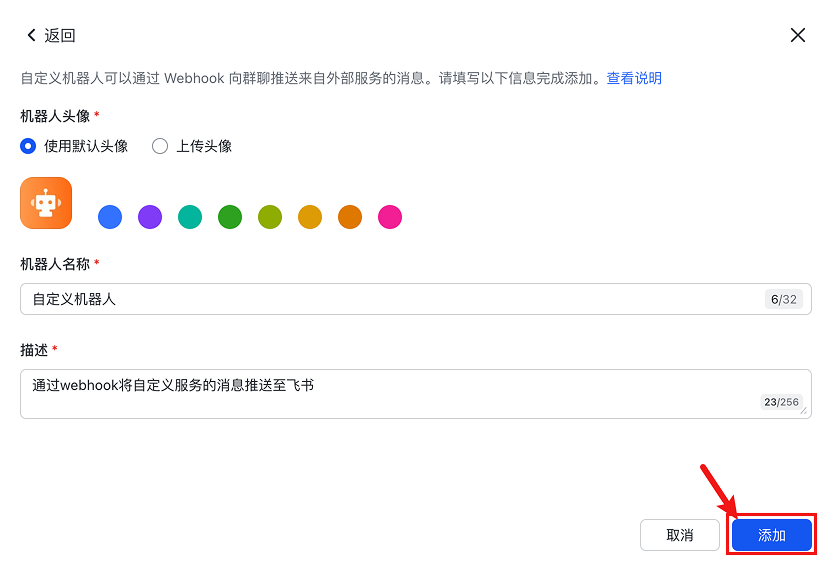
Step 1: Create Bot
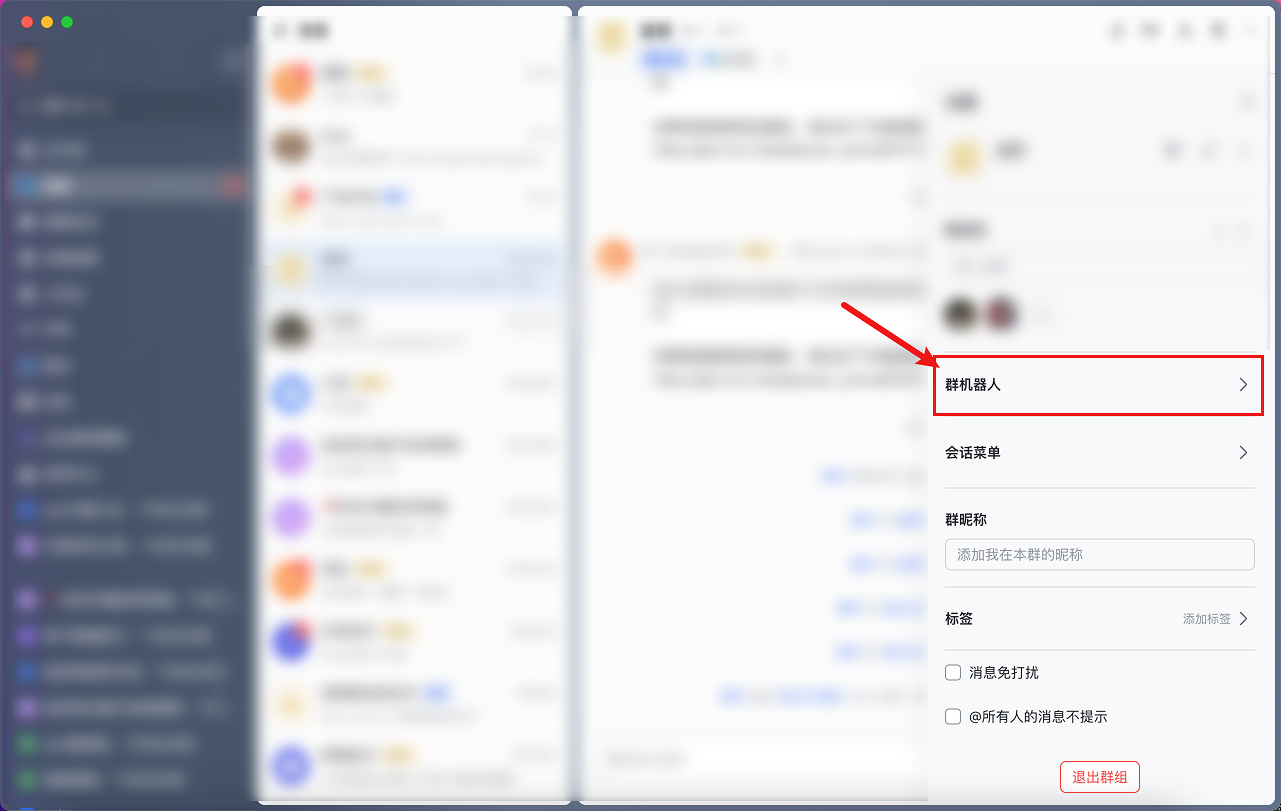
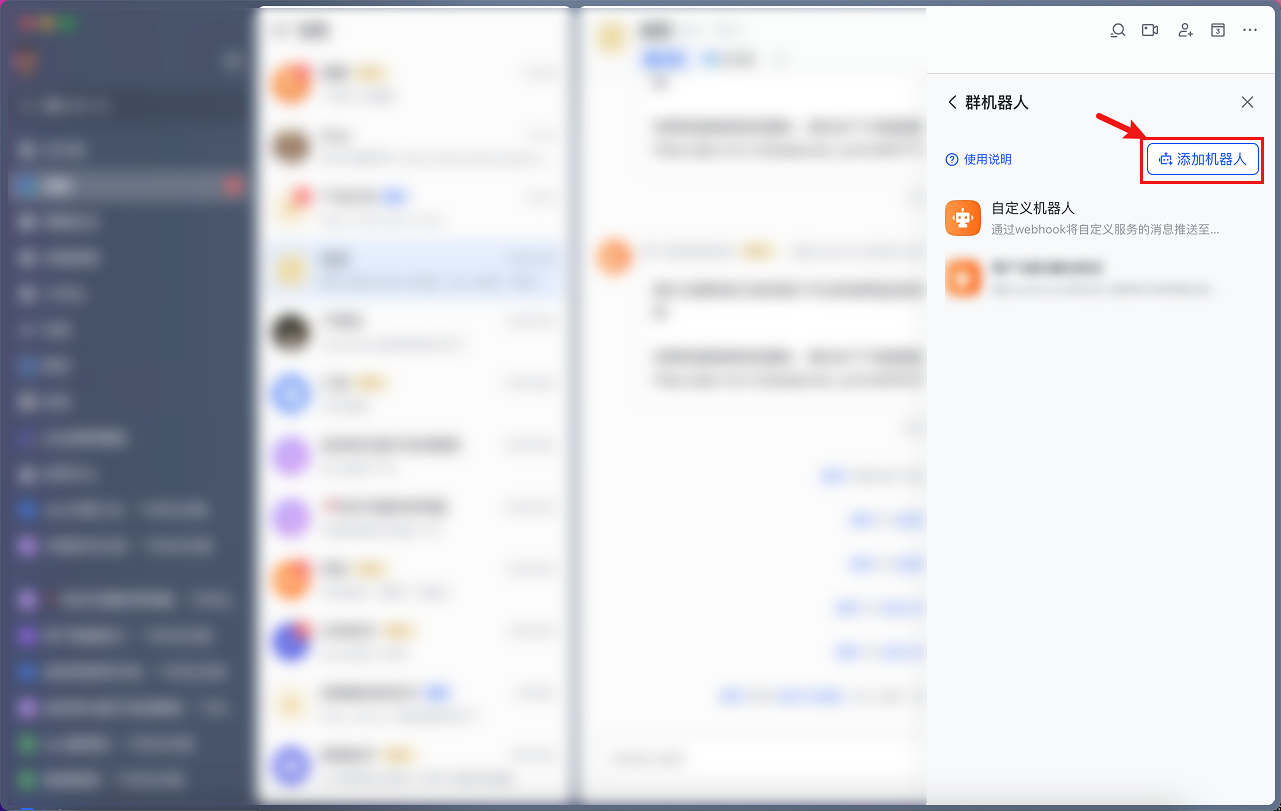
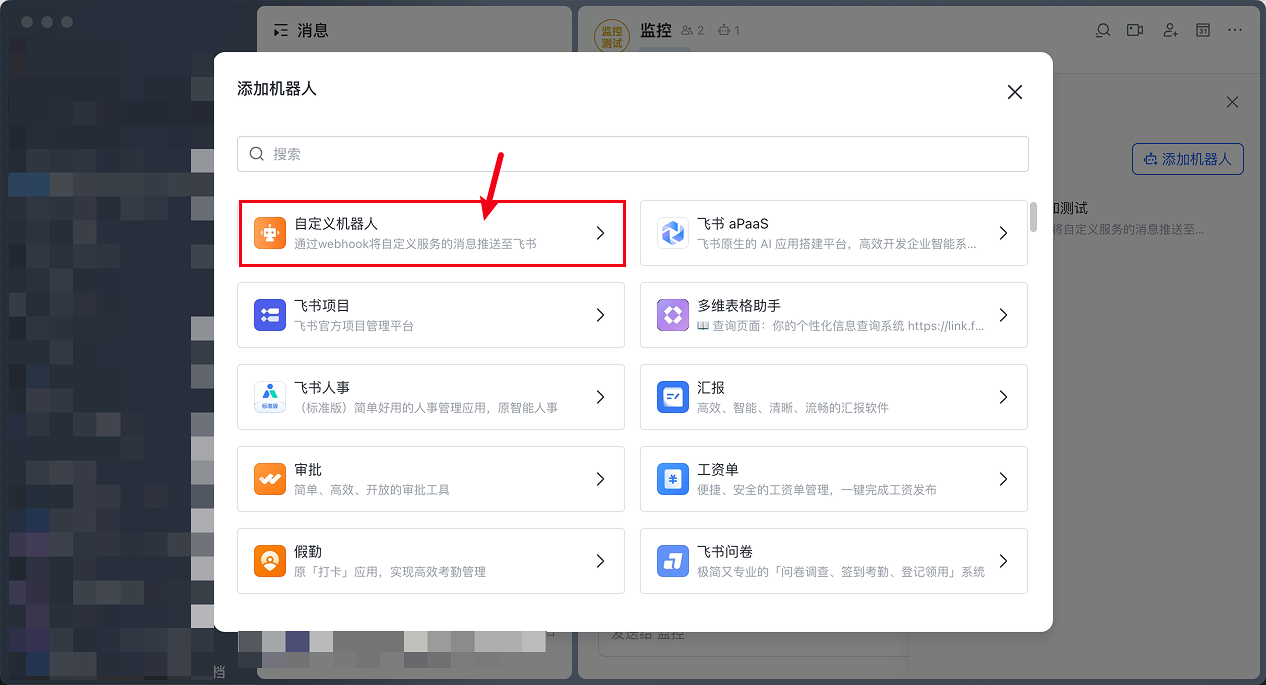
Open FeiShu, find settings in the group, create a bot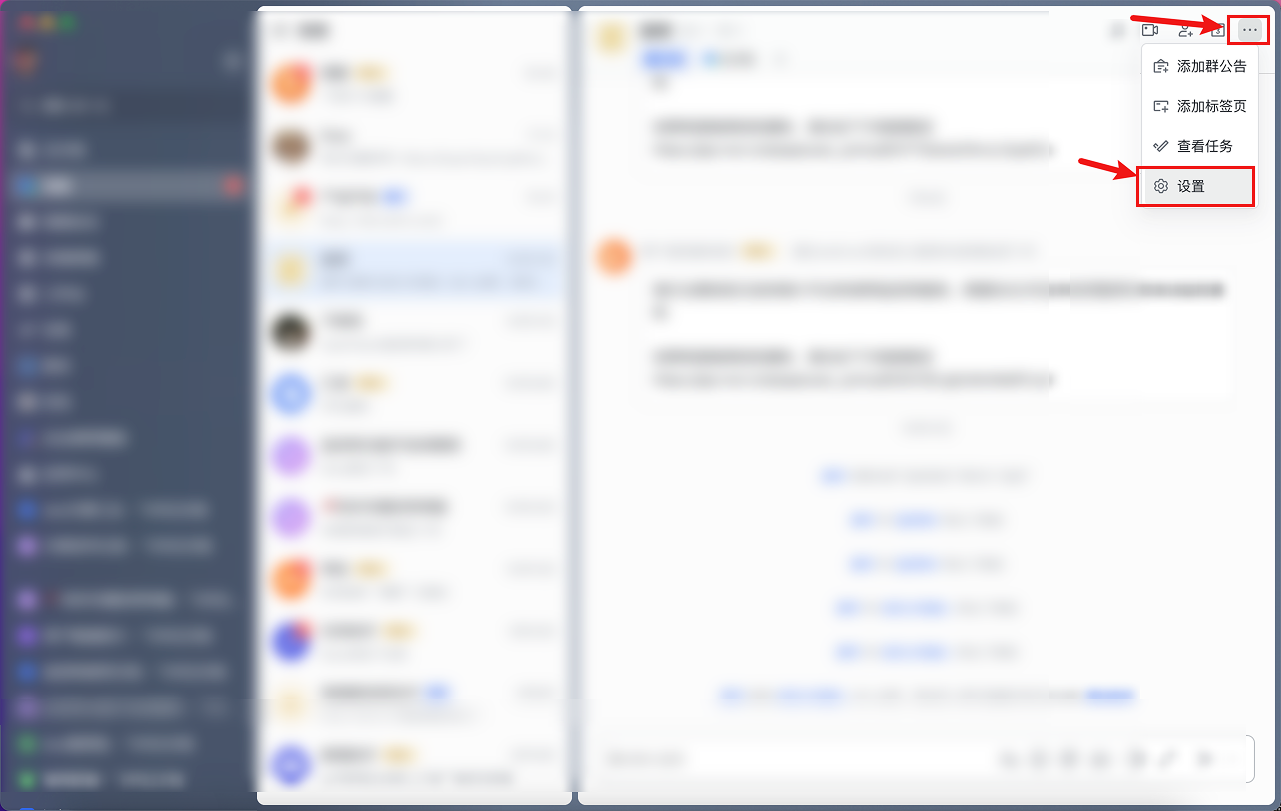
Step 2: Copy Secret and Webhook URL
After creation, copy the secret and Webhook URL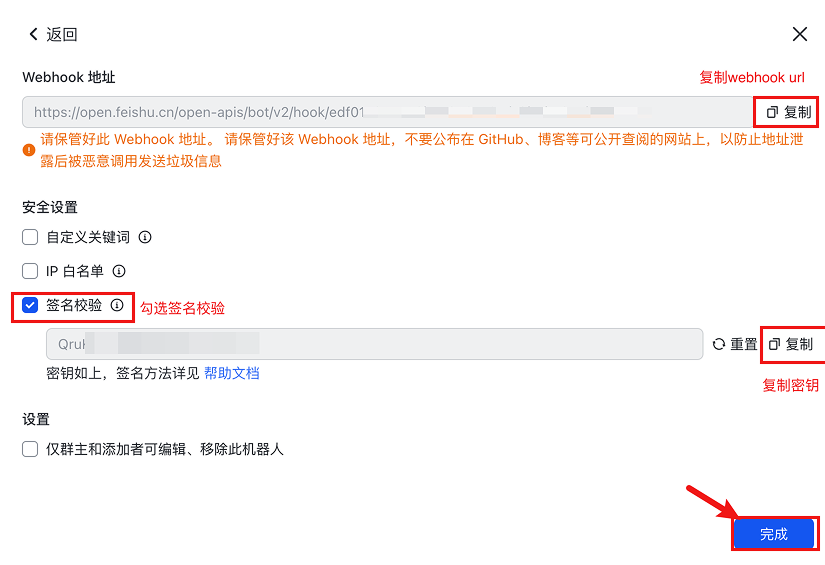
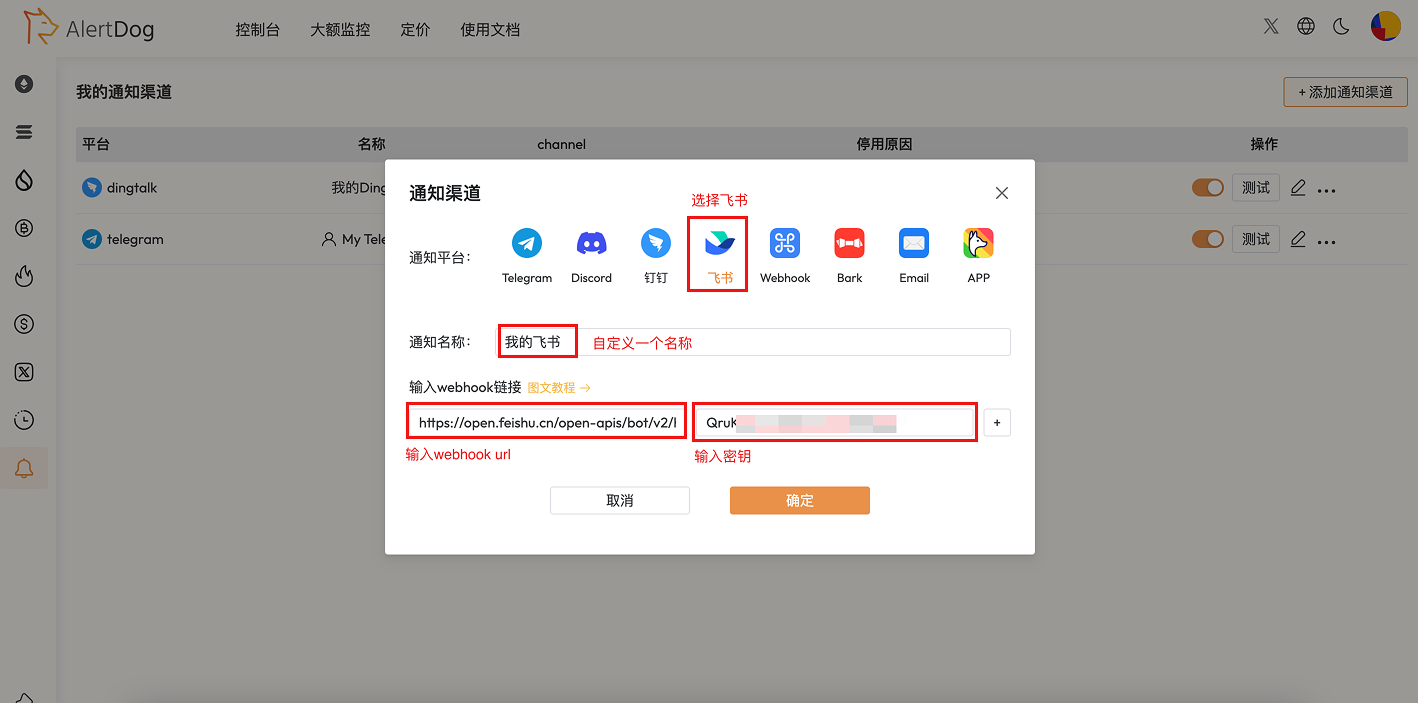
Step 3: Create Notification Channel
Open AlertDog, select FeiShu, enter the secret and Webhook URL, then confirm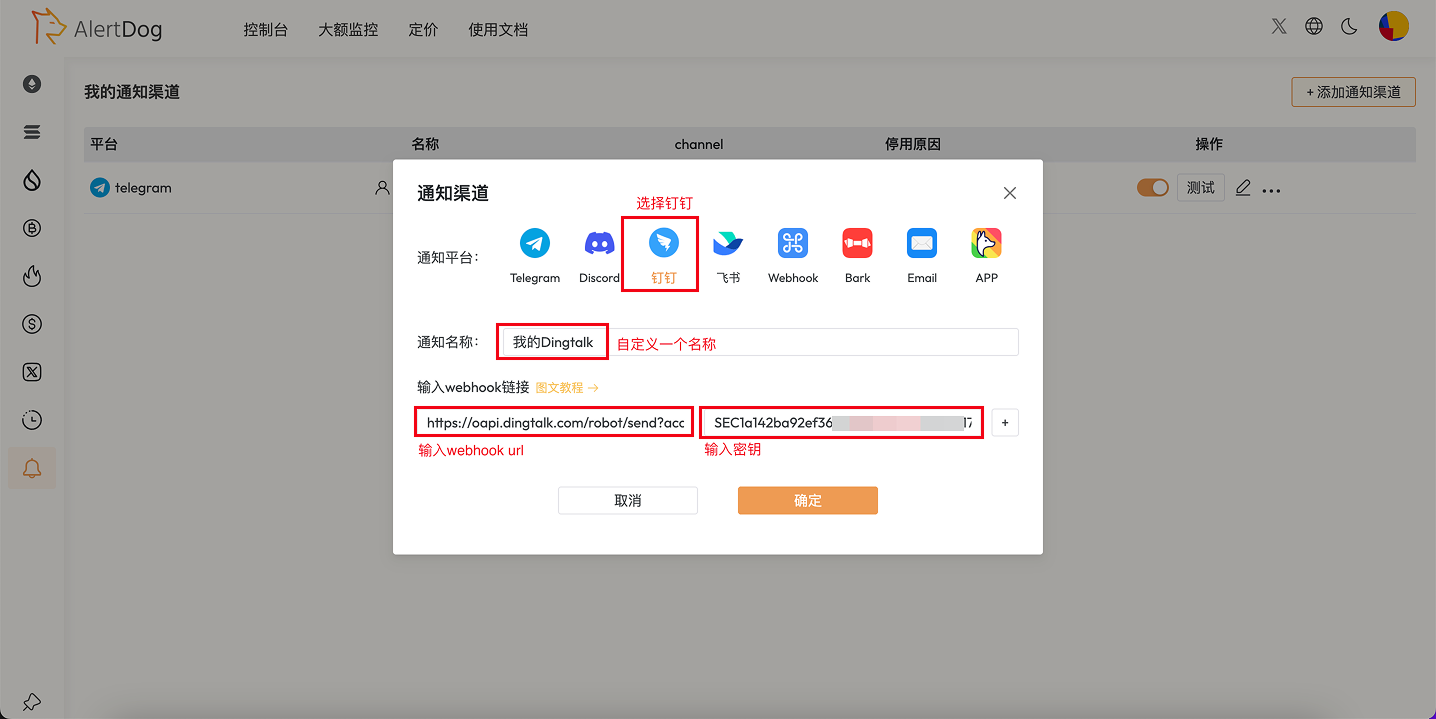
Create Notification Channel
You need to add a custom bot in the FeiShu group, then copy the bot’s Webhook URL to AlertDog.
FAQ
How to add a bot in FeiShu?
How to add a bot in FeiShu?
In FeiShu group settings → Group Bots → Add Bot → Create a custom bot and get the Webhook URL.
Can I add multiple FeiShu groups?
Can I add multiple FeiShu groups?
Yes. You can configure multiple Webhooks for different FeiShu groups to implement categorized notifications.
Do FeiShu bots have message frequency limits?
Do FeiShu bots have message frequency limits?
FeiShu bots have certain frequency limits, please refer to FeiShu’s official documentation for specific limits.