

Step 1: Create Group Chat Message Push in WeCom
Open WeChat Work, select a group chat where you want to send alert notifications, click … in the upper right corner to enter settings -> Select message push -> Click add -> Customize robot name and save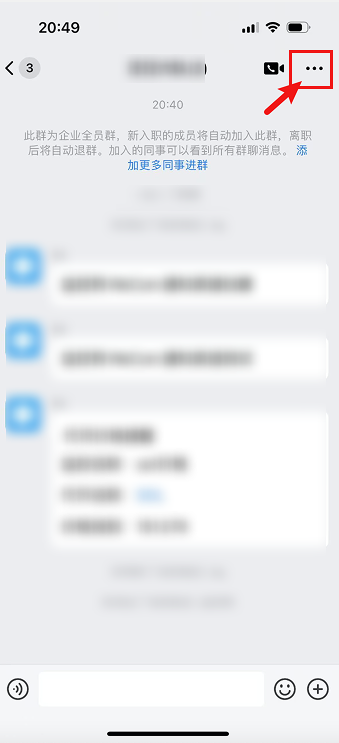
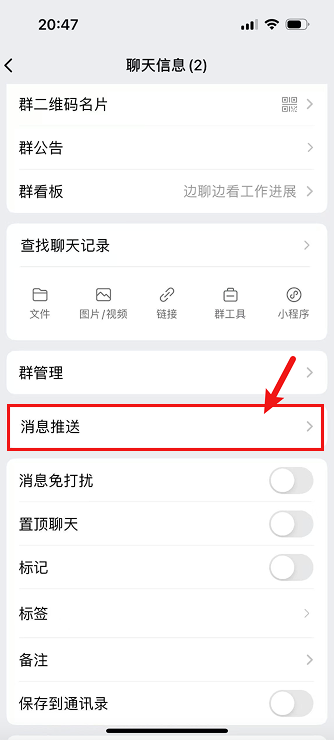
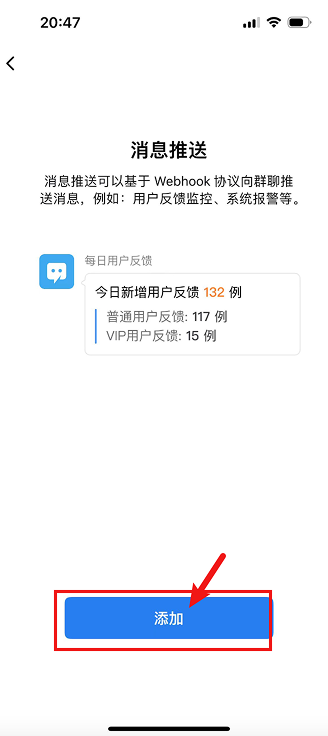
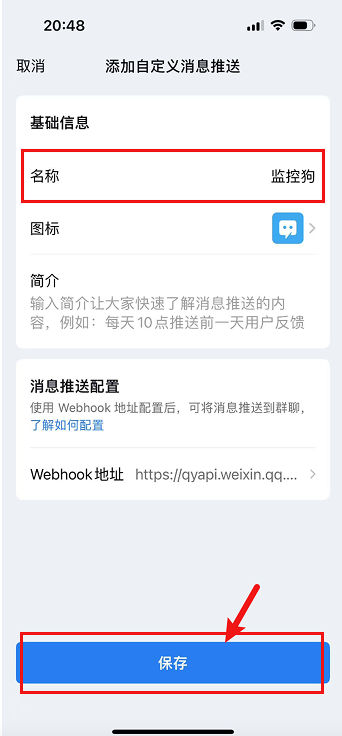
WeChat Work Configuration Steps
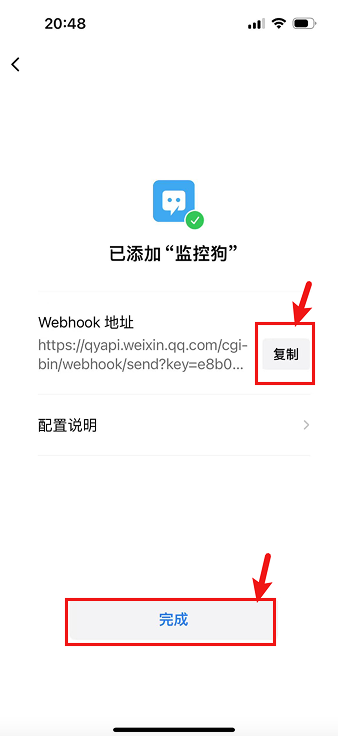
Configure WeChat Work Notification Channel
Step 2: Create WeChat Notification Channel and Fill in Parameters
Open AlertDog Add New Channel -> WeCom -> Enter the Webhook address from the previous step -> Confirm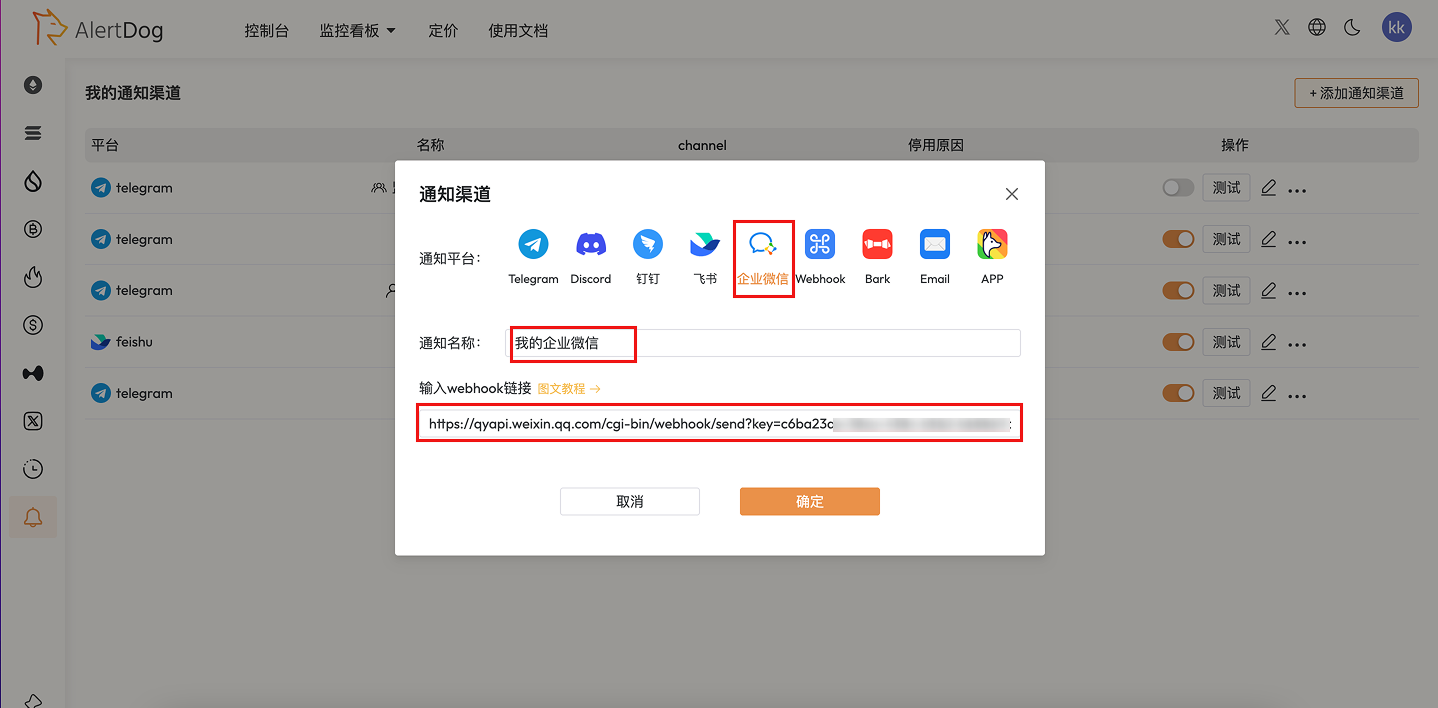
Test Notification Success