

Step 1: Create Server
Open Discord, add a server.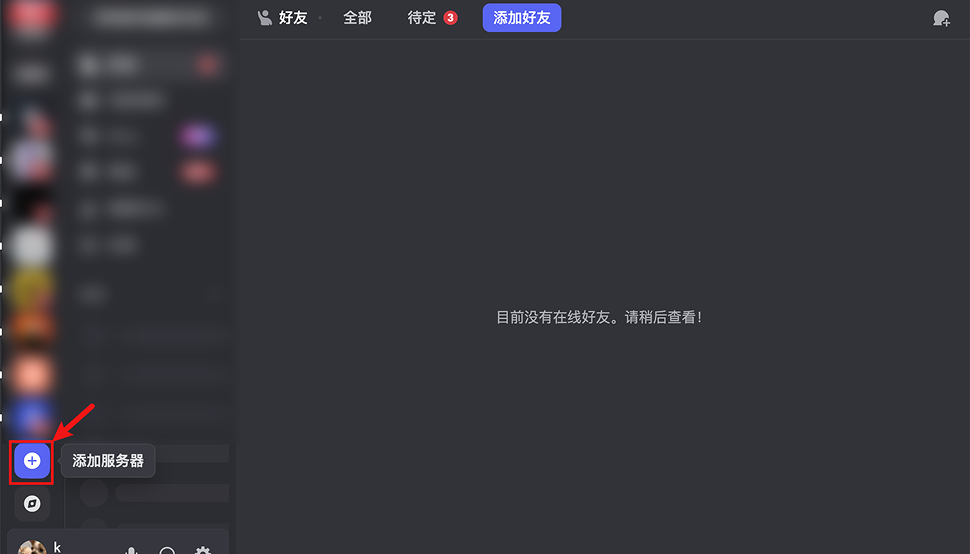
Add Server
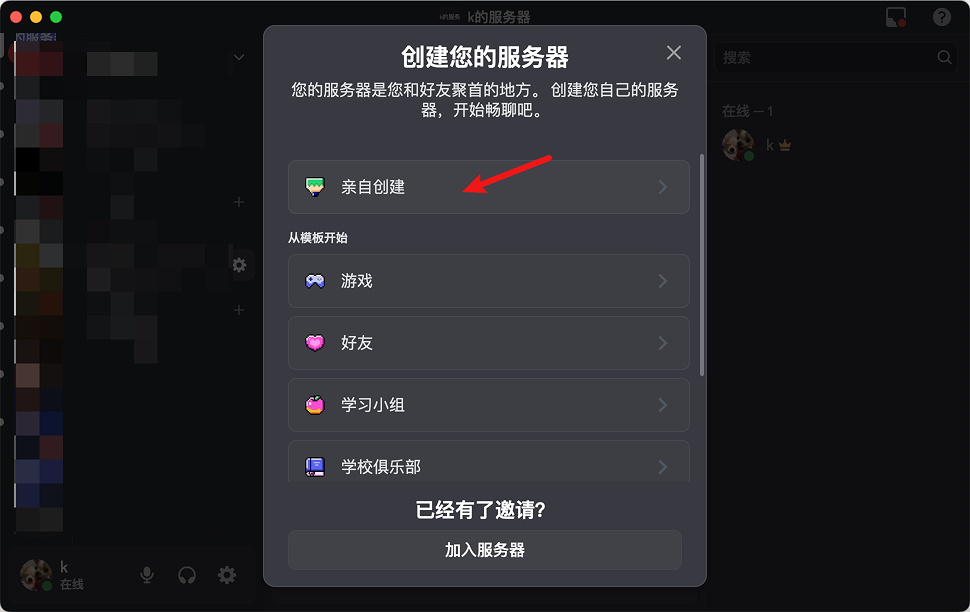
Select Server Type
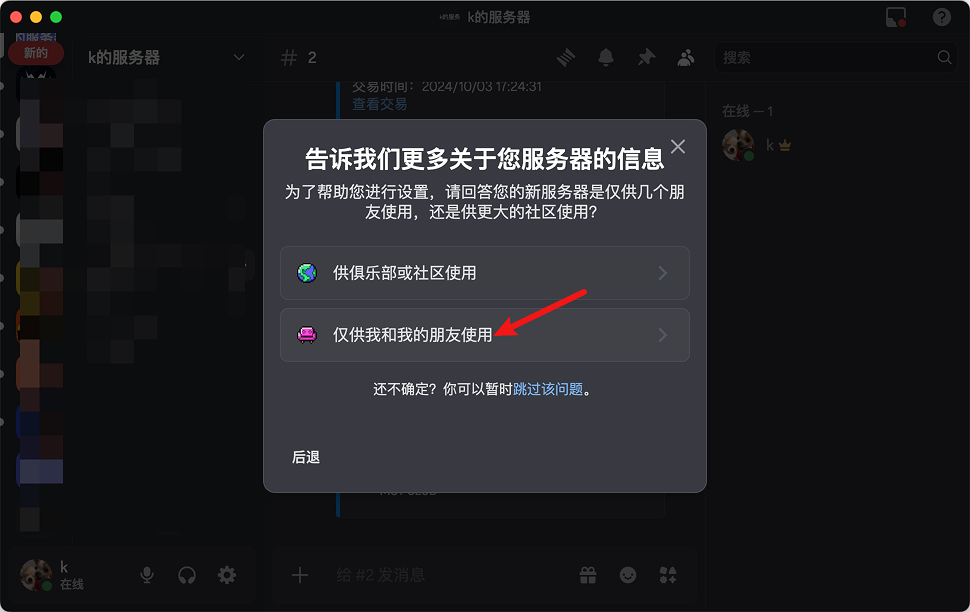
Set Server Name
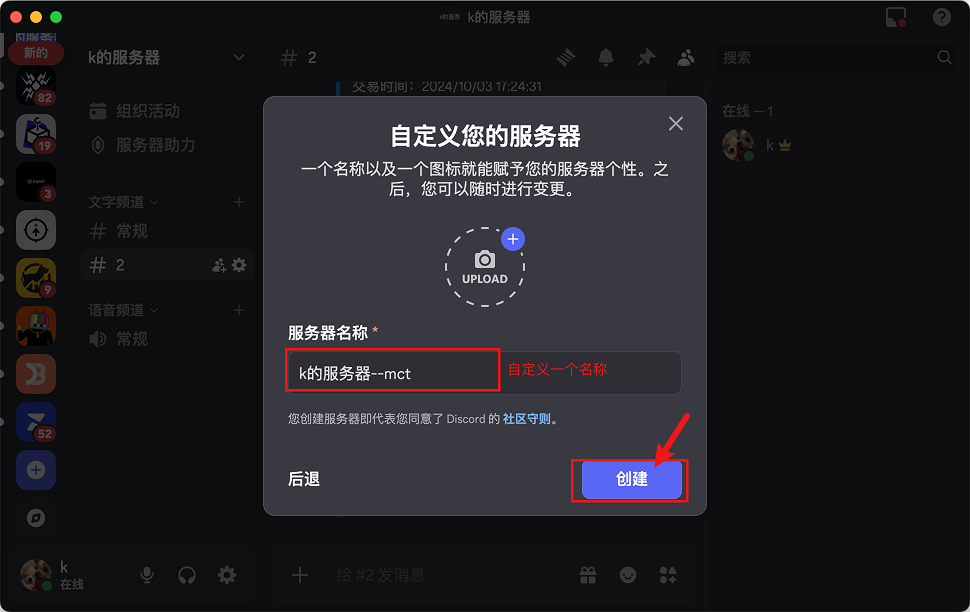
Server Created
Step 2: Copy Webhook URL
After the server is created, find Webhook in settings.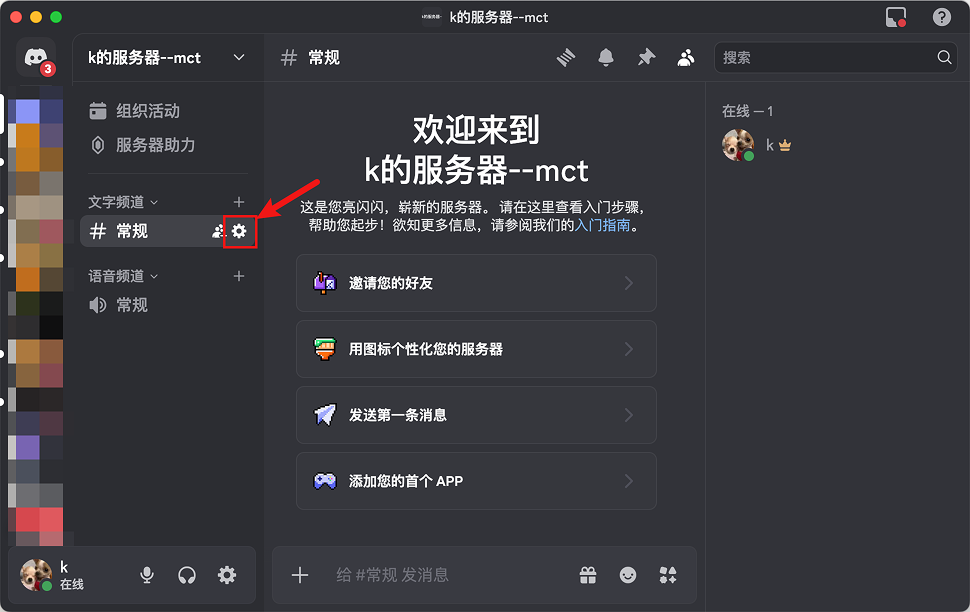
Open Settings
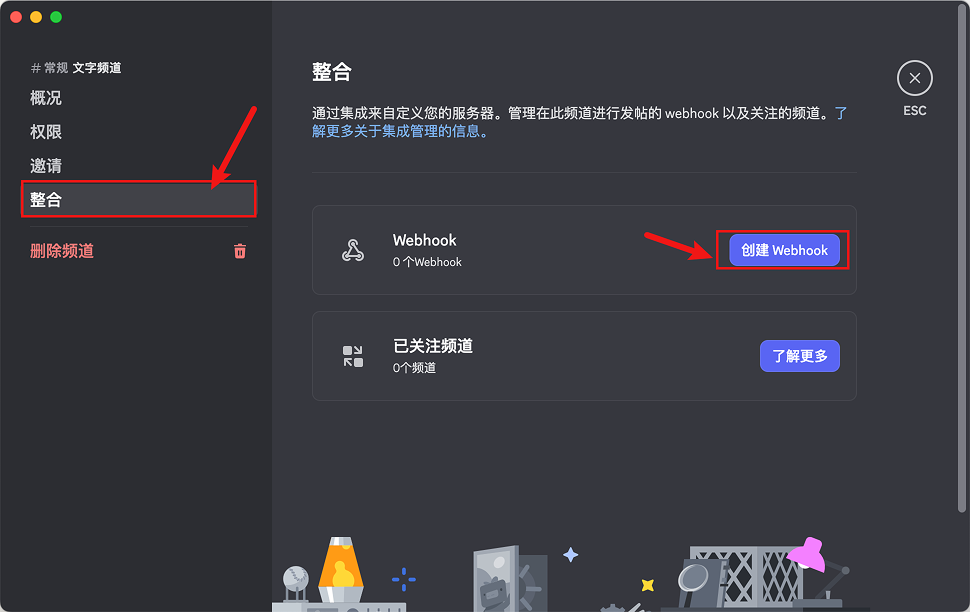
Webhook Settings
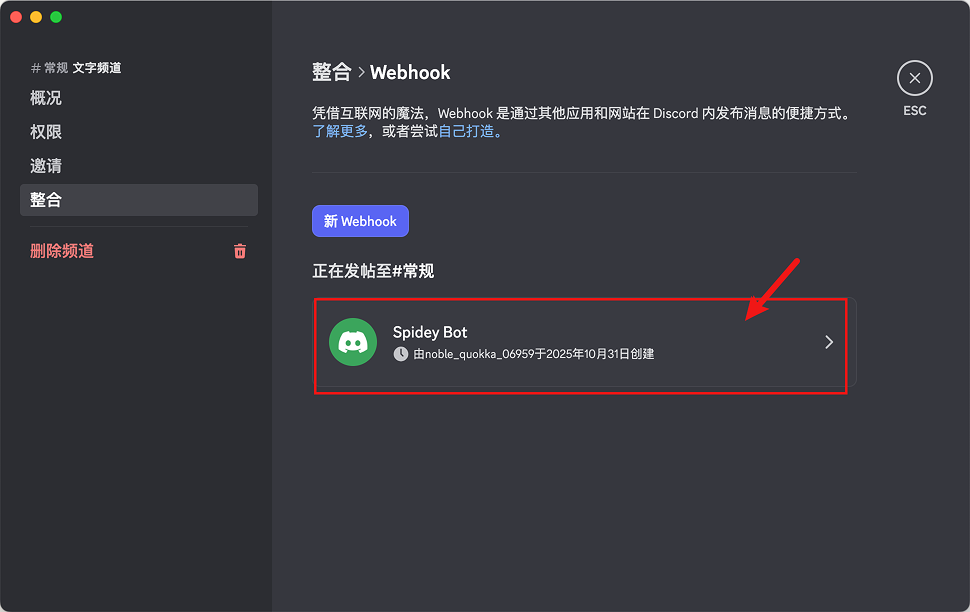
Create New Webhook
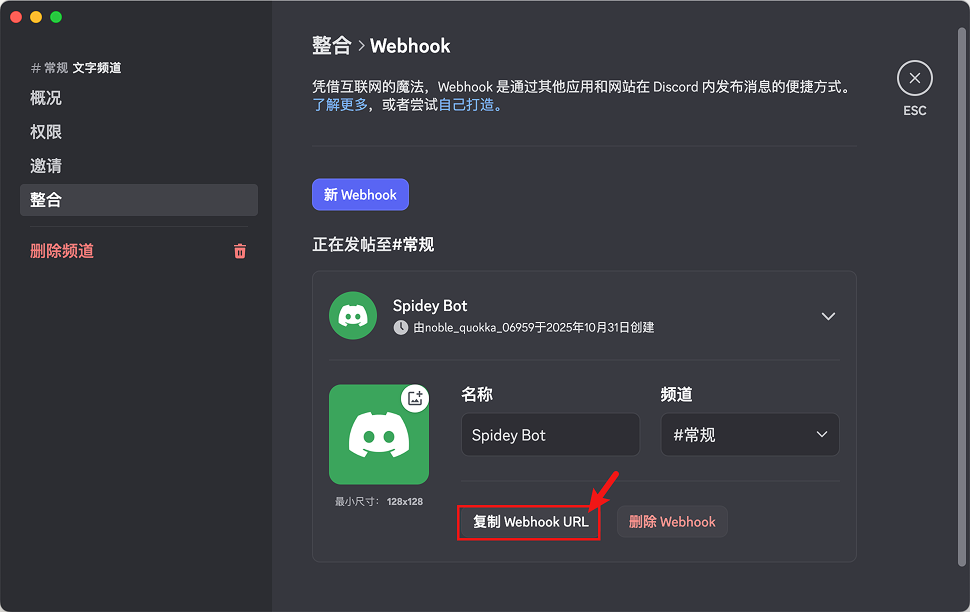
Copy Webhook URL
Step 3: Create Notification Channel
Open AlertDog, select Discord, enter the Webhook URL and click connect.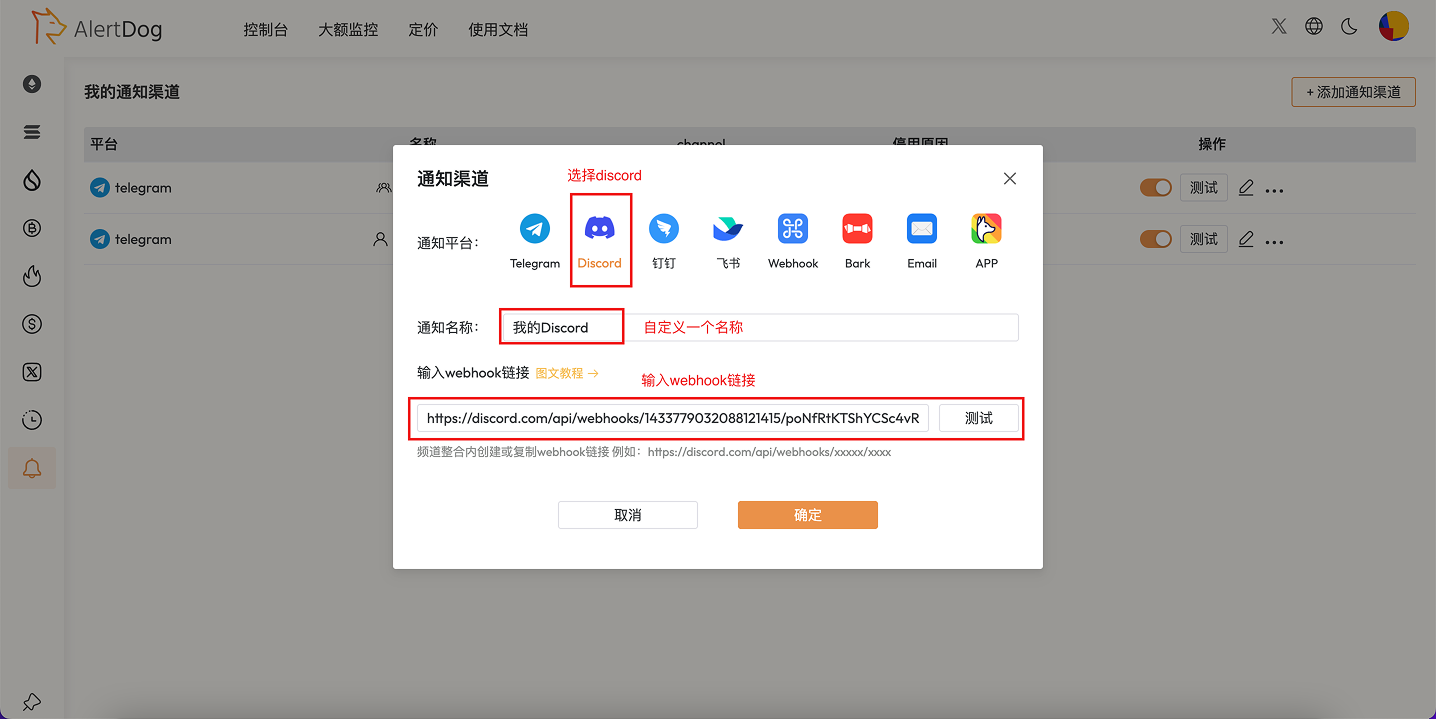
Create Notification Channel
Step 4: Setup Complete
After successful connection, the notification channel has been successfully added and will be displayed in the notification channel list.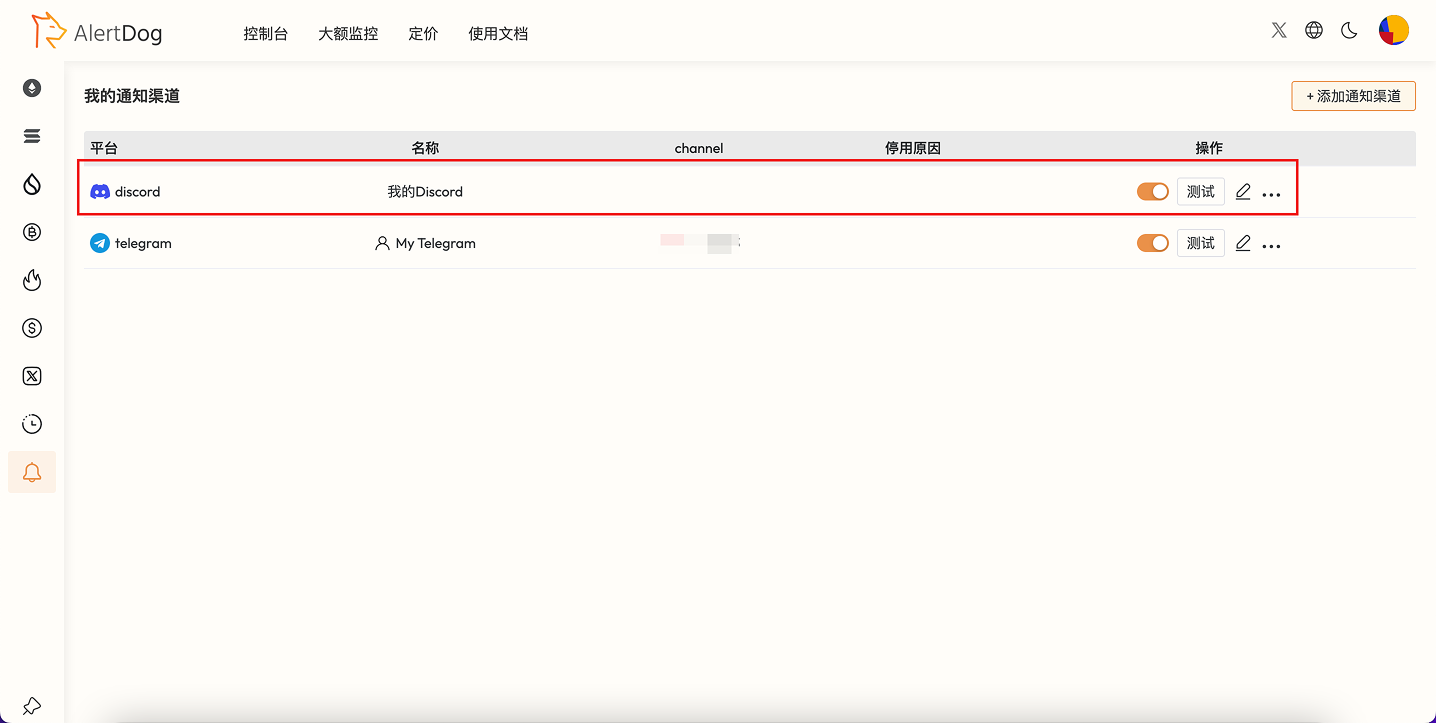
Setup Complete
FAQ
How to delete a Discord notification channel?
How to delete a Discord notification channel?
Find the Discord item in the notification channel list and click “Delete”.
Can I add multiple Discord channels?
Can I add multiple Discord channels?
Yes. You can configure multiple Webhooks for different Discord channels to implement categorized notifications.
Where to get the Webhook URL?
Where to get the Webhook URL?
In Discord server channel settings → Integrations → Webhooks, create and copy the URL.