

Custom Bot requires Pro upgrade to use
Step 1: Create Group and Get Chat ID
Open Telegram, create a new group (or Channel)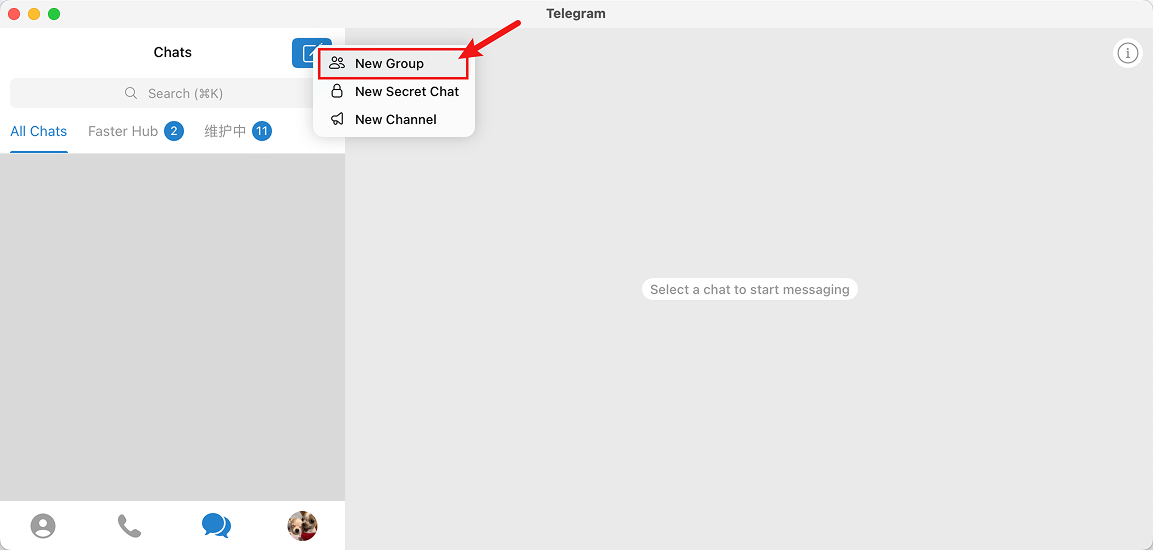
Create a Telegram Group
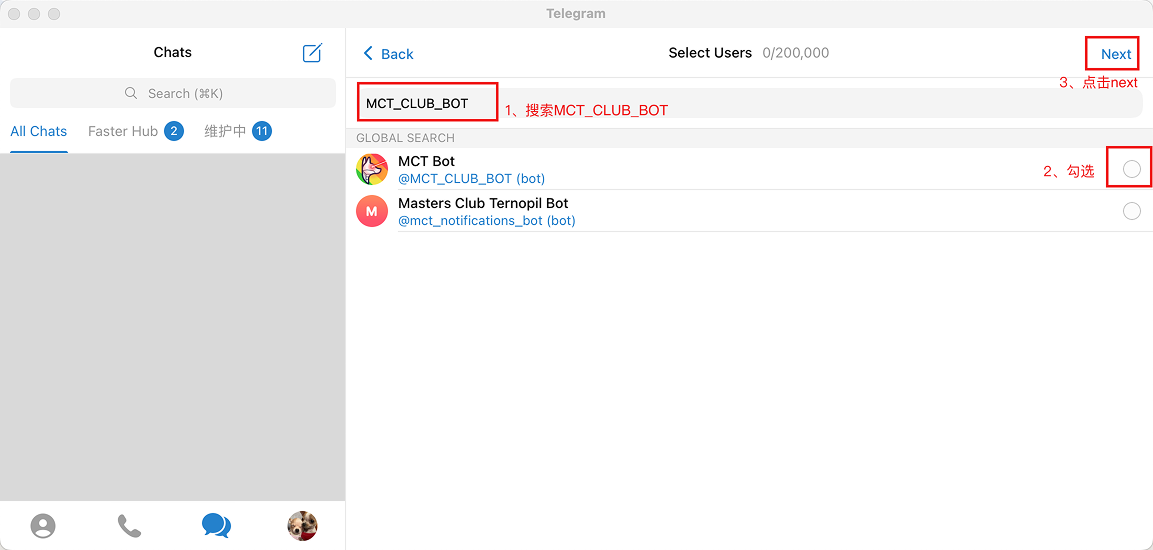
Search MCT_CLUB_BOT
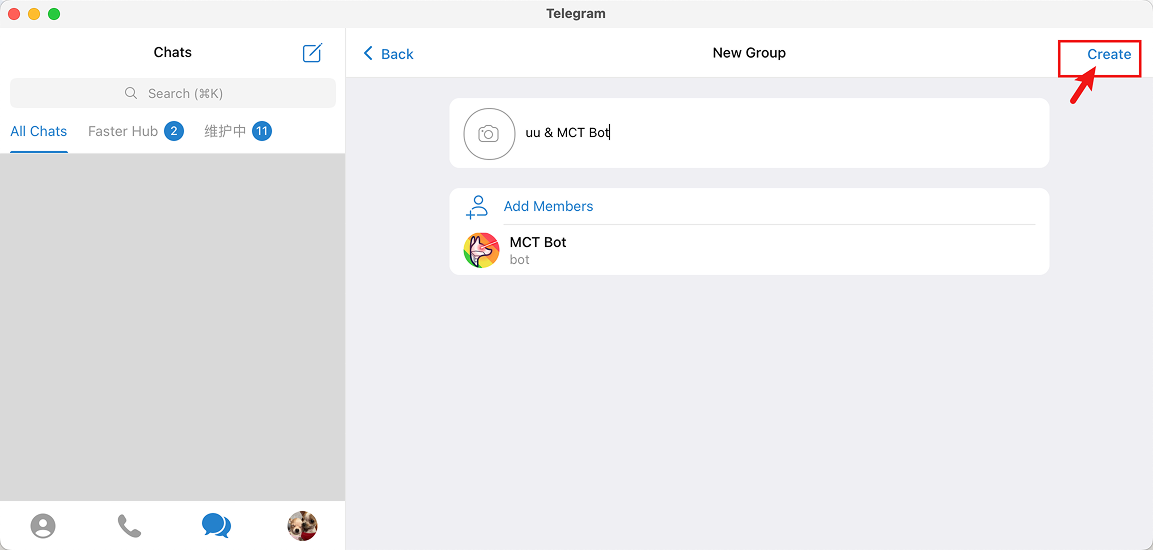
Add MCT_CLUB_BOT to Group
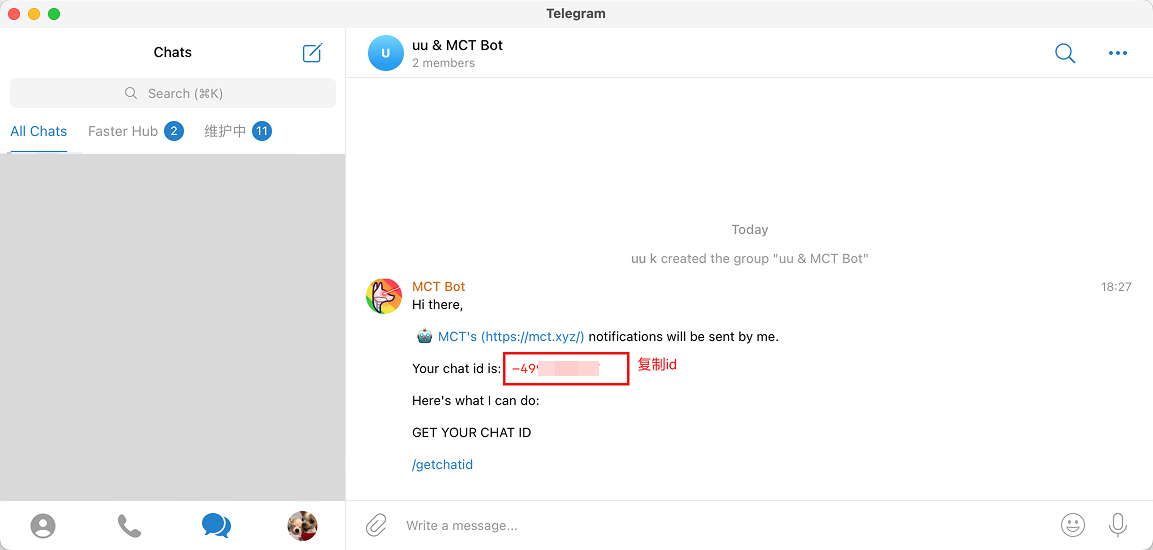
Telegram Group Chat ID
Step 2: Create Your Bot and Get API Token
Click @BotFather link to automatically open Telegram and chat with BotFather, click menu and select /newbot
Create New Bot
bot

Screenshot of Setting Bot English Name
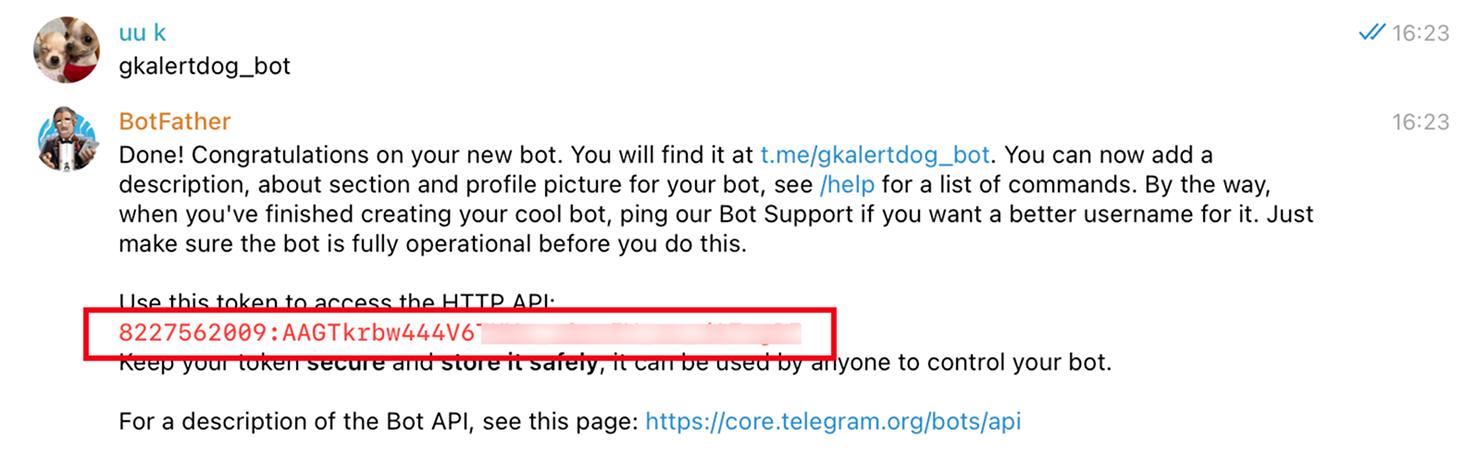
Copy API
Step 3: Invite Custom Bot to Join Group
Add the custom Telegram Bot created in the previous step to the group with @MCT_CLUB_BOT created in the first step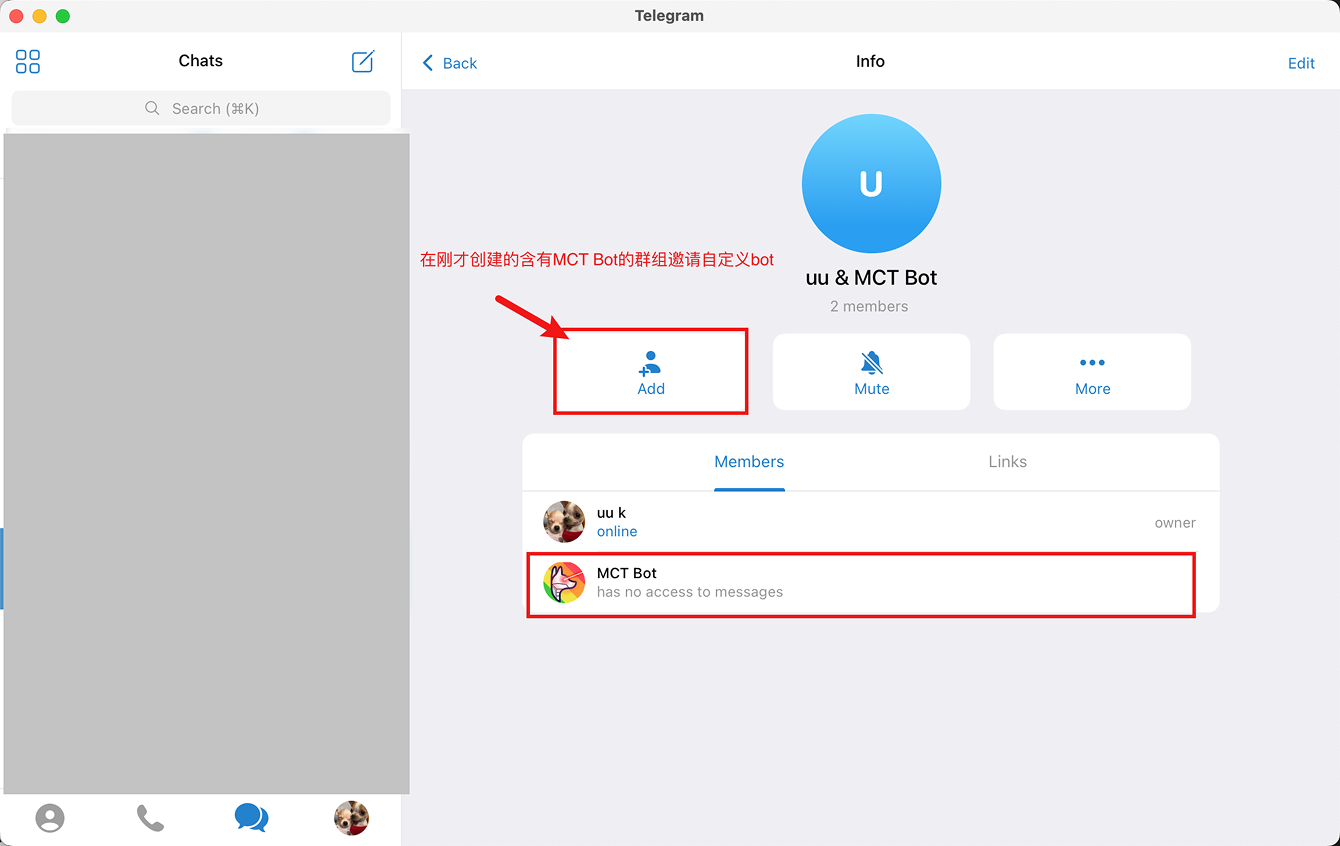
Click +ADD to Add Group Member
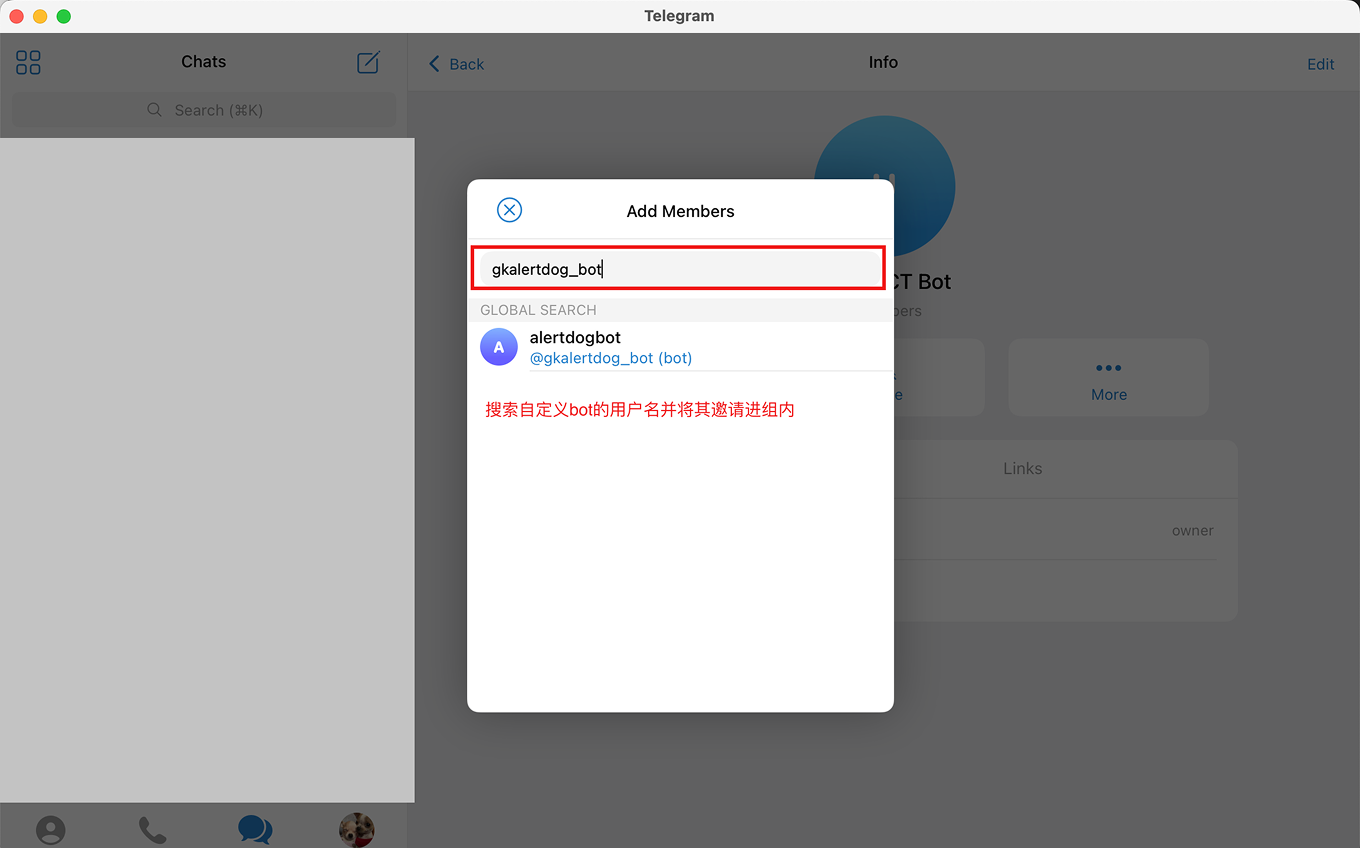
Search and Invite Custom Bot to Group
Step 4: Create Custom Bot Notification Channel
Open AlertDog Add New Channel -> Telegram -> Notify to Group -> Custom BOT, enter the Chat ID and API Token from the previous two steps -> Connect to confirm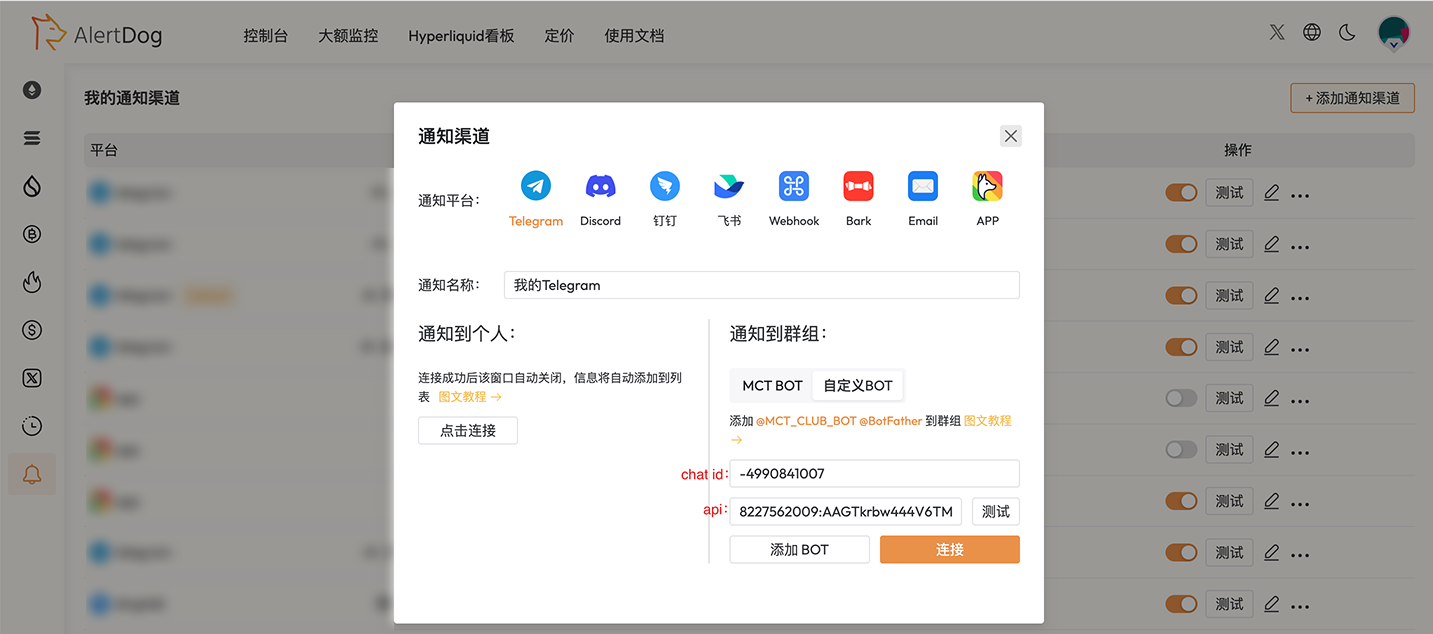
Wow! You’ve mastered such a challenging operation, impressive! You have successfully completed the Telegram custom bot binding
FAQ
Unable to set up custom Bot?
Unable to set up custom Bot?
Custom Bot requires VIP upgrade to use: https://alertdog.io/price
Custom Bot username setup unsuccessful
Custom Bot username setup unsuccessful
Username setup must satisfy both of the following: 1. Username cannot be the same as others; 2. Must end with ‘bot’ and avoid using numbers
Can I create and bind multiple custom Bots?
Can I create and bind multiple custom Bots?
Yes.