

Notify to Group can receive up to 20 messages per minute. For higher limits, please choose Notify to Telegram Custom Bot
Step 1: Create Group and Get Chat ID
Open Telegram, create a new group (or Channel)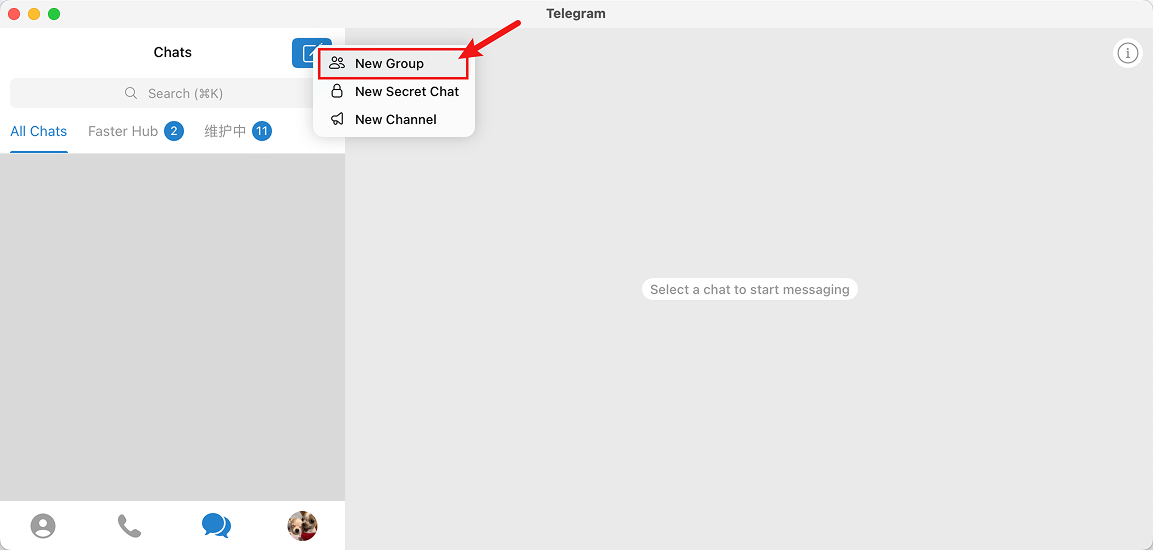
Create a Telegram Group
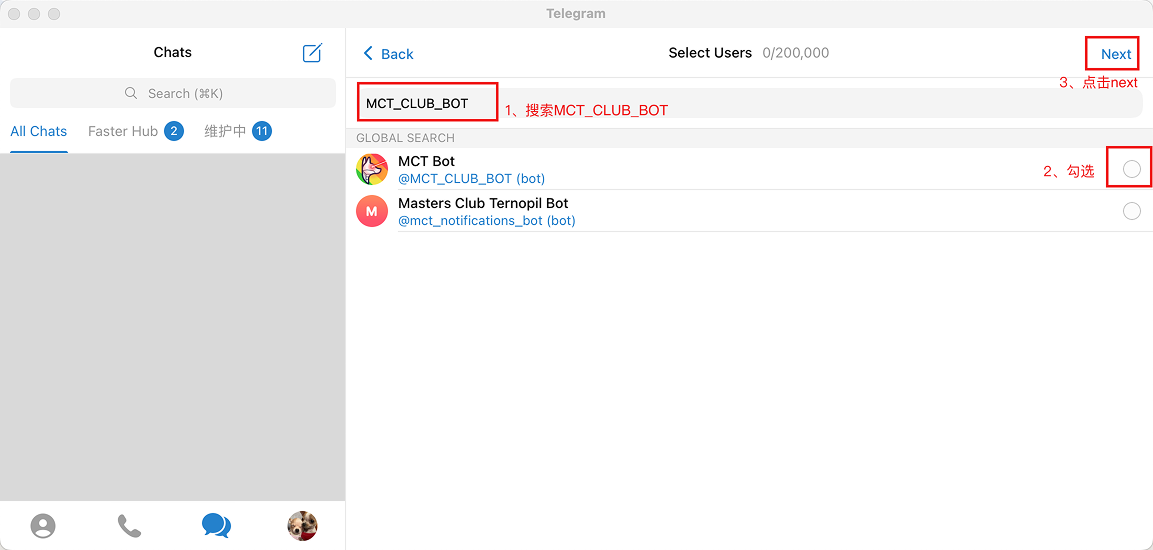
Search MCT_CLUB_BOT
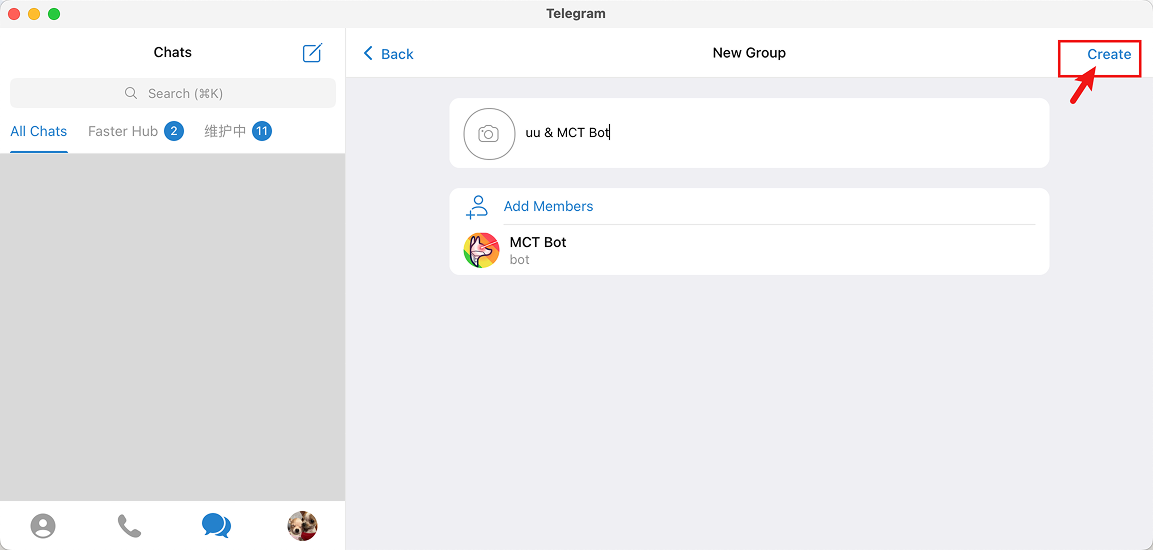
Add MCT_CLUB_BOT to Group
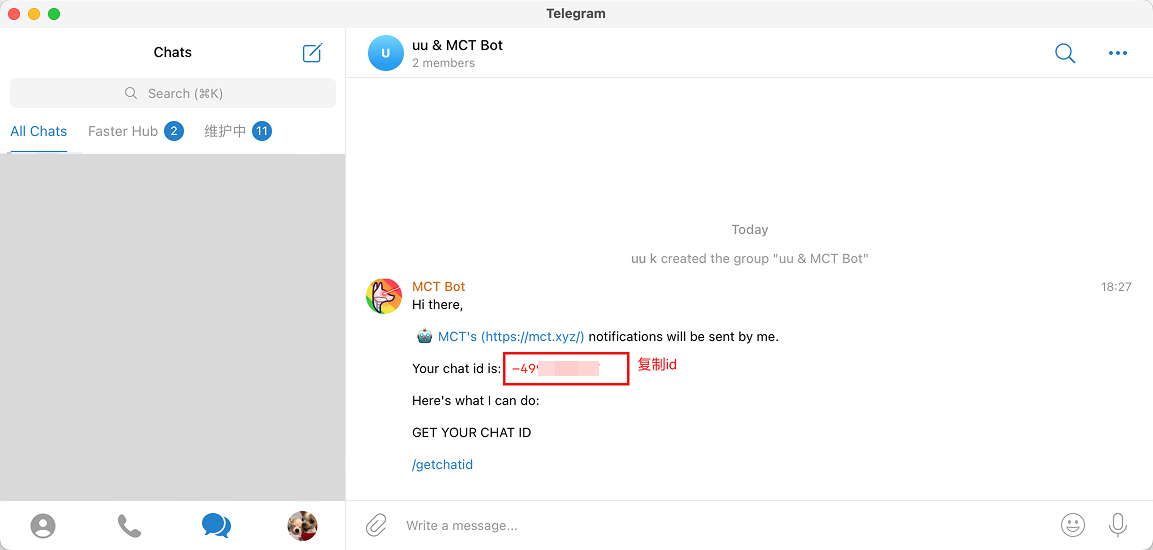
Telegram Group Chat ID
Step 2: Create Notification Channel
Open AlertDog Add New Channel -> Telegram -> Notify to Group -> Enter Chat ID from previous step -> Connect to confirm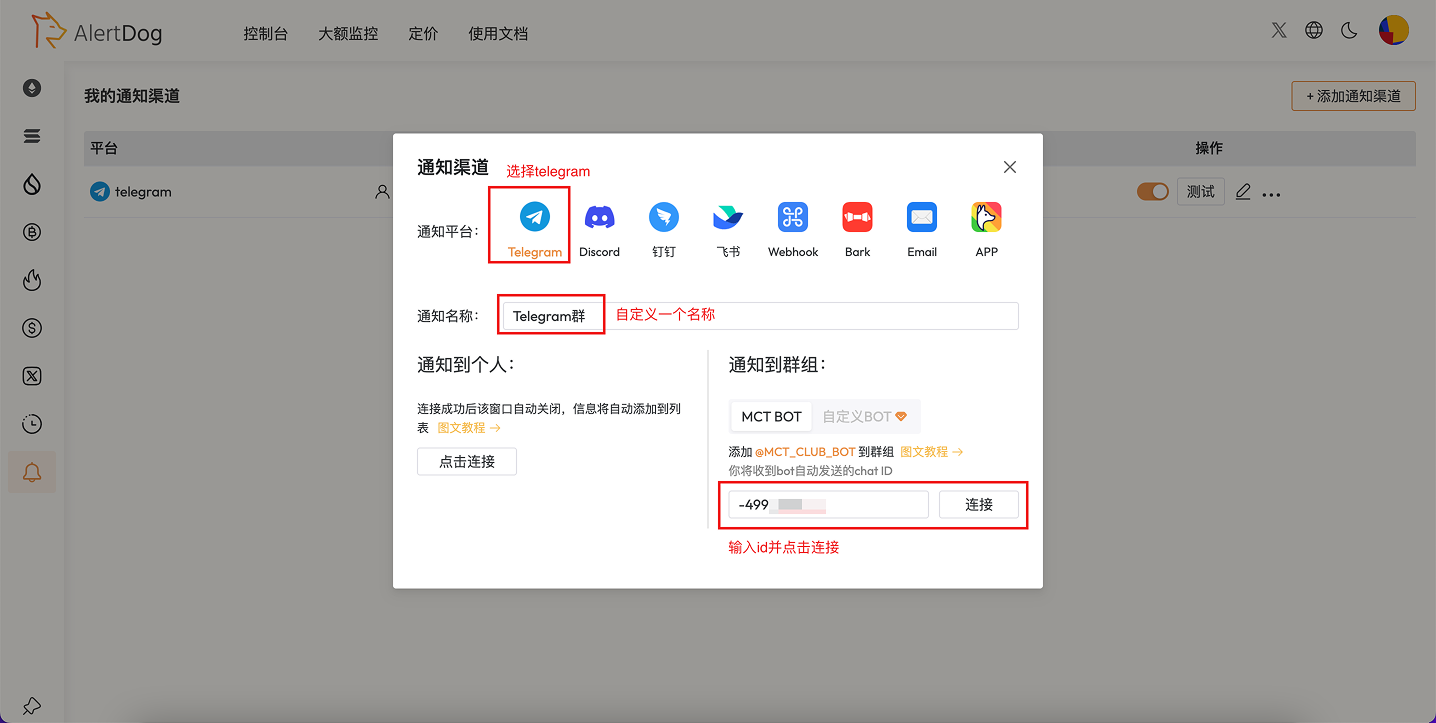
Create Notification Channel
Step 3: Telegram Group Channel Created
After successful connection, the channel is added successfully, the notification channel list will display this notification channel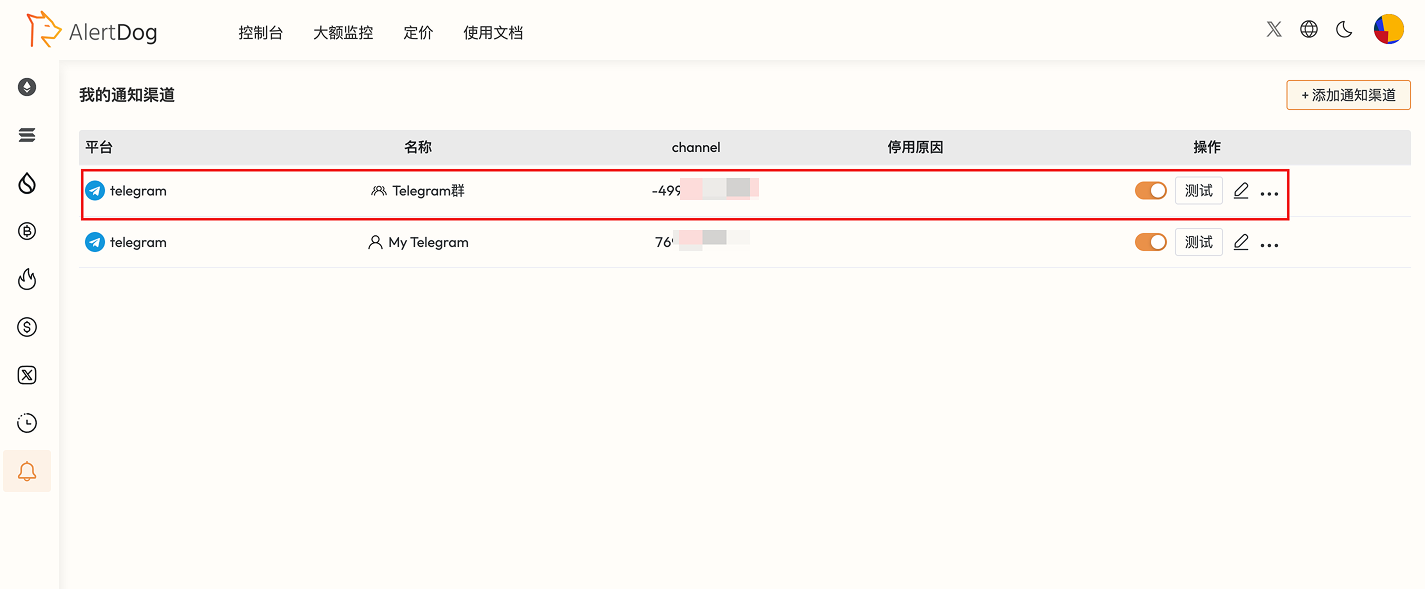
Notification Channel Created
You have successfully completed Telegram notify to group setup
FAQ
How to unbind Telegram?
How to unbind Telegram?
Find the Telegram item in the notification channel list, click “Delete” to unbind.
Can I invite the Telegram bot to multiple groups for binding?
Can I invite the Telegram bot to multiple groups for binding?
Yes.