

Step 1: Select Telegram as Notification Channel
Open AlertDog Add New Channel -> Select Telegram as platform -> Notification name can keep default (or set to an identifiable name like “Jay’s Telegram”)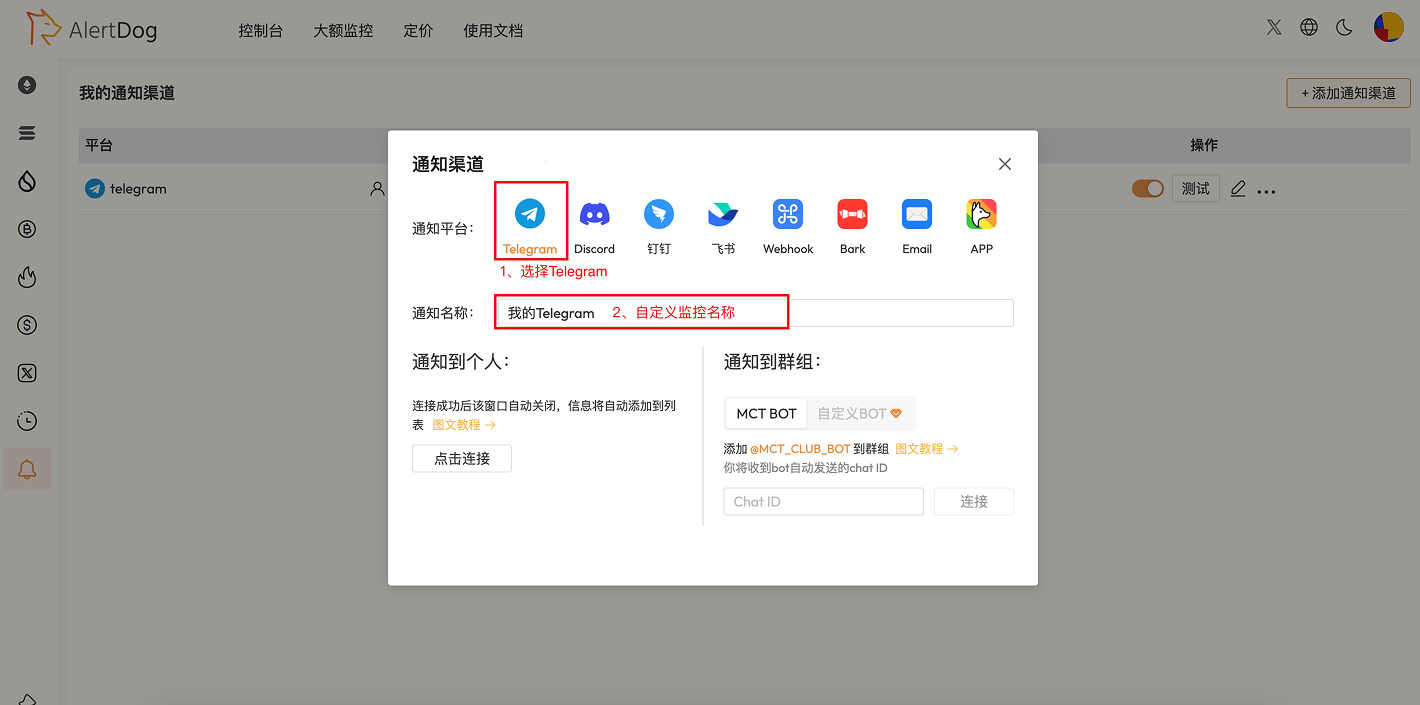
Select Telegram
Step 2: Connect and Bind
Click the Click Connect button under Notify to Personal, Telegram dialog will automatically pop up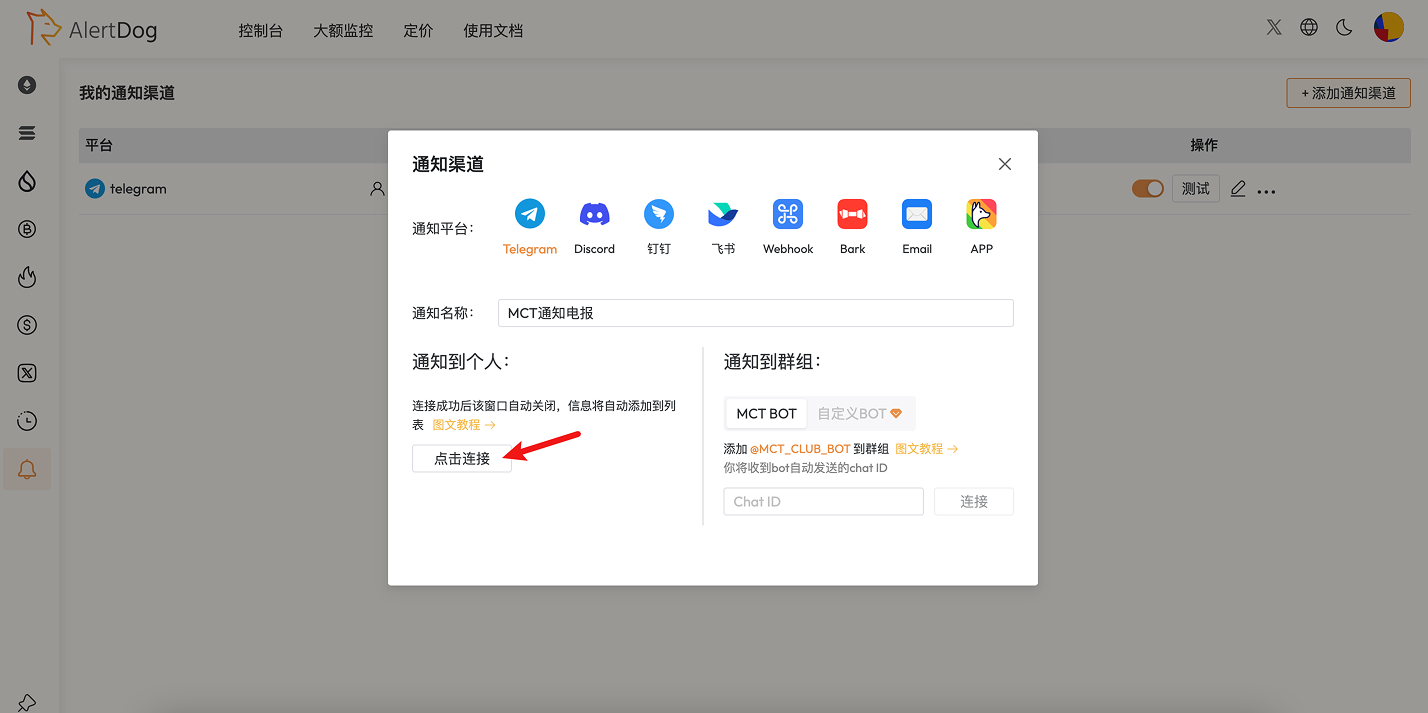
Connect to Your Telegram
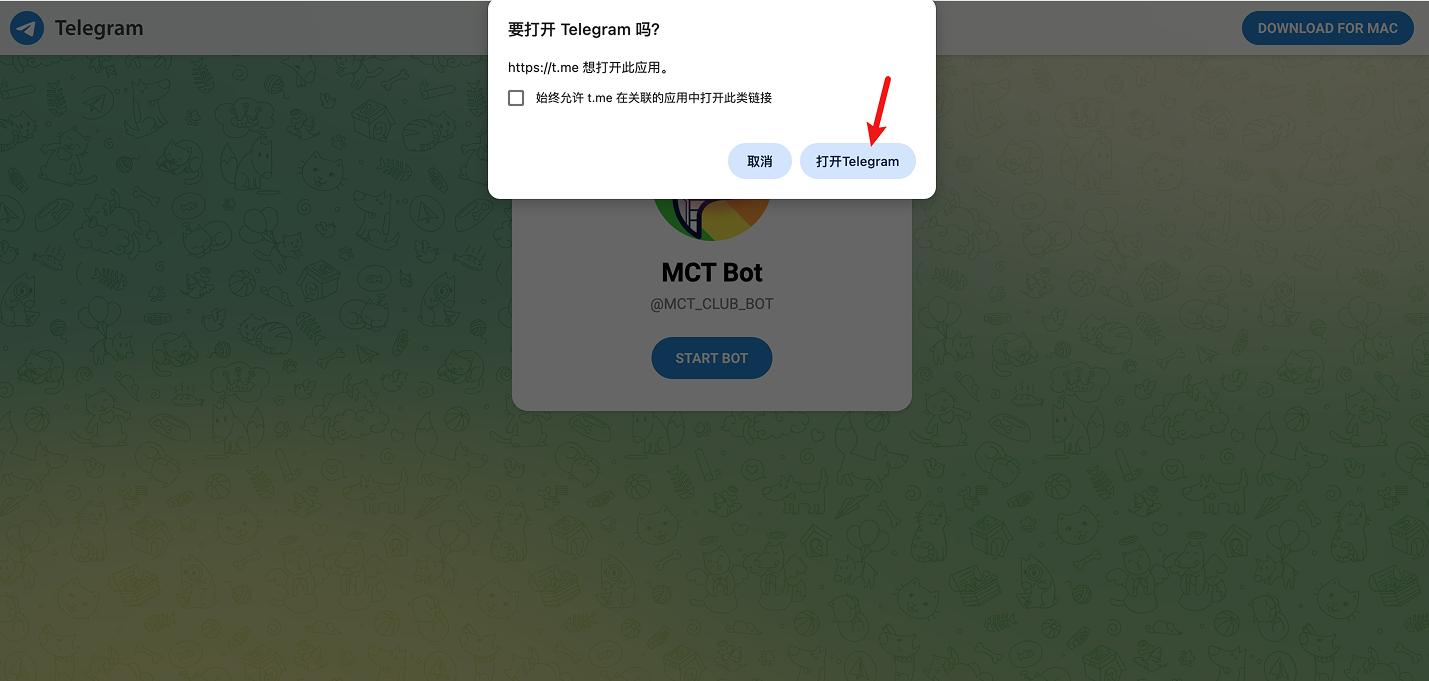
Click Open Telegram Button

Channel Created Success Message Screenshot
Step 3: Complete Binding
Return to AlertDog, the notification channel has been successfully added, the notification channel list will display your Telegram account.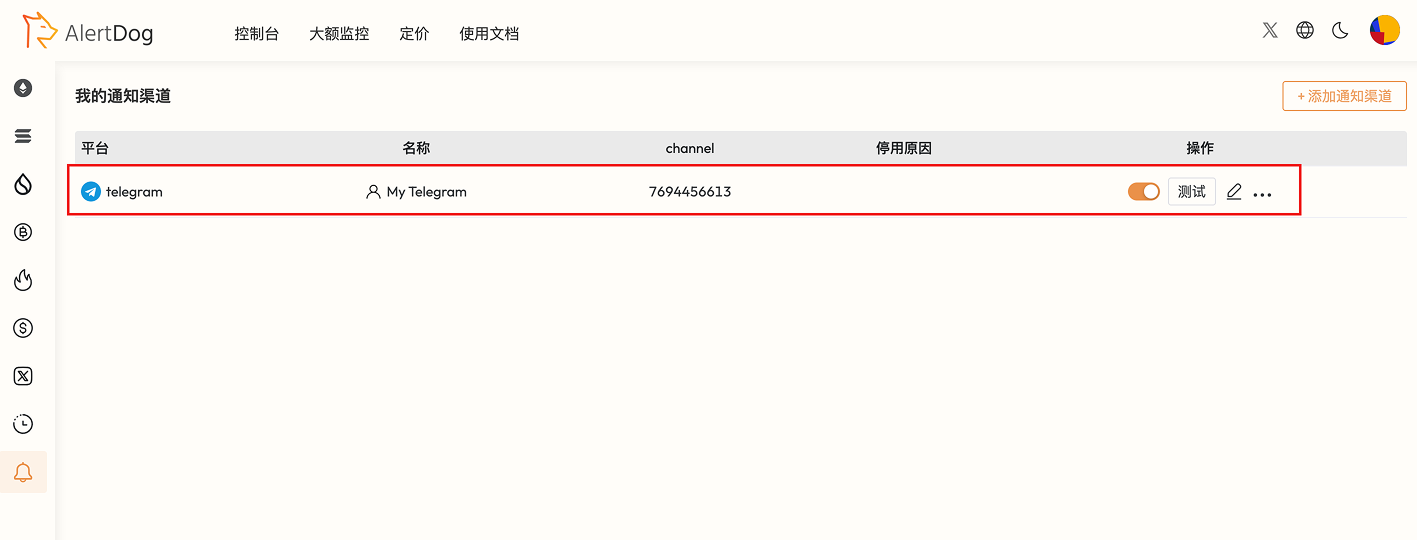
Screenshot of List Page After Monitor Channel Creation
Congratulations! You have successfully bound Telegram
FAQ
How to unbind Telegram?
How to unbind Telegram?
Find the corresponding Telegram item in the notification channel list, click the three-dot icon and select “Delete” to unbind.
Can one AlertDog account bind multiple Telegrams?
Can one AlertDog account bind multiple Telegrams?
Yes. But the same Telegram account can only bind one AlertDog account