

Add Address Monitoring
Field Description
Operation Steps
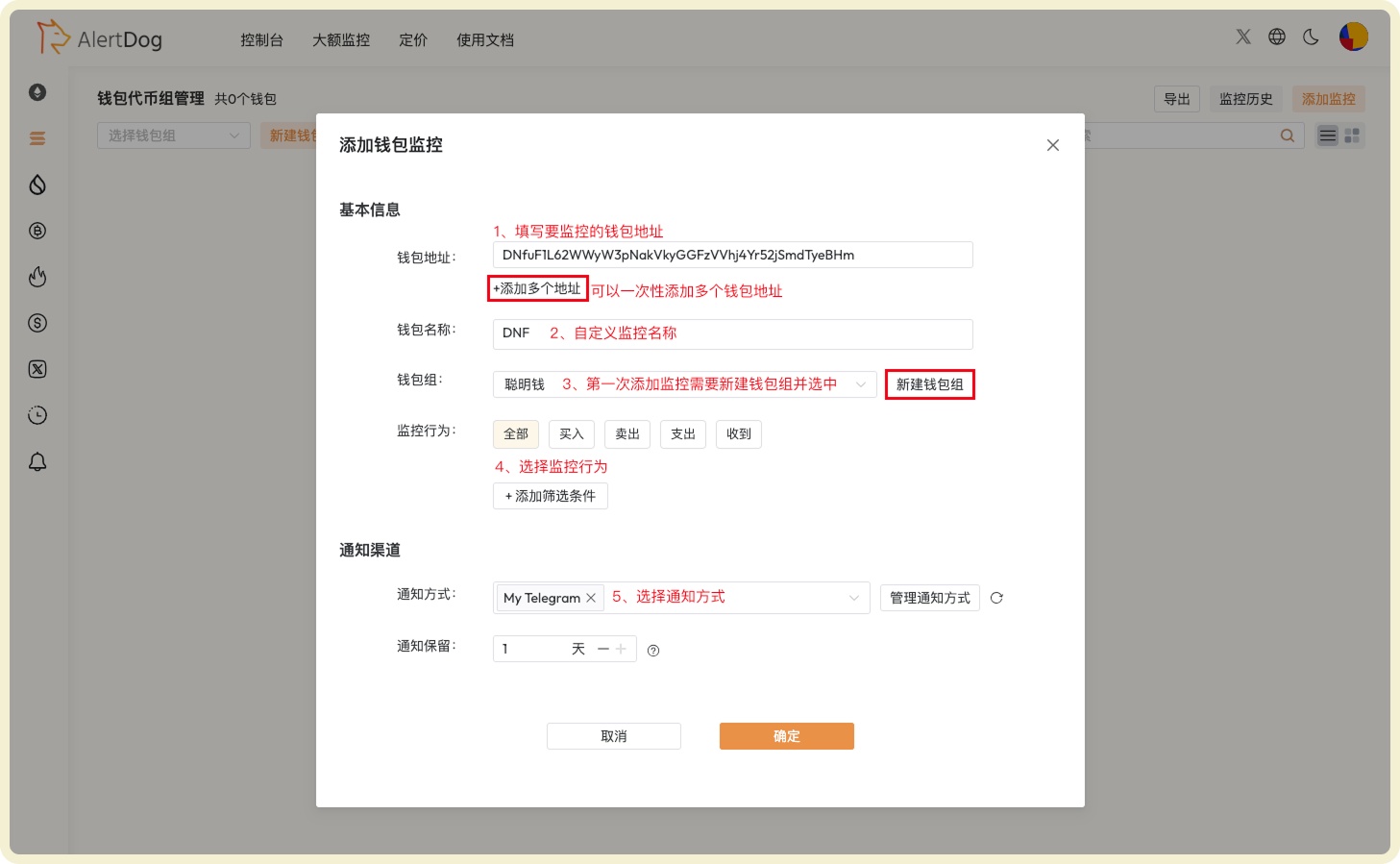
Steps to Add Solana Address Monitoring
Notification Example
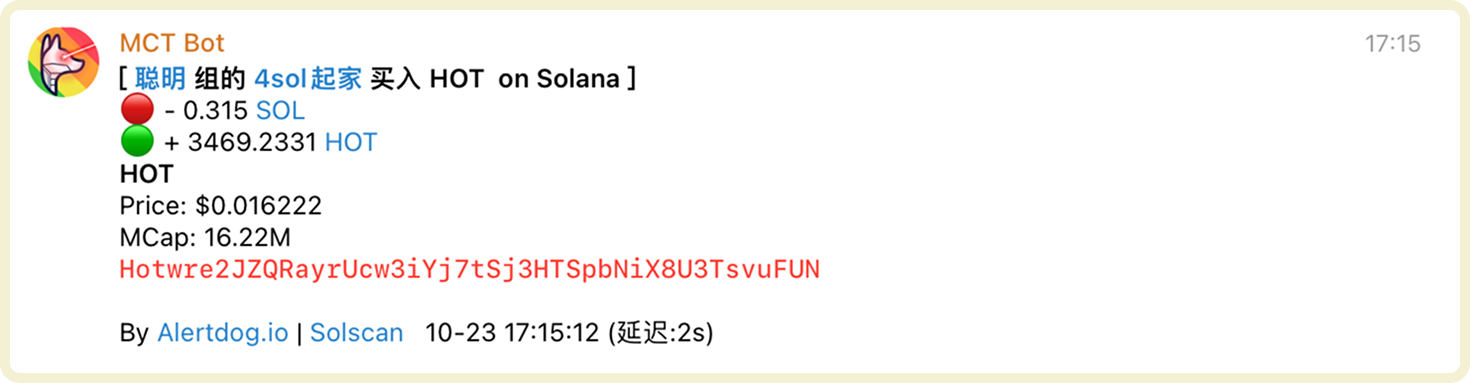
Solana Address Monitoring Notification Example
Manage Address Monitoring
You can manage added address monitoring through the following methods:- Filter Wallet Group Management: After selecting a specific wallet group, you can modify the group name or delete the wallet group
- Batch Operations: Click batch operations to perform batch move to group, batch edit, batch modify notification methods, batch delete on selected wallets
- Export: Wallet list data supports export to Excel format
- Monitoring History: View received monitoring notification history on the unified monitoring history page
- Search: Search for specific wallets
- Enable/Disable, Edit, Delete: Perform enable/disable, edit, delete operations on wallets
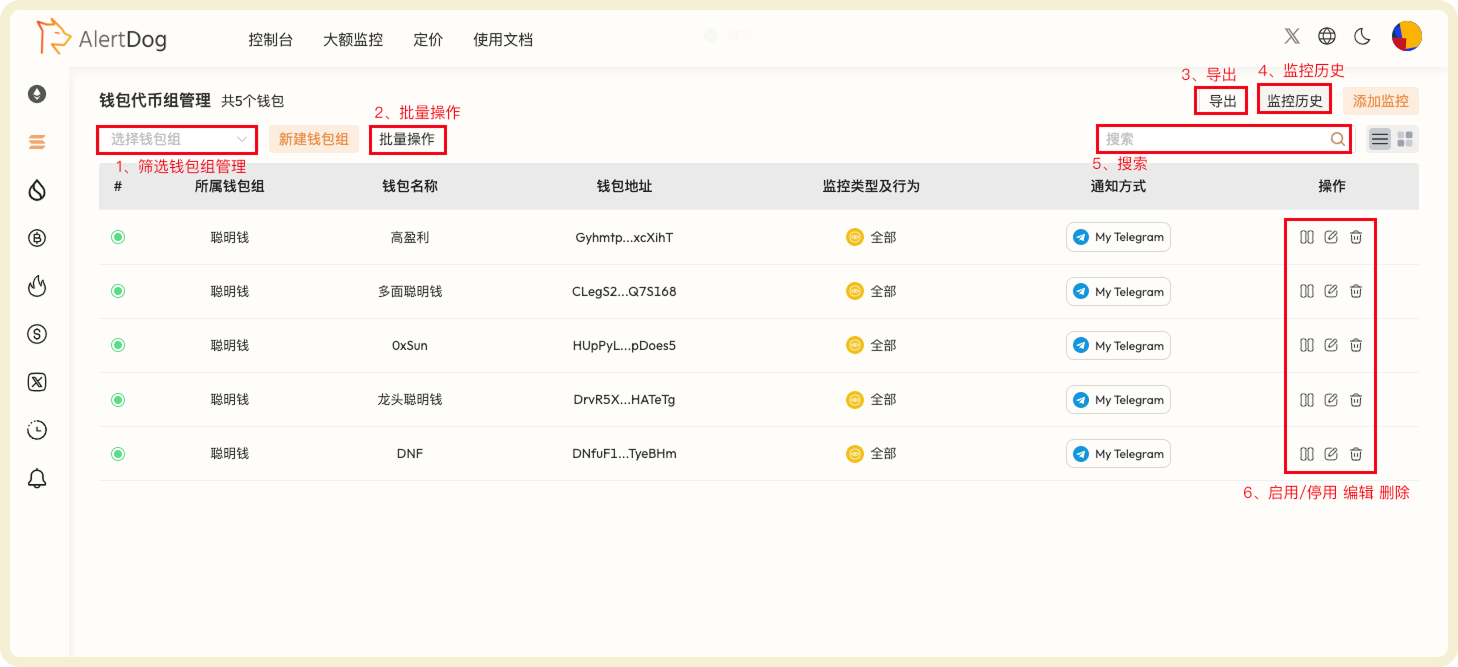
Solana Address Monitoring Management Interface
Advanced Settings
You can set filter conditions when adding monitoring to filter out noise and only focus on important transaction activities.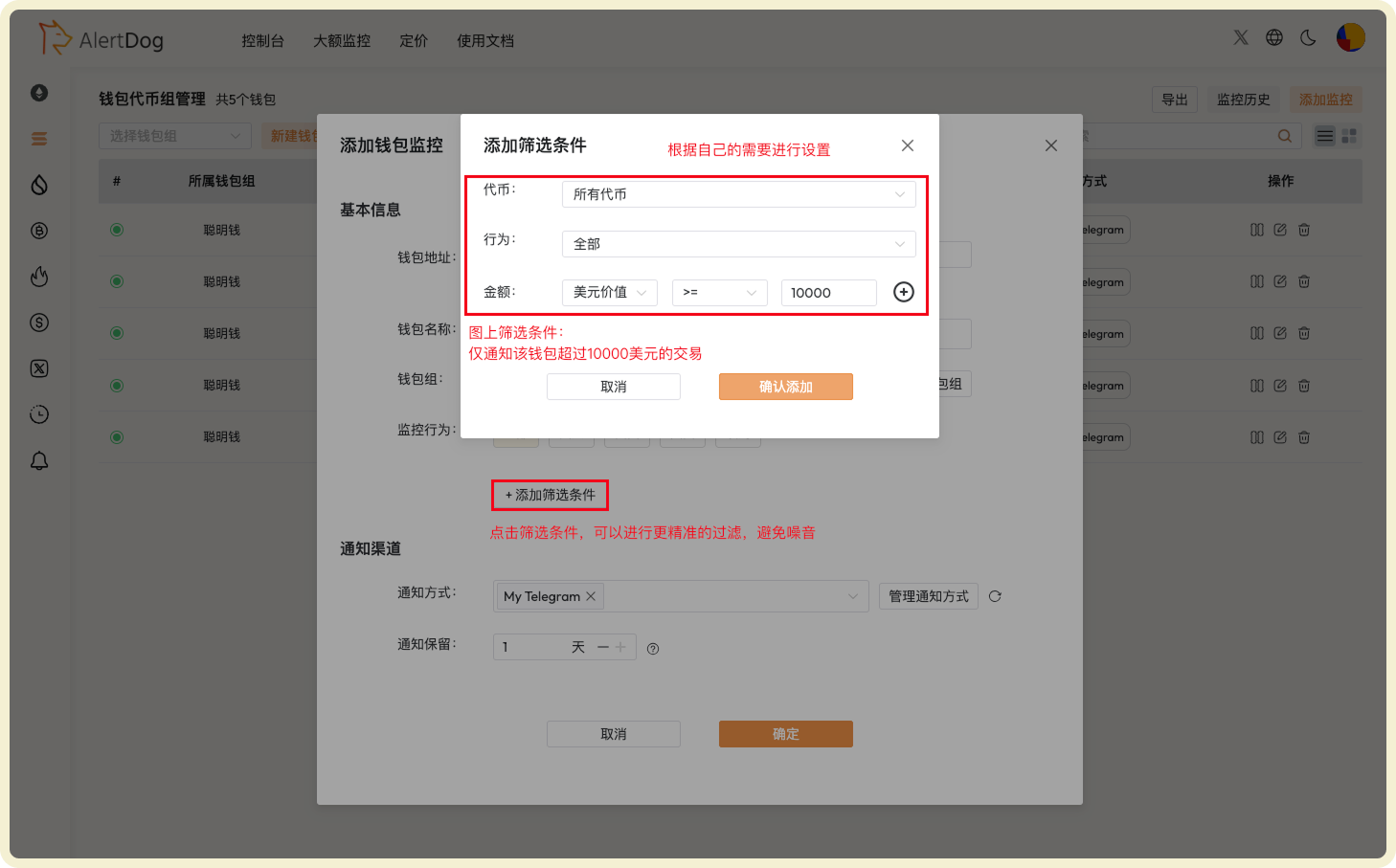
Solana Advanced Filter Settings
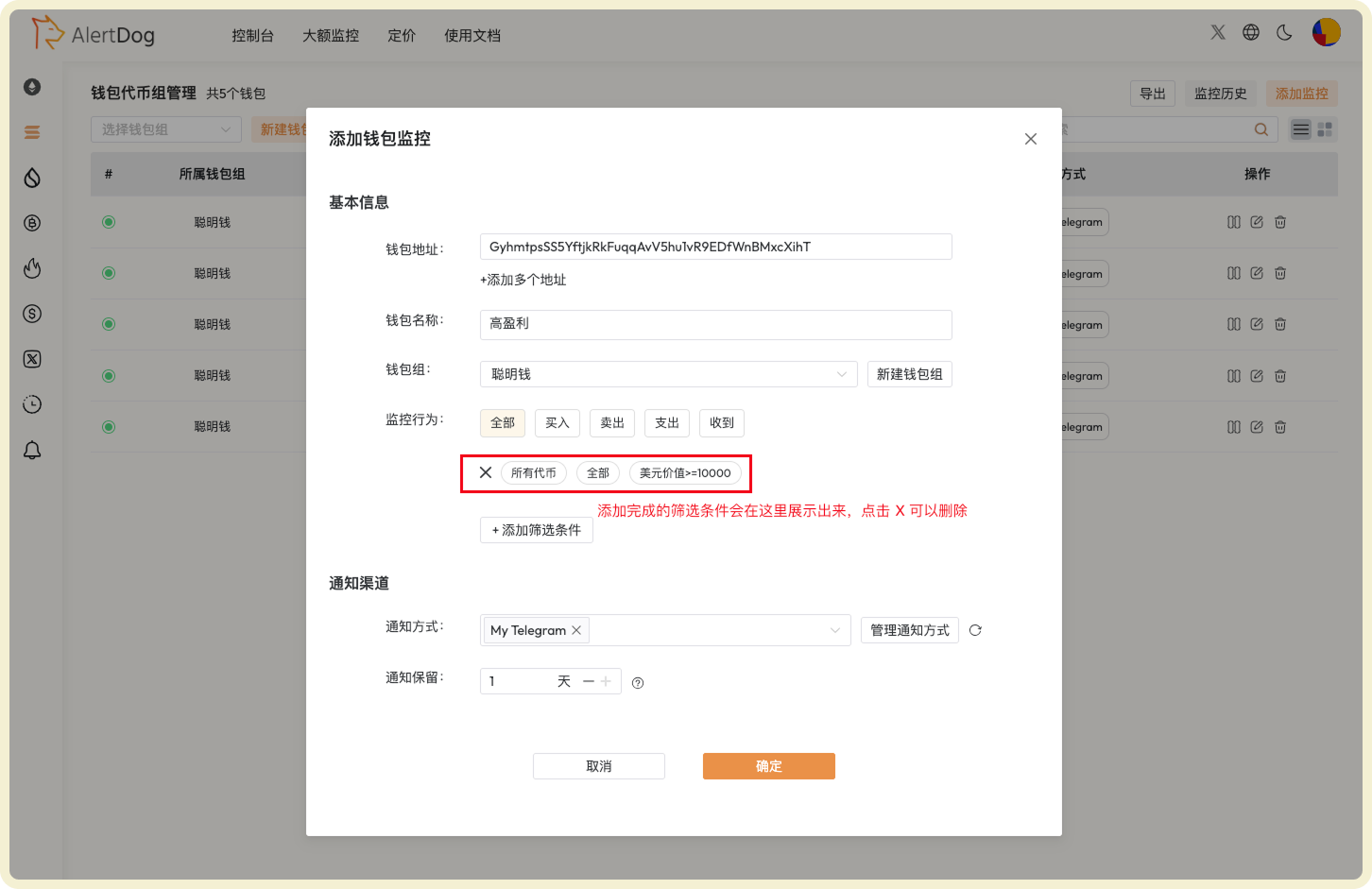
Compatibility Filter Condition Configuration Example