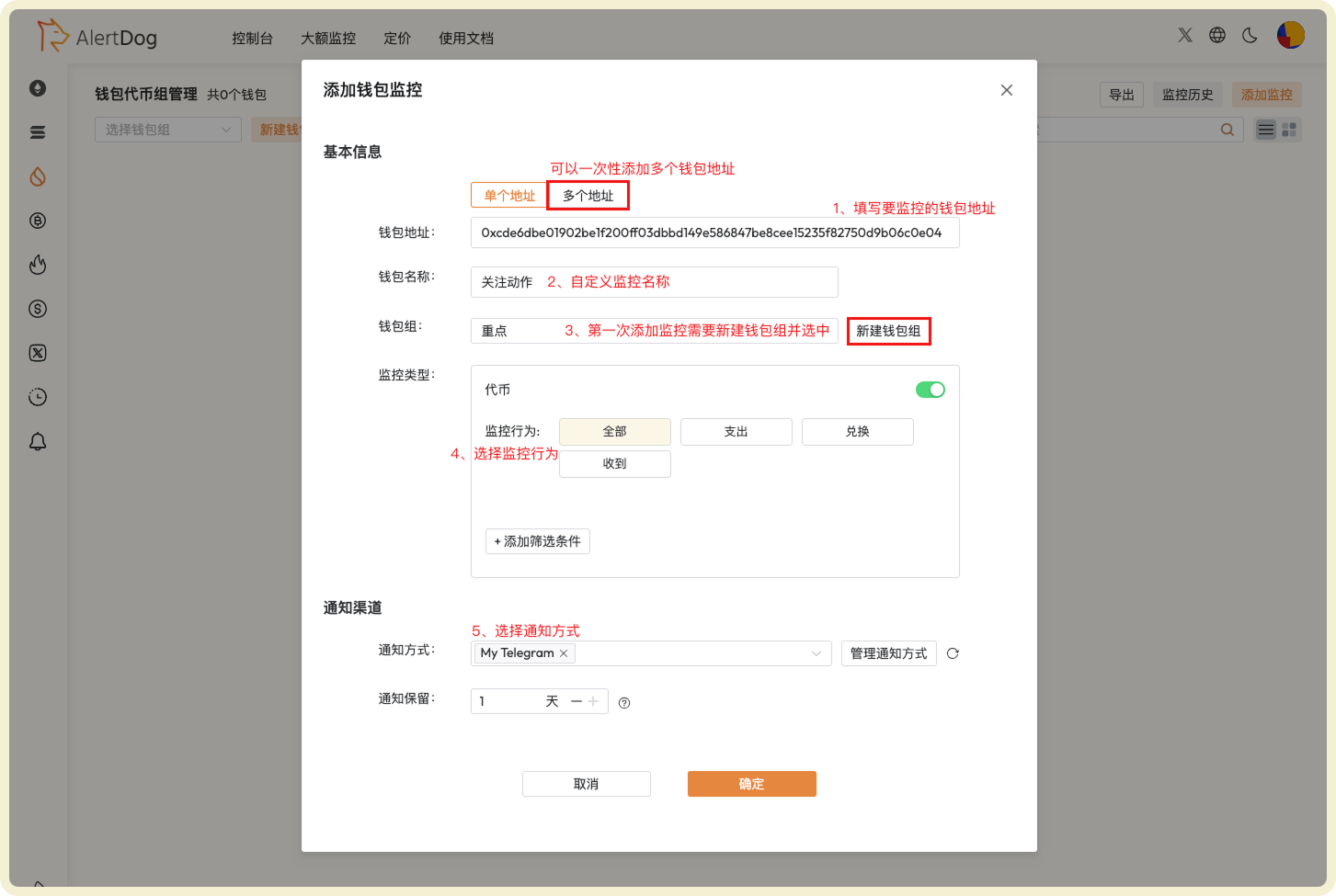
Add Address Monitoring

Field Description

FieldDescriptionNotes
Wallet AddressThe wallet address you want to monitorMust be a valid wallet address starting with 0x
Wallet NameNickname for the wallet address for easy memory and managementCannot have duplicate wallet names within the same wallet group
Wallet GroupAssign monitoring to a group for easier viewing and managementFirst-time users need to create a wallet group, group names cannot be duplicated
Monitoring TypeToken: Monitor token operations of this wallet (such as: spend/swap/receive)
NFT: Monitor NFT transactions of wallet (such as: transfer/receive/buy/sell)
-
Notification MethodMonitoring notification messages will be sent through this methodMultiple notification methods can be selected simultaneously; if all selected methods are disabled, this monitoring is automatically disabled
Notification RetentionHow long monitoring notification history is retained on the AlertDog webpageDefault is 1 day, automatically cleared after expiration

Operation Steps

Detailed operation steps diagram for adding SUI address monitoring

Steps to Add SUI Address Monitoring

Notification Example
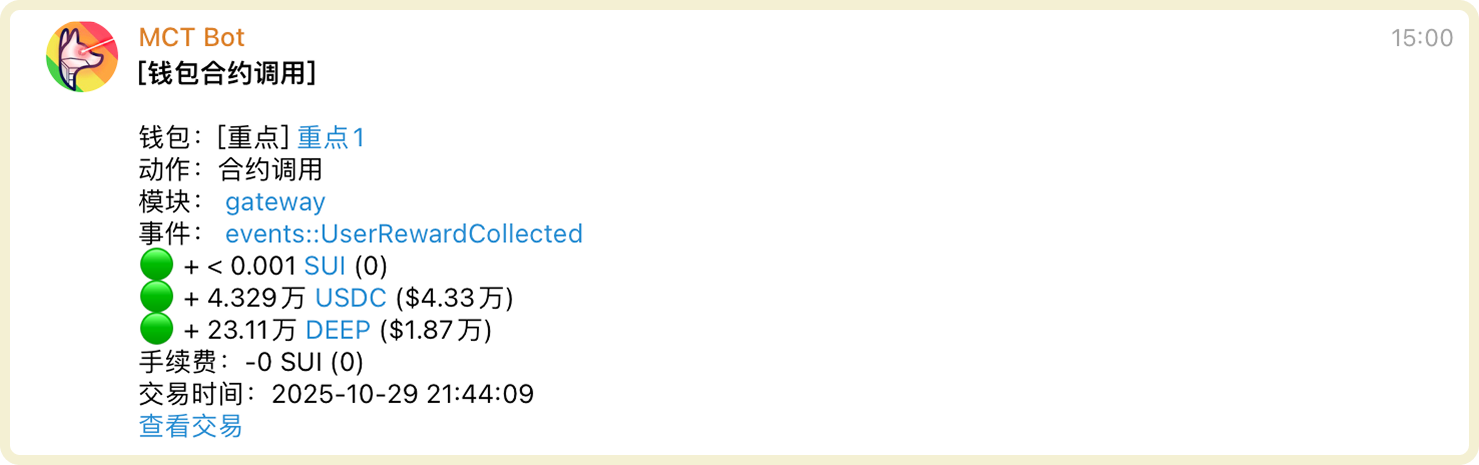
Example notification message after SUI address monitoring triggers

SUI Address Monitoring Notification Example

Manage Address Monitoring

You can manage added address monitoring through the following methods:
  • Filter Wallet Group Management: After selecting a specific wallet group, you can modify the group name or delete the wallet group
  • Batch Operations: Click batch operations to perform batch move to group, batch edit, batch modify notification methods, batch delete on selected wallets
  • Export: Wallet list data supports export to Excel format
  • Monitoring History: View received monitoring notification history on the unified monitoring history page
  • Search: Search for specific wallets
  • Enable/Disable, Edit, Delete: Perform enable/disable, edit, delete operations on wallets
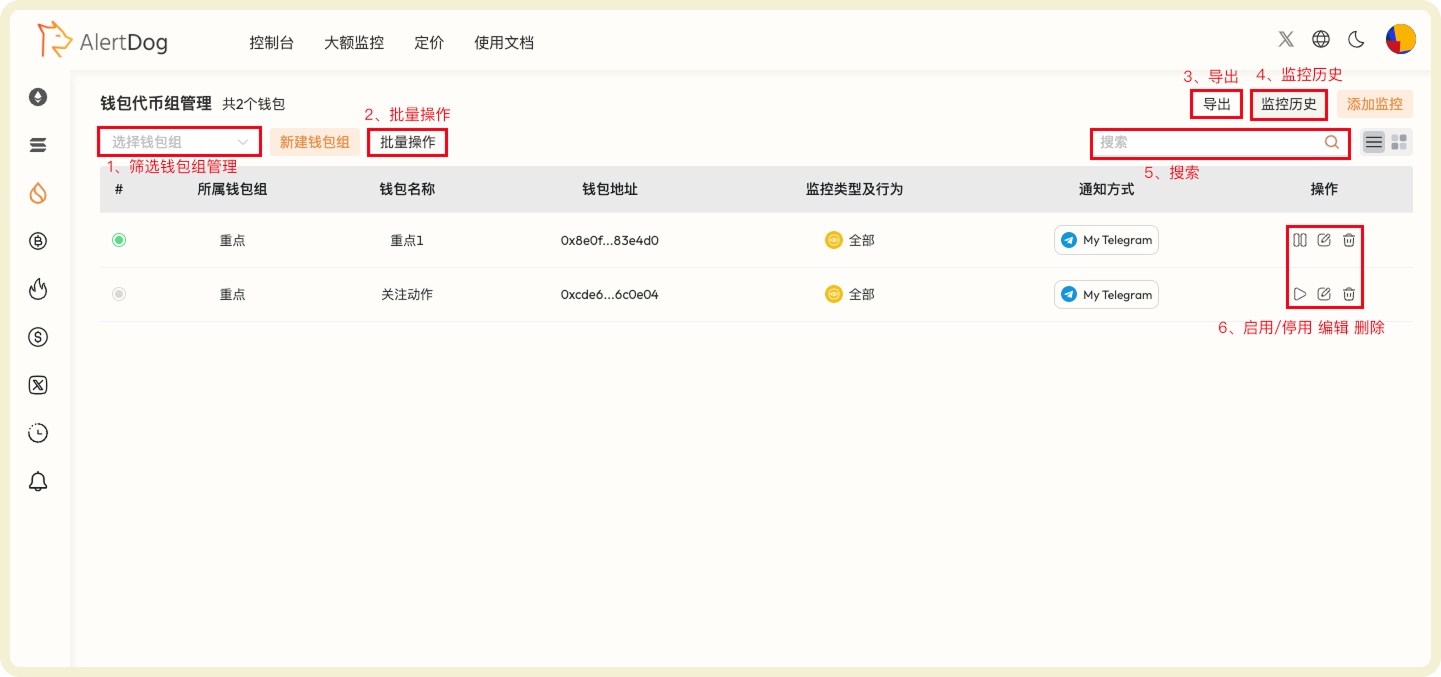
SUI address monitoring list and management function interface

SUI Address Monitoring Management Interface

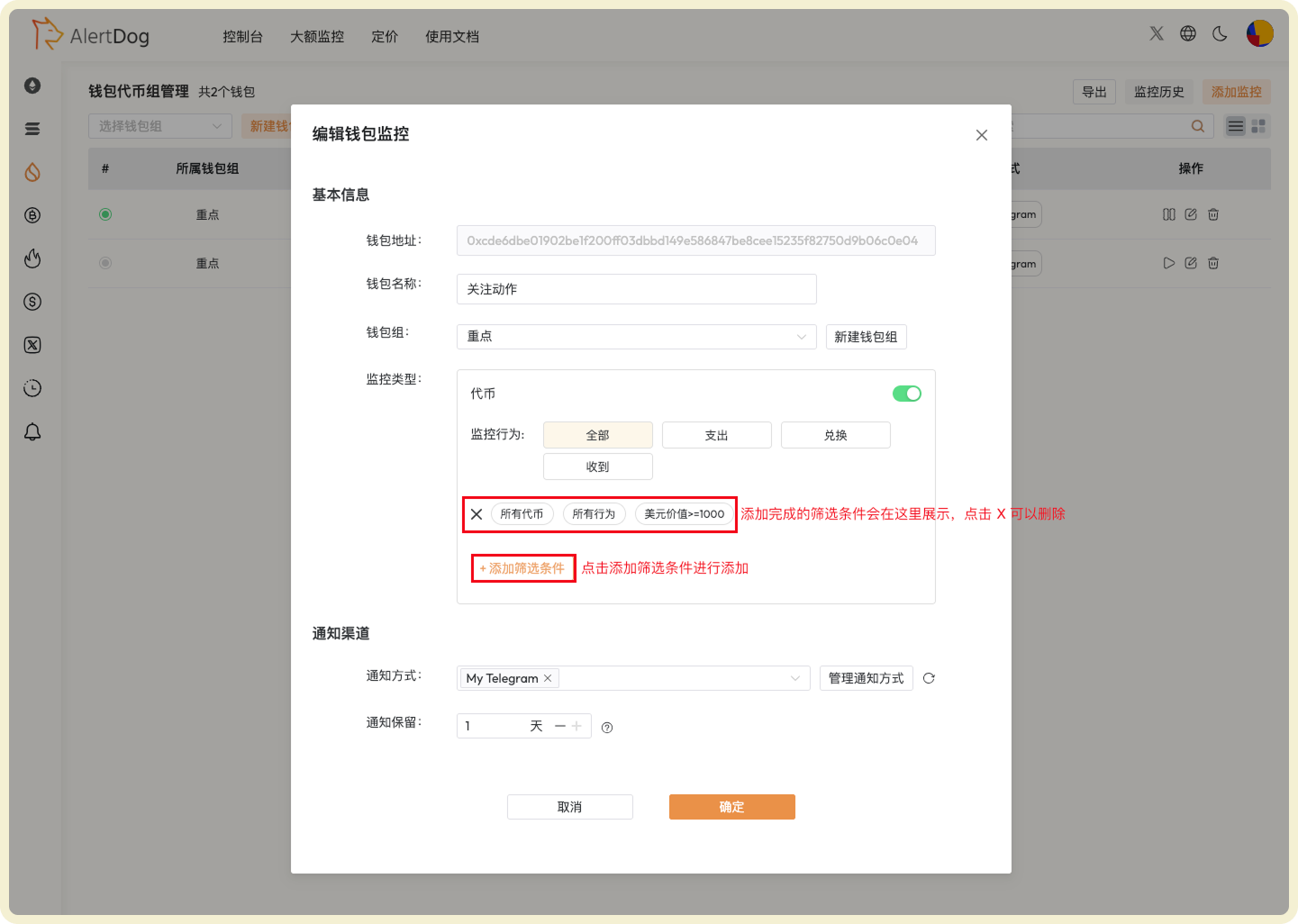
Advanced Settings

You can set filter conditions when adding monitoring to filter out noise and only focus on important transaction activities.
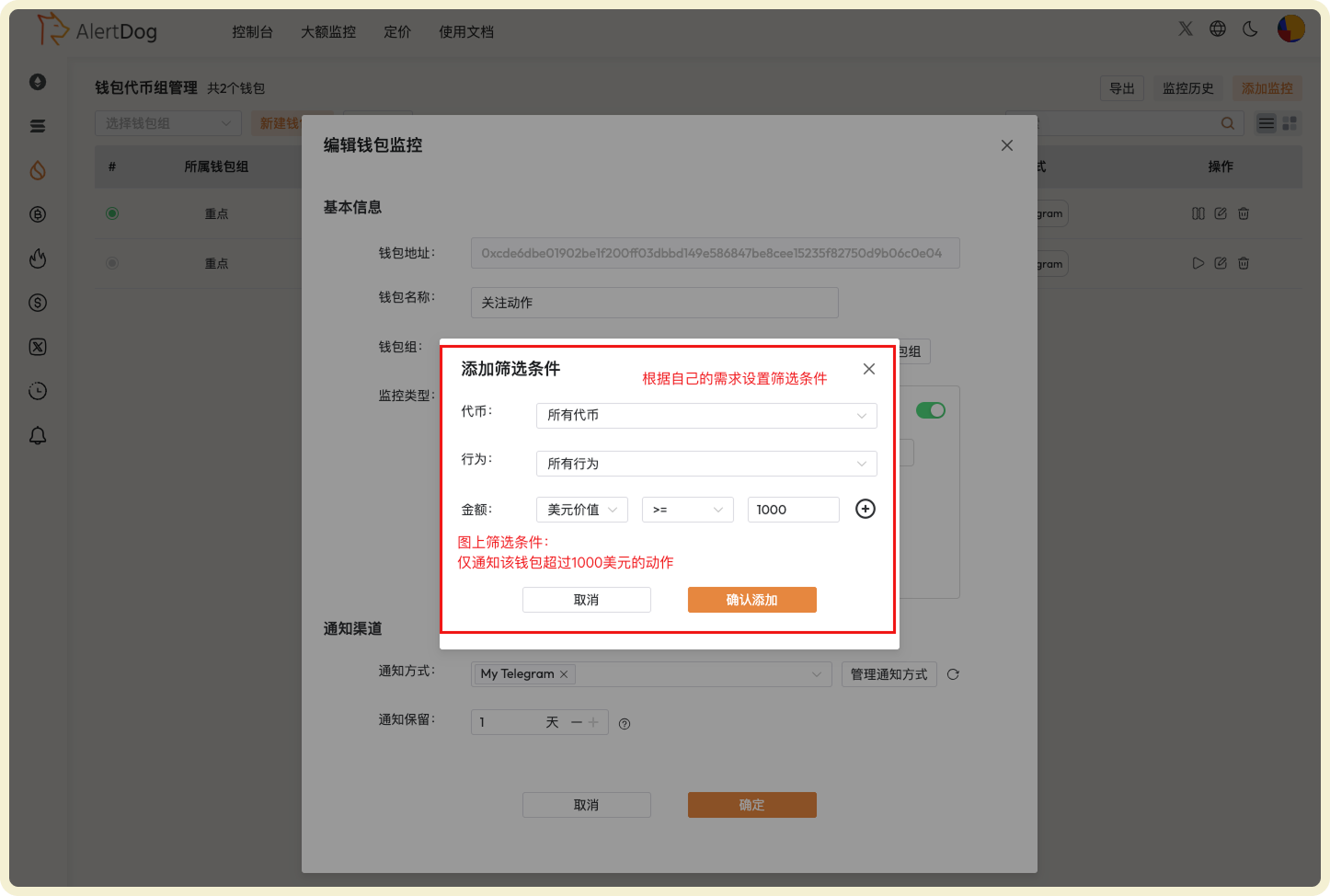
SUI advanced filter condition configuration interface

SUI Advanced Filter Settings

Detailed configuration example for SUI filter conditions

SUI Filter Condition Configuration Example

SUI chain uses an object model, which is different from other EVM chains. It’s recommended to familiarize yourself with SUI-specific concepts before setting up complex filter conditions.