

Add Token Monitoring
Token monitoring supports two main monitoring types: TOP holder change monitoring and large transaction monitoring.TOP Holder Change Monitoring
TOP holder change monitoring helps you grasp whale holding changes in real-time, gaining early insights into market trends and fund flows. Example: Monitor operations greater than $10,000 by the TOP 20 holders of token “Binance Life”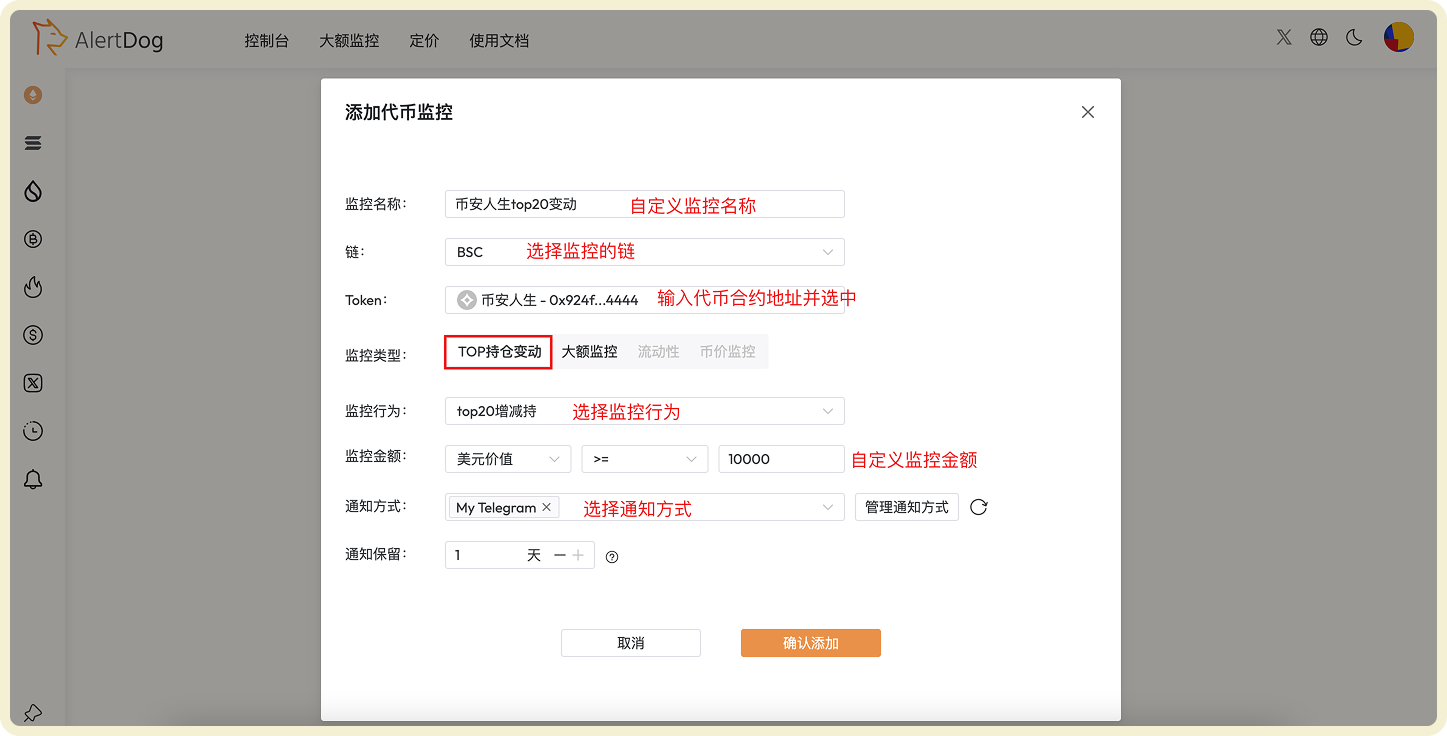
TOP Holder Change Monitoring Configuration Example
Large Transaction Monitoring
Large transaction monitoring can capture large transfer activities, quickly discovering potential pump or dump signals. Example: Monitor transactions greater than $1 million for token “Binance Life”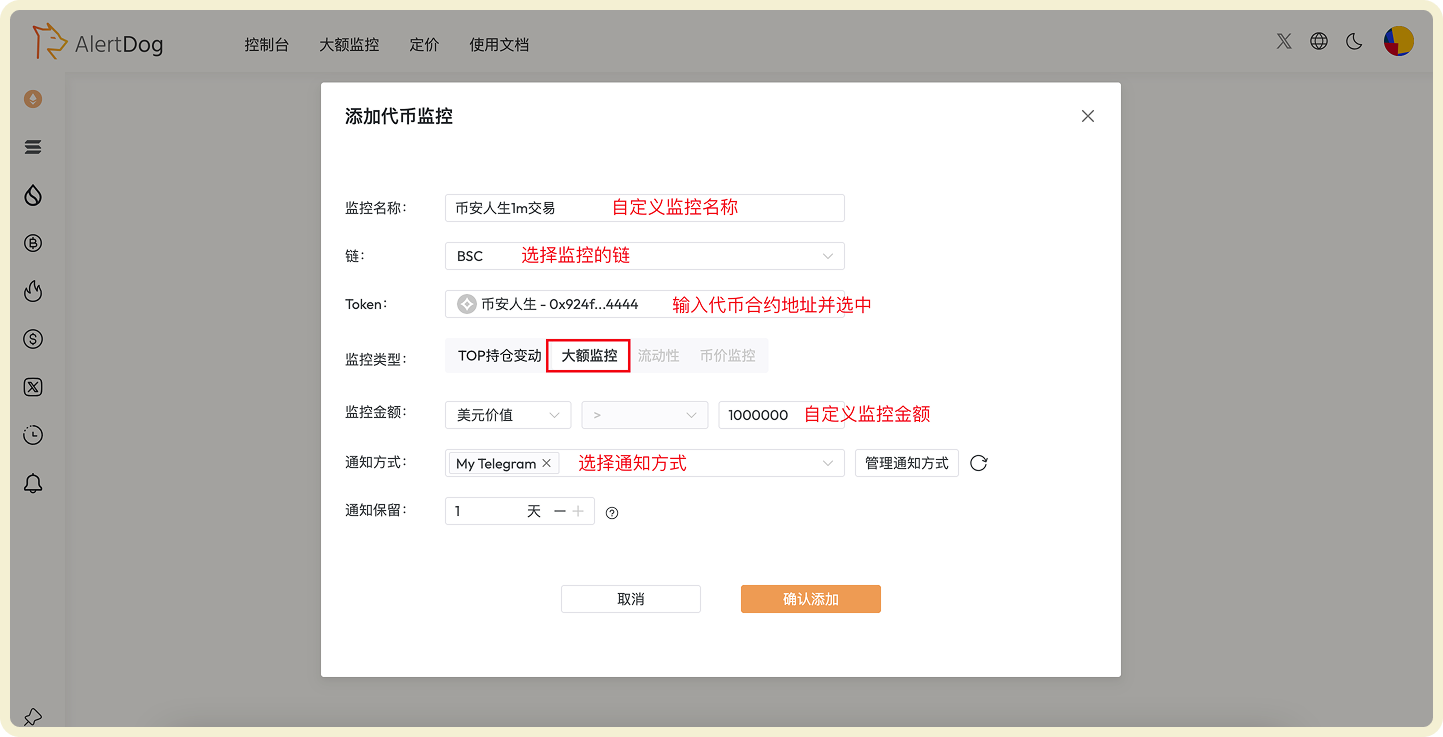
Large Transaction Monitoring Configuration Example
Manage Token Monitoring
You can manage added token monitoring through the following methods:- Batch Operations: Click batch operations to perform batch move to group, batch edit, batch modify notification methods, batch delete on selected monitoring tasks
- Monitoring History: View received monitoring notification history on the unified monitoring history page
- Enable/Disable, Edit, Delete: Perform enable/disable, edit, delete operations on monitoring tasks
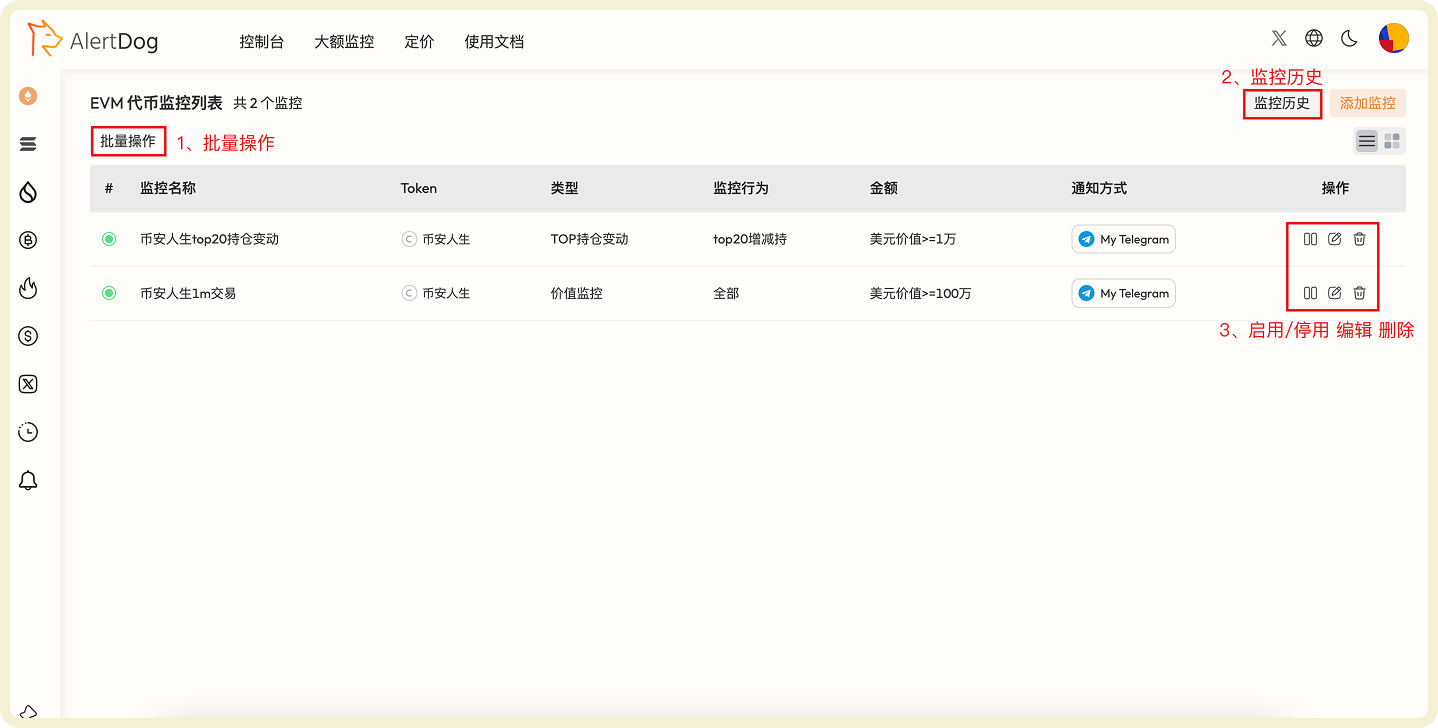
Token Monitoring Management Interface