Precisely capture trending inscription minting opportunities by setting conditions based on time and quantity dimensions.
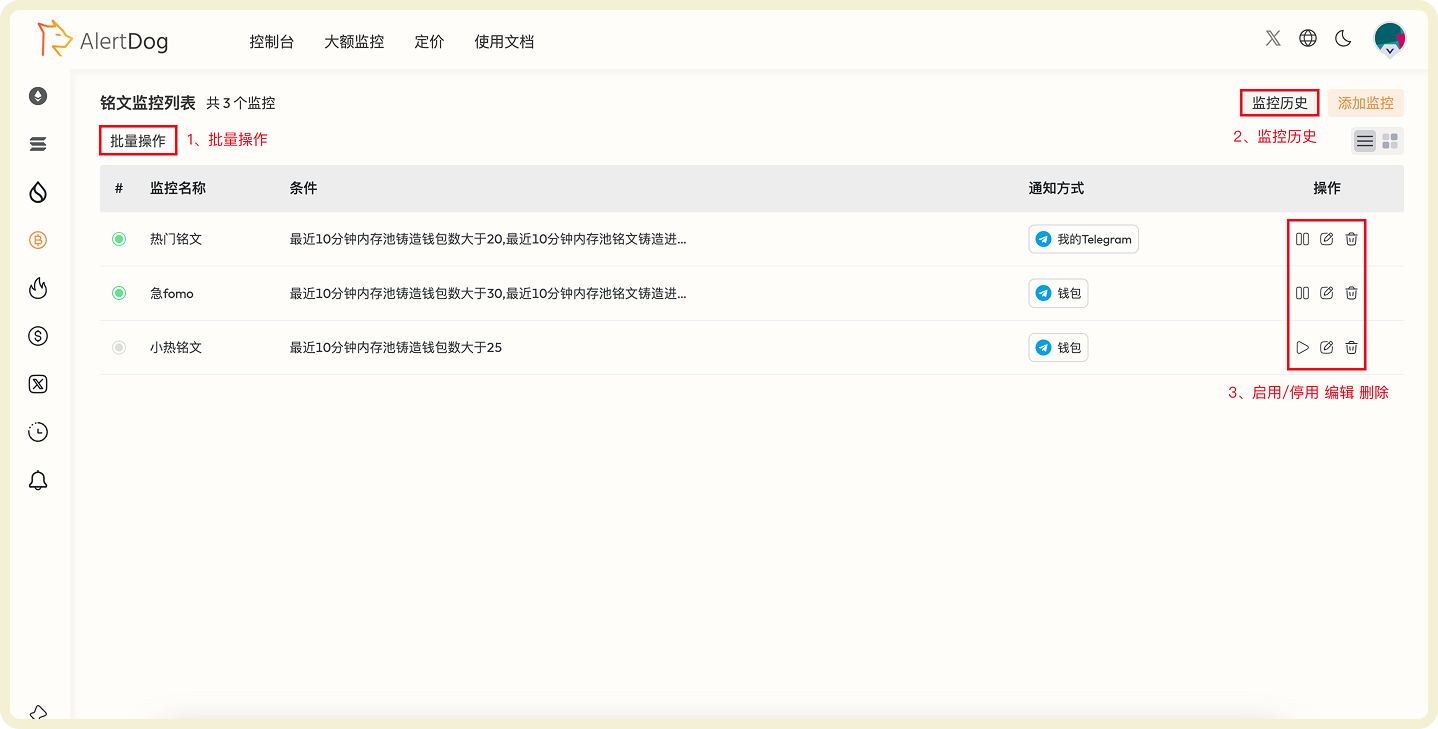
Inscription Monitoring Configuration
Condition Setting Description
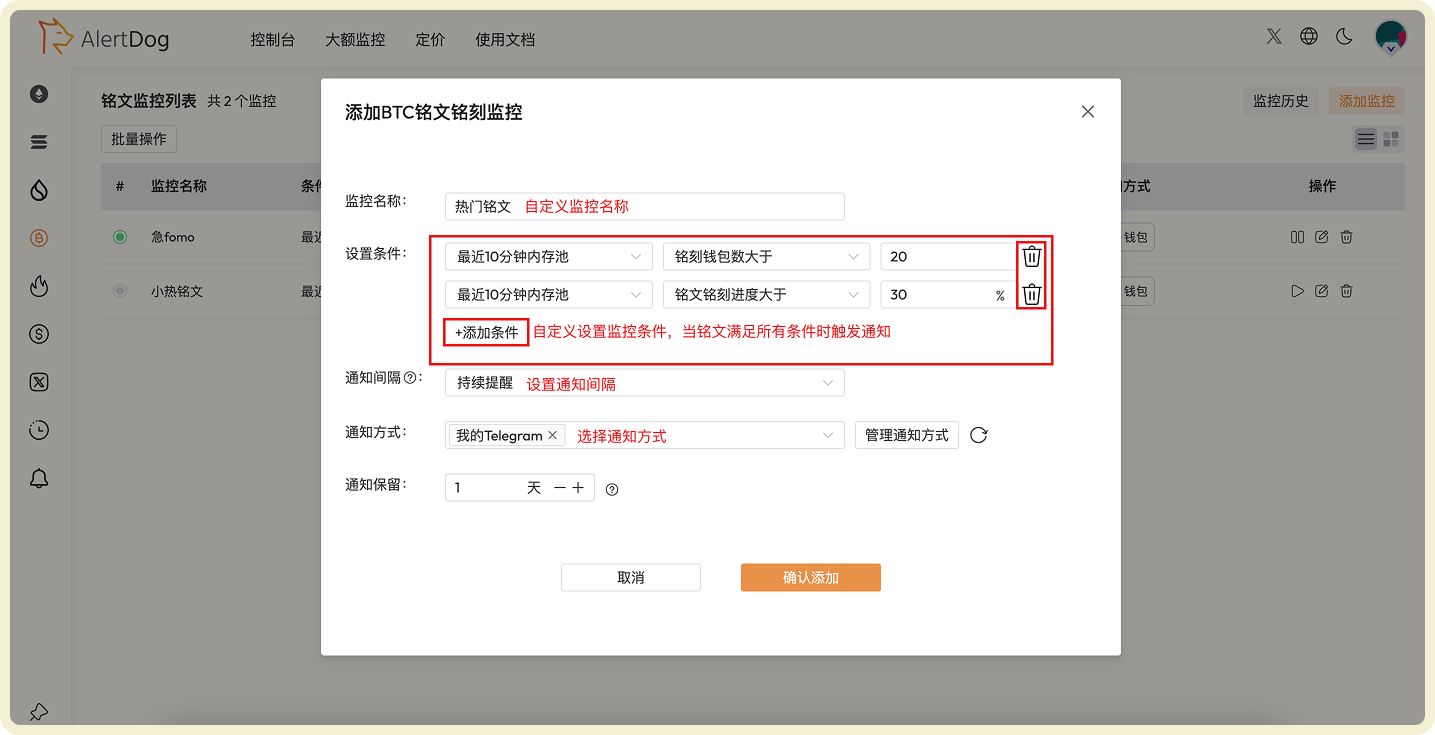
Condition Setting: Configure through time and quantity dimensionsTime Dimension Options:
Within last 10 minutes mempool
Last 3 blocks
Last 10 blocks
Last 20 blocks
Quantity Dimension Options:
Minting wallet count greater than
Transaction count greater than
Inscription minting progress greater than
Inscription minting progress less than
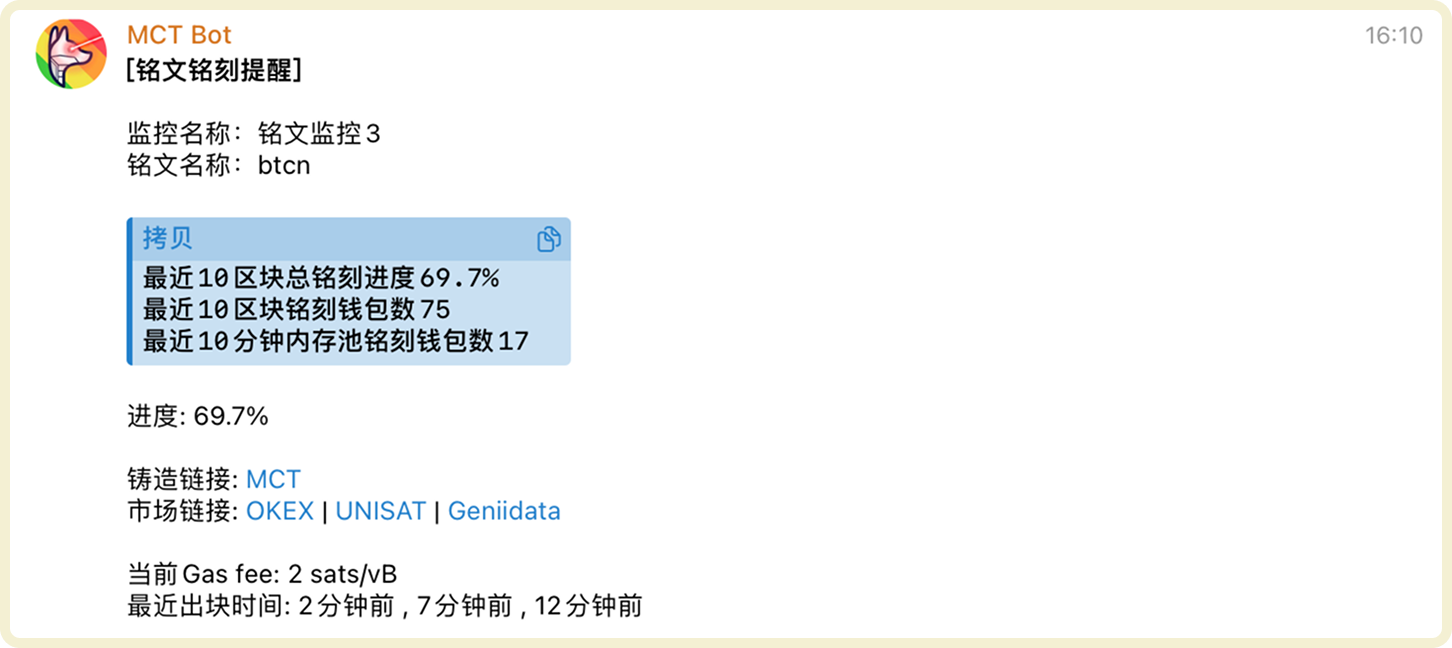
You can customize combinations of time conditions + quantity conditions. Multiple conditions can be added, notifications will only be sent when inscriptions meet all conditions simultaneously.Configuration Example:
Notifications will only be sent when the inscription simultaneously meets: minting wallet count > 10 in last 10 minutes mempool, and minting progress > 50%.