Runes is a fungible token protocol on the Bitcoin network, allowing token creation and management on the Bitcoin blockchain.

Add Rune Deployment Monitoring

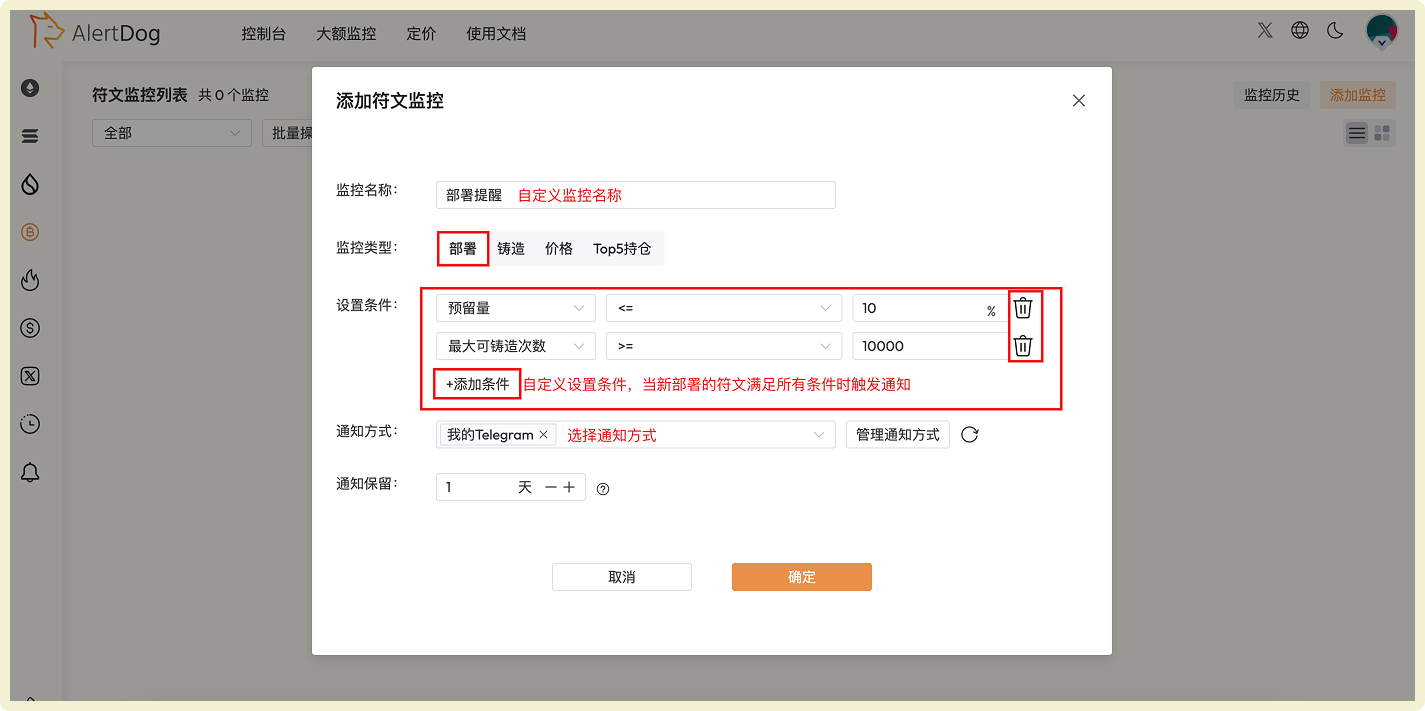
Monitor newly deployed rune projects in real-time, discover investment opportunities at the first moment.
Rune deployment monitoring configuration interface

Rune Deployment Monitoring Configuration

Add Rune Minting Monitoring

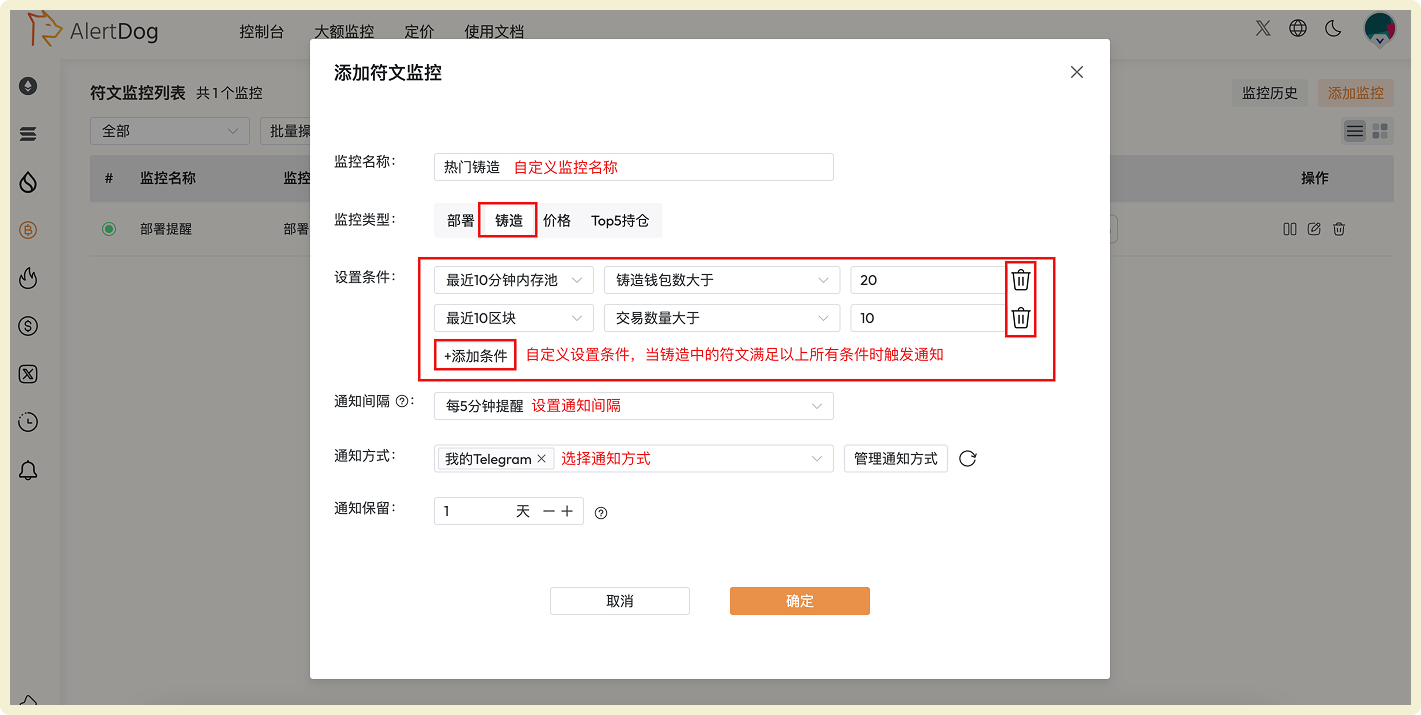
Precisely capture trending rune minting opportunities by setting conditions based on time and quantity dimensions.
Rune minting monitoring configuration interface

Rune Minting Monitoring Configuration

Condition Setting Description
Condition Setting: Configure through time and quantity dimensionsTime Dimension Options:
  • Within last 5 minutes mempool
  • Within last 10 minutes mempool
  • Last 3 blocks
  • Last 10 blocks
  • Last 20 blocks
Quantity Dimension Options:
  • Minting wallet count greater than
  • Transaction count greater than
  • Rune minting progress greater than
  • Rune minting progress less than
You can customize combinations of time conditions + quantity conditions. Multiple conditions can be added, notifications will only be sent when runes meet all conditions simultaneously.Configuration Example
Rune monitoring condition configuration example

Notifications will only be sent when the rune simultaneously meets: minting wallet count > 10 in last 5 minutes mempool, and minting progress > 50%.


Add Rune Price Monitoring

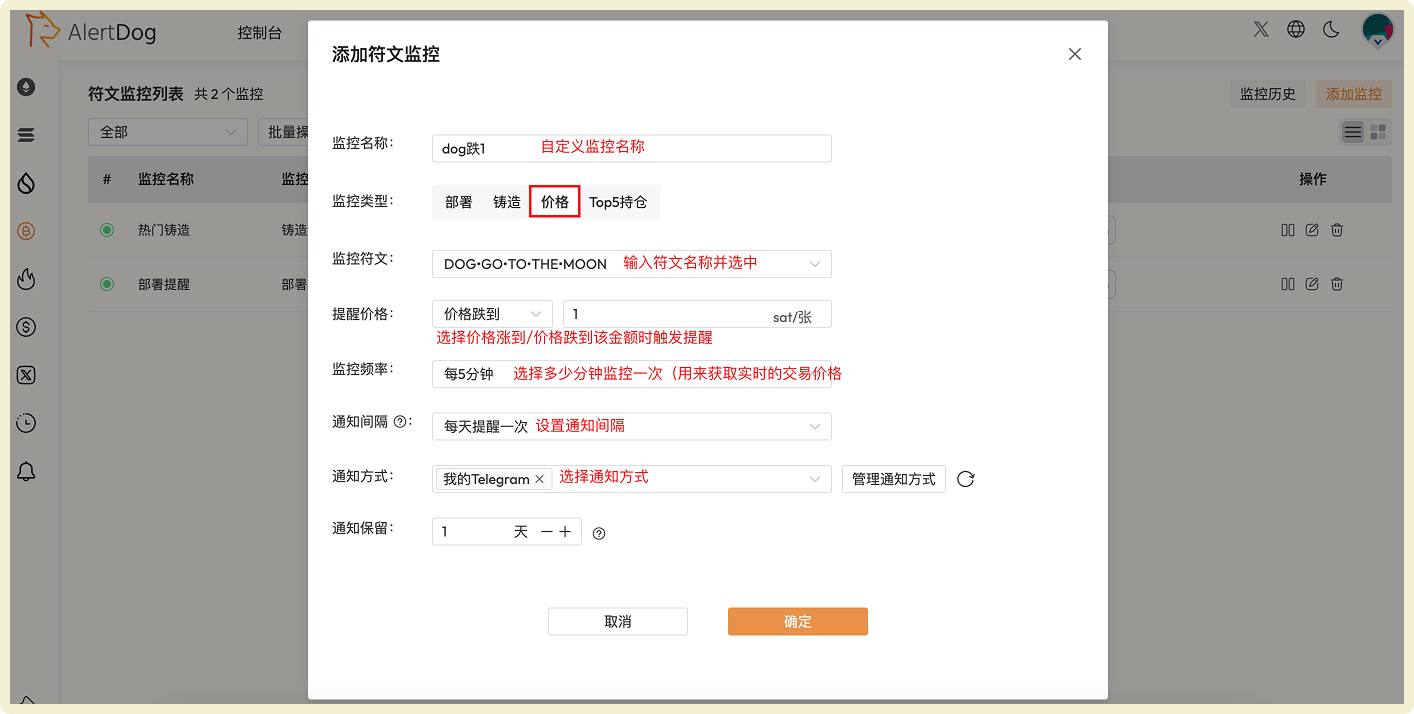
Monitor rune price changes, capture buy/sell opportunities promptly.
Rune price monitoring configuration interface

Rune Price Monitoring Configuration

Add Rune TOP5 Holding Change Monitoring

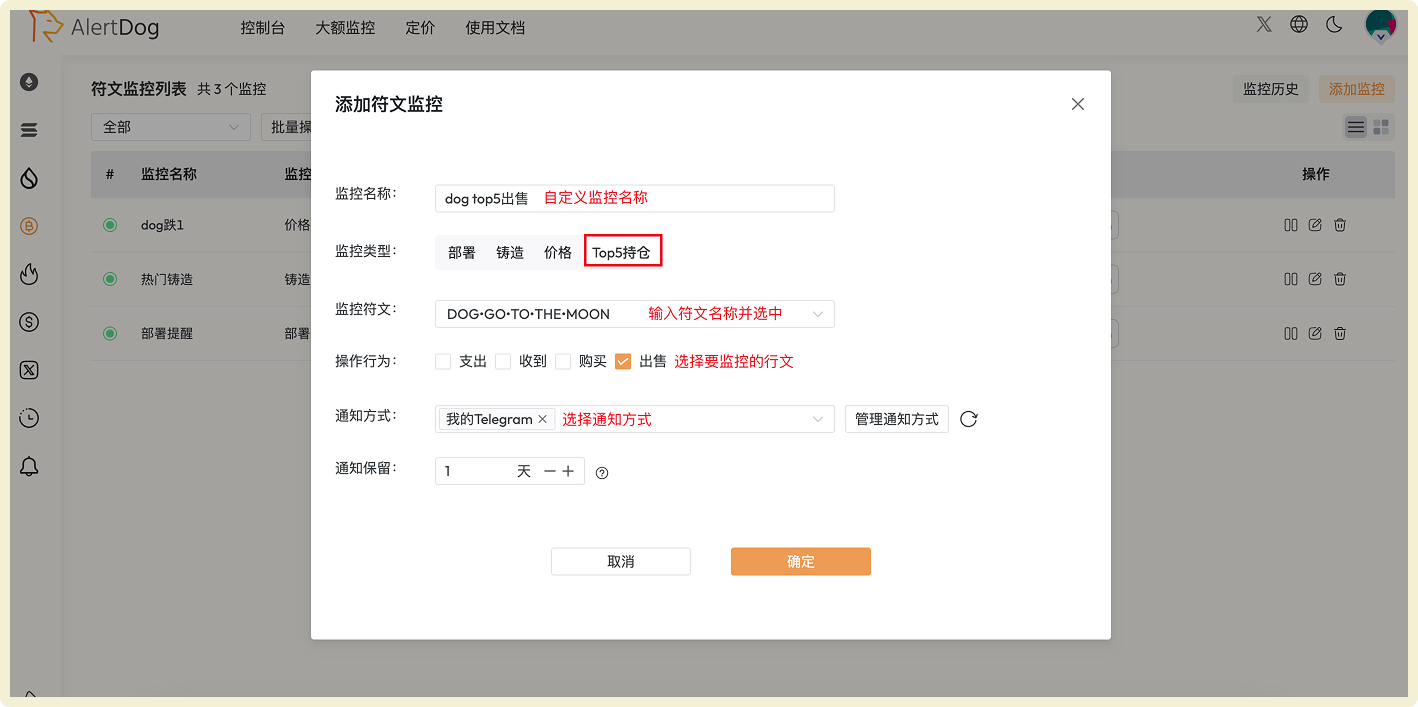
Track whale holding changes in real-time, gain market trend insights.
Rune TOP5 holding change monitoring configuration interface

Rune TOP5 Holding Change Monitoring Configuration

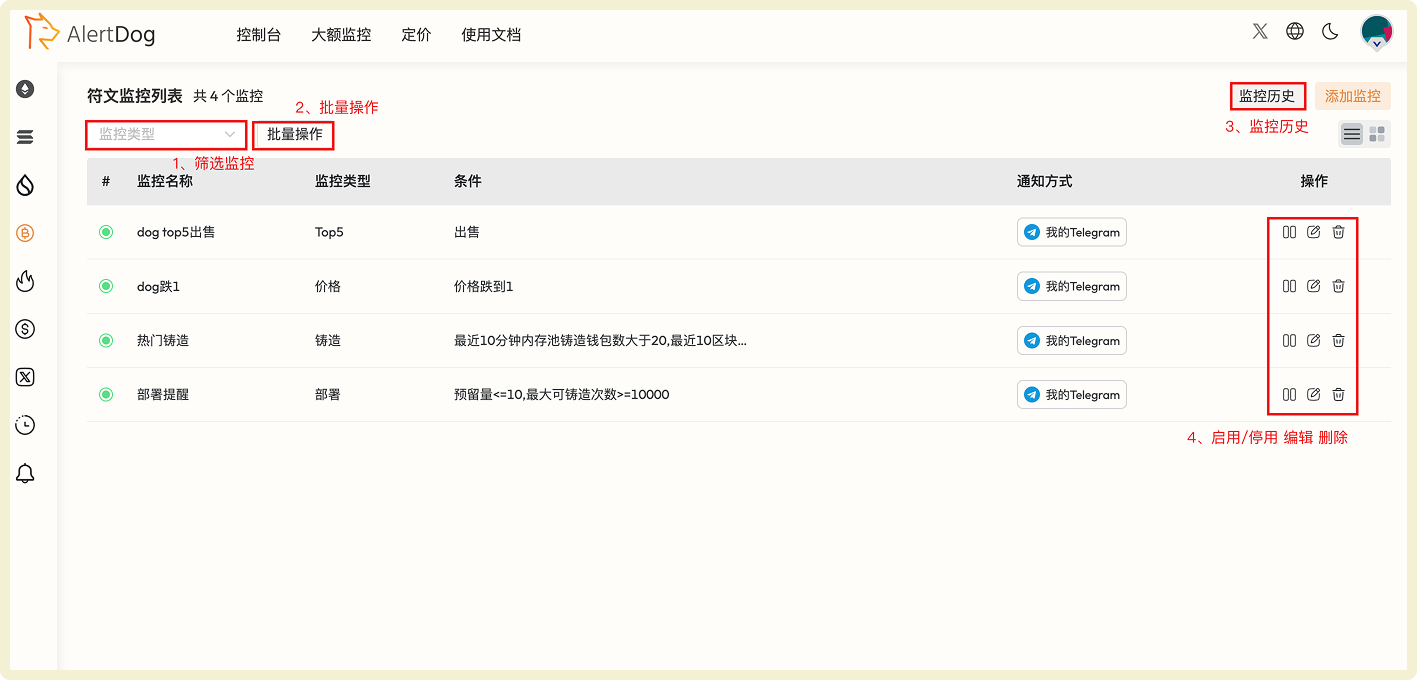
Manage Rune Monitoring

You can manage added rune monitoring through the following methods:
  • Filter Monitoring: Filter specific monitoring by monitoring type
  • Batch Operations: Click batch operations to perform batch move to group, batch edit, batch modify notification methods, batch delete on selected monitoring
  • Monitoring History: View received monitoring notification history on the unified monitoring history page
  • Enable/Disable, Edit, Delete: Perform enable/disable, edit, delete operations on monitoring
Rune monitoring management interface

Rune Monitoring Management Interface