Add Address Monitoring
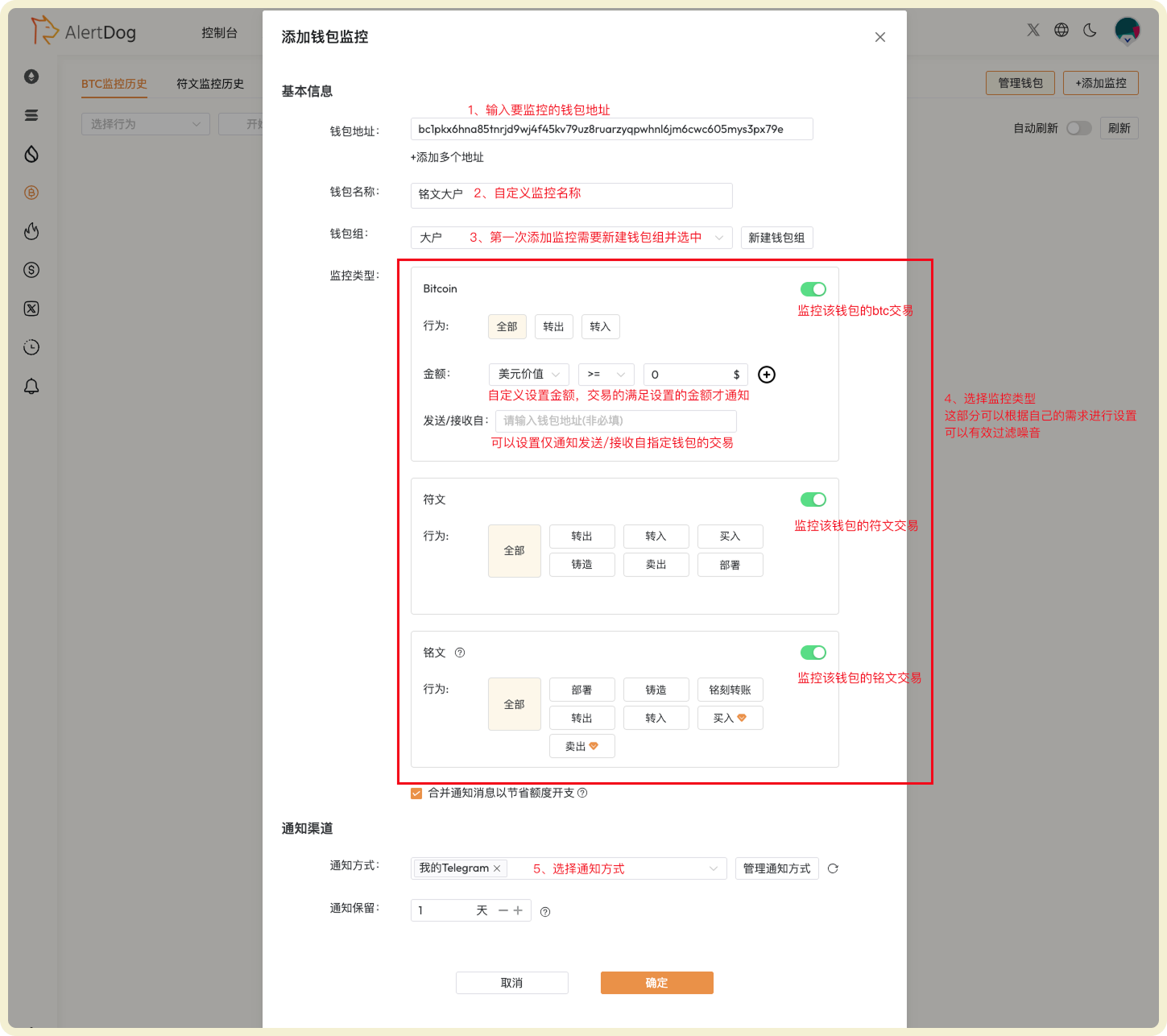
BTC address monitoring supports monitoring multiple asset types, including BTC transfers, Runes, and Inscriptions.Field Description
| Field | Description | Notes |
|---|---|---|
| Wallet Address | The wallet address you want to monitor | Must be a valid BTC address |
| Wallet Name | Nickname for the wallet address for easy memory and management | Cannot have duplicate wallet names within the same wallet group |
| Wallet Group | Assign monitoring to a group for easier viewing and management | First-time users need to create a wallet group, group names cannot be duplicated |
| Monitoring Type | BTC: Monitor BTC transfers Runes: Monitor rune transactions Inscriptions: Monitor inscription transfers/receipts/buy/sell | Multiple types can be monitored simultaneously |
| Notification Method | Monitoring notification messages will be sent through this method | Multiple notification methods can be selected simultaneously; If all selected methods are disabled, this monitoring is automatically disabled |
| Notification Retention | How long monitoring notification history is retained on the AlertDog webpage | Default is 1 day, automatically cleared after expiration |
Operation Steps

Steps to Add BTC Address Monitoring
Notification Example
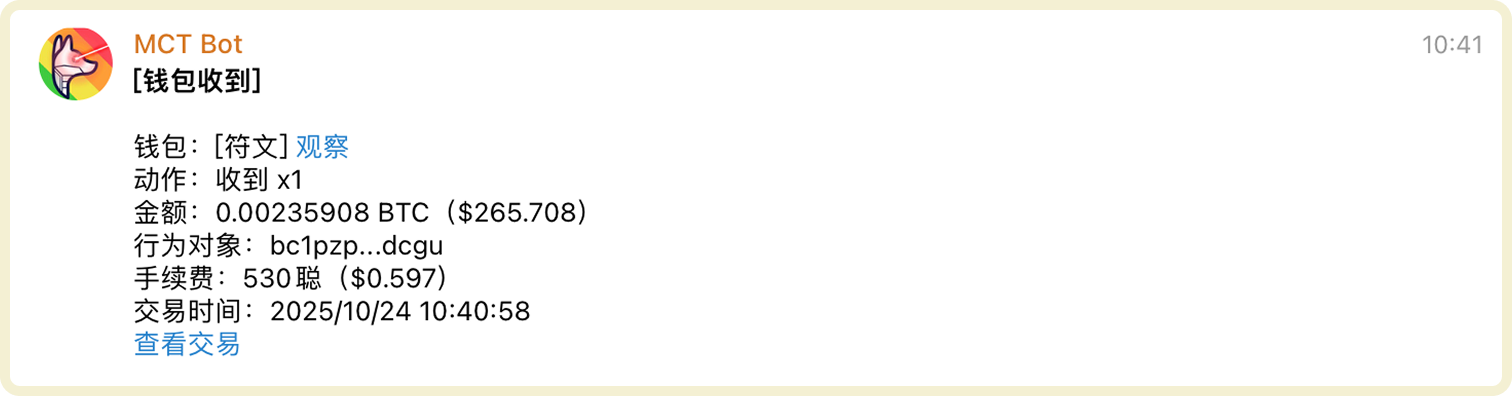
BTC Address Monitoring Notification Example
Manage Address Monitoring
You can manage added address monitoring through the following methods:- Filter Wallet Group Management: After selecting a specific wallet group, you can modify the group name or delete the wallet group
- Batch Operations: Click batch operations to perform batch move to group, batch edit, batch modify notification methods, batch delete on selected wallets
- Export: Wallet list data supports export to Excel format
- Monitoring History: View received monitoring notification history on the unified monitoring history page
- Search: Search for specific wallets
- Enable/Disable, Edit, Delete: Perform enable/disable, edit, delete operations on wallets
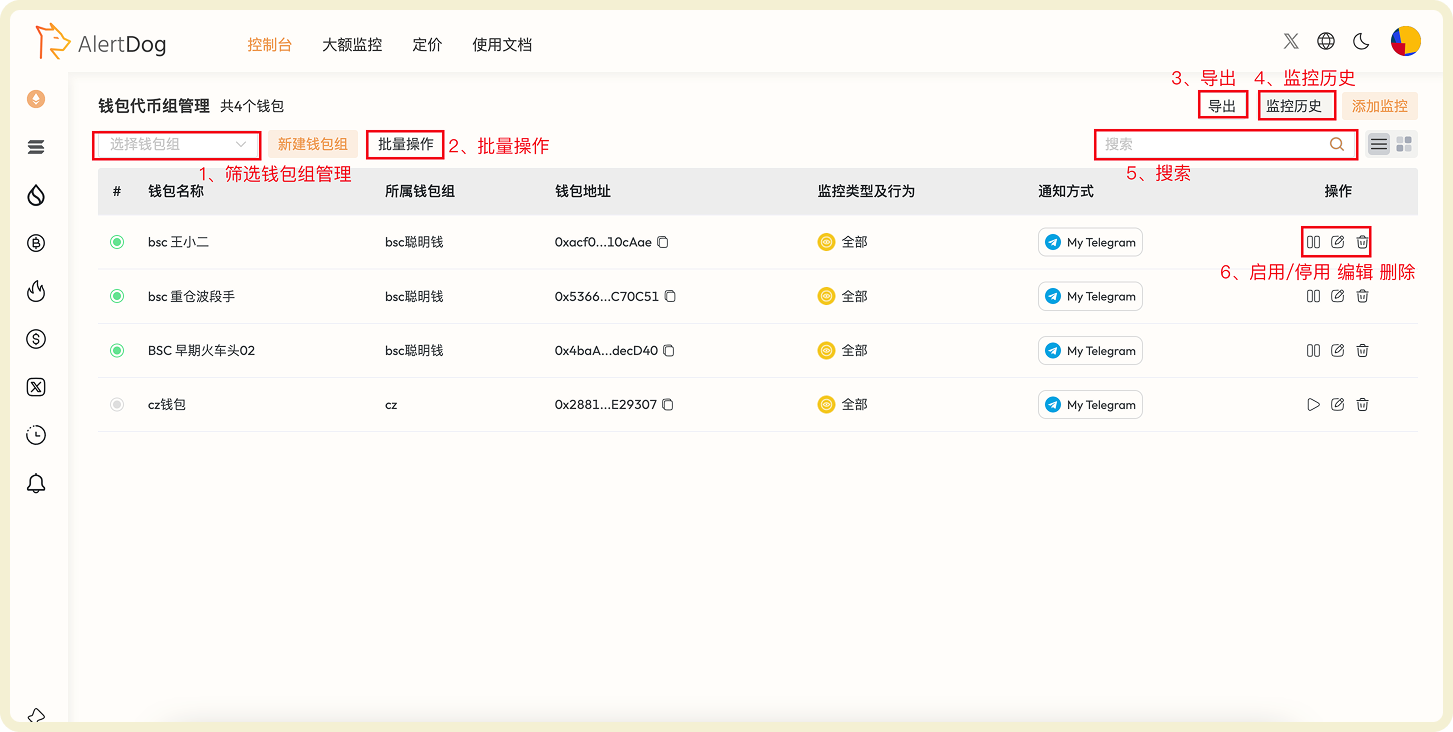
BTC Address Monitoring Management Interface